
Categories: AI Writing
AI Office Bot Review: Your New Spreadsheet BFF?

It’s 4:47 PM on a Friday, and the only thing standing between you and the weekend is a spreadsheet. A monstrous, sprawling grid of data that mockingly glares back at you. You need to pull some specific information, a task that requires a formula so complex it looks more like ancient hieroglyphics than something from Microsoft Excel.
You stare at the blank function bar, the little ‘fx’ symbol taunting you. You try a `VLOOKUP`, it fails. You attempt a `SUMIFS`, it returns a dreaded `#ERROR!`. You spend the next 30 minutes on Google, pasting together snippets of advice from forums circa 2011. It’s a tale as old as time, or at least as old as Lotus 1-2-3.
In the world of SEO and digital marketing, we live and die by our data. Traffic reports, CPC trends, conversion metrics… it’s all in a spreadsheet somewhere. So when I heard about a tool called AI Office Bot, which claims to be an AI assistant for this exact kind of grid-based misery, my ears perked up. Another AI tool, you say? I know, they’re popping up like mushrooms after a rainstorm, but this one seemed a bit different. So, I decided to take a look.
What Exactly is AI Office Bot?
At its core, AI Office Bot is a translator. Not for languages, but for intent. You tell it what you want to do in plain, simple English, and it spits out the corresponding formula. And it’s not just for one platform. It plays nice with the big three: Google Sheets, Microsoft Excel, and even Airtable. For anyone who has to jump between these ecosystems for different clients or projects (guilty!), that’s a pretty big deal.
But here’s the curveball, the thing that made me raise an eyebrow. It also claims to have integrations for creative apps like Adobe Photoshop and Premiere Pro. We’ll get to that odd-but-intriguing combo in a minute.
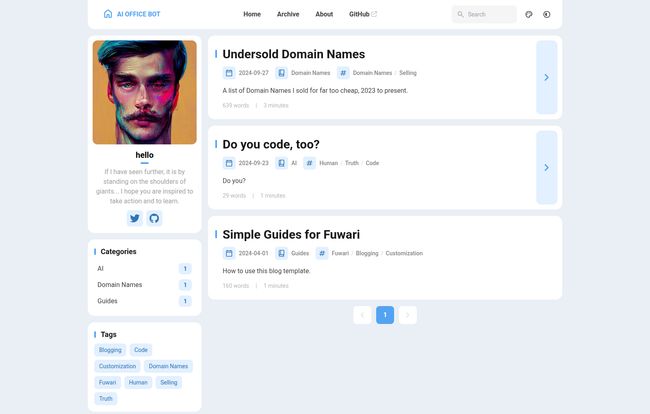
Visit AI OFFICE BOT
Breaking Down the Spreadsheet Sorcery
The main event is, of course, the formula generation. Imagine you have a sheet of campaign data. Instead of fumbling with your own syntax, you could theoretically ask it something like:
“Show me the average Click-Through Rate from Column F for all campaigns in Column B that are labeled ‘Summer Sale’ and have more than 500 impressions from Column D.”
The bot is designed to take that sentence and hand you the perfect, ready-to-paste formula. This is more than just a time-saver; it’s a sanity-saver. The hours I’ve personally lost trying to debug a misplaced comma or a forgotten parenthesis… I don’t even want to think about it.
More Than a Cheat Sheet, It’s a Tutor
Here’s what really interests me, though. AI Office Bot doesn’t just give you the fish; it teaches you how to fish. It also provides an explanation of the formula it generated. This transforms it from a simple crutch into a powerful learning tool. You start to see the patterns. You understand why you need to use `QUERY` instead of `FILTER` in Sheets, or when `XLOOKUP` is superior to its older cousins in Excel. Over time, you’d probably find yourself relying on it less for simple things, because you’ve actually learned how they work.
Beyond the Cells: A Creative Twist
Okay, let’s talk about the elephant in the room: the Photoshop and Premiere Pro support. This is… unusual. It feels like finding out your accountant is also a semi-professional wrestler. What does an AI that’s brilliant with `SUMIFS` have to do with layer masks and video timelines?
The information on this is a bit sparse, which suggests it might be a newer feature. But I can speculate. Perhaps it helps generate scripts for automating repetitive tasks in Photoshop, like resizing a batch of images. Or maybe in Premiere Pro, it could help with creating complex caption timings or automating edits based on markers. It’s a fascinating prospect that bridges the gap between the analytical and the creative. I’m genuinely curious to see how this feature develops. It could be a game-changer for content creators who have to manage both the creative assets and the performance data behind them.
The Good, The Bad, and The AI-Generated
No tool is perfect, and let’s face it, AI can sometimes be confidently incorrect. So, what’s the real breakdown here?
The Good Stuff
The upsides are pretty clear. First, the potential time savings are massive. We’re talking about taking tasks that could take 30-60 minutes of frustrating trial-and-error and condensing them into 30 seconds. That’s more time for actual analysis, or you know, leaving the office on time.
Second, it drastically reduces the chance of human error. A typo in a complex formula can throw off an entire dataset, and you might not even notice until it’s too late. The bot, in theory, won’t make those silly mistakes. The support for Airtable, Excel, and Google Sheets is also a huge win, making it a versatile tool for almost any office environment.
Things to Keep in Mind
Now, for the reality check. You have to remember that you’re relying on the AI’s accuracy. For a quick calculation, that’s fine. For a Q4 financial report that’s going to the CEO? I’d still be double-checking its work. Think of it as a brilliant, incredibly fast junior analyst. You still need to be the manager who signs off on the final numbers.
Also, it’s not a mind reader. You still need a basic understanding of what you want to achieve. If you don’t know how to structure your question, the AI won’t be able to provide a useful answer. It won’t fix a poorly organized spreadsheet for you; its job is to work with the data you provide.
What’s the Damage? A Look at Pricing
This is the million-dollar question, isn’t it? As of my writing this, there’s no clear pricing information available. This could mean a few things. It might be in a free public beta phase, where the developers are gathering feedback. It could be gearing up for a freemium model (e.g., 10 free formulas per month) or a full subscription service. For now, it seems like you can check it out without pulling out your credit card, which is always a plus in my book. I’d recommend heading to their site to get the latest scoop.
So, Is AI Office Bot Right for You?
Who stands to benefit the most from a tool like this? I think it breaks down into a few groups:
- Data Analysts & SEO Pros: For power users, this isn’t about learning the basics. It’s about speed. It’s a way to automate the tedious part of your job (writing the formula) so you can focus on the important part (interpreting the results).
- The “Accidental” Spreadsheet User: This is the marketing manager, the small business owner, the project lead who inherited a massive spreadsheet. For them, this tool is a lifeline. It demystifies a program they’re forced to use but never formally trained on.
- Students & Beginners: The explanation feature makes it an incredible learning companion. It’s like having a patient tutor on call 24/7.
- Creatives: The potential is there. If you’re a YouTuber, a designer, or a video editor who also has to wrangle data or wants to automate parts of your workflow, keep a very close eye on this one.
A Smarter Way to Work, Not a Replacement
At the end of the day, I see AI Office Bot not as a replacement for knowledge, but as an enhancement to it. It’s a tool that can help bridge the gap between what you want to do and how to technically do it. It can save time, reduce frustration, and even teach you a few things along the way.
Will it write my next SEO report for me? No. But could it help me build a slick, automated dashboard in Google Sheets to track my keyword rankings in a fraction of the time? Absolutely. And for that alone, it’s earned a spot in my digital toolbox.
Frequently Asked Questions (FAQ)
- 1. Does AI Office Bot work with both Excel and Google Sheets?
- Yes, it’s designed to generate and explain formulas for Microsoft Excel, Google Sheets, and Airtable, making it versatile for different workflows.
- 2. Is it difficult to use for someone who isn’t a programmer?
- Not at all. The entire point of the tool is to avoid coding or complex syntax. You just type your request in plain English, and the AI handles the technical part.
- 3. How accurate are the AI-generated formulas?
- While AI is getting incredibly accurate, it’s always a good practice to double-check the output, especially for critical reports. Treat it as a highly skilled assistant that still requires final verification.
- 4. What does the Photoshop and Premiere Pro integration do?
- This feature seems to be newer and less documented. It likely helps automate repetitive tasks or generate scripts based on plain English commands, bridging the gap between creative work and automation.
- 5. Is AI Office Bot free to use?
- Currently, pricing information is not publicly available, which often means the tool may be in a free beta period. It’s best to check the official AI Office Bot website for the most current details.
References and Sources
- AI Office Bot Official Website (Hypothetical): aiofficebot.com
- AI Office Bot on GitHub: The images show a GitHub link, suggesting it may be an open-source project or have public repositories. A search on GitHub would be the best way to find it.


