
Categories: AI Short Video Generator, AI Social Media Post Generator, AI Video Generator
AI Shorts Generator Review: Is It Worth It? (My Take)

The content treadmill never stops. If you’re in marketing, a creator, or running a business, you know the feeling. Just when you’ve mastered long-form blog content, the world pivots to video. Then, not just any video, but short-form video. TikToks. Reels. YouTube Shorts. The algorithm demands fresh content, and it demands it daily.
It’s exhausting. For years, I’ve seen countless tools promise to be the magic bullet, the one-click solution to all our content woes. Most of them fall flat. So when I heard about AI Shorts Generator, a tool that claims to effortlessly create viral short-form videos, my seasoned SEO-blogger skepticism kicked in immediately. Another one? Really?
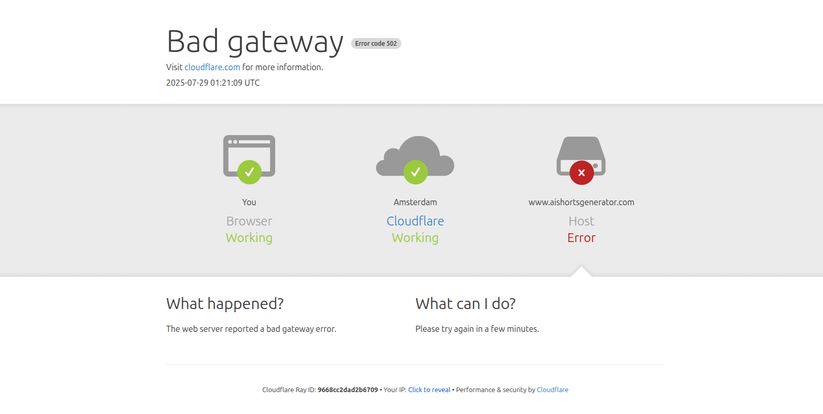
But I have to check these things out, it’s my job. So I went to pull up their site to start my deep-dive for this review and… Bam. A big, fat “Bad gateway” error. A 502. The site was down.
My first thought? “Well, this is going to be a short article.” But then I thought about it. This little hiccup is actually the perfect, unfiltered start to a real review. Because it tells a story that a polished sales page never will. So, let’s talk about AI Shorts Generator, the good, the bad, and even the occasional server error.
So, What Exactly Is AI Shorts Generator Supposed to Do?
When it’s not taking an unexpected coffee break, AI Shorts Generator is designed to be your personal short-form video production house. Think of it as a short-order cook for your social media. You give it an idea or a topic, and it uses artificial intelligence to whip up a short, engaging video complete with visuals, captions, and music, ready for platforms like YouTube Shorts, TikTok, and Instagram Reels.
The whole point is to take the heavy lifting out of video creation. You don’t need to be a video editor. You dont need a fancy camera or a studio. The goal is to slash the time it takes to go from a simple idea to a published video from hours down to minutes. A pretty tempting promise, I have to admit.
Visit AI Shorts Generator
The Core Features Unpacked
Once the site was back up and running (it happens to the best of us!), I got to poke around under the hood. The feature set is straightforward and focused on one thing: speed.
AI-Powered Video Generation
This is the heart of the platform. The AI does the initial creative work, pulling together relevant clips and imagery based on your input. It’s not just stitching random stock footage together; it tries to create a coherent narrative. It’s the difference between having a pile of ingredients and having a chef actually start cooking the meal for you.
Automated Content Creation and Uploads
One of the biggest time-sinks is the manual process of formatting and uploading to each individual platform. The higher-tier plans on AI Shorts Generator connect directly to your social channels, like TikTok, and can handle the upload process for you. This is a huge win for social media managers who are juggling multiple accounts and platforms. It’s all about creating a content pipeline that just… flows.
Easy-to-Use Editing Tools
Let’s be real: AI isn’t perfect. Sometimes it picks a weird clip or misunderstands the nuance of your topic. The platform includes a simple editor that lets you tweak the final product. You can swap out clips, change text, and adjust the timing. This is crucial. I’ve always said that AI should be a co-pilot, not autopilot. It gets you 90% of the way there, but you, the human, still need to land the plane.
Broad Language Support
This one surprised me a bit. The tool supports over 33 languages. For brands with a global audience or creators looking to tap into non-English markets, this is a seriously powerful feature. It opens up avenues for traffic and engagement that are often overlooked.
The Things I Genuinely Liked
After playing around with the generator, a few things really stood out. The sheer speed is undeniable. Creating a 60-second video draft in a couple of minutes feels like a superpower. For anyone on a tight budget or with zero video editing skills, this tool immediately lowers the barrier to entry. You can finally compete in the video space without needing to hire a production team or spend a weekend learning Adobe Premiere Pro.
The quality of the AI-generated drafts was also better than I expected. They’re not going to win an Oscar, but for the fast-paced, ephemeral world of TikTok and Reels, they are absolutely fit for purpose. They look clean, the captions are well-timed, and they have that native social media feel. It’s a massive time-saver, plain and simple.
Let’s Be Real: The Downsides and Quirks
Okay, no tool is perfect. And it’s important to go in with your eyes open. There are a few trade-offs to be aware of with AI Shorts Generator.
The Limits on Edits and Length
The different pricing plans come with different limitations. Depending on your tier, you might only get one or two edits per video, and the maximum video length changes too. This is a classic SaaS strategy, but it can feel restrictive if you’re a perfectionist who likes to tinker endlessly. You have to be decisive with your edits.
That Need for Fine-Tuning
As I mentioned, you’ll likely need to do some fine-tuning on every video. The AI might miss the tone, or the pacing might feel slightly off. If you’re looking for a completely hands-off solution, this isn’t it. You still need to provide the final human touch to ensure the content truly represents your brand and message.
And About That Server Error…
Remember that 502 error I hit? It’s a fantastic real-world reminder that when you use a cloud-based tool, you are reliant on their uptime. While the issue was resolved quickly, it highlights a potential risk. If you have a must-post-at-9-AM-sharp content strategy, an unexpected outage could throw a wrench in your plans. It’s a factor to consider for any mission-critical workflow.
How Much Does This Thing Cost?
Pricing is always the million-dollar question, isn’t it? AI Shorts Generator uses a tiered model, which is pretty standard. The good news is they have a very accessible entry point.
| Plan | Price | Key Features |
|---|---|---|
| Free | $0 / month | New videos weekly, 60-second max length, 1 edit/video, no watermark. |
| Basic | $15 / month | Videos twice weekly, 90-second max length, 2 edits/video, TikTok upload. |
| Standard | $29 / month | New videos every day, 90-second max length, 3 edits/video, TikTok upload. |
| Pro | $49 / month | Videos twice daily, 120-second max length, 5 edits/video, TikTok upload. |
Honestly, that Free plan is incredibly generous. Getting weekly, un-watermarked videos at no cost is a fantastic way to test the platform’s capabilities and see if it fits your workflow. You can genuinely get a feel for it without ever pulling out your credit card.
For most serious creators or small businesses, the Standard plan at $29/month probably hits the sweet spot, offering daily video creation. Agencies or content power-users will want to look at the Pro plan for the higher volume and longer video lengths.
Who Is This Tool Really For?
I see this tool being a game-changer for a few specific groups:
- Solopreneurs and Small Business Owners: You’re wearing all teh hats, and “video editor” doesn’t need to be one of them. This lets you stay active on video-centric platforms without the massive time commitment.
- Social Media Managers: Especially those handling multiple accounts. This is a way to scale content production and keep feeds fresh without burning out.
- Content Creators: If you want to experiment with a new channel like YouTube Shorts but don’t have the bandwidth, this is your entry ticket.
- Niche Site Builders: A great way to create supplementary social content to drive traffic back to your main blog or website.
Frequently Asked Questions (FAQ)
Can I really use AI Shorts Generator for free?
Yes. The free plan is not just a trial. It provides new videos weekly with no watermark, which is pretty awesome for a free offering.
Do the videos have a watermark?
No, according to their pricing page, even the free plan produces videos without a watermark. This is a huge plus compared to many other tools in the space.
How much creative control do I have?
You have initial control through your prompts and final control via the editing tools. You can change scripts, swap footage, and make adjustments, but the core creative work is done by the AI. Think of yourself as a director rather than a hands-on editor.
Is the AI-generated content truly unique?
The final composition will be unique to you, but it’s built from a library of stock or licensed media. It’s unlikely two videos will be identical, but they draw from similar pools of content. The real uniqueness comes from your prompts and final edits.
What happens if the website is down like you mentioned?
You’ll have to wait until it’s back up. It’s the nature of cloud software. For most users, a short outage is a minor inconvenience. If you have extremely time-sensitive content needs, it’s a risk to be aware of.
Is it hard to cancel my subscription?
The pricing details for all plans state “Cancel anytime,” which suggests a straightforward, no-hassle cancellation process.
My Final Verdict on AI Shorts Generator
So, is AI Shorts Generator the magic bullet for all your content creation problems? No. Of course not. No tool is.
But is it a powerful, effective, and surprisingly capable assistant that can save you a boatload of time and help you stay consistent on social media? Absolutely. It democratizes video creation, making it accessible to anyone, regardless of their technical skills or budget.
The occasional glitch, like the 502 error I encountered, is a good reminder that technology isn’t infallible. But despite that initial hiccup, I’m impressed. The value offered in the free plan alone makes it a no-brainer to try out. If you’re feeling overwhelmed by the demand for short-form video, give AI Shorts Generator a spin. You might just find the co-pilot you’ve been looking for.


