
Categories: Other
Animatives Review: Free Stop Motion App for Creatives?

Remember that feeling as a kid? Huddled over a stack of Post-it notes, drawing a slightly different stick figure on each page, then flipping through them to create that jerky, magical sense of movement. Or maybe you, like me, once commandeered your dad’s giant, shoulder-mounted camcorder and a box of LEGOs, convinced you were the next Ray Harryhausen. My masterpiece involved a single LEGO minifigure taking about three painstaking hours to walk across a rug. The result was… not great. But the thrill was real.
For years, that thrill felt locked behind a gate of complex software and hefty price tags. Animation just seemed hard. But every now and then, a tool comes along that feels like it’s trying to hand the keys back to everyone. Lately, for me, that tool has been an iOS app called Animatives. And I’ve gotta say, I’m pretty impressed.
What Exactly is Animatives?
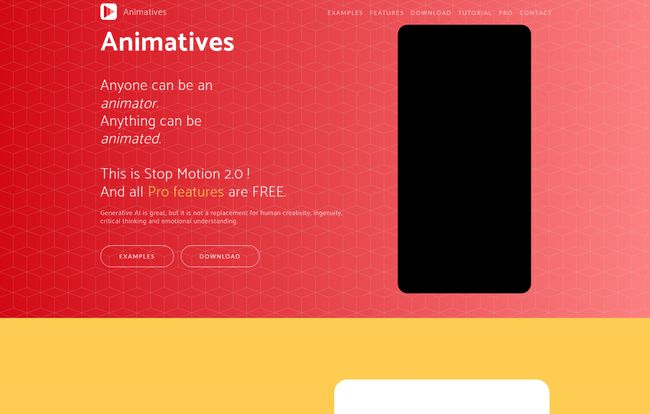
At its core, Animatives is a stop motion and timelapse app for your iPhone and iPad. Simple enough, right? But calling it just that feels like a disservice. The developers themselves talk about it as “Stop Motion 2.0,” and honestly, that’s not just marketing fluff. It’s built on the classic idea of frame-by-frame animation, but it smashes the physical and digital worlds together in a really playful way.
Imagine pointing your camera at your coffee mug on your desk, and then, right in the app, drawing a little steam wisping out of it. Or animating a logo you drew onto a real-life product. That’s the magic here. It’s not just about moving clay figures; it’s about augmenting your reality, one frame at a time. It’s a digital playground built on top of the real world.
Visit Animatives
The Features That Actually Matter
Any app can list a dozen features on a landing page, but which ones actually make a difference in your workflow? After playing around with Animatives for a while, a few things really stood out to me as being more than just bullet points.
Frame-by-Frame Precision (The Animator’s Bread and Butter)
This is the big one. If you can’t control each frame, you can’t really animate. Animatives gives you that granular control. What really surprised me was the inclusion of onion skinning. If you’re not an animation nerd, this is a feature that shows you a faint overlay of your previous frame, so you can see exactly how much you’re moving your object or drawing. It’s a foundational technique, and seeing it in a free app is just… chef’s kiss. It takes the guesswork out of creating smooth motion.
A Playground of Real and Virtual
This is the app’s secret sauce. You can, of course, do traditional stop motion with physical objects. But you can also import photos, videos, or even GIFs from your camera roll or the cloud and start drawing on top of them. You can create your own library of characters and elements within the app and drop them into any scene. This hybrid approach opens up so many creative avenues that other, more traditional stop motion apps just don’t offer.
More Than Just Video: Imports, Exports, and Sounds
The little details are what elevate a good tool to a great one. Animatives lets you export your creations as either an MP4 video or an animated GIF—which is brilliant for social media managers looking to create eye-catching content. You can also add your own music and sound effects, and even customize text with different fonts. It’s a neat little production suite packed into one app.
Who is This App Really For?
So, who should be clearing space on their iPhone for this? I think the audience is broader than you might expect.
- Kids and Students: This is a no-brainer. It’s an incredibly accessible, fun, and free way to learn the principles of animation without any barrier to entry. It turns an iPad from a consumption device into a creation station.
- Scrappy Marketers & Small Businesses: Don’t have a budget for a video production team? You can use Animatives to create a quirky product demo, an animated logo for your social media bio, or a quick, attention-grabbing ad. Think of a local bakery animating a smiley face onto a croissant. It’s simple, cheap, and effective.
- Content Creators: If you’re making Instagram Reels, TikToks, or YouTube Shorts, this is another powerful tool for your arsenal. It allows you to create unique visuals that will stand out in a sea of trending dances and talking heads.
The Price is… Right? Let’s Talk Cost
Okay, this is the part that almost feels too good to be true. Animatives is free. Not “free with crippling limitations” or “free but you have to watch an ad every three clicks.” Just… free. The landing page says “All pro features are free and we intend to keep it this way.” I’ve been in the SEO and digital marketing game for years, and that’s a rare statement. My guess is it’s a true passion project, and I’m all for it. You get all the powerful features like onion skinning, unlimited frames, and high-quality export without ever hitting a paywall. It’s genuinely refreshing.
The Good, The Bad, and The… Well, It’s Not Really Ugly
No tool is perfect, and it’s important to go in with your eyes open. Here’s my honest breakdown.
The Good Stuff is pretty obvious: It’s intuitive, powerful, and blends real and virtual elements in a way that feels fresh and exciting. And did I mention its free? The creative freedom it offers for zero financial investment is its biggest win.
Now for the Room for Improvement. First, Android users, you’ll have to wait a bit longer; the app is currently only on iPhone and iPad, though an Android version is in the works. Second, there’s an image size limit of 2k x 2k. This is perfectly fine for almost any social media or web use, but if you’re planning on creating a 4K cinematic masterpiece, this isn’t the tool for that. Also, a few features require iOS 13+, which is only a problem if you’re holding onto a much older device. And a tiny, funny note: the tutorials link on their site seemed to be on a coffee break when I last checked (I was met with a friendly 404 page), but the app is so easy to figure out that I didn’t really miss it.
My Final Take: Is Animatives Worth the Download?
Absolutely. One hundred percent yes. For the grand price of nothing, you get a remarkably capable and fun animation studio in your pocket. It’s a perfect example of democratizing creativity. It lowers the bar for entry so anyone with an idea can start bringing it to life, whether you’re a third-grader, a small business owner, or a seasoned content creator looking for a new trick.
It might not replace high-end professional software for a Pixar animator, but it was never meant to. It’s a tool for experimentation, for fun, and for creating surprisingly polished content without the usual friction. It brings back that childhood joy of making something move, and you can’t really put a price on that.
Frequently Asked Questions about Animatives
- Is Animatives really free?
- Yes, it is. According to the developers, all features are free with no hidden costs or in-app purchases, and they plan to keep it that way.
- Can I use Animatives on my Android phone?
- Not at the moment. It’s currently available for iPhone and iPad only. However, they have stated that an Android version is in development.
- What can I create with Animatives?
- You can create a wide range of content, including traditional stop motion with clay or toys, timelapse videos, animated drawings, product marketing videos, and creative shorts for social media by mixing real-world footage with virtual elements.
- Is Animatives good for professional animators?
- While a professional might use it for storyboarding or quick experiments, it’s primarily aimed at beginners, hobbyists, students, and marketers. The 2k resolution limit might be a constraint for high-end professional projects.
- Can I add my own music?
- Yes, you can import your own music and sound files to add a custom soundtrack to your animations.
- What is onion skinning?
- Onion skinning is a technique used in animation where you can see a transparent overlay of the previous frame(s). This helps you create smoother and more accurate motion by showing you where your characters or objects were, so you can position them for the next frame.
Conclusion
In a world of subscriptions and paywalls, Animatives feels like a breath of fresh air. It’s a powerful, feature-rich tool that genuinely wants you to be creative. It successfully captures the old-school magic of stop motion while adding a modern, digital twist. If you have even a flicker of interest in animation, there’s literally no reason not to give it a try. Go download it, play around, and bring some of your own weird and wonderful ideas to life. You might just surprise yourself.


