
Categories: AI Agent, AI API, AI Assistant, AI Chatbot, AI Developer Tools, Large Language Models (LLMs)
AnythingLLM Review: A Private, Local AI Powerhouse?

We’re all neck-deep in the AI revolution, and it’s been a wild ride. I’ve spent more hours than I’d like to admit feeding prompts into every new platform, trying to squeeze out more productivity, better content, and smarter insights. But there’s always been this little voice in the back of my head, a nagging feeling about privacy. Every time I upload a client document or a sensitive internal report to a cloud-based AI, I get a slight twinge of anxiety. Who’s seeing this? Where is my data going?
It felt like a trade-off we just had to accept: you want the awesome power of a state-of-the-art Large Language Model, you have to hand over your data. End of story.
Or so I thought. Then I stumbled across AnythingLLM. The tagline alone—”Local. Private. Powerful.”—was enough to make me stop scrolling. An all-in-one AI desktop app that runs entirely on your own machine? It sounded almost too good to be true. So, naturally, I had to see for myself.
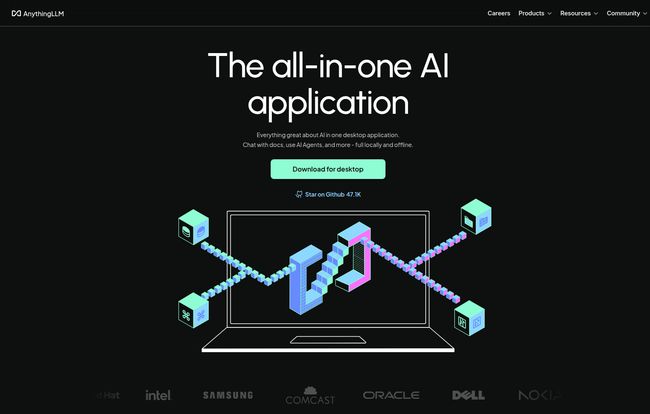
Visit AnythingLLM
So, What Is AnythingLLM, Really?
Forget the idea of just another fancy wrapper for OpenAI’s API. That’s not what this is. Think of AnythingLLM as your own personal, self-contained AI workshop. It’s an open-source application you install on your desktop (or your own server) that gives you a full suite of AI tools without your data ever leaving your computer.
At its heart, it combines a few pieces of tech that are usually a massive pain to set up on your own:
- A Large Language Model (LLM): The ‘brain’ that understands and generates text. You can use its built-in model or connect to others.
- Retrieval-Augmented Generation (RAG): This is the magic sauce. It lets the AI chat with your own documents, PDFs, text files, you name it.
- AI Agents & Tools: It’s not just a chatbot; it’s a system designed for productivity with a growing ecosystem of plugins.
The whole point is to give you the power of modern AI, but with the privacy of a locked diary. No prying eyes, no corporate data harvesting. Just you, your machine, and your AI assistant. It’s a pretty compelling proposition in today’s world.
My First Impressions and the “Aha!” Moment
Downloading and firing up the desktop version was surprisingly straightforward. No need to create an account, no credit card required. It just… worked. That in itself is a breath of fresh air. The interface is clean and uncluttered, which I appreciate. There’s no feature bloat or confusing menus. It feels focused.
My aha! moment came when I created my first workspace. I dragged and dropped a folder containing about 50 of my old blog posts and some messy research notes. I selected a local model, and within minutes, I was asking it questions like, “What are the common themes in my articles about traffic generation?” and “Summarize my notes on the last Google algorithm update.”
It spit out a coherent, accurate answer, citing the specific documents it used. All of this happened without a single byte of my data being sent to an external server. That felt revolutionary. It’s like going from using a public library to having a world-class, personal librarian living in your office who has read every book you own and can recall any detail instantly.
The Features That Actually Matter
You can read a feature list anywhere, but let’s talk about the parts that genuinely change how you work.
Local and Private by Default
This is the cornerstone of AnythingLLM. In an industry where “your data is the product,” being truly private by default is its biggest differentiator. For freelancers working with NDAs, developers prototyping with proprietary code, or just anyone who values their privacy, this isn’t a feature; it’s a necessity. The peace of mind is, frankly, priceless.
Chatting With Your Documents using RAG
Okay, ‘Retrieval-Augmented Generation’ sounds like something out of a sci-fi movie. But it’s simple: you give the AI a library of your documents, and it uses that information to answer your questions. This turns a generic chatbot into a hyper-specialized expert on your stuff. Imagine feeding it all your company’s support documentation and having an instant expert to help new hires. Or giving it a 300-page technical manual and being able to ask, “How do I reset the frobulator?” instead of reading the whole thing. It’s incredibly practical.
A Flexible, Open-Source Ecosystem
AnythingLLM isn’t a walled garden. Being open-source means a community is constantly improving it. It supports multiple LLMs, so you’re not locked into one option. You can use their built-in Llama 3-powered model, or connect to models from Ollama, OpenAI, Azure, Anthropic, and more. This flexibility is key for future-proofing your workflow. Plus, with a built-in Developer API, you can integrate its power into other scripts and applications. It’s built for tinkerers and power users.
Who Is This For? A Look at the Different Setups
AnythingLLM smartly caters to different needs, from the solo user to a full-blown enterprise.
For the Individual: The Free Desktop App
If you’re a writer, student, researcher, or developer, the free desktop app is a no-brainer. It gives you the core experience—private, local RAG—without costing a dime. The only limitation is the power of your own computer. Running big models can be resource-intensive, so you’ll need a decent machine to get the most out of it. But for chatting with documents and general productivity, it’s fantastic.
For Teams: The Cloud and Self-Hosted Plans
This is where things get interesting for businesses. When you need to collaborate, you can’t just have everyone running their own separate instance. AnythingLLM offers hosted solutions that provide the same privacy but with added team features.
| Plan | Price | Best For | Key Perks |
|---|---|---|---|
| Basic | $50/month | Small teams or individuals with big needs | Private instance, up to 3 team members, custom subdomain |
| Pro | $99/month | Startups and growing teams | Faster & more robust, hosted vector DB, 72-hour support |
| Enterprise | Contact for Price | Large companies with specific needs | On-premise installation, custom SLA, whitelabeling |
The ability to have a shared, private knowledge base that your entire team can query is a huge advantage. The whitelabeling option for enterprises is also a nice touch, allowing companies to brand the tool as their own.
The Good, The Bad, and The Nitty-Gritty
No tool is perfect, right? After spending some time with it, here’s my honest take.
What I’m really impressed with is the commitment to being open source and private. That’s not just marketing fluff; it’s baked into the product’s DNA. The multi-model support is a massive plus, and the fact that the desktop version is totally free is just… amazing. It lowers the barrier to entry for private AI to basically zero.
On the other side of the coin, it does require a software download, which some corporate IT departments might frown upon. And if you go the self-hosting route for your team, you’ll need some technical know-how (though the Docker option simplifies this a lot). The biggest consideration is local resources. Running powerful LLMs on your own machine can make your computer’s fan spin up and might not be feasible on an older laptop. You have to be realistic about your hardware’s capabilities.
Frequently Asked Questions about AnythingLLM
- Is AnythingLLM really free to use?
- Yes, the AnythingLLM Desktop application is completely free and open source. The paid plans are for teams that need cloud-hosted, multi-user, or enterprise-level features.
- What is RAG and why should I care?
- RAG stands for Retrieval-Augmented Generation. In simple terms, it lets the AI use your specific documents as its source of knowledge. You should care because it transforms a generic AI into a personal expert on your data, all while keeping that data private.
- Can I use models like GPT-4 or Claude 3 with it?
- Absolutely. AnythingLLM is designed to be model-agnostic. You can connect it to your API keys for services like OpenAI, Anthropic, Google Gemini, and Azure, giving you the choice to use whichever model you prefer for a given task.
- Does it work on Mac, Windows, and Linux?
- Yes, the desktop application is compatible with all major operating systems, making it accessible to pretty much everyone.
- How is this different from tools like LM Studio or Ollama?
- While tools like LM Studio and Ollama are fantastic for running and managing local models, AnythingLLM is a full-fledged application built on top of that concept. It integrates the model-running part with a user-friendly interface, document management (RAG), and collaboration tools. It’s a complete solution, not just a component.
- Is my data truly safe?
- With the desktop version, yes. All processing and data storage happens 100% on your local machine. Nothing is sent to the cloud unless you explicitly connect to a third-party API like OpenAI. For the team plans, your instance is private to your organization.
So, Is AnythingLLM a Keeper?
For me, the answer is a resounding yes. AnythingLLM has carved out a brilliant niche for itself. It’s not trying to be the biggest model or the flashiest chatbot on the market. Instead, it’s building a powerful, practical, and—most importantly—private AI environment.
It won’t replace the massive, cutting-edge cloud models for every single task. But for the 90% of work that involves your own documents, data, and ideas, it’s a game-changer. It brings the power of AI home, putting you firmly back in control of your digital world. In an age of data leaks and privacy concerns, a tool like this isnt just a cool piece of tech; it feels necessary.


