
Categories: AI Answer, AI Assistant, AI Chatbot, AI Productivity Tools, AI Research Tool, AI Video Summarizer, AI Youtube Summary
AskVideo.ai Review: Chat with YouTube & Learn Faster

How many times have you found yourself staring at the progress bar of a 50-minute YouTube webinar, knowing the one nugget of information you need is buried somewhere in there? You start scrubbing through, trying to catch a glimpse of the right slide, listening to the speaker drone on at 2x speed. It’s a mess. I do this for a living—sifting through conference talks, competitor analyses, and endless tutorials—and my patience wears thin. Fast.
We’re all drowning in content. It’s the paradox of the information age; we have access to everything, but we have time for almost nothing. So when a tool pops up that claims to let you have a conversation with a video, my ears perk up. Not just as a tech nerd, but as a professional who bills by the hour. Enter AskVideo.ai.
So, What’s the Big Deal with AskVideo.ai?
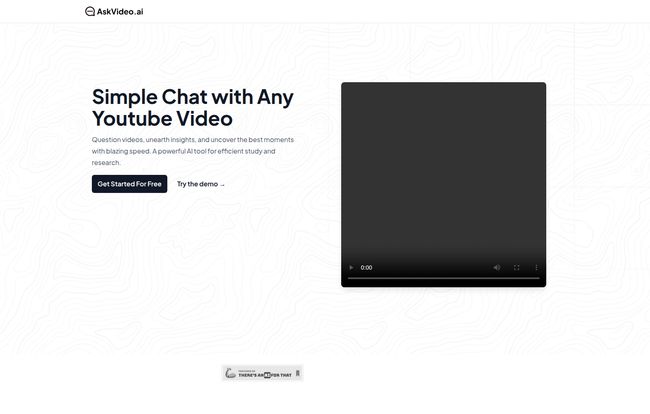
In the simplest terms, AskVideo.ai lets you chat with a YouTube video. You drop in a link, and instead of passively watching, you actively question it. Think of it like having a super-smart research assistant who has already watched the entire video, taken meticulous notes, and is just waiting for you to ask about the important bits. It’s like hitting CTRL+F for video content. No more endless rewinding to catch that one specific quote or step-by-step instruction you missed.
The tool uses the video’s transcript as its knowledge base. You ask, “What were the main points about link building?” and it scans the text to pull out the relevant answers. It’s a beautifully simple idea that solves a genuinely annoying problem.
Who Is This AI Video Tool Actually For?
At first glance, it seems built for students. And it is! But the more I played with it, the more I realized its potential goes way beyond the lecture hall. The website breaks it down into a few categories, and they’re not wrong.
The Student and Lifelong Learner
This is the most obvious use case. Stuck on a complex physics lecture or trying to grasp historical context from a documentary? Instead of re-watching the whole thing, you can just ask for clarification. “Can you explain the concept of quantum entanglement mentioned at 15:32?” It’s a powerful study aid that can turn a passive viewing session into an active learning one.
The DIYer and Tutorial Follower
Ever tried to follow a complex coding tutorial or a recipe where the creator moves way too fast? I have. Pausing, rewinding, getting flour all over my keyboard… it’s a scene. With AskVideo.ai, you can just ask, “List the ingredients for the sauce again,” or “What was the terminal command he used to install that package?” It keeps you in the flow without breaking your concentration.
Visit AskVideo.ai
The Busy Professional (Ahem, That’s Us)
Now we’re talking. This is where, for me, AskVideo.ai really shines. Think about all the industry content we consume. Long keynote speeches from conferences like BrightonSEO or MozCon. In-depth competitor case studies. Webinars on the latest Google algorithm update. I used it on a recent hour-long video about Core Web Vitals, and in about five minutes of questioning, I had all the key takeaways, a summary of new metrics, and a list of recommended tools. That saved me at least 45 minutes of my day. That’s not just time saved; its money earned.
My Honest Take: The Good, The Bad, and The AI
No tool is perfect, right? I’ve been in the SEO and digital marketing game long enough to know that every shiny new toy has its quirks. So let’s get into the nitty-gritty.
The Big Wins I’m Genuinely Impressed With
The efficiency is just undeniable. The ability to distill hours of video into a few key, actionable points is a massive productivity booster. It’s incredibly satisfying to get straight to the answer without the fluff. The interface is clean and straightforward – just paste a link and start chatting. No steep learning curve.
And I love that there’s a free-to-use option. It lets you kick the tires and see if it fits your workflow before committing any cash. For quick, one-off lookups, the free tier is probably all many people will need. It’s a smart way to get people hooked on the sheer convenience of it.
A Few Things to Keep in Mind
Now for the reality check. The platform’s effectiveness is almost entirely dependent on the quality of the YouTube video’s transcript. You know the old saying, “garbage in, garbage out.” If the video has poor audio or if YouTube’s auto-captioning system mangles the words, the AI’s answers are going to be nonsensical. I tested it on a video with heavy background music and a speaker with a thick accent, and the results were… creative, to say the least.
Also, don’t expect it to understand nuance, sarcasm, or irony. It’s a machine reading text. It’s not going to tell you if the speaker was being facetious or if there’s a subtext you’re missing. It provides data, not wisdom. So, for sensitive topics or deep analysis, you still need your human brain switched on.
Let’s Talk Money: The AskVideo.ai Pricing Structure
So, what does this convenience cost? The pricing is refreshingly simple, which I appreciate. No confusing tiers with a million different features.
| Plan | Price | Key Features |
|---|---|---|
| Free | $0 | Basic AI, with daily limits on video length, number of videos, and questions. Good for a test drive. |
| Premium Monthly | $8 / month | Most advanced AI, no limits on video length or daily usage, longer reply length. |
| Premium Yearly | $80 / year | Same as monthly, but you save $16 over the year (it’s like getting two months free). |
In my opinion, the value proposition here is pretty clear. If you’re a heavy user—a researcher, a content creator, an agency owner—that $8/month is a rounding error. It pays for itself the first time you skip a one-hour webinar. For the casual user, stick with the free version and see how often you hit the limits.
Getting the Most Out of Your AI Video Assistant
To really make AskVideo.ai work for you, here are a few pro tips I’ve picked up:
- Choose Your Videos Wisely: Prioritize videos with clear speakers and high-quality audio. Official talks, well-produced tutorials, and news reports tend to have much better transcripts than, say, a shaky phone recording of a concert.
- Be Specific With Your Questions: Don’t ask vague questions like “What’s this video about?” Go deeper. Ask, “Summarize the three main arguments against this theory,” or “Provide a bulleted list of the steps to set up a Google Ads campaign as described in the video.” The more specific you are, the better the answer.
- Use it as a Starting Point: Treat the AI’s answers as a first draft or an executive summary. For critical data points or quotes, it’s always a good idea to click the timestamp and verify the information in the video itself. Don’t bet your entire marketing strategy on an unverified AI summary.
Also Read: EasyNoteAI Review: My New AI Study Buddy?
Is AskVideo.ai a Worthy Addition to Your Toolkit?
So, the final verdict? Yes. A resounding yes, with a few caveats. AskVideo.ai isn’t a magical solution that will make you an expert overnight. It’s a tool. A very, very good tool. It’s a force multiplier for your focus and your time. It cuts through the noise and delivers the signal.
In a world where the firehose of information is always on full blast, tools like this aren’t just novelties anymore; they’re becoming essential. It’s a smart, effective way to learn faster and work smarter. And for me, that’s an easy sell. It has already earned a permanent spot in my browser’s bookmarks.
Your Questions, Answered
Can I use AskVideo.ai with any public YouTube video?
Yes, as long as the YouTube video is public and has a transcript (which most do, either user-provided or auto-generated by YouTube), you can use it with the tool.
Is AskVideo.ai really free?
It has a genuinely free tier. There are limitations on how many videos you can add, the length of those videos, and how many questions you can ask per day. To get unlimited access, you’ll need to upgrade to one of the premium plans.
How accurate are the answers from AskVideo.ai?
The accuracy is directly tied to the quality of the video’s transcript. For videos with clear audio and accurate captions, the answers are surprisingly precise. For videos with poor audio or complex jargon, you should double-check the answers.
Is the Premium plan worth the cost?
If you’re a student, researcher, journalist, or a professional who regularly uses video for learning and research, then absolutely. The time it saves can easily justify the $8 monthly fee. For casual users, the free plan might be sufficient.
Does it work with videos in different languages?
Generally, yes. If a YouTube video has a transcript in a specific language (like Spanish or German), the tool can process and answer questions in that language. Its effectiveness will depend on the AI’s proficiency in that language and the transcript’s accuracy.
Can AskVideo.ai summarize an entire video for me?
Yes, one of its best features is summarization. You can ask for a general summary, key takeaways, or a bulleted list of main points, and it will generate one for you based on the video’s content.
References and Sources
- AskVideo.ai Official Website
- AskVideo.ai Pricing Page
- Moz Whiteboard Friday – A great example of the type of content perfect for this tool.


