
Categories: AI Agent, AI Code Generator, AI Developer Tools, AI Testing

BaseRock.ai Review: Is AI Testing the Future for Devs?

If you’re a developer, you’ve probably had moments where writing tests feels like eating your vegetables. You know it’s good for you, you know it’ll prevent problems later, but man… sometimes you just want to get to the dessert—the actual feature you’re building. For years, we’ve treated testing as a necessary chore, a bottleneck that slows down the fun part of coding.

Then AI swaggered onto the scene, promising to change everything. We’ve seen it write boilerplate, suggest code, and even debug. So, the next logical step was always going to be testing, right? I’ve been watching this space for a while, and a name that keeps popping up is BaseRock.ai. They’re not just talking about AI-assisted testing; they’re talking about “Agentic QA.” It sounds cool, but what does it actually mean for a developer on a Tuesday afternoon staring down a looming deadline? I decided to find out.

What on Earth is BaseRock.ai Anyway?

Putting aside the marketing jargon for a moment, BaseRock.ai is a software quality platform that uses AI to take the grunt work out of testing. Think of it less as a simple tool and more as an automated teammate. Its main job is to automatically generate, run, and maintain both unit and integration tests. The whole pitch is that it lets developers get back to building features, shipping code with the confidence that an AI agent has already checked their work for cracks and flaws.

Their term, “Agentic QA,” refers to this idea of an intelligent agent learning from your specific codebase—its style, its logic, its dependencies—to create tests that are actually relevant. This isn’t just a generic test script generator; it’s designed to be a bespoke solution for your project. A pretty bold claim, if you ask me.

My First Impressions and the Core Features

Getting started wasn’t a one-click magic show, and that’s probably a good thing. There’s some initial configuration, as you’d expect from any tool that needs to deeply integrate with your code. But once you’re in, the architecture starts to make sense. It’s built on a framework they call LACE: Learn, Analyze, Create, Execute. It’s a continuous loop where the AI is always trying to get smarter about your code.

The Magic of Agentic QA

This is the heart of BaseRock. The platform’s AI agent reads your code to understand its function and context. It’s like having a junior developer who does nothing but read your pull requests and write corresponding tests 24/7, without ever complaining or asking for a coffee break. It handles the tedious setup, mocks dependencies, and generates assertions. It’s the part that feels the most like the future we were promised.

Automated Unit and Integration Testing

BaseRock doesn’t just do one or the other. It tackles both unit tests (checking the small, individual pieces of your code) and integration tests (making sure all those pieces play nicely together). Automating this entire spectrum is a huge time-saver. I’ve seen teams burn entire sprints just trying to increase test coverage. A tool that automates this process could genuinely change a team’s velocity.

Fitting Into Your Workflow with CI/CD Integration

Any new tool that disrupts an existing workflow is usually dead on arrival. The folks at BaseRock clearly get this. It’s built to plug directly into your existing CI/CD pipeline (think Jenkins, GitLab CI, GitHub Actions). This means the AI-generated tests can run automatically every time you push new code, catching bugs long before they ever see the light of a production server. It becomes a safety net that’s woven directly into your development process.
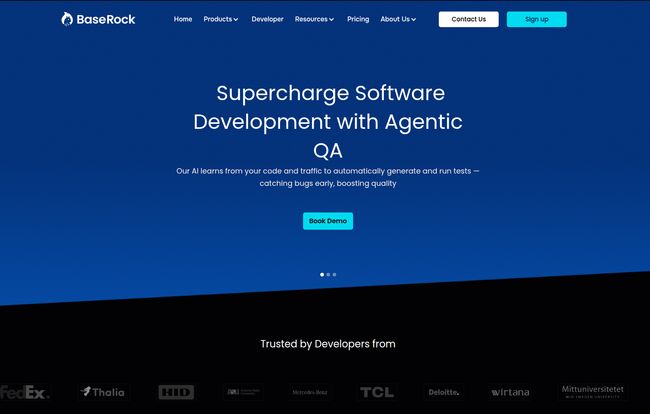
BaseRock.ai
Visit BaseRock.ai

The Real-World Gains. Do the Numbers Add Up?

Okay, the BaseRock homepage throws around some big numbers: 80% test coverage, 95% developer productivity, and a 40% reduction in QA costs. As a seasoned (and slightly cynical) pro, I always take these with a grain of salt. Are you going to hit 95% productivity on day one? Probably not.

But here’s my take: even if you achieve half of that, the return is massive. Imagine cutting the time you spend on writing mundane tests by 40% or 50%. What could you do with that extra time? You could refactor that messy module you’ve been avoiding, experiment with a new library, or just… think. The real gain isn’t just a number on a dashboard; it’s the reclaimed cognitive space for creative and complex problem-solving. It’s about shifting developer energy from maintenance to innovation.

A Breakdown of BaseRock.ai’s Pricing

Alright, let’s talk money. No tool is great if you can’t afford it. BaseRock has a tiered structure that seems to cater to pretty much everyone, from students to massive corporations. Here’s how it breaks down:

Plan Price Who It’s For Key Features
Community Free Solo developers, students, or anyone wanting to test the waters. 10 classes/month, limited test runs, community support.
Pro $14.99 /month Freelancers and individual professionals. 50 classes/month, unlimited runs, testability feedback.
Growth $39 /user/month (Billed Annually) Growing teams and established businesses. Batch test generation, CI/CD integration, team collaboration. (Min. 10 users)
Enterprise Contact Sales Large organizations with specific security and scale needs. Self-hosted options, offline mode, dedicated support, PR plugins. (Min. 50 users)

The free Community plan is genuinely useful for a trial run. The Pro plan feels like the sweet spot for an individual developer. The Growth and Enterprise tiers are clearly aimed at teams where the cost is an investment in quality and speed across the board. I appreciate that they offer both cloud and self-hosted options for enterprises—that’s a critical feature for orgs with strict data privacy rules.

The Good, The Bad, and The AI-ish

What I Really Liked

The biggest win for me is the sheer speed. The idea of generating a suite of tests for a new feature in minutes instead of hours is just… fantastic. And the support for a wide range of languages (Java, Python, JavaScript, Go, and more) and IDEs means it’s not some niche tool for a specific stack. It’s built for the way most of us actually work. The early bug detection is also a godsend. It’s like having a psychic for your codebase, pointing out potential issues before they become late-night emergencies.

A Few Things to Keep in Mind

It’s not all sunshine and automated tests. The reliance on AI means you still need to be the human in the loop. You can’t just blindly trust every test it generates. Think of the AI as a very smart, very fast co-pilot; you’re still the pilot who has the final say. You’ll need to review, and sometimes tweak, the output. Also, for larger teams, the enterprise features come at a price. This isn’t a cheap tool for a big company, but a strategic investment. You have to weigh the cost against the time saved and the bugs avoided.

So, Who Is BaseRock.ai Actually For?

After playing around with it, the picture becomes pretty clear. BaseRock.ai isn’t for the hobbyist who codes once a month. It’s for professionals and teams who feel the pain of the software development lifecycle every single day.

  • Startups and Scale-ups: Teams that need to move fast without breaking things will find incredible value here. The Growth plan seems tailor-made for them.
  • Large Enterprises: Companies with complex codebases and strict quality standards can use the Enterprise plan to enforce consistency and security, especially with the self-hosting option.
  • Individual Developers: If you’re a freelancer or a solo dev who takes quality seriously, the Pro plan is an affordable way to up your game and deliver more reliable code to clients.

Frequently Asked Questions about BaseRock.ai

Does BaseRock.ai completely replace QA engineers?

Nope, and it shouldn’t. It automates the repetitive parts of testing (unit, integration). This frees up human QA experts to focus on more complex, exploratory testing, user experience testing, and overall quality strategy—the things an AI can’t do.

How does the AI actually learn from my code?

It uses machine learning models to parse your code’s structure, logic, function names, and comments to understand intent. It then generates tests that align with what it interprets your code is supposed to do. For enterprise clients, there’s even an option to have it learn from your existing test suites to match your style.

Is my code secure with BaseRock.ai?

This is a big one. BaseRock offers code obfuscation and, for Enterprise customers, a fully self-hosted or private cloud (VPC) option. This means your code never has to leave your own secure environment, which is a must-have for many companies.

What if I need more than the 50 classes/month on the Pro plan?

That’s the trigger to look at the Growth plan. It offers custom class limits and is designed for higher-volume, team-based development.

Can I try before I buy?

Yes, absolutely. The Community plan is completely free and gives you a good feel for how the platform works, albeit with some limitations. It’s the perfect sandbox environment.

My Final Thoughts on BaseRock.ai

I went in skeptical, and I’m coming out cautiously optimistic. AI-powered testing isn’t a silver bullet that will magically solve all your problems. But a platform like BaseRock.ai is a powerful ally. It’s a tool that genuinely addresses a real, persistent pain point for developers. It automates the boring stuff so we can focus on the brilliant stuff.

Is it the future? I think it’s a big part of it. We’re moving away from a world where developers have to choose between speed and quality. Tools like this help us have both. If you’re tired of the testing treadmill, I’d say give their free plan a spin. You might be surprised at how much you like having an AI co-pilot.

Reference and Sources

Categories: AI Agent

BaseRock AI Review: Is AI-Powered Testing the Future?

If you’re in the software world, you’ve probably had a love-hate relationship with testing. It’s the responsible, necessary thing to do, like eating your vegetables. But man, can it be a grind. Writing unit tests, running regression suites, the endless cycle of finding and fixing bugs… it eats up time that most developers would rather spend, you know, developing.

For years, we’ve been trying to automate our way out of this. We’ve built complex CI/CD pipelines and used a whole constellation of tools. But it often still feels like we’re just building a faster horse. The core, manual effort of creating smart tests remains.

Then along comes a tool like BaseRock AI, making some pretty audacious claims. We’re talking about slashing QA costs by 80%, catching 95% of bugs before they ever see the light of production, and giving developers a 40% productivity bump. My inner cynic, honed by years of marketing fluff, immediately raised an eyebrow. But my inner tech geek, the one who loves seeing AI solve real problems, leaned in a little closer. Could this be it? Could this be the thing that finally makes testing… not suck?

So, What is BaseRock AI, Really?

At its heart, BaseRock AI is built around a concept they call “Agentic QA”. It’s a fancy term, but the idea is pretty cool. Instead of you writing scripts to tell a dumb bot what to check, BaseRock’s AI acts like a new member of your team. A very, very smart and tireless member who’s an expert in QA.

BaseRock AI
Visit BaseRock AI

It learns your codebase, your architecture, and your dependencies. It doesn’t just execute pre-written tests; it actually plans and creates a testing strategy from scratch. Think of it less like a simple automation script and more like a junior developer you can trust to autonomously write comprehensive unit tests. It aims to generate tests with maximum code coverage, hitting all the nooks and crannies you might miss on a tight deadline. The goal is to free up human developers to focus on building features, not writing boilerplate test code.

The Big Promises: Does BaseRock AI Deliver?

Okay, let’s talk about those numbers again. 80% cost reduction? 95% bug-catch rate? A 40% productivity boost? These are the kind of stats that make CFOs and engineering managers sit up and pay attention.

How do they even get to these figures? From what I can gather, it’s a compounding effect. By automating the creation of unit tests, you immediately cut down on developer hours spent on that task (hello, productivity boost). When you have a higher volume of more intelligent tests running automatically in your pipeline, you naturally catch more bugs before they merge to the main branch (there’s your 95% bug catch). And when developers aren’t context-switching to fix bugs found late in the game or in production, and you potentially need a smaller dedicated manual QA team… well, you can see how the costs start to drop.

Of course, your mileage may vary. But the logic is sound. It’s a shift from reactive bug hunting to proactive quality assurance, driven by an AI that doesn’t need coffee breaks.

A Look Under the Hood: Key Features

Saying “it uses AI” is easy. What’s it actually doing? BaseRock seems to hang its hat on a few core pillars.

Automated Test Generation

This is the main event. Right now, the focus is squarely on Unit Testing. It scans your code—Java, Javascript, Python, Go, and a bunch of others—and generates the tests for you. This is huge. It’s the most granular level of testing and often the most tedious to write. They also list Integration Testing and UI/End-to-End Testing on the platform, though the former is still marked as ‘Coming Soon’. Getting this right is the holy grail, and it looks like they’re well on their way.

The LACE Framework

I saw this on their site and initially dismissed it as marketing speak, but it’s a decent way to understand the process. LACE stands for:

  • Learn: The AI ingests your codebase and dependencies to understand context.
  • Analyze: It identifies critical paths, potential failure points, and areas that need test coverage.
  • Create: This is the magic. It writes the actual test code based on its analysis.
  • Execute: It runs the tests, providing feedback and integrating directly into your CI/CD workflow (think Jenkins, GitHub Actions, etc.).

CI/CD Integration and Feedback

A tool like this is useless if it doesn’t fit into how developers already work. BaseRock seems to get this. It’s not a separate, clunky platform you have to log into. It integrates with your existing tools and can even provide “Testability Feedback,” which is a subtle but powerful feature. It can essentially tell you, “Hey, this piece of code is a nightmare to test, you might want to refactor it.” That’s the kind of proactive advice that improves code quality over the long term.

Let’s Talk Money: BaseRock AI Pricing Breakdown

Alright, the moment of truth. What does this magic cost? I was pleasantly surprised to see a range of options, including a genuinely useful free tier. It’s not one of those “free for 5 minutes” deals.

Plan Price Best For
Community Free Individual developers, students, or anyone wanting to kick the tires. You get 10 classes/month, which is enough to see the value.
Pro $14.99 /month Professional solo devs or small teams. Jumps you up to 50 classes/month with unlimited test runs. A very reasonable price point.
Growth $39 /user/month (Billed Annually) Growing teams that need CI/CD integration, batch generation, and team collaboration features. Requires a minimum of 10 users.
Enterprise Contact Sales Large organizations needing the whole shebang: self-hosting options, enterprise-grade security, a dedicated account manager, and even options for 24/7 support.

The free Community plan is a fantastic entry point. The Pro plan is priced competitively for freelancers or small startups. The jump to the Growth plan is significant, especially with the 10-user minimum, but that’s where you get the serious team-oriented features.

The Not-So-Shiny Bits (My Honest Take)

No tool is perfect, and it’s important to go in with eyes wide open. Based on what I’ve seen, there are a few things to keep in mind.

First, it’s still AI. While it’s incredibly smart, it’s not infallible. You can’t just blindly trust every test it generates without any oversight, especialy for super-complex business logic. Think of it as a brilliant but junior team member; you still need a senior dev to do a quick sanity check now and then. This isn’t a replacement for critical thinking.

Second, the Enterprise pricing could be a barrier for some. This is typical for powerful, B2B SaaS tools, but small to medium-sized businesses might find the Growth plan’s 10-user minimum a bit steep if they have a smaller dev team.

Finally, some of the most exciting stuff, like the full Integration Testing platform, is still on the horizon. This isn’t a knock against them—it shows they have an ambitious roadmap—but it’s something to be aware of if you’re looking for an all-in-one solution today.

Who Is This Tool Actually For?

I think the audience is broader than you might expect. The free tier makes it a no-brainer for individual developers or open-source contributors to play with. The Pro plan is perfect for freelancers and small startups trying to punch above their weight in terms of code quality. The Growth and Enterprise plans are clearly aimed at established tech companies who understand that developer time is their most expensive resource and are willing to invest in tools that maximize it. If your team is constantly bogged down by testing cycles and pre-production fire drills, you are exactly who BaseRock is trying to talk to.

Frequently Asked Questions

Is the free Community plan actually useful?
Absolutely. 10 classes a month is more than enough to test its capabilities on a personal project or a few key modules in a larger application. It’s a great way to see if the workflow and the quality of the generated tests are a good fit for you before spending a dime.
What programming languages does BaseRock AI support?
Their website lists support for major languages like Java, Javascript, Typescript, Python, Kotlin, and Go. They also mention support for frameworks like Angular, Node.js, Next.js, and React, which covers a huge portion of the modern development landscape.
How does BaseRock handle data privacy and code security?
This is a big one. For their cloud plans, they mention features like Code Obfuscation. For Enterprise customers, they offer a self-hosted option (either in a private VPC or on-premise), which means your code never has to leave your own infrastructure. This is critical for companies in finance, healthcare, or any other industry with strict data security requirements.
Can I really trust an AI to write my tests?
Trust but verify. The AI is designed to handle the heavy lifting and the boilerplate, which it does very well. The idea isn’t to fire your QA team and let the robots take over. It’s to empower your developers to work faster and let your QA experts focus on more complex, exploratory testing that requires human intuition. You should still review the generated tests, at least initially.
What does ‘Coming Soon’ for Integration Testing mean?
It means the feature is on their public roadmap but isn’t available to all users yet. This is common for software companies building out a platform. It indicates their future direction and what you can expect down the line. If integration testing is your number one priority, you might want to have a chat with their sales team about the timeline.

Final Verdict: Is BaseRock AI Worth the Hype?

After digging in, my initial cynicism has mostly melted away, replaced by a healthy dose of excitement. BaseRock AI isn’t just another automation tool. It represents a fundamental shift in how we approach software quality. By treating AI as an active, ‘agentic’ participant in the development process, it tackles the problem at its source: the time-consuming creation of tests.

Will it solve every single testing problem overnight? No. But will it save a ton of time, catch a lot of bugs, and make developers’ lives easier? All signs point to yes. The fact that you can try it for free makes it an easy recommendation. Go give it a spin. The future of testing might be here, and it’s about time.

Reference and Sources