
Categories: AI Assistant, AI Chatbot, AI Document Extraction, AI PDF Summarizer, AI Spreadsheet
CapGo AI Review: Chat with PDFs in Google Sheets?

If you’re in the SEO or digital marketing space, you know the grind. It’s not all just creative campaigns and watching traffic graphs go up. A huge chunk of our work is… well, it’s data entry. Mind-numbing, soul-crushing, CTRL+C, CTRL+V data entry. And one of the biggest culprits? The humble PDF.
I’ve lost count of the hours I’ve spent combing through competitor analysis reports, keyword research exports, and lengthy technical audit PDFs, trying to pull out specific nuggets of information. It’s a necessary evil, but man, is it tedious. So when I stumbled upon a tool called CapGo AI that claims to let you “chat” with your PDFs directly inside Google Sheets, my ears perked up. A tool that could potentially automate one of the most boring parts of my job? Sign me up.
I’ve spent the last few days putting it through its paces, and I’ve got some thoughts. A lot of them, actually.
Visit CapGo AI
So, What Is CapGo AI Anyway?
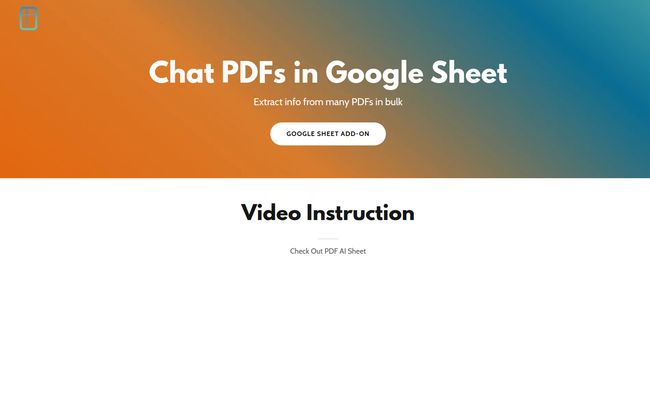
In a nutshell, CapGo AI is a Google Sheets add-on. It’s not a standalone platform but something that plugs right into your familiar spreadsheet environment. The big promise is to let you extract information from dozens, or even hundreds, of PDF files in bulk without ever having to open them manually. It’s like giving your spreadsheet a library card and the ability to instantly read and understand every book on the shelf.
Instead of you doing the digging, you use a simple formula—we’ll get to that in a bit—to ask questions. For instance, you could point it to a folder of invoices and ask, “What is the total amount due?” for each one, and it will just populate the answers in the adjacent cells. At least, that’s the idea.
My First-Hand Test: Getting It Up and Running
I’m always a bit skeptical of “magic” solutions, so I had to see for myself. The setup process is a journey in three parts.
Part 1: The Easy Bit – Installing the Add-on
This part is straightforward. If you’ve ever installed a Google Sheets add-on, you know the drill. Go to Extensions > Add-ons > Get add-ons, search for “PDF AI Sheet” (that’s its name in the marketplace), and click install. A couple of permission clicks later, and it’s ready to go. No drama here. So far, so good.
Part 2: The Detour – Uploading Your PDFs
Here’s where things get interesting. I kind of assumed I’d be uploading my PDFs directly within Google Sheets. Nope. You have to go to the CapGo AI web app, create an account, and upload your files there. Once you upload a PDF, the platform generates a unique “PDF ID” for it.
This is a critical step to understand. The add-on in your sheet doesn’t read files from your Google Drive; it uses these IDs to call the files you’ve stored on their platform. On one hand, it keeps your Google Drive clean. On the other hand, it means you’re uploading potentially sensitive documents to a third-party server. For me, this was the first major point of hesitation. I’d be fine using it for public reports, but I’d think twice before uploading confidential client audits.
Part 3: The Fun Part – The Magic Formula
With my PDF IDs in hand, I went back to my spreadsheet. This is where the magic happens. The formula is beautifully simple:
=ai_pdf("PDF_ID", "Your question here")
I dropped a PDF ID into cell A2 and in B2, I wrote my first formula: =ai_pdf(A2, "What is the main topic of this document?"). After a few seconds of ‘thinking,’ the answer appeared. It felt… powerful.
The real beauty is the scalability. You list all your PDF IDs in Column A, write your question once, and just drag the formula down. The sheet chugs along, asking the same question to every single PDF and filling in the answers. They even have a cool little feature where you can add a “|” to the end of your formula to make it spit out the page number where it found the information. Very handy for fact-checking.
Why This Is a Potential Game-Changer for SEOs
My mind immediately started racing with possibilities. This isn’t just a fancy data entry tool; it’s a strategic analysis accelerator.
- Competitor Analysis on Steroids: Imagine downloading 30 annual reports or whitepapers from your top competitors. You could ask each one, “What was the stated marketing budget for 2023?” or “List all mentions of ‘AI strategy’.” A task that would take days could be done in an afternoon.
- Sifting Through SEO Audits: We get long, dense technical SEO audit PDFs from tools like Screaming Frog or Ahrefs. Instead of scrolling through hundreds of pages, you could just ask, “List all high-priority 404 errors” or “What is the recommendation for improving Core Web Vitals?”
- Content Research and Aggregation: For content marketers, this is huge. Gather a dozen industry studies on a topic, and you can pull out statistics, quotes, and key findings with simple questions. “What was the average email open rate for the retail industry in this study?” Bam. Data point ready for your next blog post.
The Good, The Bad, and The… Unclear
No tool is perfect, and CapGo AI is no exception. It has its brilliant moments and its head-scratching ones.
What I Loved
The efficiency is just undeniable. The sheer amount of time this can save is its biggest selling point. The integration directly into Google Sheets is brilliant because it fits right into an existing workflow. I don’t need to learn a whole new software interface. The formula is intuitive and the ability to just drag it down is the kind of simple, elegant solution that makes a workflow 10x better. This is a massive improvement over manual review.
Where It Gets Tricky
My biggest concern remains the external upload process. For any work involving sensitive client data or proprietary information, this is a significant hurdle. You’re placing a lot of trust in their security, and without a super clear, easily accessible privacy policy, it makes me a bit nervous. Secondly, you’re at the mercy of the AI model. If it misinterprets your question or the text in the PDF, you could get inaccurate data. It’s not a ‘set it and forget it’ tool; you still need to spot-check the results, especially for critical data points. The page number referencing helps, but it still requires human oversight.
The Elephant in the Room: What’s the Price?
So, how much does this wonderful, slightly flawed tool cost? I wish I could tell you. I clicked on what I assumed was the pricing page link, and… I got a “Page Not Found” error. A classic 404.
This is a bit of a red flag for a tool trying to build trust. It could mean they’re still figuring out their pricing, or maybe it’s a temporary glitch. My guess is it will likely operate on a freemium model—a certain number of free queries or uploads per month, with paid tiers for heavy users. This is standard practice, but the lack of transparency right now is a bit awkard.
My Final Verdict: Is CapGo AI Worth It?
Despite my reservations, I’m genuinely excited about CapGo AI. It’s one of those tools that tackles a very real, very annoying problem with a clever solution. It’s not perfect, and the security/privacy question mark is a big one that needs to be addressed.
So, here’s my take: If you’re working with non-sensitive, public-facing documents like industry reports, whitepapers, or academic studies, this tool is an absolute must-try. It has the potential to save you an insane amount of time and unlock insights you might have missed. For more sensitive work, I’d hold off until there’s more clarity on their data handling policies and pricing.
It feels like a tool on the cusp of being brilliant. A few tweaks, a bit more transparency, and this could easily become an indispensable part of my SEO toolkit.
Frequently Asked Questions
- Is CapGo AI free to use?
- It’s currently unclear. There is a free-to-use component for getting started, but the official pricing page is not active. It will likely have a subscription model for extensive use, but we’ll have to wait and see.
- Is it secure to upload my PDFs to CapGo AI?
- This is a major consideration. You are uploading your files to their external servers. While they likely have security measures in place, you should be cautious with highly confidential or sensitive documents until they provide a more detailed privacy and security policy.
- How accurate is the data extraction?
- In my tests, it was quite accurate for clear, text-based PDFs and specific questions. However, like any AI, its accuracy depends on the quality of the PDF and the clarity of your question. It’s always a good idea to double-check crucial data points, using the page-reference feature to speed things up.
- Can it read scanned documents or images inside PDFs?
- Typically, tools like this work best with text-based PDFs where the text is selectable. While some advanced systems use Optical Character Recognition (OCR) for scanned images, it’s not explicitly mentioned as a feature for CapGo AI. Expect better results with native digital PDFs.
- What’s the advantage of this over just using ChatGPT?
- The primary advantage is bulk processing and integration. With ChatGPT, you’d have to upload or paste text from each PDF one by one. CapGo AI lets you run the same query across hundreds of documents at once, directly within a spreadsheet, which is purpose-built for organizing that extracted data.
- Does CapGo AI work with Microsoft Excel?
- No, based on all the available information, it is specifically a Google Sheets add-on and will not work with Excel or other spreadsheet software.
A Final Thought
Technology that simplifies tedious work is always a win in my book. CapGo AI is a prime example of targeted AI that solves a real-world problem for data professionals. It’s got a few kinks to iron out, sure, but the core concept is solid gold. I’ll be keeping a close eye on this one, and you probably should too.


