
Categories: AI Caption Generator, AI Image Description Generator, AI Image Translator, AI Text Generator
ChatPhoto Review: Is Talking to Your Photos a Game-Changer?

As someone who lives and breathes SEO and content, my phone’s camera roll is less a collection of memories and more a chaotic archive of screenshots, whiteboard scribbles, and weird product photos from trade shows. I’ve often looked at a picture of a complex diagram from a conference and thought, “What was I even trying to remember here?” If only I could just… ask the photo.
It sounds like something out of science fiction, right? We’ve had OCR (Optical Character Recognition) for ages. Apple’s Live Text and Google Lens are pretty slick at pulling text from an image. But that’s just reading. It’s not understanding. That’s where the buzz around new tools like ChatPhoto started to get my attention. The promise isn’t just to extract text; it’s to have a full-blown conversation with your image. So, naturally, I had to see if it was just another overhyped AI gimmick or something genuinely useful.
So, What’s the Big Deal with ChatPhoto?
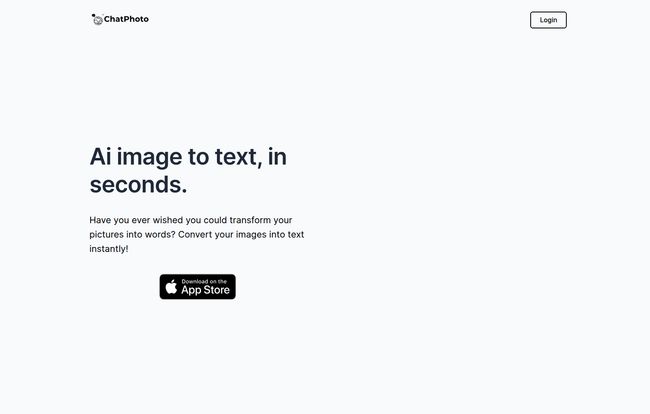
In a nutshell, ChatPhoto wants to be your photo’s brainy best friend. You feed it an image—any image, with or without text—and it doesn’t just sit there. It invites you to ask questions. Think of it less like a scanner and more like a visual interpreter. You can ask it to identify things, explain a scene, translate foreign text, or even get creative and write a story about what’s happening in the picture.
The whole idea is to go beyond the surface. It’s the difference between recognizing the word “Eiffel Tower” in a photo and being able to answer, “What’s the best time of day to visit for smaller crowds?” based on visual cues in the image. A pretty tall order, if you ask me.
Visit ChatPhoto
Putting It Through Its Paces: My Hands-On Experience
I decided to throw a few curveballs at ChatPhoto to see what it was made of. I ignored the simple stuff and went straight for the tricky content that usually stumps basic AI.
More Than Just Reading the Menu
First up, a photo from a vacation last year – a handwritten menu outside a small café in Lisbon. Google Translate often struggles with handwriting. I uploaded it and asked, “What’s the daily fish special, and can you translate it to English?” Within seconds, it not only identified the scrawled ‘Bacalhau à Brás’ but told me it was a famous Portuguese dish with shredded cod, potatoes, and eggs. Not just a translation, but context. I was impressed. It felt like I was messaging a local friend.
A Creative Spark for the Uninspired
Okay, here’s where my professional curiosity really kicked in. The tool claims it can generate captions and even eCommerce product descriptions. As someone who has written more product descriptions than I care to admit, I was skeptical. Terribly, horribly skeptical.
I uploaded a picture of a generic, unbranded ceramic mug sitting on my desk. I asked it: “Write a short, catchy product description for this mug.” What came back was… surprisingly not bad. It wasn’t just “This is a white mug.” It was something like, “Start your morning right with this classic ceramic mug. Its sturdy handle and minimalist design make it the perfect companion for your favorite coffee or tea.” It’s not going to win any literary awards, but as a starting point? That saves a solid 10 minutes of staring at a blank screen. For a small business owner juggling a hundred tasks, that’s a win.
The Features That Actually Matter
After playing around, a few things really stood out from the typical feature list fluff.
- True Visual Understanding: This is the secret sauce. The ability to analyze photos without any text is what sets it apart. You can show it a picture of a flower and ask, “What kind of flower is this and is it toxic to cats?” That’s a leap beyond just identifying text.
- The Conversational Element: You’re not just submitting a query and getting a result. You’re having a back-and-forth. You can ask follow-up questions, refine your request, and dig deeper into the details of a single image. It makes the process feel more natural and a lot more powerful.
- Effortless Multi-Language Support: This can’t be understated. For anyone who travels, works with international documents, or just browses the global internet, the ability to instantly understand and translate visual text is huge. It breaks down language barriers in a very practical way.
The Real Story: Who Should Use This (and What’s the Catch)?
So, is this a tool for everyone? Maybe. But it’s a godsend for a few specific types of people.
Who I Think Will Love This Tool
If you’re a student, imagine taking a picture of a complex historical painting or a biological diagram and being able to ask specific questions about it for your notes. If you’re a traveler, this is your new best friend for navigating foreign lands. For eCommerce pros and social media managers, it’s a fantastic brainstorming partner for generating that first draft of copy when you’re feeling stuck. And for the casually curious, it’s just plain fun to finally figure out what that weird bird in your backyard is.
The Inevitable Reality Check
Now, let’s be real. It’s AI. It’s not infallible. There will be times it gets things wrong or misinterprets a complex scene. I wouldn’t use it for, say, identifying a mushroom before I eat it. For high-stakes identification, you still need a human expert. Think of it as an incredibly knowledgeable assistant, not an absolute authority. It can give you a fantastic, educated guess, but it’s still a guess.
What About the Price Tag?
This is the million-dollar question, isn’t it? As of writing this, finding a clear pricing plan was a bit of a treasure hunt. Their website has a broken link for pricing, which happens. It’s currently listed on the Apple App Store, so that’s the best place to check for the most current pricing model, wether its a subscription, a one-time purchase, or has a freemium tier. I suspect they’re still figuring it out, which is common for new tools in a fast-moving space.
My Final, Unfiltered Take
I came into this expecting a slightly smarter OCR tool and walked away genuinely impressed. ChatPhoto isn’t a gimmick. It’s a tangible step toward a new way of interacting with the visual world around us. The ability to have a dialogue with an image—to query its contents with natural language—feels like a small piece of the future arriving ahead of schedule.
It’s not perfect, and you should always double-check its answers for anything critical. But as a tool for creativity, productivity, and pure curiosity? It’s earned a permanent spot on my phone. It’s one of those tools that, once you start using it, you’ll wonder how you managed without it.
Frequently Asked Questions
- Is ChatPhoto just a fancier version of Google Lens?
- Not really. While both analyze images, Google Lens is primarily for identification and search. ChatPhoto is built around a conversational model, allowing you to ask follow-up questions and have a dialogue about the image, which is a key difference.
- Is ChatPhoto free?
- The pricing information wasn’t readily available on their main site when I checked. The best way to find out the current cost is to check its page on the Apple App Store, as it may have a free trial, subscription, or one-time fee.
- What languages does it work with?
- ChatPhoto supports multiple languages for both the questions you ask and the text it analyzes within photos. This makes it incredibly useful for translation and for users around the world.
- Can it really understand pictures that have no words?
- Yes, and that’s its most powerful feature. It uses AI to interpret scenes, objects, and context within a photo, allowing you to ask questions about what’s happening in the image, not just what’s written on it.
- How accurate is it?
- It’s impressively accurate for most common queries, but it is still an AI. For highly technical, niche, or safety-critical information, you should always verify its answers with an expert source. It’s an assistant, not a replacement for professional judgment.
- Is ChatPhoto only available for iPhone?
- Currently, it’s prominently featured on the Apple App Store, which suggests it is an iOS-first application. It’s always a good idea to check their official website for news on an Android version.


