
Categories: AI Chatbot, Large Language Models (LLMs)
Chattier Review: Next-Gen AI Chatbots for Your Site

Stuck in a chatbot loop, desperately typing “talk to a human” while a bot cheerfully insists on showing you the same irrelevant FAQ page. It’s frustrating. It makes you want to close the tab and never come back. For years, I’ve felt that most website chatbots were, at best, a necessary evil—a slightly-more-interactive contact form.
But the ground is shifting. Fast. The AI boom isn’t just about writing essays or making funny pictures; it’s completely changing the game for user interaction. And that brings me to a tool that recently caught my eye: Chattier. It’s not just promising a smarter chatbot. It’s promising one with a face, a voice, and a personality. Maybe even a soul? Okay, maybe not a soul, but it’s a wild step forward.
What Exactly is Chattier?
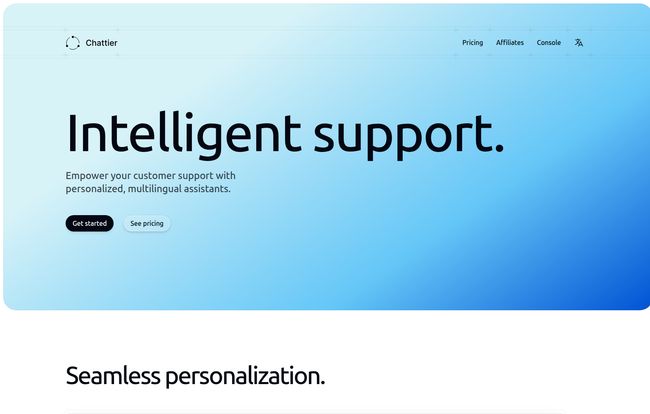
At its core, Chattier is a platform that lets you build and embed intelligent chatbots on your website. Simple enough. But that’s like saying a Ferrari is just a way to get from A to B. The magic is in the details. Unlike the clunky, rule-based bots of yesteryear, Chattier’s assistants are powered by OpenAI’s GPT models. Yeah, that OpenAI. This means they can understand context, handle complex queries, and hold conversations that don’t make you want to tear your hair out.
The biggest hook? You can feed it your own data. Your product specs, your company knowledge base, your support documents… all of it. Your chatbot goes from being a glorified, searchable FAQ document to an actual front-line specialist that knows your business. That, for me, is the difference between a gadget and a genuine business tool.
Visit Chattier
The Features That Actually Matter
I’ve seen a million feature lists in my time. Most are just noise. With Chattier, a few things genuinely stand out from the crowd.
The Star of the Show: 3D Avatars with Speech
Okay, this is the cool part. Chattier lets you go beyond the standard little chat bubble and embed a full 3D avatar on your site. It’s the difference between getting a text from a friend and having a FaceTime call. One is information; the other is an experience. These avatars don’t just sit there, either—they can respond with synthesized speech, making the interaction feel dramatically more personal and engaging.
Honestly, it feels a bit like something out of a sci-fi movie, but the potential for increasing user trust and time-on-site is massive. Imagine a visitor on an e-commerce site getting a friendly, verbal walkthrough of a product’s features from a helpful avatar. It’s a pattern interrupt. It’s memorable.
Simple Setup for the Non-Tech-Savvy
I love powerful tech, but I have zero patience for a complicated setup. My heart sinks when I see documentation that looks like an advanced calculus textbook. Chattier seems to get this. The whole process is designed around a simple copy-and-paste embed code. If you can add a Google Analytics script or a Facebook Pixel to your website’s HTML, you can install Chattier. No wrestling with APIs, no calling in a developer for a ‘quick job’ that ends up taking a week. Huge win.
Under the Hood: Powered by OpenAI
I mentioned this before, but it’s worth its own section. Building on top of OpenAI’s models (the pricing page hints at using models like GPT-4.1 Mini) means Chattier inherits a massive amount of conversational intelligence. It’s not just matching keywords. It’s understanding intent. A user can ask, “My vacuum cleaner is making a funny noise and smells weird, what do I do?” and the bot can piece together a sensible troubleshooting guide from the knowledge base you provided. That’s a world away from “I’m sorry, I don’t understand the question.”
Let’s Talk Money: Breaking Down Chattier’s Pricing
Alright, the all-important question: what’s this going to cost me? Chattier uses a pretty standard tiered SaaS model, but with a twist—a credit system. It reminds me of the token system at an old-school arcade; different actions ‘cost’ different amounts.
| Plan | Price | Key Features |
|---|---|---|
| Starter | $49 / month | 2 assistants, 2,000 monthly credits, 10 files per assistant |
| Growth | $99 / month | 5 assistants, 5,000 monthly credits, Avatar assistants included |
| Enterprise | $299 / month | 10 assistants, 20,000 monthly credits, Dedicated support |
Note: Pricing and features are based on information from their site at the time of writing and could change. Always check the official pricing page for the latest details.
The All-Important Credit System Explained
This is where you need to pay attention. Not all interactions are created equal. According to their site, a simple text-based request costs 1 credit. Fair enough. But if you want that request to have a voice, that’s 4 credits. And if you want the full 3D avatar interaction, you’re looking at 6 credits per request. This is critical for forecasting your costs. If you have a high-traffic site and you want everyone to experience the full avatar, your credits will burn much faster than with a simple text bot. Overages are billed per credit, so it’s a flexible but potentially expensive model if your usage spikes unexpectedly.
Is There a Free Option?
While there isn’t a permanent “free forever” plan listed on their main pricing page, they do offer a free trial. You can sign up and get a batch of credits (the site currently says 500) to kick the tires on the premium features. I’m a big fan of this approach. It lets you actually experience the tool and see if the avatar feature is a good fit for your brand before you commit any cash.
My Real-World Take: The Good and The Not-So-Good
No tool is perfect. After digging in, here’s my honest take.
The Good Stuff is pretty obvious. The ‘wow’ factor of the 3D avatars is undeniable. It’s a fantastic way to differentiate your brand. The ease of use is a close second; they’ve made a very complex technology accessible to just about anyone. And the ability to train the AI on your own, specific data is the most powerful part, turning a novelty into a serious support solution.
As for the Potential Sticking Points, the credit system is the main one. It’s a double-edged sword. For a low-traffic, high-value site (like a consultant or a niche B2B service), it’s perfect. You only pay for what you use. But for a high-traffic e-commerce store, you’d need to monitor your credit usage like a hawk to avoid a surprise bill. The other thing to remember is your chatbot’s intelligence is tied to OpenAI. If GPT has a wierd day or an outage, your assistant might too. It’s a dependency you have to be comfortable with.
Who is Chattier Really For?
I don’t think this is a one-size-fits-all tool. I see it being a perfect match for a few specific groups:
- Innovative E-commerce Stores: Brands that want to stand out and offer a unique, guided shopping experience.
- SaaS and Tech Companies: Imagine a bot trained on your technical documentation that can walk users through setup and troubleshooting. Yes, please.
- Consultants, Coaches, and Personal Brands: A great way to add a personal, interactive touch to your site and answer common questions without you having to be online 24/7.
Who might want to pass? Probably massive corporations with in-house AI teams who need 100% control over the model, or businesses on an extremely tight, fixed budget who can’t risk variable costs.
Frequently Asked Questions about Chattier
Here are some quick answers to questions I had, and you probably do too.
- Can I really put this on any website?
- Pretty much. As long as you can access and edit your website’s HTML to paste in the code, you’re good to go. This covers platforms like WordPress, Shopify, Webflow, and custom-built sites.
- What if I have multiple websites?
- The plans are based on the number of “assistants” you can create. You can deploy the same assistant on multiple domains, or create different assistants for different sites, depending on your plan’s limits.
- Does it actually speak other languages?
- Yes, it supports multiple languages. This is a huge benefit of being built on a large language model like GPT, which has been trained on a global dataset.
- How hard is it to train on my own content?
- It’s designed to be straightforward. You provide the assistant with your data sources, like documents or website content, and it learns from that information to provide accurate answers.
- Is it just using ChatGPT?
- It uses OpenAI’s GPT models, which are the same family of models that power ChatGPT. The platform mentions using GPT-4.1 Mini, which is one of the latest and most capable models from OpenAI.
The Final Verdict on Chattier
So, is Chattier the future? In a way, I think it is. Or at least, it’s a very clear signpost pointing to where we’re headed. We’re moving away from impersonal, rigid interactions online and toward more dynamic, human-like experiences.
Chattier isn’t just another chatbot builder. It’s an accessible way to put a truly next-generation AI assistant on your website. The 3D avatars might feel like a gimmick at first, but I believe they represent a fundamental shift in user engagement. If you’re looking to get ahead of the curve and give your visitors an experience they’ll actually remember, this is a tool that’s absolutely worth a look. It’s powerful, it’s innovative, and it’s surprisingly easy to get started.


