
Categories: AI Assistant, AI Developer Tools, AI Productivity Tools
CloudKeeper Review: Is It The AWS Cost Saver You Need?

That AWS bill. It arrives every month like an unwelcome houseguest who eats all your food and leaves a mess. You know you need all that computing power, storage, and the endless list of services, but watching that cost creep up—or sometimes, leap up—can be a real source of anxiety. It’s the silent budget killer in so many tech departments.
For years, we’ve tried to wrestle it ourselves. Pouring over AWS Cost Explorer, setting up budget alerts that just tell you you’re already in trouble, and manually hunting for underutilized EC2 instances. It’s a full-time job. A tedious one at that. So when a tool comes along promising to automate this whole mess, my ears perk up. I’ve been in the SEO and traffic game long enough to know that efficiency is everything. Wasted spend is wasted opportunity.
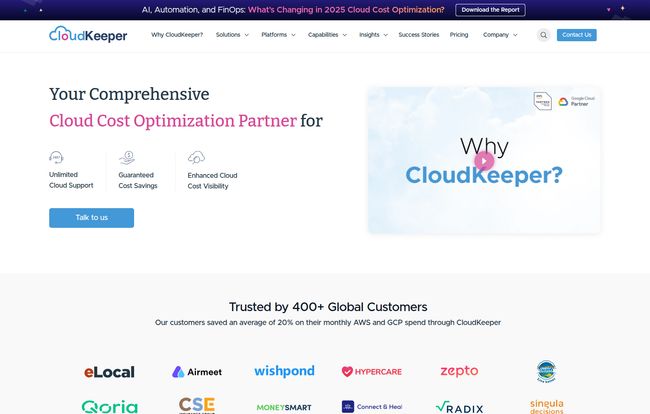
Enter CloudKeeper. It’s been making waves as a comprehensive cloud cost optimization partner, and I decided it was time to take a proper look under the hood. Is it just another fancy dashboard, or is it the real deal? Let’s find out.
Visit CloudKeeper
What Exactly is CloudKeeper? (And Why Should You Care?)
At its heart, CloudKeeper is an automated platform designed to do one thing really well: stop you from overspending on your cloud infrastructure. Initially an AWS-focused tool, it has now expanded its expertise to Google Cloud and Azure, which is a smart move in today’s multi-cloud world.
But it’s not just a reporting tool. That’s the part you really need to grasp. It doesn’t just show you a pretty graph of your spending; it uses advanced algorithms and AI to provide real-time recommendations and, in some cases, automatically make changes to optimize your setup. Think of it less like your car’s dashboard and more like a seasoned mechanic who’s constantly tuning the engine for peak performance and fuel economy. It’s a proactive partner, not just a passive observer.
For any business running a significant workload on AWS, this is a huge deal. It’s about shifting from a reactive, “Oh crap, the bill is high” mindset to a proactive, continuously optimized state. It’s FinOps in a box, really.
Breaking Down the CloudKeeper Toolbox
CloudKeeper isn’t a single, monolithic product. It’s a suite of tools and solutions, which can be a bit confusing at first glance. They’ve basically broken it down into ‘Platforms’ for more hands-on work and ‘Solutions’ for a more all-in-one approach. Here’s my take on the main components.
The Platforms: Lens, Tuner, and Auto
These are the core engines of the CloudKeeper service.
- CloudKeeper Lens: This is your starting point—the visibility platform. It gives you a clear, consolidated view of your cloud costs, identifies potential savings, and flags anomalies. It’s the diagnostic tool that tells you where the financial leaks are.
- CloudKeeper Tuner: Now we’re talking action. Tuner takes the recommendations from Lens and provides an automated way to implement them. This is where you get into the nitty-gritty of usage optimization, like right-sizing instances and managing storage classes. Its a big time-saver.
- CloudKeeper Auto: This one is my personal favorite. Managing AWS Reserved Instances (RIs) and Savings Plans is a dark art. Buy too much, and you’ve wasted money on commitment. Buy too little, and you’re paying high on-demand prices. CloudKeeper Auto is a zero-touch, AI-based platform that handles this for you. It buys and sells commitments on the AWS marketplace to match your usage, ensuring you get the best discount rates without the headache of manual management. That’s genuinely cool.
The All-In-One Solutions: AZ and EDP+
If you’d rather have a more managed experience, these solutions bundle the platforms with expert support.
- CloudKeeper AZ: This is pitched as the ‘A to Z’ of cloud cost optimization. It combines the platforms with consulting and support to give you a comprehensive, hands-off experience. It’s for organizations that want to outsource the entire optimization function.
- CloudKeeper EDP+: This is a more specialized offering for large enterprises that have an AWS Enterprise Discount Program (EDP). It helps them lower their commitment to AWS while still getting benefits, which can free up significant capital. A niche but powerful tool for the big players.
So, How Does It Actually Save You Money?
Magic, right? Well, not quite. The savings come from two main strategies: rate optimization and usage optimization.
Rate optimization is all about making sure you’re paying the lowest possible price for the resources you use. This is where CloudKeeper Auto shines, by masterfully playing the RI and Savings Plan market.
Usage optimization, on the other hand, is about making sure you’re only using the resources you actually need. This is where CloudKeeper Tuner comes in, helping you to:
- Right-size instances: Stop paying for a jumbo-sized server when a medium will do.
- Delete idle resources: Get rid of those unattached EBS volumes and forgotten load balancers that are quietly costing you money.
- Schedule start/stop times: Automatically turn off development and staging environments on nights and weekends.
It’s this two-pronged attack, covering over 50 AWS services, that leads to the impressive 20% average savings they advertise. And from what I’ve seen in the industry, that figure is totally believable for an unoptimized environment.
Let’s Talk Turkey: The CloudKeeper Pricing Model
Alright, the all-important question. What’s this going to cost me? CloudKeeper’s pricing is mostly based on a percentage of your cloud bill or a percentage of the savings it delivers. This can be a double-edged sword. On one hand, it scales with your own costs. On the other, the fee can seem large if your bill is massive. You have to do the math to see if the savings outweigh the fee.
| Platform/Solution | Pricing Model | What It Does |
|---|---|---|
| CloudKeeper Lens | 2% of the monthly cloud bill | Cost visibility and recommendations |
| CloudKeeper Tuner | 2% of the monthly cloud bill | Automated usage optimization |
| CloudKeeper Auto | 18% of the savings delivered | AI-based RI & Savings Plan management |
| CloudKeeper AZ | 1% of monthly bill (for each platform) | One-stop solution for cost optimization |
| CloudKeeper EDP+ | 1% of monthly bill (for each platform) | Helps lower AWS EDP commitment |
For the most current details, I’d always recommend checking their official pricing page.
In my opinion, the 18% of savings delivered model for CloudKeeper Auto is a no-brainer. You only pay them a cut of the money they actually save you. It’s a pure win-win. For the others, you just have to be confident that the 1-2% fee will be dwarfed by the savings you’ll get from the tool and the man-hours you’ll save.
The Good, The Bad, and The… AWS-Specific
No tool is perfect. So here’s my quick, unfiltered take.
What I Like:
The automation is the biggest win here. It takes a monumental, ongoing task off your team’s plate. The 24/7 personalized support is also a huge value-add, especially for teams who can’t afford AWS’s pricey premium support tiers. And I love the direction they are taking with multi-cloud support. It shows they’re looking at where the market is going, not just where it is now.
What Gives Me Pause:
The main limitation right now is that some of the more advanced features, like Tuner, are still AWS-only. For a truly multi-cloud team, this means you’re getting a deeper experience on one cloud than the others. Also, some of the solutions, like EDP+, naturally require a commitment, so you need to be sure before you sign on. And as mentioned, the percentage-of-bill pricing model requires a careful calculation to ensure positive ROI, especially for very large spenders.
Is CloudKeeper Right for Your Team?
So, who is this for? If you’re a startup founder wearing a dozen hats and your AWS bill is starting to give you nightmares, something like CloudKeeper Auto could be a lifesaver. If you’re a DevOps lead at a mid-sized company and your team is spending more time on cost reports than on coding, the Tuner platform could free them up to do more valuable work.
If you’re a C-suite executive at a large enterprise, the full AZ solution or the EDP+ offering could represent millions in savings and smarter capital allocation. It really comes down to this: how much time and money are you currently wasting on cloud cost management? If that number is significant, then CloudKeeper is absolutely worth investigating.
Ultimately, CloudKeeper is a powerful specialist tool in a world of generalists. It’s built to solve a very specific, very expensive problem. It’s about making your cloud work smarter for you, not the other way around. And maybe, just maybe, letting you open that monthly bill with a sense of calm instead of dread.
Your CloudKeeper Questions Answered
- How much can I realistically save with CloudKeeper?
- CloudKeeper states their customers see an average savings of 20% on their entire cloud bill. Of course, your mileage may vary depending on how optimized your environment currently is.
- Can I use CloudKeeper with multiple cloud providers?
- Yes. While its deepest roots are in AWS, CloudKeeper now supports Google Cloud and Azure, providing a multi-cloud cost management solution.
- Is there a lock-in or long-term commitment?
- It depends on the product. The platforms like Lens, Tuner, and Auto are typically month-to-month with no lock-in. Some of the more comprehensive solutions may involve a commitment, so it’s best to clarify for the specific service you’re interested in.
- How is this different from AWS Cost Explorer?
- AWS Cost Explorer is a tool for analysis. It shows you data, and you have to figure out what to do with it. CloudKeeper is a platform for action. It not only provides analysis but also automated recommendations and implementation to actively reduce your costs.
- Is CloudKeeper a certified cloud partner?
- Yes, CloudKeeper is an AWS Advanced Tier Services Partner and a Google Cloud Partner, which adds a layer of credibility and shows they have a strong relationship and deep expertise with these platforms.


