
Categories: AI Agent, AI Code Assistant, AI Developer Tools
Coder Review: The CDE That Tames Dev Environments

If I had a dollar for every time I’ve heard “well, it works on my machine,” I’d probably have enough to buy a small island. The classic developer problem. It’s the ghost in the machine that haunts every stand-up, delays every release, and makes onboarding new engineers a week-long ritual of installing dependencies and praying to the tech gods.
For years, we’ve been trying to solve this. VMs. Docker. Elaborate setup scripts that are outdated the moment they’re written. We’ve been moving our production apps to the cloud for ages, so why are our development environments still stuck in the wild west of our local laptops? It’s always felt… inconsistent.
This is where the concept of Cloud Development Environments, or CDEs, comes in. And lately, one name keeps popping up on my radar: Coder. It promises to bring sanity back to development, and as someone who’s spent more time than I’d like debugging environment-specific issues, I had to take a closer look.
So, What is Coder, Really?
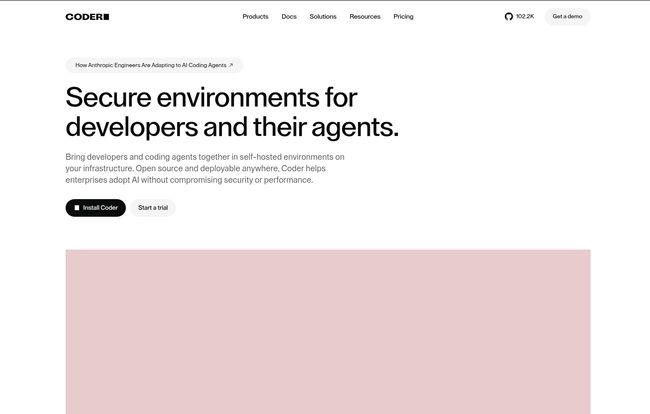
Okay, the official line is that Coder is a “self-hosted cloud development environment platform.” That’s a mouthful. Let me translate. Imagine you could give every developer on your team a perfect, pre-configured, ridiculously powerful computer that lives in your own cloud. A computer that’s identical for everyone, from the senior architect to the new intern. That’s the essence of Coder.
The self-hosted part is the big deal here. Unlike some other CDEs that are fully managed SaaS products, Coder runs on your infrastructure. Your AWS, your GCP, your Azure, your on-prem Kubernetes cluster. You hold the keys to the kingdom. For anyone working in finance, healthcare, or government, that’s not just a feature; it’s a requirement.
It achieves this magic through Infrastructure as Code, specifically using Terraform. You define what a ‘developer workspace’ looks like—the OS, the tools, the extensions, the compute resources—in a file. A developer needs a new environment? They just click a button. Coder spins it up, exactly to spec. Every time. It’s predictable. It’s beautiful.
Visit Coder
The Big Wins: Why I’m Paying Attention to Coder
I’m naturally skeptical of new tools. The hype cycle in tech is exhausting. But the benefits here are tangible and address some very old, very real pain points.
Taming the Security Dragon
Let’s talk security. Your company’s source code is probably its most valuable asset. And where does it live? On dozens, maybe hundreds, of developer laptops that are carried around coffee shops, airports, and homes. It’s a security team’s worst nightmare. Coder flips that script entirely. The code and the environment never have to live on the local machine. Developers access it through their favorite IDE—VS Code, JetBrains, even a browser—but the heavy lifting and the sensitive data stay securely on your cloud infrastructure. It’s a massive security upgrade.
The End of “Works On My Machine”
I mentioned it before, but it’s worth repeating. Consistency is king. With Coder, you eliminate an entire class of bugs caused by environment drift. No more “what version of Node are you running?” or “oh, you need to update that one obscure library.” Onboarding a new developer goes from a week of frustrating setup to a matter of minutes. They get their credentials, pick a template, and start coding. The productivity gains from this alone are enormous.
Your CFO Will Thank You (Seriously)
Cloud costs can spiral out of control. I once saw a team rack up a five-figure AWS bill because a few developers spun up massive EC2 instances for a project and then… went on vacation. Coder has a killer feature to combat this: automatic shutdown. If a developer isn’t using their environment, Coder can automatically stop it (or hibernate it) to save on compute costs. When they come back, it spins right back up. We’re talking potential cloud cost reductions of up to 90%, according to them. And frankly, based on my experience, that number doesn’t even seem exaggerated.
The AI Agent Revolution is Here
Here’s where things get really interesting and forward-looking. Everyone is experimenting with AI coding agents like GitHub Copilot and others. But how do you give these AI assistants the context they need to be truly useful without giving them broad access to your systems? It’s a tricky problem.
Coder is positioned perfectly for this. It can provide a secure, sandboxed, context-rich environment specifically for an AI agent. The agent gets access to the code and dependencies it needs to do its job, but it’s contained within that Coder workspace. You get the power of AI without opening a massive security hole. It’s one of teh smartest long-term plays I’ve seen from a devtool company in a while.
Also Read: Aleph Alpha: Sovereign AI Beyond the Hype
Let’s Talk Brass Tacks: Getting Started with Coder
Alright, it’s not all sunshine and rainbows. Coder is a professional tool, and it comes with a few things you need to be aware of.
The Self-Hosting Hurdle (or Opportunity?)
This isn’t a simple SaaS you just sign up for with a credit card. You need to install and manage it on your own infrastructure. This means you need someone with DevOps or platform engineering skills. For some, this is a deal-breaker. For me, and for any organization that takes security and control seriously, it’s a huge plus. You’re not beholden to a third party’s uptime or security practices. It’s your platform.
Speaking Fluent Terraform
Coder has gone all-in on Terraform for defining workspaces. If your team is already using Terraform, you’ll feel right at home. If not, there’s a learning curve. I personally think standardizing on Terraform is a great choice—it’s the industry standard for a reason—but it is a prerequisite you should be aware of.
Coder Pricing: Free vs. Premium
So, what’s this going to cost? Coder has a pretty straightforward pricing model with two main tiers. I’ve gotta say, the free tier is incredibly generous.
| Plan | Price | Best For | Key Features |
|---|---|---|---|
| Community | Free | Hobbyists and small teams | Unlimited workspaces, core features, community support via Discord and GitHub. |
| Premium | Per user / per deployment (annually) | Enterprises | Everything in Community, plus ticket-based support, SAML/SSO, audit logging, role-based access control (RBAC), and enhanced security features. |
My take? The Community edition is perfect for getting your feet wet, for open-source projects, or for smaller teams that are comfortable with a self-service support model. The moment you need to integrate with your company’s single sign-on or have compliance requirements for audit logs, you’ll be looking at the Premium plan. You can find more details over at their pricing page.
So, Who is Coder Actually For?
After digging in, it’s clear who gets the most out of Coder. If you’re a Platform Engineering or DevOps team at a mid-to-large sized company, this tool was practically built for you. You’re the one who feels the pain of developer setup and infrastructure management most acutely.
It’s also a fantastic fit for any organization in a regulated industry. The self-hosted nature and the security-first design choices are non-negotiable in those fields.
Who is it not for? If you’re a solo developer working on a personal blog, this is probably overkill. The overhead of setting up and managing a Coder instance wouldn’t make sense. But for any team of two or more, the argument for a CDE like Coder gets very strong, very quickly.
Frequently Asked Questions
Is Coder just a fancy version of VS Code Remote Development?
Not at all. VS Code Remote is a fantastic feature that lets your local IDE talk to a remote machine. Coder is the entire platform that manages those remote machines. It provisions them, secures them, manages their lifecycle, handles user access, and reduces costs. It’s the backend management plane for your entire fleet of development environments.
How difficult is it to set up Coder?
It depends on your team’s expertise. If you’re comfortable with Kubernetes and Terraform, you can likely get a basic Coder installation up and running in an afternoon. The documentation is quite good. If those terms are new to you, you’ll have a learning curve ahead of you.
Can I really save significant money with Coder?
Yes, absolutely. The auto-shutdown feature is the primary driver here. By ensuring you’re only paying for compute resources when they’re actively being used for development, you can eliminate a huge amount of cloud waste. Consolidating development onto a shared cluster instead of individual VMs can also lead to big savings.
What’s the main reason to upgrade from Community to Premium?
It usually comes down to three things: Support (getting dedicated help when you need it), Security (integrating with enterprise identity systems like SAML/SSO), and Compliance (having detailed audit logs of who did what, and when).
Does Coder lock me into a specific cloud?
Nope. That’s one of its strengths. Because it uses Terraform, it can provision workspaces on AWS, GCP, Azure, DigitalOcean, or even on-premise hardware running Kubernetes. It’s designed to sit on top of the infrastructure you already have.
My Final Thoughts on Coder
The shift to cloud-based development isn’t a matter of ‘if’ anymore, it’s a matter of ‘when’ and ‘how.’ For years, we’ve treated our development environments like personal craft projects instead of what they are: critical, shared infrastructure. Coder brings a much-needed dose of discipline, security, and efficiency to the whole process.
It’s not a magic bullet, and it requires a certain level of technical maturity to adopt. But for the right team, Coder isn’t just another tool. It’s a foundational piece of a modern, secure, and productive software development lifecycle. I’ve seen a lot of tools come and go, but this one feels like it has staying power. It solves a real problem, and it solves it in a smart, scalable way.


