
Categories: AI Agent, AI App Builder, AI Developer Tools, No-Code&Low-Code
Databutton Review: Your AI Coder for Building SaaS Apps?

Let’s have a little heart-to-heart. How many brilliant app ideas have you had in the shower, only to have them evaporate by the time you’ve toweled off? For most of us, the hurdle isn’t the idea. It’s the execution. It’s the mountain of code, the eye-watering cost of hiring developers, or the simple fact that you don’t know your Python from your React.
I’ve been in the SEO and traffic game for years, and I’ve seen countless SaaS businesses either fly or flop based on how quickly they can build and iterate. The traditional path is slow and expensive. But what if you could just… talk your app into existence? It sounds like science fiction, but that’s the promise of a tool I’ve been messing around with called Databutton. It claims to be an AI platform that lets you build and launch real, functional SaaS apps without being a coding wizard. A bold claim. So, is it for real, or just another drop in the AI hype bucket?
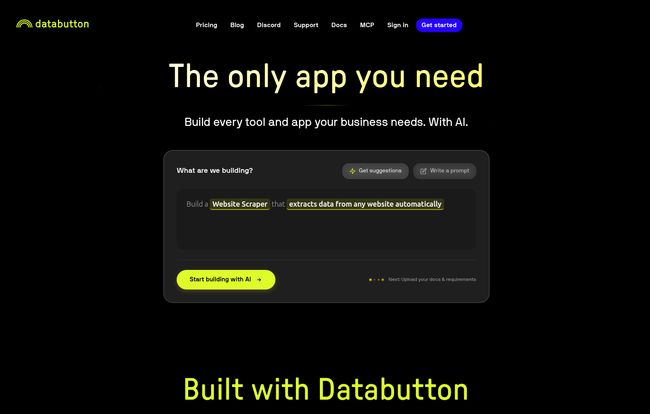
Visit Databutton
So What on Earth is Databutton?
Okay, let’s cut through the marketing fluff. At its core, Databutton is an AI-powered developer. Not just a code snippet generator, but a full-blown agent that you collaborate with. Their big tagline is “Stop commanding. Start collaborating.
and honestly, that’s a pretty good way to put it. You don’t just give it a one-line command and hope for the best. You give it a brief—a vision, some specs, maybe a mockup you scribbled on a napkin—and it works with you.
It’s designed to build apps with a React frontend (the part your users see and click on) and a Python backend (the engine room where all the logic happens). For a lot of modern SaaS tools, that’s the gold-standard stack. The whole point is to empower the non-technical founder, the marketer with a great idea, or the small business that needs a custom tool but doesnt have a CTO on payroll.
How This AI App Builder Actually Works
This isn’t just about typing “Build me a Facebook killer” and hitting enter. It’s a bit more thoughtful than that, which I appreciate. The process feels more like onboarding a new, incredibly fast junior developer.
It Starts with a Conversation
First, you feed the AI agent your app brief. This can be a document, design files, or just a clear description of what you want to build. The agent digests this information to understand the project’s goals. This is where its “long-term memory” comes into play; it remembers the decisions you’ve made, so you’re not starting from scratch with every request.
The AI Creates a Plan and Gets to Work
Once it understands the goal, Databutton creates a high-level plan broken down into actionable tasks. You can see the plan, give feedback, and make adjustments. Then, you tell it to start. The agent will think, research (yes, really), and start writing the code. When it needs your input—like on a design choice or a specific feature’s logic—it’ll ask you. It’s a continuous feedback loop. Not a black box.
Deploying Your App to the World
Once a feature is ready or you have a minimum viable product (MVP), deployment is ridiculously simple. It handles all the complicated stuff, pushing your app live on scalable infrastructure like AWS or Google Cloud. You can connect it to your own domain and have a live, functioning app in… well, they say seconds. And from my tests, it’s pretty darn quick.
The Good, The Bad, and The Code-Free
No tool is perfect, right? I’m always a bit of a skeptic. Here’s my no-nonsense breakdown of where Databutton shines and where you might need to pump the brakes.
The Upside: Your App Idea, Unleashed
The most obvious advantage is speed and cost. The ability to go from a simple idea to a working prototype in a fraction of the time and cost of traditional development is a massive win. For non-technical folks, it’s not just an advantage; it’s the difference between their idea living or dying. You can iterate and pivot so much faster. Think of it: you can test an idea with a real, working app before you even think about hiring a dev team or seeking funding.
“I’ve had a fantastic experience with Databutton. The intuitive design and integrations have been key in accelerating our SaaS projects.” – Jeronimo Macanas, CEO & Founder at JUMP
A Reality Check: What to Consider
Now for the other side of the coin. You are, by design, relying heavily on the AI. For 90% of standard SaaS features, this is probably fine. But if you have an incredibly unique, complex feature in mind, you might hit a wall where the AI needs a bit of human help. Which, to be fair, is where their higher-tier plans come in. Also, the pricing for the starter plan is credit-based for AI use, and hosting is a separate cost based on compute usage. This is pretty standard for cloud platforms, but something to be aware of so you don’t get a surprise bill.
Let’s Talk Money: Databutton Pricing
The pricing structure is pretty clear and maps directly to how much human help you think you’ll need. It’s not a one-size-fits-all model, which makes sense.
| Plan | Price | Who It’s For |
|---|---|---|
| Agent + Community | $20 / month | The solo founder, the non-techie, or anyone looking to build and test ideas with AI and community support. You get a starter pack of credits for AI usage. |
| Agent + Human support | $700 / month | Serious businesses that are building a core product. You get unlimited AI use and a dedicated Slack channel to get unblocked by human experts. |
| Agent + Human advisor | $4000+ / month | This is basically the “AI + human CTO” package. You’re working directly with human experts and the AI to build your business. This is for when you need a true tech partner. |
Note: For specifics on hosting costs and additional seats, you should check out their FAQ or pricing page directly.
My Final Take on Databutton
So, is Databutton the future of app development? Look, I don’t think it’s going to put all software developers out of a job tomorrow. But for a huge segment of entrepreneurs and businesses, it’s a revolutionary step. It lowers the barrier to entry so dramatically that it feels like a paradigm shift. Remember when building a website went from needing a professional to being doable on Squarespace? This feels like that, but for SaaS applications.
For me, the real kicker is its power for creating MVPs. The ability to test a market, get user feedback, and generate initial traffic to a real product without a six-figure development budget is just… wow. It’s a game-changer.
Frequently Asked Questions
- Who actually owns my app’s code and IP?
- According to their site, you do. You own the code and intellectual property for the apps you build. This is a big one, and it’s great they’re clear about it.
- What is the pricing for deployment and hosting?
- Hosting and deployment costs are separate from the monthly subscription. They are based on your app’s actual compute usage, which is a common and fair model for cloud services.
- Can I build an AI-driven app using Databutton?
- Yes, absolutely. Since it builds with a Python backend, it’s well-suited for integrating with AI models and libraries. You can build your own AI-powered tools on top of their AI-powered builder. A little meta, but very cool.
- Do I need to bring my own LLM keys (like from OpenAI)?
- Nope. Databutton handles that, so you don’t need to manage your own API keys or models to use the core AI developer agent.
- Is this truly for non-technical users?
- I’d say yes, but with a caveat. It’s for the logically-minded non-technical user. You still need to be able to clearly articulate what you want your app to do. If you can write a clear project brief, you can use Databutton.
Conclusion
Databutton is one of the most interesting tools I’ve seen in the no-code/low-code space. It’s not just a tool; it feels more like a new way of working. It’s an AI partner that turns your ideas into tangible, market-ready products. If you’re a founder, a maker, or an innovator who’s been held back by the technical barrier, you owe it to yourself to check this out. It just might be the co-founder you’ve been looking for.


