
Categories: AI Ad Generator, AI Animation Generator, AI Video Generator, Image to Video, Text to Video, Video to Video
DeeVid AI Review: An Honest Look at This AI Video Tool

If you’re in marketing, content creation, or just exist on the internet, you’re probably drowning in AI tools. Every single day, a new platform pops up promising to revolutionize how we work, write, and create. Most of them are… okay. Some are just plain bad. And a very, very small few are actually pretty darn good.
So when DeeVid AI landed on my radar, my default setting was, naturally, skepticism. Another AI video generator? Claiming to turn text, images, or even other videos into stunning new clips in just one minute? Yeah, I’ve heard that one before. But it’s my job to sift through the digital noise for you, so I rolled up my sleeves, grabbed a coffee, and decided to give it a fair shot.
And I have to admit, I was pleasantly surprised. This one might actually be a keeper.
What Exactly is DeeVid AI? Breaking Down the Core Features
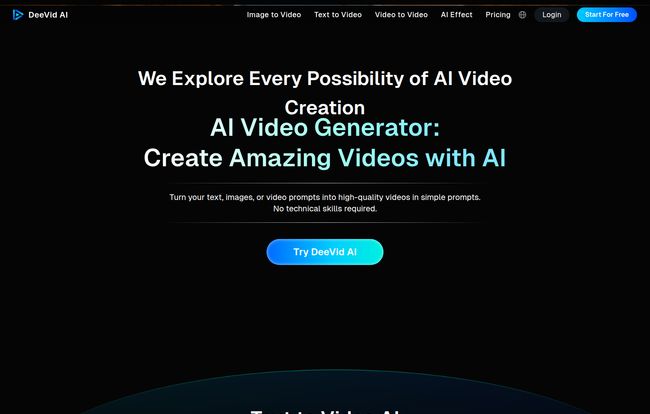
Before we get into the nitty-gritty, what is this thing? At its heart, DeeVid AI isn’t just one tool; it’s a suite of video creation features powered by what they call a “Super LLM.” It’s designed to be quick and, more importantly, easy to use. You don’t need a PhD in prompt engineering or a background in VFX to get something cool out of it. The platform is built around three main pillars.
Text to Video: From Prompt to Picture Show
This is the feature most people are familiar with in the AI video space. You type a description of a scene—say, “a golden retriever wearing sunglasses skateboarding down a boardwalk at sunset”—and the AI gets to work animating it. I’ve found its success, like with any AI image or video tool, heavily depends on the quality of your prompt. Get specific! Don’t just say “a car,” say “a vintage 1967 cherry red convertible, cinematic lighting, driving on a winding coastal road.” It makes a world of difference.
Image to Video: Bringing Your Stills to Life
Okay, this one’s my personal favorite. You can upload a still image and DeeVid AI will animate it. It’s like those moving portraits in Harry Potter, but for your social media feed. Think about animating your company logo, bringing a product photo to life with subtle movement, or making a digital painting feel more dynamic. It’s a fantastic way to make static content pop without having to learn complex animation software.
Video to Video: The Remix Machine
This is where things get a little wild. You can upload an existing video and use AI to apply a completely different style to it, change the mood, or add special effects. This is where you find some of the more… unique features, like the “AI Kissing” and “AI Hug” generator. I’m not entirely sure what the business use case is for an AI-generated hug, but it’s a weirdly charming feature that shows the team isn’t afraid to have a little fun. It’s a testament to the creative, almost playful, nature of the tool.
Visit DeeVid AI
My Hands-On Experience: The Good, The Bad, and The… AI Hugs?
So, does it live up to the marketing copy? For the most part, yes. It feels less like a complex flight simulator and more like a high-end RC car – powerful, fast, and a whole lot of fun to drive.
The first thing that stood out to me was the speed. That “one-minute video” claim is bold, but for simple prompts and image animations, it’s shockingly accurate. More complex video-to-video renderings can take a bit longer, which is to be expected, but I was never left waiting for an eternity. The user interface is also clean and intuitive. My mom, who thinks “clearing the cache” is a form of digital housekeeping, could probably figure this out. You dont need to be a tech wizard to get started.
The output quality is also impressive for this bracket of tool. The animations are smooth, and the videos don’t have that janky, uncanny-valley feel that plagued early AI video generators. Of course, it has its limits. Sometimes you’ll get a hand with six fingers or an object that morphs a little weirdly. It’s the current state of AI—imperfectly perfect.
On the flip side, no tool is without its drawbacks. The most obvious one is that the really good stuff—no watermarks, higher resolution output, and the full feature set—is locked behind a paid subscription. This is pretty standard, so it’s not a major complaint, but something to be aware of. If you’re just using a free version, you’ll likely face some limitations on what you can create and how you can use it. It’s a classic “try before you buy” model.
Let’s Talk Money: DeeVid AI Pricing Explained
Alright, the all-important question: what’s this going to cost me? The pricing structure is pretty straightforward, which I appreciate. They offer monthly and yearly plans, with a nice discount for the annual commitment. Based on their main pricing page, it breaks down into three tiers.
| Plan | Price (Monthly) | Key Features | Best For |
|---|---|---|---|
| Lite | $10 / month | 40 Credits/mo, 720p Output, No Watermarks, Full Commercial Use | Hobbyists & Casual Creators |
| Pro | $25 / month | 120 Credits/mo, 1080p Output, Full AI Toolkit, Fast Generation Mode | Professionals & Small Businesses |
| Premium | $119 / month | 600 Credits/mo, All Pro benefits, Priority Support | Agencies & Power Users |
Which Plan Is Right For You?
Honestly, the Pro plan feels like the sweet spot for most serious users. For $25 a month (with the annual discount), you get higher-quality 1080p output and access to the faster generation modes and full toolkit. This is the one for freelancers, social media managers and small businesses. The Lite plan is a great, affordable entry point if you’re just curious or have minimal needs. The Premium plan is clearly aimed at agencies or content teams churning out a high volume of video content daily.
Who Should Use DeeVid AI (And Who Should Probably Skip It)?
I see this tool being a massive help for a few key groups. Social Media Managers who need to constantly create eye-catching content will love the speed. Small Business Owners without a big marketing budget can generate professional-looking video ads and posts. Content Marketers and Bloggers can use it to turn articles into engaging video summaries. It’s a fantastic force multiplier.
However, if you’re a professional VFX artist who needs granular, keyframe-level control over every single pixel, this isn’t going to replace your Adobe After Effects subscription. It’s not designed for that. Similalry, it’s not going to produce the kind of hyper-realistic, narrative-driven scenes we’ve seen teased from models like OpenAI’s Sora. DeeVid AI exists in a more practical, accessible space—and frankly, that’s where most of us operate.
Final Verdict: Is DeeVid AI a Worthy Tool in Your Arsenal?
So, back to my original question: is it just another flash in the pan? In my opinion, no. DeeVid AI has successfully carved out a nice little niche for itself. It prioritizes user experience and speed over getting bogged down in overly complex features. It’s a workhorse tool for everyday creators who need to get things done quickly and efficiently.
In the incredibly loud and crowded market of AI tools, DeeVid AI is a clear voice. It’s not screaming about changing the world, it’s just quietly and competently helping you make cool videos. And for me, that’s more than enough. It’s earned a spot in my bookmarks, and if you’re in the market for an AI video generator that just works, it deserves a spot in yours too.
Frequently Asked Questions about DeeVid AI
- What kind of inputs can I use with DeeVid AI?
- You can start from scratch with a text prompt, animate a still image (like a JPG or PNG), or transform an existing video file. This versatility is one of its biggest strengths.
- Is my data and intellectual property safe?
- According to their site, yes. DeeVid AI emphasizes data privacy, stating that they securely process your prompts and images and do not share your information. This is a crucial point for businesses using proprietary assets.
- Can I use the videos for commercial purposes?
- Yes, all the paid plans (Lite, Pro, and Premium) come with a license for full commercial use, and they generate videos without a watermark. This makes it a viable tool for professional marketing and content creation.
- How long does it really take to make a video?
- It varies. A simple image-to-video animation with a subtle zoom can genuinely be ready in under a minute. A more complex text-to-video prompt or a video-to-video style transfer will take longer. But overall, it’s one of the faster platforms I’ve tested.
- Is there a free trial to test it out?
- Yes, there appears to be a free tier or trial that lets you explore the platform. As with most services, it will likely have limitations on things like video length, quality, and will probably include a watermark on your final video.
- How is DeeVid AI different from other tools like Runway or Pika Labs?
- While they operate in the same space, DeeVid AI seems to focus heavily on ease-of-use and speed for a general audience. Tools like Runway often have a steeper learning curve with more granular controls aimed at artists and filmmakers. DeeVid’s quirky features like the AI effects also give it a unique personality.
Reference and Sources
- DeeVid AI Official Website
- DeeVid AI Pricing Page
- Forbes: A Short History Of AI Video Generation – For context on the rapidly growing industry.


