
Categories: AI Answer, AI Assistant, AI Chatbot, AI Document Extraction, AI Note Taker, AI OCR, AI PDF, AI PDF Summarizer, AI Research Tool, AI Summarizer
Doclime Review: Chat with Your PDFs & Save Hours?

If you’re anything like me, your digital life is a graveyard of PDFs. Research papers, legal contracts, client reports, ebooks you swore you’d read… they just pile up. The worst part? Trying to find that one specific piece of information you know is buried somewhere on page 87 of a 150-page document. Your eyes glaze over, Ctrl+F becomes your best friend and worst enemy, and an hour later, you’re no closer to the answer.
It’s a universal pain point in the digital world. We have more information at our fingertips than ever, but accessing it efficiently? That’s a whole other story. But what if you could just… ask your document a question? And what if it just… answered? That’s the promise of a new wave of AI tools, and today, I’m taking a look at one called Doclime.
What on Earth is Doclime, Anyway?
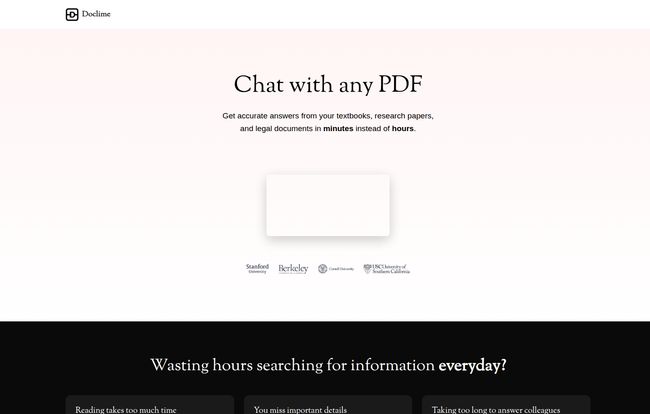
Think of Doclime as a super-smart research assistant who has already read all your documents, has a photographic memory, and is ready to answer your questions 24/7. At its core, it’s an AI-powered platform where you upload your PDFs and then, instead of reading them word-for-word, you have a conversation with them. You ask, “What are the key obligations for Party A in this contract?” and it spits back an answer, complete with citations pointing to the exact section in the original document.
It’s not just a fancy search function. It’s contextual. It understands relationships and concepts within the text, which is something your standard PDF reader just can’t do. It’s like giving your documents a voice and a brain.
Visit Doclime
My First Impressions and The Core Features
Getting started is pretty straightforward. The interface is clean, which I appreciate. No one needs a cluttered dashboard when they’re already dealing with complex information. But the real magic happens when you get a document loaded up. Here are the bits that really stood out to me.
The AI Chat: Your Document’s Personal Assistant
This is the main event. The chat interface is where you’ll spend most of your time. It’s surprisingly responsive. I uploaded a dense marketing report and asked it to summarize the findings on Q3 social media performance. In seconds, I had a neat summary. But the killer feature is the citation. Every answer Doclime gives is linked back to the source text. This is huge. It’s not just taking the AI’s word for it; you can instantly verify the information. For anyone in legal, academic, or research fields, this isn’t just a nice-to-have, it’s a necessity.
Split Screen View: The Ultimate Multitasking Setup
I’m a big fan of this. The platform presents you with a split-screen view where you can have your PDF open on one side and the AI chat or your notes on the other. You’re not constantly tabbing back and forth between windows, losing your place and your sanity. You can read the original text, ask the AI a question about it, and jot down your own thoughts all in one seamless workflow. It’s a small design choice that makes a massive difference in usability.
More Than Just a Chatbot: Notes, Organization, and OCR
Doclime isn’t a one-trick pony. It comes with a built-in rich text editor for note-taking, which is handy. You can also organize your files into folders, which helps keep projects from turning into a chaotic mess. But the most impressive feature for me, personally, is the Vision support. This is their term for Optical Character Recognition (OCR). I’ve been sent my fair share of ancient, scanned contracts that are basically just images of text. A normal search won’t work on them. Doclime’s OCR can read these scanned files, making them searchable and analyzable. That alone can be a lifesaver.
So, Who Is This Tool Actually For?
While I can see a lot of people getting use out of this, a few professions immediately come to mind. Lawyers and paralegals reviewing mountains of case law or contracts could slash their research time. Academics and students trying to digest dense research papers or textbooks could use it to create summaries and find key arguments without spending days reading. I mean, imagine prepping for an exam with this thing. Business analysts and consultants who need to extract key data from financial reports or market studies would also find it incredibly valuable. Frankly, if your job involves reading anything longer than a long email, you could probably benefit.
The Good, The Bad, and The AI
Alright, no tool is perfect. Let’s get into the nitty-gritty. After playing around with it for a while, here’s my honest take.
On the plus side, the time-saving aspect is undeniable. It’s fast, the citations are a trust-builder, and the OCR is a godsend for legacy documents. Another huge win is the security. They state it’s “Enterprise-Grade Security” powered by AWS (Amazon Web Services). For anyone handling sensitive or confidential documents, knowing your data is encrypted and stored privately on infrastructure from a major provider like AWS is a big deal. It’s not some fly-by-night operation running on a questionable server.
However, there are caveats. Like any AI tool, its output is only as good as the model’s ability to understand the input. For extremely nuanced, sarcastic, or subtly phrased content, you might not get a perfect interpretation. You still need your human brain to do the final check. This isn’t a tool for blind delegation; it’s a tool for assistance. Think of it as a brilliant but sometimes overly literal intern. You have to manage it and double-check its work before putting it in a final report.
What’s the Damage? A Look at Doclime’s Pricing
Okay, here’s the part of the review where I’d normally break down the pricing tiers, tell you about the free plan, and advise on which package offers the best value. But, plot twist! As of writing this, their pricing page is on a little vacation. I was met with a classic “404 Not Found” error.
While that’s a bit of a fumble, it’s also a real-world hiccup that happens. It means I can’t give you a solid number right now. My best advice is to head over to their site directly to see the current pricing, as they’ll likely have it fixed by the time you read this. It’s a bit of a bummer, but it underscores the ever-changing nature of these new tech platforms.
Is Docline Worth Your Time? My Final Verdict
So, what’s the final word? Despite the pricing page mystery, I’m genuinely impressed with Doclime’s core functionality. It tackles a very real and very annoying problem with an elegant and powerful solution. It’s not going to replace critical thinking, nor should it. But as a tool to augment your workflow, to help you triage information, and to save you from the soul-crushing task of manual document searching, it’s fantastic.
It’s a powerful shift from hunting for information to simply asking for it. If you’re a professional drowning in digital paperwork, I’d say giving Doclime a try is a no-brainer. It might just be the research assistant you never knew you needed.
Frequently Asked Questions about Doclime
Here are a few common questions that might be on your mind.
What exactly is Doclime?
Doclime is an AI-powered web tool that lets you upload documents (like PDFs) and ask questions about their content. It reads the document for you and provides answers with direct citations to the source text.
Can Doclime handle scanned PDFs or images of text?
Yes! It uses OCR (Optical Character Recognition) technology, which they call Vision support, to read text from scanned documents, making them just as searchable and analyzable as regular PDFs.
Is my data secure with Doclime?
Doclime states they offer enterprise-grade security, with data encrypted and hosted on AWS infrastructure. They also emphasize that your documents are stored privately by default.
Who would find Doclime most useful?
While many people could use it, it’s particularly powerful for students, researchers, lawyers, and business analysts—anyone who regularly works with long, dense, or numerous documents.
Is it really better than just using Ctrl+F?
Absolutely. Ctrl+F can only find exact keywords. Doclime understands context and concepts. You can ask “Summarize the conclusion” or “What are the risks mentioned?”—questions that a simple keyword search could never answer.
Time to Stop Searching and Start Asking
The age of passively reading dense documents is drawing to a close. Tools like Doclime are changing the game, making information more accessible and our workflows more efficient. So go ahead, give one of your most dreaded PDFs a new lease on life. You might be surprised at what it has to say.
Reference and Sources
- Doclime Official Website: https://doclime.com/
- AWS Cloud Security: https://aws.amazon.com/security/


