
Categories: AI Chatbot, AI Copilot, AI Knowledge Base
Doclin Review: The End of Outdated Code Documentation?

How many times have you stared at a function, completely baffled, and wished you could just tap the original developer on the shoulder? You dive into git blame, track down the person—who, of course, left the company 18 months ago—and then spend the next three hours on a wild goose chase through stale Confluence pages and long-forgotten pull request comments. It’s a painful, time-sucking process I like to call “code archaeology.”
We pay lip service to the ideal of “self-documenting code,” but in the trenches of tight deadlines and shifting priorities, it’s often the first thing to go. Documentation becomes a chore, an afterthought. And when it does exist, it almost immediately goes stale. So when a tool like Doclin pops up on my radar, claiming to build a code knowledgebase effortlessly, my ears perk up. Effortlessly? That’s a bold claim in the world of software development.
So, What Exactly is Doclin?
At first glance, you might think, “Oh, another commenting tool.” But that’s not quite it. Doclin is more like a persistent conversation layer that lives right alongside your code, but crucially, not inside your git repository. Think of it as a smart, contextual chat that’s permanently tethered to specific lines of code. It’s designed to capture the why behind the code, not just the what.
It enables developers to have real-time discussions right from their IDE. All these valuable conversations, which normally get lost in Slack threads or buried in PRs, are instead stored in the cloud and linked to the exact code block they refer to. It’s a simple idea, but one that has some pretty significant ripple effects.
The Real Problems Doclin Seems to Tackle
I’ve managed enough projects to know the common failure points of documentation. It’s a three-headed hydra of pain, and Doclin seems to be taking a swing at all of them.
The Graveyard of Pull Request Comments
PR comments are fantastic for code reviews. But once that PR is merged and closed, that context is effectively entombed. Searching for it months later is a nightmare. Doclin aims to make those discussions a living, breathing part of the codebase’s history, accessible long after the branch is deleted.
The Wiki That Time Forgot
Every team starts with the best intentions for their external wiki (be it Confluence, Notion, or just a pile of Markdown files). But reality hits hard. The code evolves, the wiki doesn’t. Soon, you have a knowledge base that is actively misleading—which is arguably worse than no knowledge base at all. Because Doclin’s discussions are tied directly to the code, they have a much better chance of staying relevant.
Keeping Your Git History Clean
We’ve all seen those massive code comments that try to explain an entire business process, cluttering up the actual logic. Doclin moves that discussion out of the file itself, keeping your repository clean and focused on the code, while the explanations live in a dedicated, connected space. And a big plus for security-conscious orgs: it doesn’t require access to your git repository. That’s a pretty big deal.
How It All Comes Together
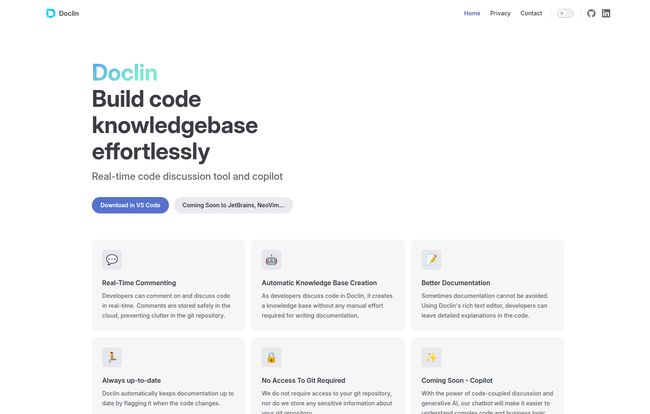
Doclin’s approach is built on a few core pillars that, when combined, create a rather compelling system.
- Real-Time Commenting: This is the engine. You highlight code, start a discussion. Your teammates can jump in. It’s immediate and happens where you work—the IDE.
- Automatic Knowledge Base: This is the magic. You don’t have to do a second step of “writing the docs.” The conversations you’re already having become the documentation. This removes the single biggest point of friction in creating documentation: the manual effort.
- Always Up-to-date: This is the feature that made me sit up straight. Doclin says it will automatically flag documentation when the underlying code changes. If this works as advertised, it single-handedly solves the stale-docs problem. It’s like a linter for your explanations.
Visit Doclin
The Experience and The Future
Right now, Doclin is available as an extension for VS Code. For many of us, that’s perfect. They do mention on their site that support for JetBrains IDEs (like IntelliJ and WebStorm) and NeoVim is “coming soon.” That’s good to hear, as it shows they’re thinking about the broader developer ecosystem.
But here’s the most intriguing part: the “Coming Soon – Copilot” feature. They promise a generative AI chatbot that will leverage all of this code-coupled discussion. Imagine being a new developer on a project and being able to ask a chatbot, “Hey, what’s teh business logic behind this pricing calculation?” and it gives you a summary based on the actual discussions the original developers had. That’s not just a time-saver; it’s a potential revolution in how we onboard engineers and transfer knowledge.
What’s the Price of Entry?
This is where things get a bit mysterious. I went looking for a pricing page, but the link seems to lead to a 404 page at the moment. This isnt uncommon for a newer tool that’s still finding its footing and maybe refining its business model. My guess is they’re either in a beta phase or preparing to launch their pricing tiers soon. I’d expect a free tier for small teams or open-source projects, with paid plans for larger organizations needing more features. For now, you can download the VS Code extension and give it a spin.
A Few Things to Keep in Mind
No tool is perfect, especially a new one. Based on the site, the main thing to be aware of is the IDE support. If your team is all-in on JetBrains, you’ll have to wait a bit. Also, the super-exciting AI Copilot feature is still on the horizon. So, you’re getting in on the ground floor of the idea, with the most powerful features yet to come.
Some might argue that this kind of discussion belongs in a task management tool like Jira. And they have a point, for task-level context. But for the nitty-gritty, line-by-line logic—the kind of stuff that makes you go “aha!”—having it live right next to the code is, in my experience, far more powerful.
FAQs about Doclin
How is Doclin different from just using code comments?
Traditional code comments clutter your git repository and are static. Doclin creates a dynamic, real-time discussion layer that’s stored separately in the cloud. It supports rich text and threaded conversations, and it can flag when the associated code changes, which a simple `//` comment can’t do.
Does Doclin store my source code?
No. According to their website, Doclin does not require access to your git repository and doesn’t store sensitive information about it. The discussions are coupled to the code, but not stored with it, which is a significant security and privacy benefit.
What IDEs can I use with Doclin?
Currently, Doclin is available for Visual Studio Code. They have announced that support for JetBrains IDEs (like IntelliJ, PyCharm, etc.) and NeoVim is coming soon.
How does Doclin keep documentation from getting stale?
Doclin has a feature that automatically detects when a piece of code with associated documentation has been changed. It then flags that documentation, prompting developers to review and update the explanation.
Is Doclin free?
The pricing information isn’t publicly available on their website at the moment. It’s best to check their site directly or install the VS Code extension to see what plans are offered as they launch.
The Final Word on Doclin
I’m genuinely intrigued by Doclin. It’s not just another tool; it’s an attempt to fix a fundamentally broken process. For years, we’ve treated documentation as a separate, painful task. Doclin’s approach is to integrate it so deeply into the development workflow that it almost disappears—it becomes a natural byproduct of collaboration.
It turns the ephemeral whispers of developer conversations into a permanent, searchable, and intelligent knowledge base. If they can nail the execution, especially with the upcoming AI features, Doclin could be one of those quiet tools that completely changes how teams write and understand software. I’ll definitely be keeping a close eye on this one.


