
Categories: AI CRM, AI Design Assistant, AI Forms, AI Project Management
dotBRAND Review: Taming Client Chaos with AI?

If you’re a designer, you know the dance. It starts with an excited new client, a flurry of emails, and a whole lot of promise. But then comes the slow, painful process of extracting what they actually want. You know, the brief. You ask for their logo files, they send you a 72dpi JPG embedded in a Word doc. You ask for brand colors, they say “something like Tiffany blue, but more… professional.” It’s a special kind of hell, and it can drain your creative energy before you’ve even opened Adobe Illustrator.
For years, I’ve cobbled together a system of Google Forms, Dropbox folders, and a frankly embarrassing number of follow-up emails just to get a project off the ground. It’s clunky. It’s time-consuming. And honestly, it makes me look less like a seasoned pro and more like a frantic administrator. So when I heard about a tool called dotBRAND that promised to use AI to fix this exact problem, my ears perked up. Skeptical? Of course. Hopeful? You bet.
What Exactly is dotBRAND, Anyway?
Let’s get the jargon out of the way. dotBRAND is a communication management SaaS (Software as a Service) built specifically for designers. But what does that mean in plain English? Think of it as a super-smart assistant whose only job is to handle the messiest part of our work: client onboarding and information gathering. Its whole reason for being is to shrink that huge, frustrating gap between a client saying “I’m in!” and you having a clear, actionable brief to start designing from.
It’s not just another project management tool or a fancy form builder. It’s designed to be a client translator. It takes all that vague input, all those scattered files, and all those unstated preferences, and organizes them into something coherent. It aims to put your project kickoff on auto-pilot, so you can spend less time chasing down assets and more time doing the work you actually love.
Visit dotBRAND
The Features I’m Actually Excited About
A lot of tools promise the world, but I’m always more interested in the specific features that solve real, nagging problems. With dotBRAND, a couple of things really stood out.
The “Survey Genie”: More Than Just a Form
First up is the “Survey Genie.” I know, I know, another survey tool. But hear me out. This isn’t your standard Google Form with a few text boxes. The entire point is that it’s tailored for graphic designers. It knows to ask for vector files, it prompts for hex codes, it digs into brand voice and target audience in a way that most clients wouldn’t think to offer up on their own.
It’s designed to be a one-stop-shop for collecting everything—the client’s core information, all their necessary files, and their design preferences—all in one go. The idea of not having to send three seperate emails and a Dropbox request link for every new project… well, that’s just a beautiful thing.
AI That Doesn’t Just Spit Out Logos
Okay, let’s talk about the elephant in the room: AI. There’s a lot of debate and, frankly, fear in the creative community about AI taking our jobs. I get it. But the way dotBRAND seems to position its AI is less as a replacement and more as a brainstorming partner. It’s not there to design the logo for you.
Instead, after the Survey Genie works its magic, the AI gets to work generating project briefs, marketing strategies, and initial ideas based on the client’s input. For me, this is huge. It automates the drudgery of paperwork and gives you a creative starting block. It’s like having a junior strategist who instantly synthesizes all the client notes into a coherent plan. This frees up your brainpower for the high-level conceptual work, which is where we designers provide the real value anyway.
How dotBRAND Changes the Designer-Client Dance
The biggest shift I see here is the move from a reactive to a proactive workflow. Instead of constantly reacting to trickles of information from the client, you get everything upfront. Think about the knock-on effects. Fewer clarification meetings? Yes, please. Shorter turnaround times from kickoff to the first proposal? Absolutely. That means happier clients and, more importantly, a healthier bottom line for your business.
I can’t tell you how many hours I’ve lost in my career to projects that stalled for weeks just waiting for a client to find “that one file” or to “get back to me on the tagline.” By structuring the intake process so rigidly, dotBRAND forces a level of commitment from the client right at the start. It professionalizes your process and quietly says, “To get my best work, I need your best input.” I think that alone could be a game changer for many freelancers.
Let’s Be Real: The Potential Sticking Points
No tool is perfect, and it would be dishonest to pretend dotBRAND is a magic wand. There are a few things that give me pause, and you should consider them too.
First and foremost, its effectiveness is almost entirely dependent on client participation. If your client is the type to ignore emails and can’t be bothered to fill out a detailed form, then this tool won’t help you. You have to be willing to make this survey a non-negotiable part of your process. It’s a hurdle, for sure.
Then there’s the AI creativity debate again. Some might argue that getting AI suggestions, even just for strategy, could put you in a creative box and limit out-of-the-box thinking. It’s a valid concern. My personal take? A tool is only as limiting as the person using it. Use teh suggestions as a springboard, not a cage.
Finally, like any new piece of software, there’s going to be an initial setup and learning curve. You’ll have to integrate it into your workflow and get comfortable with how it works. It’s an investment of time upfront to hopefully save a lot more time later.
So, What’s the Damage? A Look at dotBRAND’s Pricing
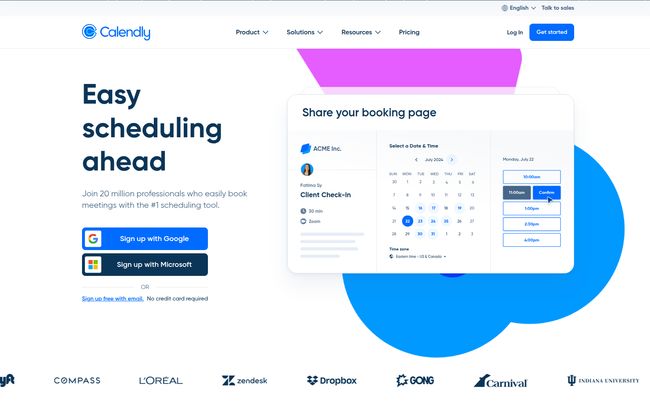
This is where things get a bit different. If you’re looking for a neat little pricing table with three tiers, you won’t find one. When you go to their pricing page, you’re taken to a Calendly link to book a meeting. The page says, “Start your 14-day FREE TRIAL now. No Credit Card required.”
This “demo-first” model can be a good or bad thing depending on your perspective. On one hand, it’s a bit frustrating not to see the price upfront. On the other, it suggests they might be creating custom plans based on your needs, which could be great for solo designers or small agencies. The most important part for me is the 14-day free trial without a credit card. That’s a confident move. It lets you genuinely test drive the platform and see if it actually saves you time and headaches before you even think about paying.
Is dotBRAND Right for Your Design Business?
So who is this for? In my opinion, dotBRAND seems almost perfectly built for freelance graphic designers and small design studios who are constantly bogged down by the administrative side of client management. If you feel like you spend more time managing inboxes than inking artboards, this could be the exact intervention you need.
If you’re an in-house designer with a super-streamlined, established process and dedicated project managers, you might not feel the pain point as acutely. But for the rest of us out here in the wild west of freelancing, a tool that brings order to the chaos is worth its weight in gold.
Closing Thoughts
Look, no single tool is going to solve all our problems. Clients will still be clients. But dotBRAND isn’t trying to be a silver bullet. It’s trying to be a better weapon. It’s a specialized instrument designed to attack one of the most persistent and draining problems in a designer’s workflow. By automating the data collection and brief-building process, it promises to give us back our most valuable resource: time. And not just any time—the focused, creative time we need to do our best work.
Is it worth a shot? Given the free trial, I’d say absolutely. The potential upside of taming client chaos is just too good to pass up.
Frequently Asked Questions about dotBRAND
- What is dotBRAND in simple terms?
- It’s an online tool for designers that automatically collects all the info, files, and preferences from a new client using a smart survey, and then uses AI to help you build a project brief and strategy from that info.
- Is dotBRAND just another survey tool?
- Not really. While it uses a survey, its main function is what happens after the survey is filled out. It organizes the data, generates briefs, and provides AI-powered ideas, which is much more than a standard tool like Google Forms or SurveyMonkey does.
- Will the AI replace my design skills?
- No, that’s not its purpose. The AI is designed to handle the administrative and strategic setup of a project. It gives you a starting point and a clear brief, but the actual creative design work is still up to you.
- Do I need a credit card for the free trial?
- No. The website clearly states you can start a 14-day free trial with no credit card required, which is great for a no-risk test run.
- Who is the ideal user for dotBRAND?
- Freelance designers and small design agencies who handle their own client communication and project onboarding are the prime audience. It helps streamline a process that can often be chaotic for smaller operations.
- How do I find out the pricing?
- dotBRAND uses a consultation-based model for pricing. You need to use their Calendly link to schedule a meeting to discuss your needs and get a quote. There are no public pricing tiers listed on the site.


