
Categories: AI Emoji Generator, AI Image Combiner, AI Image Generator
Emoji Combiner: The Free Tool You Didn’t Know You Needed

You’re in a group chat, the banter is flying, and you reach for the perfect emoji to cap off your zinger… only to find the same old yellow faces staring back at you. The laughing-crying face? Overused since 2015. The single tear of pride? It just doesn’t capture the complex emotion of seeing your friend finally finish that DIY project they’ve been talking about for six months.
Our digital conversations are richer and more nuanced than ever, but our standard emoji keyboard can feel like a box of 8 crayons when what we really need is the full 120-crayon set with the sharpener on the back. For a while, the only way to get more expressive was through GIFs or, if your platform allowed it, custom-uploaded images. But what if I told you there’s a tool that lets you become an emoji alchemist? A free, ridiculously fun platform to mix and match emojis into brand-new, often hilarious, and surprisingly poignant creations.
Enter the Emoji Combiner. And yes, it’s as fun as it sounds.
So, What Exactly is This Emoji Combiner Magic?
In the simplest terms, Emoji Combiner is a free online tool that lets you pick any two emojis and smoosh them together. It’s like a digital chemistry set for your feelings. Ever wondered what a sad cowboy looks like? Or a monkey wearing a monocle? Or a pumpkin that is also on fire? Now you can find out.
This isn’t some clunky app you need to download or a service you have to sign up for. It’s just a website. You visit the page, you pick your two icons, and BAM! A brand-new emoji sticker is born, ready to be downloaded, copied, or shared directly to your friends, who will no doubt ask, “HOW did you do that?”
The secret sauce behind this awesome tool is Google’s own Emoji Kitchen. You might have seen this feature lurking inside Gboard (Google’s keyboard app on Android), but the Emoji Combiner website makes this powerful feature accessible to everyone, on any device, right from your browser.
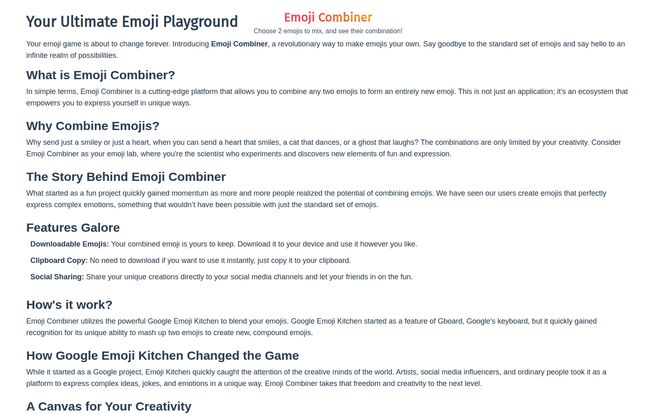
Visit Emoji Combiner
It’s a simple concept, but the results are… well, they’re something else. It takes emoji usage from a simple reaction to a creative act.
A Quick History of the Google Emoji Kitchen
Google has a knack for releasing these delightful little side-projects, dont they? The Emoji Kitchen first appeared in Gboard back in 2020, and for those of us in the know, it was a game-changer. Suddenly, you could express hyper-specific moods. Sending a spider with heart-eyes conveyed a very different message than just a spider or just a heart.
The thing is, it was limited to Gboard users. If you were on an iPhone or just using your desktop, you were out of luck. You could only receive these franken-emojis, not create them. That’s why a web tool like Emoji Combiner is so brilliant. It essentially democratizes the fun, pulling the feature out of its walled garden and putting it into the hands of anyone with an internet connection. It’s a classic example of the web doing what it does best: making cool things accessible.
How to Create Your First Emoji Masterpiece
Okay, enough talk. Let’s get our hands dirty. Using the tool is so intuitive you’ll have it mastered in about 15 seconds. Seriously.
- Choose Your Base: First, you pick an emoji. This is your foundation. Let’s start with something classic, like the thinking face 🤔.
- Add Some Spice: Next, you pick your second emoji. This is the flavor, the twist. What are we thinking about? Maybe a cactus 🌵.
- Behold Your Creation: The tool instantly mashes them together, presenting you with a new sticker: a thinking face that is also a cactus. I dont know what it means, but I love it.
From there, you get a few simple options: Download the sticker as a PNG file (with a transparent background, which is a nice touch), Copy it to your clipboard to paste directly into apps like Discord or WhatsApp, or Share it.
Why Bother Combining Emojis Anyway?
This might all sound a bit silly, and part of it is. But as an SEO guy who spends all day thinking about communication, I think there’s something more going on here.
Expressing Truly Nuanced Emotion
Language is tricky. Tone gets lost in text. Emojis were a step forward, but they’re still blunt instruments. An Emoji Combiner lets you add layers. A thumbs-up is fine. A flaming thumbs-up? That’s high praise. A smiling face is friendly. A smiling face that is also a birthday cake? That’s pure, celebratory joy.
I’ve always felt that the best communication happens in the little details, the subtext. These custom emojis are pure subtext. They create inside jokes and add a personal signature to your chats that a standard emoji just can’t match.
Upgrading Your Social and Chat Game
Let’s be real, standing out online is tough. Whether you’re managing a brand’s social media or just trying to be the funniest person in your friend group’s Discord server, having a unique visual language is a huge plus. Dropping a custom-made alien-ghost emoji into a conversation is a guaranteed way to get a reaction. It stops the scroll. It makes people pay attention.
It Is Just Plain Fun
Maybe I’m overthinking it. Sometimes, the point of something is just to be a delightful waste of time. I spent a solid ten minutes creating a kissing-face-that-is-also-a-pile-of-poo, and I have zero regrets. It’s a digital playground, a place for consequence-free creation. In a world of deadlines, metrics, and CPCs, there’s something wonderful about a tool whose only goal is to make you chuckle.
The Good, The Bad, and The Smiley
No tool is perfect, but this one comes pretty close to perfection for what it is. Here’s my honest breakdown:
| The Good Stuff | The ‘Heads Up’ |
| It’s 100% free. No ads bombarding you, no sign-ups, no nonsense. | The combinations are limited by what Google has pre-designed in the Emoji Kitchen. You can’t combine any two emojis, only the ones that have a programmed result. |
| The interface is clean and incredibly easy to use. | It requires JavaScript to be enabled in your browser, but let’s be fair, what website doesn’t in this day and age? |
| The creative potential is massive, with thousands of possible combinations to discover. | The outputs are images/stickers, not actual unicode characters. This means they might not work in places that only support text, like an email subject line. |
| Download, copy, and share functions work perfectly. |
Is the Emoji Combiner Really Free to Use?
Yes. A thousand times, yes. In an era where everything seems to have a subscription tier or a “pro” version, the Emoji Combiner is refreshingly straightforward. It’s a free-to-use platform, period. There are no pricing plans, no hidden fees. It seems to be a project made by people who just wanted to make the Emoji Kitchen easier for everyone to use, and I for one, applaud that.
Frequently Asked Questions About Combining Emojis
Can I use these combined emojis everywhere?
Mostly! Because the tool generates a PNG image, you can use it anywhere that you can paste an image. This includes most messaging apps like WhatsApp, Telegram, Discord, and Facebook Messenger, as well as social media posts. You just can’t use them as inline text like a standard emoji.
Is this an official tool from Google?
Nope. The Emoji Combiner is a third-party tool. However, it is powered by Google’s Emoji Kitchen technology. It’s simply providing a user-friendly interface to access Google’s existing mashup creations.
Do I need to install any software or app?
Absolutely not. That’s the beauty of it. It’s a web-based tool, so all you need is your web browser. No installations, no extensions, no hassle.
What’s the weirdest combination you’ve made?
That’s a tough one. I am personally very fond of the turtle wearing a cowboy hat. It just seems so polite and determined. The melting-face-skull is also a strong contender for those days when the deadlines are really piling up.
Are new emoji combinations added to the tool?
Yes, but it depends on Google. Whenever Google updates the Emoji Kitchen with new blendable options for its Gboard app, those new combinations typically become available through the Emoji Combiner tool as well.
Final Thoughts on the Emoji Combiner
Look, in the grand scheme of the internet, a tool that mashes up emojis might not seem revolutionary. It’s not going to restructure your sales funnel or optimize your ad spend. But it will make you smile. It will make your friends laugh. And it will give you a new, wonderfully weird way to express yourself online.
It’s a reminder that the internet can still be a place of play and creativity. So go on, give it a try. Make something ridiculous. Make something beautiful. Redefine how you say ‘I’m happy’ or ‘I’m stressed’ or ‘I feel like a ghost that’s also an astronaut’. Your chats will never be the same again.


