
Categories: AI Agent, AI Chatbot, AI PDF, AI PDF Editor, AI PDF Summarizer, AI Translate, Large Language Models (LLMs)
FilePower AI Review: Chat with Your PDFs (And More!)

We’re all drowning. Not in water, but in documents. PDFs, PowerPoint decks from that meeting you half paid attention to, dense Word docs, and don’t even get me started on spreadsheets. It’s a digital avalanche, and most days I feel like I’m at the bottom of it with a tiny shovel. For years, the dream has been a simple one: just let me talk to my documents. Ask them questions. Make them give up their secrets without me having to read every. single. word.
The last year has seen an explosion of tools that promise just that. You’ve probably seen them. ChatPDF and its cousins popped up, and for a moment, it felt like magic. But often, they were a bit… limited. PDF-only, a memory shorter than a goldfish, and you always had that nagging feeling in the back of your head about where your data was going.
Then, a tool called FilePower AI crossed my radar. The name’s a bit on the nose, I’ll admit, but the promise was bigger. It claimed to be the “Smartest AI Agent for PDFs,” but then casually mentioned it also handles PPTs, Excel, and Word docs. Okay, now you have my attention. Is this just another face in the crowd, or is it the multi-tool we’ve been looking for? I decided to find out.
What Exactly is FilePower AI? (The 30,000-Foot View)
At its core, FilePower AI is an AI chat assistant designed to be your personal research lackey. The concept is simple: you upload a file (or a whole library of them), and you can then have a conversation with it. Instead of command+F-ing your way through a 100-page report to find one specific statistic, you just ask, “Hey, what were the Q3 sales figures for the European market?” and it spits out the answer, citing the source within the document.
It’s built on the idea of making information accessible. No more skimming. No more eye-glazing. Just straight-up answers. And crucially, it’s not just for PDFs. The fact that it supports PowerPoint presentations, Word documents, and even Excel files is a significant step up from many first-gen tools. This means you can throw almost any piece of your standard workflow at it.
The Core Features That Actually Matter
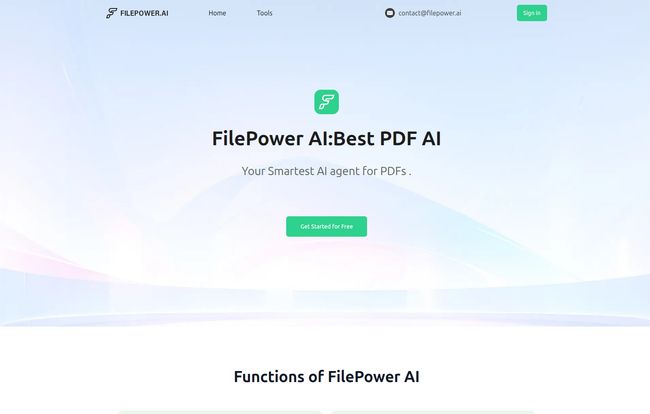
A pretty landing page is one thing, but the devil, as they say, is in the details. I took a look at its main functions to see if they hold up to scrutiny.
Chat with File: The Main Event
This is the bread and butter of the platform. The interface is clean and straightforward. You upload your file, and a chat window appears. It feels a lot like chatting with ChatGPT, except the AI’s entire world is the document you just gave it. The company says it uses an “advanced LLM” and has “longer memory,” which are marketing terms, sure, but in practice, it means the conversation feels more coherent. I’ve used tools where the AI forgets what you asked two questions ago. So far, FilePower AI seems to hold context much better, which is a massive plus for complex inquiries.
Summarization: Your Personal CliffsNotes Generator
Who has time to read a 40-page industry whitepaper? I mean, I should, but I often don’t. FilePower AI’s summarize function is a lifesaver here. With a click, it digests the document and gives you the key takeaways. This is fantastic for students tackling dense academic papers (shoutout to “John Akiter, Student” from their testimonials), researchers, or marketers like me trying to get the gist of a competitor’s new e-book. It’s quick, it’s clean, and it’s surprisingly accurate.
Visit FilePower AI
One-Click Translation
This one surprised me. The ability to translate documents on the fly is a feature that many businesses would pay a pretty penny for. Need to understand a report from an overseas partner? Upload it, pick a language, and you’re off. Now, let’s be realistic—AI translation is still not perfect for, say, a legal contract you’re about to sign. You’d want a human for that. But for getting a deep understanding of a document in another language? This is an incredibly powerful feature that democratizes information for global teams.
Document Management… or Just a Folder?
The platform includes “Document Management” to keep your files organized in a library. From what I can tell, it’s a clean and simple file list. It does the job. Is it an advanced, tag-based, multi-level folder system? Not really. But it keeps all your analyzed files in one place, which is honestly all I need. It prevents your downloads folder from becoming a total wasteland, so I’ll call it a win.
What Makes FilePower AI Stand Out? (Or Does It?)
So, a lot of tools do some of this. What’s the secret sauce here? In my opinion, it comes down to a few key things they seem to be focusing on.
- Security is Front and Center. They mention using “advanced encryption” to protect files and data. This is HUGE. I’m always a bit hesitant to upload sensitive client data or internal reports to a random online tool. Knowing there’s a focus on security helps lower my blood pressure a bit.
- It’s Not Just a One-Trick Pony. I can’t stress this enough. Supporting PDFs, PPTs, Word, AND Excel is the main differentiator. Imagine uploading a financial report in Excel and asking it to explain trends, or uploading a sales deck and asking for the key value propositions. It breaks the tool out of the “PDF-reader” box and turns it into a genuine work assistant.
- The “Longer Memory” Claim. If this holds up under heavy use, it’s a game-changer for deep research. It means you can ask follow-up questions and have a real, evolving conversation about the data without having to constantly remind the AI of the context.
The Elephant in the Room: FilePower AI Pricing
Alright, so I was sold on giving it a proper go. I navigated over to their site, ready to see the damage, and clicked on the pricing link. And… I got a 404 error. Page not found.
Yep. As of this writing, the pricing page is a ghost. Now, this could mean a few things. They could be a brand new company still finalizing their tiers, or maybe it’s just a temporary site glitch. It happens. But it does leave us guessing.
What we do know is there’s a big, friendly “Get started for free” button. This tells me they’re operating on a freemium model. My educated guess, based on the rest of teh market, is that you’ll likely get a free tier with some limitations—maybe a cap on the number of files you can upload, the size of the documents, or the number of questions you can ask per day. The paid tiers would then unlock unlimited access, probably starting around the $15-$25/month mark for a pro user. This is just speculation, of course. For now, free is a price I’m very happy with.
Who Is This Tool Actually For?
Based on my poking around, I can see a few groups getting a ton of value from this:
Students and Researchers: This is a no-brainer. Digesting textbooks, analyzing research papers, and generating summaries for literature reviews is exactly what this was built for. It’s like having a tireless study buddy.
Business and Financial Analysts: For people like “Michael Lee, Financial Analyst,” this could be incredible. Quickly querying financial statements in Excel or pulling key data from long annual reports can dramatically speed up workflow.
Marketing and Sales Teams: I fall into this camp. I can feed it competitor case studies, market research reports, or even transcripts from customer interviews and pull out key themes and quotes in seconds. It’s a huge time-saver for content creation and strategy.
My Final Verdict: Is FilePower AI Worth Your Time?
So, what’s the final word? I’ve gotta say, I’m genuinely impressed. While the missing pricing page is a bit of a quirk, the tool itself is solid, powerful, and addresses some of the biggest weaknesses of its predecessors. The combination of broad file support, a strong focus on security, and a capable AI that can hold a decent conversation is a winning formula.
It’s not just a tool for reading; it’s a tool for understanding. It transforms static documents from things you have to conquer into resources you can collaborate with.
In a world where we’re all fighting to stay afloat in a sea of information, FilePower AI feels less like a tiny shovel and more like a high-powered water pump. And since there’s a free trial, there’s really no reason not to give it a spin. You might be surprised at how much time you get back.
Frequently Asked Questions about FilePower AI
- What file types does FilePower AI support?
- It supports all the major players: PDF, PowerPoint (PPT), Excel, and Word (Doc). This multi-format capability is one of its biggest strengths.
- Is FilePower AI safe to use for confidential documents?
- The company claims to use advanced encryption to protect your files and data. While no online tool is 100% foolproof, this focus on security is a positive sign for users handling sensitive information.
- Is there a free version of FilePower AI?
- Yes! There is a “Get started for free” option, which suggests a free trial or a permanent free tier with certain limitations. The exact details aren’t public yet due to their pricing page being down.
- How does it compare to other tools like ChatPDF?
- The main advantage FilePower AI has over many tools like ChatPDF is its support for multiple file types beyond just PDF. The claims of a more advanced LLM and longer memory also suggest a more robust conversational experience.
- Can it understand images or charts within documents?
- This is the million-dollar question for many AI document tools. While it can read the text around charts, its ability to interpret the visual data within an image or a complex Excel chart is likely still developing. It’s best at analyzing text-based data for now.
- What happens if I upload a really, really long document?
- FilePower AI claims to be able to help with summarizing long documents. The free trial would be the best way to test its limits, but it’s designed to handle much more than a simple two-page memo.


