
Categories: AI Assistant, AI Chatbot, AI Grammar Checker, AI Paraphraser, AI Proofreading, AI Rewriter, AI Speech-to-Text, AI Spell Check, AI Transcription, AI Translate, AI Writing Assistants
FixMeBot Review: My New AI Writing Assistant?

As someone who lives and breathes SEO and content, I feel like I’m permanently strapped to a content treadmill. Blog posts, client emails, ad copy, social media updates… it never ends. And in this game, clarity and quality aren’t just nice-to-haves; they’re the difference between ranking on page one and shouting into the digital void. For years, my go-to has been the usual suspect, Grammarly, and a cocktail of other tools. But I’m always on the lookout for something new, something that fits my workflow a little better.
Then I stumbled across FixMeBot. The name is blunt, I’ll give it that. It promises to be an “AI-powered language assistant,” and the homepage hits you with some sleek, futuristic vibes. But does it deliver? Or is it just another shiny object in the ever-expanding universe of AI tools? I decided to take it for a spin and see if it could really fix my writing life.
So, What’s the Deal with FixMeBot?
At its core, FixMeBot is an AI tool designed to do three main things: correct your text, rephrase it to sound better, and translate it. Standard stuff for this kind of software. But what caught my eye wasn’t the what, but the how. It’s available as a standard browser extension, sure, but also as a Telegram chatbot.
Now that got my attention. The idea of having a writing assistant directly in a messaging app I already use daily… it feels different. Less like installing a formal program and more like having a smart contact on speed dial. It’s a subtle shift, but one that could make a huge difference in day-to-day use.
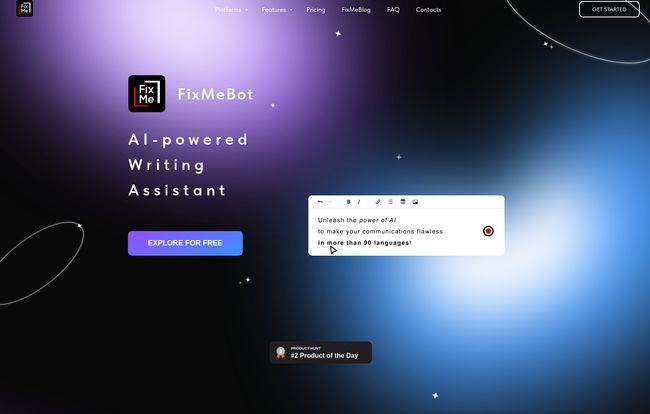
Visit FixMeBot
Putting The Features to the Test
A tool is only as good as its features, right? I spent some time kicking the tires on FixMeBot’s main offerings. The website boasts over 600,000 users, so they must be doing something right. Here’s my take.
Text Correction: Is It Smarter Than a Fifth Grader?
The first thing I tried was its basic correction. I fed it a few sentences riddled with the usual suspects: typos, wonky grammar, and punctuation that was… creative, to say the least. It did a solid job. It caught the obvious stuff, but also some of the more nuanced mistakes that a simple browser spellchecker would miss. It’s on par with the big players here, tidying up your text so you don’t look sloppy. It’s not just about spelling, but about making the sentence structurally sound. A definite pass.
Rephrasing and the ‘Magic Mode’
This is where things get interesting. We’ve all seen AI rephrasers that just swap out words for synonyms, leaving you with a sentence that’s technically correct but sounds like it was written by a robot with a thesaurus. I was curious if FixMeBot would fall into teh same trap. Its rephrasing tool is actually pretty decent. It offers different ways to express an idea, which is great for when a sentence just isn’t landing right.
The images on their site also mention an ‘Emplifying’ and a ‘Magic Mode’. While I didn’t get to fully test these, the promise of adding emojis automatically or using a more advanced rewriting model is compelling. It shows they’re thinking beyond simple sentence swaps and into the realm of tone and style. I’ve always felt that the biggest challenge for AI writers is capturing a human voice, and this seems like a step in that direction.
Translation for a Global Audience
Supporting over 50 languages is a big claim and a huge benefit for anyone in international SEO or e-commerce. I tested it with a few phrases in Spanish and German. Was it as good as a professional human translator? Of course not. But for quick communications, understanding the gist of an email, or drafting a social media post for a different region, it’s incredibly handy. It feels more robust than a quick trip to Google Translate, and having it integrated into one tool is a major plus.
The Highs and the Lows: A Frank Assessment
No tool is perfect. After playing around with FixMeBot, a few things stood out—both good and bad.
On the upside, the convenience is undeniable. The Telegram bot is the star of the show for me. Firing off a quick message to the bot to check a tweet or an email subject line before I send it from my phone is a game-changer. It saves time and just feels… efficient. It’s like having that one grammar-nerd friend you can text for help, except it’s an AI that never sleeps. The time saved from not having to copy-paste into a separate app or tab really adds up.
However, there are some downsides. Like any AI, the suggestions can sometimes miss the mark. It might misunderstand the context of a sentence and offer a correction that doesn’t quite fit. You still need your human brain to make the final call. The free trial is also limited by character count, so you can’t exactly proofread your next novel with it. And probably the biggest bummer for some is that the nifty Voice-to-Text feature is locked away in the most expensive Premium plan. That feels like a feature that would be useful for a lot of people, not just power users.
Breaking Down the Cost: Is FixMeBot a Good Value?
Okay, let’s talk about the price. Everyone wants to know if it’s worth opening their wallet. FixMeBot offers a few different tiers, which I appreciate. You’re not forced into a one-size-fits-all plan.
| Plan | Monthly Price | Key Features & Limits |
|---|---|---|
| Free | €0 | 5,000 trial characters, some features |
| Basic | €4.99 | 40,000 characters/month, Correction, limited Rephrasing/Translation |
| Standard | €9.99 | 90,000 characters/month, Correction, Rephrasing, limited Translation |
| Premium | €14.99 | 150,000 characters/month, All features including Voice to Text (100 min) |
| Pro | €29.99 | Unlimited characters, All features, All future features |
My take? The pricing is competitive. The Standard plan at €9.99/month seems like the sweet spot for most bloggers, marketers, or students. It gives you a generous character limit and full access to the core rephrasing tool. The Premium plan is for those who are constantly writing or who would really make use of the voice-to-text feature. For a busy professional, I could see that being worth the extra five bucks a month.
Who Should Use FixMeBot?
This isn’t a tool for everyone, but a few groups come to mind who would get a ton of value from it:
- Content Creators and Marketers: Obviously. For polishing blog posts, social media captions, and quickly checking ad copy, it’s a huge help. The Telegram integration is perfect for the on-the-go marketer.
- Students: To get a second pair of digital eyes on essays and reports before submission. It can help improve writing clarity and avoid simple mistakes.
- Non-Native Speakers: An excellent tool for building confidence. It can help refine phrasing to sound more natural and fluent in any of the 50+ supported languages.
- Anyone Who Hates Writing Emails: Let’s be real, that’s most of us. FixMeBot can help you draft professional, clear, and error-free messages in a snap.
Frequently Asked Questions about FixMeBot
- Is FixMeBot better than Grammarly?
- “Better” is subjective. Grammarly is more established and has a few more deep-dive features. However, FixMeBot’s main advantage is its incredible convenience, especially the Telegram bot. If you value workflow speed and mobile access, FixMeBot has a serious edge.
- Is there a free version of FixMeBot?
- Yes, there is. The free plan gives you 5,000 trial characters to test out all the features. It’s a great way to see if it fits your needs before committing to a paid plan.
- How accurate is the FixMeBot translation?
- It’s very good for an AI, but it’s not a substitute for a professional human translator for critical documents. For quick emails, understanding foreign text, or social media, it’s more than accurate enough.
- Can I use FixMeBot on my phone?
- Absolutely. That’s one of its best perks. You can use it directly within the Telegram app on any device, making it a true mobile-first writing assistant.
- Is my data safe when I use FixMeBot?
- This is a valid concern with any AI tool. FixMeBot, like most services, will have a privacy policy outlining how they handle your data. It’s always a good practice to read their policy and avoid inputting highly sensitive personal or financial information.
The Final Word: Is FixMeBot My New Writing Sidekick?
So, am I ditching my old tools and going all-in on FixMeBot? Not entirely, but it has definitely earned a spot in my digital toolbox. It’s not a magic wand that will write perfect content for you—you still need to bring the ideas and the expertise. Think of it more like a Swiss Army knife for writing.
What sells me is the sheer convenience. The Telegram bot integration is a stroke of genius that perfectly matches the fast-paced, multi-device way we work now. For quick fixes, rapid-fire brainstorming, and on-the-go proofreading, FixMeBot isn’t just another tool; it’s a genuinely useful assistant. If you’re looking for a modern, fast, and accessible way to improve your writing, it’s absolutely worth a look.


