
Categories: AI API, AI Excel Formula Generator, AI Image Generator, AI Models, AI Prompt Generator, AI Spreadsheet, No-Code&Low-Code
Flowshot Review: AI in Google Sheets Without the Headache?

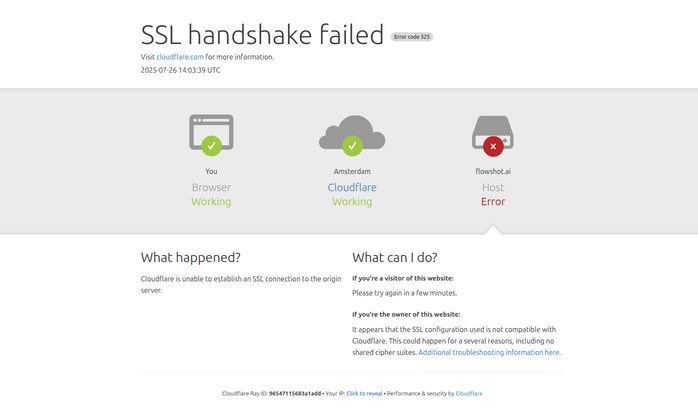
You know that feeling? You hear about a hot new tool on Twitter or in a Slack channel, your curiosity gets the best of you, and you eagerly type in the URL, ready to have your mind blown. You hit Enter and… BAM. An error screen.
That was me, about an hour ago, trying to check out Flowshot.ai. Instead of a slick landing page, I was greeted by a lovely ‘SSL handshake failed’ message from Cloudflare. As an SEO, my first thought was, “Oof, someone’s having a bad day.” My second thought was, “Well, this is gonna make for a great intro.”
Because let’s be real, tech isn’t always perfect. And that’s okay. What matters is what the tool does when it is working. And from what I’ve gathered, Flowshot is trying to solve a problem that I—and probably you—have wrestled with for years: making powerful AI accessible without needing a degree in computer science or sacrificing your entire afternoon to API key wrangling.
So What Exactly Is Flowshot Anyway?
Let’s get past the temporary server hiccup. Flowshot is an AI toolkit designed to live directly inside your Google Sheets. Think of it less as a separate application and more like a set of superpowers for your spreadsheets. For those of us who basically live in Google Sheets—organizing content calendars, tracking keywords, analyzing PPC data, managing client lists—the idea of not having to constantly ALT+TAB over to a separate AI window is, frankly, a dream.
It’s like hiring a brilliant, lightning-fast intern who lives in cell A1 and is just waiting for you to give them a task. No onboarding required. The whole point is to bring the AI to your workflow, not the other way around. This isn’t for the data scientist who is already fluent in Python and building neural networks from scratch. This is for the rest of us: the marketers, the founders, the operations managers, the SEOs who are great at what we do but don’t have the time or desire to become AI developers.
Visit Flowshot
The Core Features That Actually Matter
Alright, so it puts AI in Sheets. Cool. But what can you do with it? I’ve seen a lot of AI tools that are a mile wide and an inch deep. Flowshot seems to focus on a few key areas that are genuinely useful.
AI Prompts Right Where You Work
This is the main event. You can literally just type a command into a cell, and Flowshot gets to work. Imagine you have a list of 50 blog post titles in Column A. In Column B, you could just use a formula like =AI("Write a 150-character meta description for the title in A2") and drag it down. Boom. An hour of tedious work done in seconds. This is a massive time-saver for repetitive content tasks, like generating product descriptions, social media updates, or ad copy variations.
Your Own Personal AI with Custom Models
Now this is where things get interesting. Flowshot lets you train a custom AI model on your own data. What does that even mean? It means you can teach the AI to understand your specific context. For example, you could feed it a thousand of your past customer support tickets and their categories. After that, you can point it at new, uncategorized tickets, and it will classify them for you, in your own style. It learns your voice, your data structure, your business logic. This is something that a generic tool like ChatGPT just can’t do out of the box. It’s a huge step toward creating truly personalized automation.
Taming Repetitive Tasks with Autocomplete
We all have those mind-numbing data cleaning tasks. Standardizing country names, extracting email addresses from a messy text block, converting date formats… it’s the digital equivalent of sorting grains of sand. Flowshot’s autocomplete feature aims to handle this. You give it a few examples of what you want, and it figures out the pattern, applying it to the rest of your data. It’s like Flash Fill in Excel, but with the power of a large language model behind it.
Formulas and Images from Thin Air
Ever known what you want to do in Google Sheets but had no idea how to write the formula? I’ve spent more time than I’d like to admit on Stack Overflow trying to figure out some unholy nested combination of `VLOOKUP`, `INDEX`, and `MATCH`. Flowshot lets you describe the formula you want in plain English, and it generates it for you. It can even generate images directly in a cell, which is a neat party trick, but I can see it being useful for creating quick social media mockups in a content plan.
The Good, The Bad, and The Spreadsheet-y
No tool is perfect. After digging into Flowshot, here’s my honest take on where it shines and where it stumbles.
The Good Stuff is really good. The ease of use is a major plus. Not having to mess around with API keys is, in my opinion, a huge win. The native Google Sheets integration is obviously the star of the show, and its ability to connect to other apps through Zapier and API endpoints means it can grow with you. And I have to give them props for offering a free tier—it lets you actually try it before you commit, which is more than you can say for a lot of SaaS tools these days.
But there are a few snags. The limited mobile device support is a bit of a bummer. I often need to pull up a sheet on my phone, and it seems like the full functionality might not be there. Also, the fact that custom models are billed at cost price is a double-edged sword. It’s transparent, which is great, but it also means you need to be careful or you could end up with a surprise bill. It’s like a minibar; you know the price, but it can still sting if you’re not paying attention. Finally, they mention potential issues with multiple Google accounts. Anyone who juggles a personal Gmail with a Google Workspace account knows this specific brand of digital pain. It’s a small thing, but it can be a real workflow killer.
Let’s Talk Money: Flowshot Pricing Breakdown
Okay, the all-important question: what’s this gonna cost? The pricing is tiered, based mostly on monthly character usage and how many custom models you can train. It seems pretty straightforward.
| Plan | Price | Key Features |
|---|---|---|
| Start | $9 / month | 3M characters/month, Train custom AI models |
| Grow | $29 / month | 12M characters/month, Train 3 custom models |
| Pro | $59 / month | 30M characters/month, Train 10 custom models |
| Scale | $129 / month | 80M characters/month, Train 50 custom models |
| Team | $379 / month | 300M characters/month, Train unlimited models |
| Enterprise | Starts from $2,499 | Unlimited usage, fixed cost custom models |
Note: This pricing is based on the information available at the time of writing. Please check the official Flowshot pricing page for the most current details.
In my opinion the pricing seems pretty fair. The $9 “Start” plan is very accessible for a solo user or small business wanting to automate some basic tasks. The higher tiers make sense for agencies or larger teams that need to train multiple, very specific models for different clients or departments.
Who is Flowshot Really For?
After looking at everything, a clear picture emerges. Flowshot is for the spreadsheet power user who isn’t a coder. It’s for the SEO specialist who needs to generate hundreds of meta descriptions and analyze SERP data without leaving their worksheet. It’s for the marketing manager who needs to quickly categorize and get sentiment from thousands of survey responses. It’s for the small business owner who handles their own lead management and wants to standardize messy data automatically.
If you’re already deep in the world of custom Python scripts and Jupyter notebooks, this might feel a bit basic. But for the 95% of us who aren’t, it’s a powerful bridge to using AI in a way that’s practical and saves a ton of time.
Answering Your Burning Questions
- Do I need to be a programmer to use Flowshot?
- Absolutely not. That’s the whole point. If you can write a sentence and use Google Sheets, you can use Flowshot. It’s designed to remove the technical barrier.
- How is this better than just having ChatGPT open in another tab?
- Three words: integration, automation, and customization. It works inside your sheet, so there’s no copy-pasting. It can be automated to run on thousands of rows at once. And most importantly, you can train it on your data to get results that are specific to your business, not generic.
- Is the free tier actually useful?
- From the looks of it, yes. It’s perfect for testing the core functionality and seeing if it fits your workflow. You can run a few real-world tasks and decide if the time savings are worth a paid plan. It’s not for heavy daily use, but it’s a proper trial.
- Can you explain the ‘custom models billed at cost’ thing again?
- Sure. Think of it like this: Flowshot gives you the car (the platform), but you have to pay for the gas (the computing power from providers like OpenAI) when you’re doing heavy-duty training. It’s a transparent model, but you just need to be aware that intensive training will have a cost associated with it beyond the monthly subscription.
- Will Flowshot see or steal my private data?
- This is a critical question for any AI tool. Generally, reputable services like this use your data to train your private models for your use only and don’t use it to train their main models. However, you should always review the official privacy policy of any tool you connect to your data.
My Final Thoughts on Flowshot
Despite our rocky introduction (that SSL error… I can’t let it go!), I’m genuinely impressed with the idea of Flowshot. We’ve reached a point where AI is incredibly powerful, but for many, it’s still locked away behind complex interfaces and code. Tools like Flowshot are breaking down those walls.
It’s not going to replace human intelligence or strategic thinking. But it has the potential to eliminate a huge chunk of the tedious, repetitive, and soul-crushing work that clogs up our days. It lets us focus on the bigger picture while our new AI intern handles the grunt work in the background. If you live in Google Sheets and you’ve been looking for a way to make your workflows smarter without going back to school for a computer science degree, Flowshot is definitely worth a look. Just… hope the server is working when you try.


