Categories: AI API, AI Art Generator, AI Girlfriend, AI Image Generator, AI Prompt Generator, AI Realistic Image Generator, Image to Image, Open Source AI Models, Text to Image
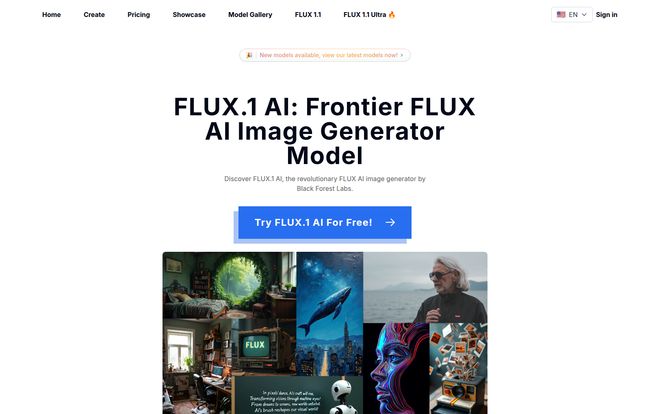
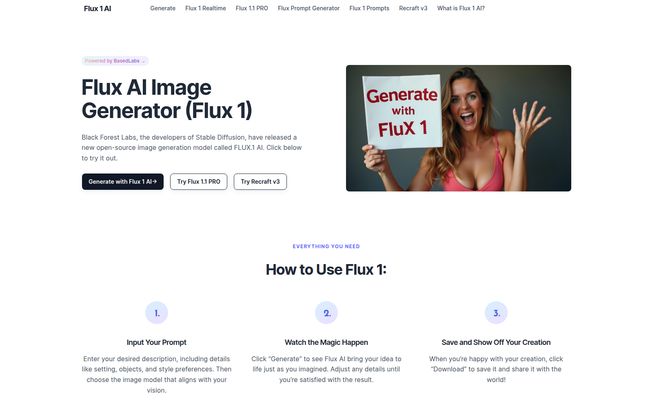
Flux 1 AI: The Free Image Generator Changing the Game

Alright, let’s have a real chat. For the last couple of years, my days have been filled with AI tools. I’ve seen them all, from the clunky first-movers to the polished, almost-too-perfect systems we have today. And as someone who lives and breathes SEO and content, the rise of AI image generators has been nothing short of a revolution. But it’s a revolution that often comes with a subscription fee. Midjourney, DALL-E… fantastic tools, but they can put a dent in your wallet.
So, whenever I hear the words “free” and “open-source” in the same sentence as “AI image generator,” my ears perk up. That’s what happened when I first stumbled upon Flux 1 AI. My initial thought? “Here we go again, probably another half-baked model that’s a pain to set up and produces six-fingered hands.”
But then I saw who was behind it: Black Forest Labs. The very same brilliant minds who gave us Stable Diffusion. Okay. Now they had my full attention. This isn’t just another project; this is a release from a team with a serious pedigree. Could this be the one? The tool that brings high-quality, lightning-fast image generation to the masses without a price tag? Let’s find out.
What is Flux 1 AI, Really?
So what’s the big deal with Flux 1? At its core, it’s an open-source image generation model. Think of it as a powerful engine for creating pictures from your text descriptions. But the secret sauce is in its heritage. Coming from the Stable Diffusion family, it’s built on a foundation of, well, stability and power. But it’s not just a rehash of old tech.
The team at Black Forest Labs has clearly been listening to the community. They aimed to tackle two of the biggest gripes in AI image creation: speed and prompt accuracy. We’ve all been there, right? You type in a perfect prompt, wait a minute or two, and get something that’s… close, but not quite what you asked for. A cat with dog ears. A sunset that looks more like a nuclear explosion. Flux 1 AI was designed to cut down on that nonsense. It’s supposed to be faster and better at listening. A pretty bold claim in a crowded market.
Visit Flux 1 AI
The Need for Speed and Why It Matters
Let’s talk about speed. In the creative world, momentum is everything. When an idea strikes, you want to capture it now, not in the 60 seconds it takes for a GPU cluster somewhere in Oregon to process your request. That small delay can be just long enough for the spark to fade. Flux 1 AI addresses this head-on with its promise of “Rapid Image Generation.”
They’re not just blowing smoke, either. The model is built differently, using something called Rectified Flow Transformers (more on that later, nerds), which essentially streamlines the whole process. It’s like going from a winding country road to a German autobahn. You get to your destination—a beautiful AI image—a whole lot faster. For content creators, social media managers, and anyone churning out visual content on a deadline, this is a massive quality-of-life improvement.
Exceptional Prompt Adherence: Does It Actually Listen?
Here’s my biggest pet peeve with some models: prompt drift. I once tried for twenty minutes to get an image of an “astronaut riding a horse on Mars, photorealistic style.” I got an astronaut next to a horse. I got a horse on Mars with no astronaut. I got something that looked like a melted plastic toy. The AI just couldn’t seem to hold all the concepts at once.
Flux 1 AI boasts “exceptional prompt adherence.” This means it’s better at understanding and combining complex ideas in a single image. It can handle those tricky, detailed prompts with multiple subjects and actions. From my own tests, I’ve found it to be surprisingly good at this. It’s not perfect—no AI is—but it feels a lot more obedient than many of its predecessors. It actually seems to respect the details you took the time to write, which is a refreshing change of pace.
The Different Flavors of Flux
One thing I really appreciate is that Black Forest Labs didn’t just dump one model on us. They gave us options, understanding that different users have different needs. It’s not a one-size-fits-all situation.
FLUX.1 [Schnell]
This is the speed demon of the family. The name “Schnell” is German for “fast,” and it lives up to it. This version is optimized for pure, unadulterated speed. Is the image quality as high as its bigger brother? No. But it’s perfect for rapid prototyping and brainstorming. When you have ten ideas and want to see a rough draft of each one immediately, Schnell is your best friend. It’s the sketchbook before the oil painting.
FLUX.1 [Pro]
This is the main event. The powerhouse. It’s the version you turn to when you need the highest quality, the best detail, and the most stunning output. It’s designed for professional applications, hence the name. The one catch? It requires API access, meaning it’s geared more towards developers or those willing to work with code to get the absolute best results. It’s the final render, the polished masterpiece.
FLUX.1 [Dev]
And for the tinkerers, the builders, the people who want to get their hands dirty, there’s the Dev version. It’s a more flexible, open-ended version for those looking to build applications on top of the Flux architecture. Most casual users won’t touch this, but its existence is a fantastic sign for the health of the open-source community.
An Honest Look at the Pros and Cons
No tool is a silver bullet. Let’s be real about what Flux 1 AI does well and where it falls a bit short.
The upsides are obvious and pretty incredible. It’s free and open-source. I can’t state how important this is. It opens the door for so many people who are priced out of the premium AI clubs. The speed, especially with Schnell, is a game-changer for workflow. And the prompt adherence is genuinely a step up. It’s versatile and powerful.
But there are trade-offs. To run this effectively on your own machine, you’ll need a pretty robust GPU with enough VRAM. This isn’t going to run smoothly on a standard work laptop. The hardware is the hidden “cost.” Also, the lower image quality on the Schnell version is a real thing; you sacrifice some polish for that speed. And the fact that the top-tier Pro version is locked behind API access means it’s not as immediately accessible for non-technical users who just want the best-looking pictures with a simple click. It’s a small hurdle, but a hurdle nonetheless.
How Does Flux 1 AI Stack Up Against the Giants?
So, should you ditch your Midjourney subscription? Well, maybe. It depends on who you are.
If you’re an artist who loves Midjourney’s highly opinionated, beautiful aesthetic, you might stick with it. Midjourney is like a seasoned art director—it often gives you something more beautiful than you even asked for. Flux 1 AI, in my opinion, is more of a literalist. It’s a highly skilled technician that does exactly what you tell it to do, which is sometimes what you need.
Compared to DALL-E 3, which is deeply integrated into the OpenAI ecosystem, Flux 1 AI feels more independent and customizable. It’s less of a walled garden. It’s for the person who wants to own the engine, not just rent the car.
For hobbyists, developers, and content creators on a budget, Flux 1 AI is a slam dunk. It provides 90% of the quality of the big players for 0% of the cost. Thats a value proposition that’s pretty hard to ignore.
Frequently Asked Questions about Flux 1 AI
- What is FLUX.1 AI in simple terms?
- It’s a free, open-source AI tool from the makers of Stable Diffusion that creates images from text descriptions. It’s known for being very fast and good at following instructions.
- What are the different versions of Flux AI?
- There are three main versions: Schnell for maximum speed, Pro for the highest quality (requires API access), and Dev for developers who want to build with it.
- Can I use the images for commercial projects?
- This is a big one. The base FLUX.1 Research License is for non-commercial use only. This is super important to remember. If you want to use it for commercial purposes, you’ll need to contact Black Forest Labs for a different license. Always check the license before you go public with a project!
- What are the system requirements to run it?
- You’ll need a fairly powerful computer, specifically a modern graphics card (GPU) with a good amount of memory (VRAM). This isn’t something that will run well on an old or basic machine.
- Is it really free to use?
- Yes, the software itself is free to download and use. The “cost” comes from needing the necessary computer hardware to run it effectively if you choose to host it yourself.
- How does it compare to the new Stable Diffusion 3?
- That’s the million-dollar question! Flux 1 AI and Stable Diffusion 3 are from different developers (Black Forest Labs vs. Stability AI) but share a lineage. Flux 1 seems optimized for a new, faster architecture while SD3 builds on its existing framework. They are both pushing the boundaries, and it’s a great time to be an AI art enthusiast.
So, Is Flux 1 AI Worth Your Time?
My verdict? Absolutely. Without a doubt.
Flux 1 AI isn’t just another tool; it feels like a statement. It’s a powerful nod to the open-source community and a challenge to the idea that top-tier AI has to be locked behind a paywall. It puts incredible power into the hands of anyone with a decent gaming PC and a willingness to learn.
It might not replace Midjourney for every single artist, and it might not be as dead-simple as some other web-based tools. But its combination of speed, accuracy, and cost (or lack thereof) makes it one of the most exciting releases in the AI space this year. Go download it, play with it, and see what you can create. You’ve got nothing to lose and a whole world of images to gain.
Reference and Sources
- Official Model Page on Hugging Face: black-forest-labs/FLUX.1-pro
- Flux 1 AI Homepage: flux1.net