
Categories: AI Assistant, AI Caption Generator, AI Chatbot, AI Code Generator, AI Email Writer, AI Grammar Checker, AI Meme Generator, AI Story Generator, AI Summarizer, AI Translate, AI Writing Assistants
FotoAI Keyboard Review: My Honest Take on This AI App

Your phone’s default keyboard is… well, it’s boring. It gets the job done, sure. But it has all the personality of a beige filing cabinet. For years, we’ve had two main players in the game, Gboard and SwiftKey, and while they’re great, they’ve started to feel a bit stagnant. We just kind of accept them.
So when an app like FotoAI Keyboard pops up on my feed, promising a world of custom themes, AI-powered chat, and a treasure trove of emojis, my inner tech geek sits up and pays attention. But my professional side, the one that’s been in the SEO and digital marketing trenches for years, gets a little skeptical. I’ve seen countless apps promise to “revolutionize” my workflow, and most of them end up in the digital dustbin after a week. Still, I had to give it a shot. What’s the worst that could happen?
So, What Exactly is FotoAI Keyboard?
At its core, FotoAI Keyboard is a third-party keyboard app for both Android and iOS. But calling it just a “keyboard” feels like a massive undersell. Think of it less as a tool for typing and more as a Swiss Army knife for your digital conversations. It bundles everything from aesthetic customization to some seriously handy AI-powered content creation tools right under your thumbs. It’s trying to be your one-stop-shop for not just typing words, but for crafting messages, creating content, and expressing your unique personality online.
It’s an ambitious idea, I’ll give them that.
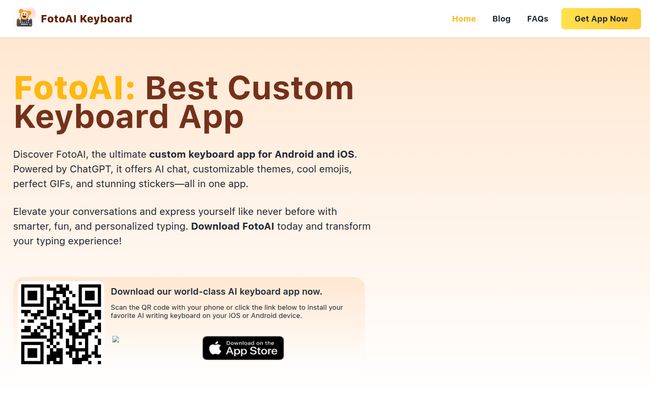
Visit FotoAI Keyboard
The AI Chat: Your Pocket-Sized Brainstorming Partner
This is the feature that really grabbed my attention. The “Seamless AI-Powered Chat.” In an era where AI is being shoehorned into every piece of software imaginable, having it baked directly into the keyboard feels like a genuinely useful implementation. The fact that it’s powered by OpenAI’s ChatGPT tech gives it immediate credibility.
The app suggests a few uses:
- Writing: Draft emails, messages, or even tricky replies.
- Indexing: Get quick info or summaries.
- Celebrity: Get info or even mimic the style of a famous person. A bit quirky, but fun.
- Hashtag: Generate relevant hashtags for your social media posts.
I put it to the test for generating some Instagram captions, and I have to say, it was pretty slick. It spat out some decent options in seconds, saving me from that blank-stare moment we all know too well. For quick brainstorming or breaking through a bit of writer’s block, it’s surprisingly effective. It’s not going to write a novel for you, but for everyday digital communication, it’s a fantastic little assistant to have on call.
Of course, whenever AI is involved, the little privacy-conscious gremlin on my shoulder wakes up. The app will need access to what you type to function, so that’s a trade-off you have to be comfortable with. It’s the same deal with most smart keyboards, but something to be aware of.
Making Your Keyboard Yours with Custom Themes
Okay, let’s talk about the fun stuff. Customization! This is where FotoAI Keyboard really leans in. If you’re tired of staring at the same old grey or white keys, this is for you. The app boasts over 1,200 themes, but the real showstopper is the DIY Create Your Own Keyboard feature. You can use your own photos, pick colors, choose fonts, and basically design a keyboard that is unapologetically you.
This goes way beyond the simple light/dark mode most of us are used to. It’s about making your most-used tool on your phone feel personal. A small thing, maybe, but it makes a difference to your daily experience. Its a nice touch that I appreciate more than I thought I would.
Express Yourself with More Than Just Words
Plain text can be so flat. FotoAI gets this, and they’ve packed in an entire arsenal of expressive tools to add some flavor to your chats.
An Emoji and Sticker Bonanza
With a library of over 782 emojis and a huge collection of stickers, you’re unlikely to ever be at a loss for a reaction. It integrates them smoothly, making it easy to find that perfect sticker to capture your mood without having to switch apps.
A Nod to the Old School: Kaomojis & Text Art
I absolutely love this. They’ve included a whole section for Kaomojis (like this little guy: (づ。◕‿‿◕。)づ) and Text Art. It feels like a fun throwback to the early days of the internet, and it shows the app has a bit of soul. It’s a small detail, but it speaks volumes.
The “Wait, It Does That?” Features
Just when I thought I had it figured out, I stumbled upon a couple of features that were genuinely surprising.
The “Text Bomb”: Lovingly Spam Your Friends
This one made me laugh. The “Text Bomb” feature lets you send a rapid-fire burst of a message or emoji with a single tap. The app playfully suggests using it to “tease your partner by flooding their screen with love notes.” Use this power wisely, my friends. With great power comes great responsibility (and the potential to be very annoying).
Instant Content Creation on the Fly
Beyond the AI chat, there are other built-in content tools. We’re talking about meme generators, social media bio writers, and caption creators. For anyone managing a social media presence (or just wanting to up their personal posting game), these tools are killer time-savers. Not having to leave your messaging app to whip up a quick meme is the kind of convenience I can get behind.
The Practical Stuff: What’s the Catch?
Alright, no app is perfect. Based on my experience and the info out there, here’s the balanced view. On the pricing front, it seems to be free to download and use, which is a massive plus. There don’t seem to be any subscription pages or pricing tiers listed, so the features appear to be available right out of the box.
But there are a few potential downsides. First, with so many features packed in, there’s a bit of a learning curve. You’ll probably spend your first 20 minutes just tapping around to see what everything does. Second, an app this feature-rich will likely use more of your phone’s resources—both storage space and a bit of battery—than a stock keyboard. It’s a trade-off: features for resources. For me, it’s worth it, but if you’re running on an older device, it’s something to consider.
My Final Verdict: Should You Download It?
So, is FotoAI Keyboard replacing my trusty default keyboard? For now, yes. I’m sticking with it. The combination of deep customization with genuinely useful AI tools is a compelling package.
This app isn’t for everyone. If you’re a minimalist who wants a keyboard that just types letters and nothing more, this will feel like overkill. But if you’re a creative person, a social media enthusiast, or just someone who enjoys personalizing their digital space, I think you’ll have a lot of fun with it.
FotoAI Keyboard is a fantastic example of how even the most basic tools can be reimagined in the age of AI. It’s fun, it’s functional, and it brings a much-needed dose of personality to our screens.
Frequently Asked Questions
- Is FotoAI Keyboard free to use?
- Yes, based on all available information on the App Store and its website, the FotoAI Keyboard appears to be free to download and use. There are no obvious subscription fees or paywalls for its core features.
- Is FotoAI Keyboard safe for my privacy?
- Like most third-party keyboard apps, especially those with AI, it requires access to what you type to provide features like grammar correction and AI responses. The company follows standard app store privacy policies, but you should always be mindful of the permissions you grant any app. It’s generally not recommended to type sensitive information like passwords or credit card numbers using any third-party keyboard.
- How is this different from Gboard or SwiftKey?
- While Gboard and SwiftKey are excellent for predictive text and basic customization, FotoAI Keyboard’s main differentiators are its deeply integrated AI content creation tools (powered by ChatGPT) and its extensive DIY theme-building capabilities. It’s more of an all-in-one communication and content hub.
- Can I really create my own keyboard theme from a photo?
- Absolutely. The DIY theme creator is a central feature. You can upload any image from your gallery to use as a background and then customize key styles, fonts, and colors to match.
- Is the AI Chat useful for more than just fun?
- Yes. While it can be used for fun tasks like generating celebrity-style text, it’s also very practical for professional use. You can use it to draft professional emails, brainstorm ideas for a blog post, generate social media marketing copy, or even get help with simple coding questions, all without leaving the app you’re in.
- What devices is FotoAI Keyboard available for?
- It is available for both Android and iOS devices. You can find it on the Google Play Store and the Apple App Store.
Conclusion
In a world of digital sameness, a tool that lets you express your individuality is a breath of fresh air. FotoAI Keyboard does just that. It successfully merges the fun of personalization with the power of artificial intelligence, creating an experience that’s both enjoyable and genuinely useful. If you’re looking to break free from the boredom of your stock keyboard, I’d say give it a download. You might be pleasantly surprised.


