
Categories: AI Animation Generator, AI Video Generator, Image to Video, Open Source AI Models, Text to Video
FramePack Review: AI Video on Your Own PC (Finally!)

The AI video space has been a wild ride. One minute we’re seeing mind-blowing demos from giants like OpenAI with their Sora model, and the next we’re looking at our own graphics cards and sighing. The message has been pretty clear: want to play with the cool new toys? You’re gonna need a monster rig or a hefty cloud subscription. For a lot of us—indie creators, hobbyists, or just curious tech heads—that’s a tough pill to swallow.
I’ve been in the SEO and traffic game for years, and I’ve seen trends come and go. But the AI content explosion is different. It feels… permanent. And I’ve been itching to find a tool that brings some of that power back into our own hands, without needing to rent a supercomputer. So, when I stumbled upon FramePack, my curiosity was definitely piqued. A tool that promises high-quality video generation on a regular consumer GPU? With as little as 6GB of VRAM? That sounds less like a software release and more like a myth. But I had to see for myself.
So, What is FramePack, Really?
At its heart, FramePack is a video diffusion technology, but it’s the how that makes it interesting. Instead of throwing massive amounts of data at your GPU and hoping for the best, it uses a clever technique called Frame Context Packing. Think of it like being an expert packer for a long trip. You don’t just toss clothes into a suitcase; you roll them, use packing cubes, and fit everything in perfectly. FramePack does something similar with the visual information from previous frames, compressing the context needed for the next frame into a bite-sized chunk your GPU can actually handle.
This means my trusty old gaming PC, which would normally laugh at the idea of generating long-form AI video, suddenly becomes a viable creation station. It all happens locally on your machine. No uploads, no queues, no monthly fees. Just you, your ideas, and your hardware.
The Tech That Makes It All Work
It’s not just one thing, but a combination of smart ideas that make FramePack stand out. It’s more than just a low-VRAM gimmick.
Beating the ‘AI Drift’ Problem
If you’ve played with any AI video tools, you’ve seen it. The dreaded ‘AI drift’. A character’s shirt slowly changes color, a face subtly morphs into someone else’s, or an extra finger appears out of nowhere. It’s the digital equivalent of the telephone game. FramePack tackles this head-on with something they call Bi-Directional Sampling and anti-drifting technology. In layman’s terms, it constantly looks both forwards and backwards in the video sequence to maintain consistency. This helps keep your subject recognizable and the scene coherent over longer clips, which has been a major headache for other models.
Your Machine, Your Rules: The Power of Local Execution
This is a big one for me, and probably for a lot of you. Running AI models locally has three massive advantages. First, privacy. Your prompts, your source images, your generated videos… they never leave your hard drive. Second, cost. There are no processing credits or subscription tiers. The only cost is the electricity you use. Third, control. You’re not at the mercy of a company’s server uptime or sudden policy changes. The downside, of course, is that you’re entirely dependent on your own hardware. A beefier GPU will get you results faster. That’s just the trade-off.
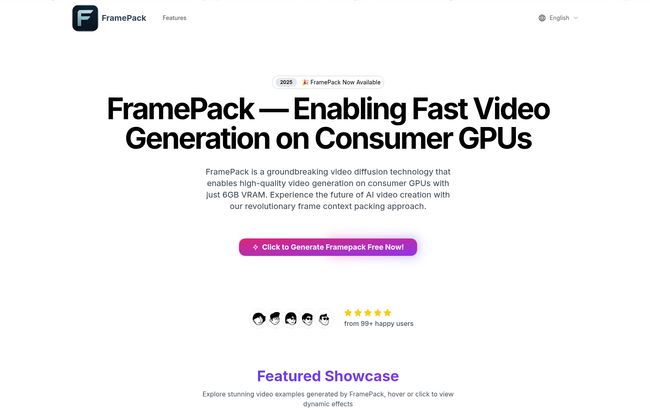
Visit FramePack
Open Source Means Freedom to Tinker
FramePack is open source. This might scare off some people who just want a plug-and-play app, and that’s fair. But for those of us who like to look under the hood, this is fantastic. It means a community can build around it, create custom improvements, and we’re not locked into one company’s vision. It fosters a different kind of innovation, one that’s driven by users, not just by a corporate roadmap. I’ve already seen some interesting forks on GitHub.
My Experience Getting It Up and Running
Alright, so I had to give it a spin. The website claims over 150K creators are using it, which seemed a bit high, but the promise was too good to ignore. The installation isn’t a one-click affair. The documentation is… well, it’s a bit technical. You’ll need to be comfortable with things like Git and command-line interfaces. It’s not a nightmare, but you should probably set aside an afternoon and have a cup of coffee ready.
Once I got it installed on my machine (running an RTX 3060 with 12GB VRAM, so well above the minimum), I started playing. I fed it both text prompts and a few source images. The generation speed isn’t going to win any races compared to a cloud service, but it’s perfectly reasonable. Watching it build a video, frame by frame, on your own machine is a pretty satisfying feeling, I gotta say. Teh quality was surprisingly good, and the consistency was noticeably better than some of the older open-source models I’ve tried.
The Real Pros and Cons of FramePack
No tool is perfect. Let’s break it down without the marketing fluff.
| What’s Great About It | Where It Could Be Better |
|---|---|
| The 6GB VRAM requirement is a game-changer. Seriously. It opens the door for so many people. | Generation speed is entirely dependent on your GPU. Don’t expect instant results on a lower-end card. |
| Local execution provides unmatched privacy and no ongoing costs. Your data stays yours. | The setup process requires some technical comfort. It’s not for the completely non-technical user… yet. |
| Open-source nature means community support and endless potential for customization. | You are your own tech support. If something breaks, you’ll be heading to forums or Discord to figure it out. |
| The anti-drifting tech actually works, leading to more coherent and stable videos. | The generated quality, while good, may not yet match the absolute top-tier, closed-source models from major labs. |
The All-Important Question: How Much Does It Cost?
This is the best part. FramePack itself is free. It’s open source, so you can download it and use it without paying a dime. But “free” isn’t always free, is it? The real costs are:
- Hardware: You need a compatible GPU. While 6GB is the minimum, a more powerful card will make the experience much more pleasant.
- Electricity: Training and generating AI models can be power-intensive. It won’t break the bank, but it’s not nothing.
- Time: Your time for setup, learning, and troubleshooting.
When you compare that to the $20, $50, or even $100+ per month that some cloud platforms charge, it’s an incredibly compelling proposition for anyone who plans to generate more than a handful of clips.
Answering Your Questions About FramePack
What’s the absolute minimum GPU I need to run FramePack?
The developers state a minimum of 6GB of VRAM. This would include cards like the NVIDIA GeForce RTX 2060 or RTX 3060 (6GB version). However, for a smoother experience and faster generation times, having 8GB or more is highly recommended.
Is it difficult to install?
It depends on your comfort level. If you’ve ever set up a local instance of Stable Diffusion or worked with Python environments, you’ll likely find it straightforward. If you’re new to this world, expect a bit of a learning curve. There are community guides popping up that can help.
Can I use my own images as a starting point?
Yes. FramePack supports multimodal input, meaning you can start with a text prompt (text-to-video) or use an existing image as a reference to kick off your video (image-to-video), which is great for creating consistent characters or styles.
How does this compare to a big model like OpenAI’s Sora?
It’s like comparing a pro-level DSLR camera to a high-quality, accessible workshop tool. Sora represents the peak of what’s possible in a lab with immense resources, but it’s not available to the public. FramePack is a practical tool you can download and use today on your own PC. They’re solving different problems for different audiences.
How long does it actually take to generate a short video?
This is the big “it depends” question. On a high-end card like an RTX 4090, you might generate a few seconds of video in minutes. On a minimum-spec RTX 2060, it will take significantly longer. It’s a trade-off between accessibility and speed.
My Final Verdict on FramePack
So, is FramePack the messiah of AI video for the masses? Maybe not the messiah, but it’s definitely a powerful disciple spreading the good word. It’s a fantastic piece of engineering that genuinely democratizes access to decent AI video generation. It lowers the barrier to entry so significantly that anyone with a half-decent gaming PC from the last few years can start experimenting.
It’s not a polished, one-click consumer product, and that’s okay. It’s a tool for builders, tinkerers, and creators on a budget. It’s a statement that you don’t need to be a Silicon Valley giant to participate in this revolution. For that reason alone, FramePack has earned my respect. It’s a step in the right direction, and I can’t wait to see what the community builds with it.
Reference and Sources
- The official FramePack Website: https://framepack.net/
- OpenAI’s Sora Research Paper: Video Generation Models as World Simulators


