
Categories: AI Agent, AI App Builder, No-Code&Low-Code
Build AI Apps from Data with Glide (No Code!)

Let’s have a little heart-to-heart. If you’ve ever run a department, a small business, or even just a complex project, you know the pain. I’m talking about The Spreadsheet. That multi-tabbed, color-coded behemoth with a dozen different VLOOKUPs that only one person on the team truly understands. It starts as a simple tracker and, over time, evolves into a monstrous, slow-loading beast that holds your entire operation hostage. We’ve all been there.
For years, the solution was either to live with the spreadsheet chaos or shell out thousands—sometimes tens of thousands—of dollars for custom software development. It felt like an impossible choice. But the ground is shifting, and tools like Glide are leading the charge.
I’ve been hearing the buzz about Glide for a while now. A no-code platform that promises to turn your data into beautiful, functional, AI-powered apps. Sounds a bit like magic, right? Well, I decided to pull back the curtain and see if it lives up to the hype.
Visit Glide
What Exactly is Glide? (And Why Should You Care?)
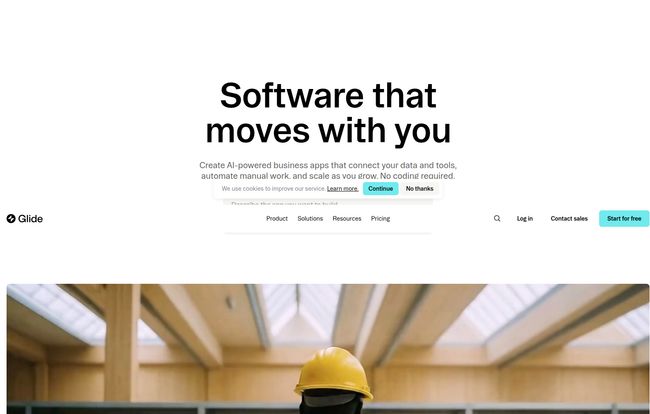
At its core, Glide is a platform that lets you build custom applications for your business without writing a single line of code. Think of it as a set of incredibly powerful Lego blocks for your data. You start with a data source—like a Google Sheet, Airtable, or even a more robust database like BigQuery—and Glide helps you build a user-friendly interface on top of it.
This isn’t just about making your data look pretty. It’s about making it actionable. Instead of having your field sales team squint at a spreadsheet on their phone, they can have a custom app to update client info, log sales, and check inventory in real time. Instead of a clunky customer service log, you can have a sleek internal portal for tracking tickets. All built in hours or days, not months.
And here’s the kicker for 2024 and beyond: AI is baked right in. Glide isn’t just a simple interface builder. It can automate workflows, generate text, and help you pull insights from your data automatically. This is where it goes from being a neat tool to a potential game-changer for business operations.
Ditching the Code: The Real Advantages of Glide
From Spreadsheet Hell to App Heaven
The number one reason people flock to Glide is speed. The ability to go from an idea to a functioning internal tool in an afternoon is just… wild. I’ve seen agencies spend weeks scoping out a project that you could probably prototype in Glide before lunch. This speed democratizes software creation. The person who feels the pain of a broken process—the operations manager, the HR coordinator—is now empowered to build the solution themselves. No need to translate your needs to a developer and hope they get it right.
Your Data’s New Best Friend
Glide plays nice with the tools you already use. Starting with a Google Sheet is the most common entry point, and it’s brilliantly simple. Every change in the app updates the sheet, and every change in the sheet updates the app. It’s a perfect two-way street. As you grow, you can connect to more powerful sources, ensuring the platform can scale with your business needs. This flexibility is key; you aren’t forced into some proprietary database format from day one.
The AI Assistant You Didn’t Know You Needed
Let’s talk about the AI because this is where things get really interesting. Glide’s AI can do things like clean up your messy data (like standardizing state names or formatting phone numbers), extract specific information from a block of text, or generate a summary of a lengthy customer note. You can even set up automations, like “When a new sale is logged, generate a confirmation email draft and create a follow-up task.” It’s like having a hyper-efficient intern working 24/7 inside your app.
So, What’s the Catch? A Realistic Look at Glide
Okay, I’m a professional, but I’m also a skeptic. No tool is perfect for everyone. While I’m genuinely impressed with Glide, there are a few things to keep in mind. First, you’re building on their platform. This means you’re reliant on Glide’s infrastructure and feature set. You can’t just export the code and host it on your own server. For 95% of the intended use cases, this is totally fine—it’s part of the convenience—but it’s a factor to consider.
Second, while the customisation is impressive for a no-code tool, you might hit a ceiling if you have an incredibly complex or unique UI/UX requirement. If you need something that breaks every convention and has a dozen unique API integrations, you might still need a traditional development team. But for internal tools, customer portals, and mobile workforce apps? Glide is a beast.
Glide Pricing: Finding the Right Fit for Your Business
This is always the big question, isn’t it? How much is this going to cost me? Glide has a pretty transparent pricing structure, which I appreciate. Here’s a quick breakdown of their main plans:
- Free: Perfect for dipping your toes in the water. You can build a single app for up to 10 users and get a feel for the platform. It’s limited, but it’s genuinely free, not just a timed trial.
- Explorer ($10/mo): A solid step up for small teams or more complex single projects. You get more apps, more users, more updates, and access to more AI features.
- Maker ($49/mo): This seems to be the sweet spot for most businesses serious about using the platform. It unlocks key features like custom domains, custom branding, more powerful data sources (like BigQuery), and significantly higher usage limits. Honestly, if you want your app to look and feel like it truly belongs to your company, this is where you start.
Beyond these self-serve plans, Glide also acknowledges that not everyone wants to DIY. They have a network of certified experts you can hire for your project (starting around $2,000 per project) or a full-service “Glide Solutions” for enterprise-level custom builds (starting at $10,000). It’s smart, offering a path for companies that have the budget but not the time.
Who is Glide Really For?
After playing around with it and looking at their customer stories, a few profiles jump out at me. Glide is perfect for:
- Operations Managers tired of duct-taping processes together with spreadsheets and email.
- Small Business Owners who need custom tools but can’t afford a dev team.
- Sales Teams who need a mobile-friendly way to manage clients and report from the field.
- HR Departments looking to build simple internal portals for things like leave requests or employee directories.
- Anyone who has ever looked at a spreadsheet and thought, “There has to be a better way.”
It’s for the problem-solvers, the builders, the people on the ground who know what they need and just want a way to create it.
“With Glide, we’re able to build applications with little-to-no code. That allows us to be flexible, to have our business logic controlled by the business experts…” – Jacob Morris, Principal Solutions Architect, Alteryx.
Hearing that from a major player like Alteryx speaks volumes. They have all the technical resources in the world, yet they still see the value in a tool like this. That’s telling.
Frequently Asked Questions about Glide
Can I really build an app with zero coding knowledge?
Yes, absolutely. That’s the whole point! If you’re comfortable with spreadsheets and have a logical mind for how you want your process to work, you can build an app in Glide. The interface is drag-and-drop and component-based.
What happens if my business grows and I get more users?
Glide’s plans are designed to scale with you. You can easily upgrade from one plan to the next as your user count or data needs increase. The higher-tier plans (Business and Enterprise) are built for significant scale.
Is my data secure with Glide?
Security is a big deal, and Glide takes it seriously. They have robust security measures in place. For businesses with very strict compliance needs, like healthcare, they even offer an Enterprise plan that can be configured for things like HIPAA.
Can I use my own company branding?
You can! Custom branding and using your own domain (e.g., app.yourcompany.com) are available starting with the Maker plan. This is crucial for making the app feel like a seamless part of your business ecosystem.
What if I get stuck?
Glide has a few layers of support. There’s a community forum on the Free plan, standard email support on paid plans, and dedicated expert support on the highest tiers. Plus, as mentioned, you can always hire a certified Glide Expert to help you build or troubleshoot.
My Final Verdict on Glide
So, is Glide the answer to all your operational woes? Maybe not all of them, but it’s a ridiculously powerful tool for a huge chunk of them. It successfully bridges the gap between clunky spreadsheets and expensive custom software.
For me, the real magic is the empowerment. It gives the power to build, iterate, and improve directly to the people who are closest to the problems. If you’re looking to streamline your operations, mobilize your team, and finally tame that monstrous spreadsheet, I think you owe it to yourself to give Glide a try. The free plan is generous enough to prove its value. What have you got to loose, except a few dozen spreadsheet tabs?


