
Categories: AI Reader, AI Speech Synthesis, AI Text-to-Speech, AI Voice Generator
GPT Reader Review: Free AI Voices in Your Browser?

If you’re anything like me, your Pocket or Instapaper queue is less of a ‘read later’ list and more of a digital graveyard where fascinating articles go to be forgotten. I have the best intentions, I swear. But between client work, keeping up with SEO trends, and trying to have some semblance of a life, my screen time for reading is at a premium.
I’ve flirted with text-to-speech (TTS) tools for years. Most of them, however, sound like a robot from a 1980s sci-fi movie reading you the phone book. Monotone, clunky, and utterly soul-crushing. It just doesn’t work for long-form content. So, when I stumbled upon a Chrome extension called GPT Reader, my curiosity was piqued. It promised to use OpenAI’s premium ChatGPT voices—the same ones that sound eerily human—to read articles back to me. For free.
Naturally, I was skeptical. “Free” and “premium AI voices” usually don’t mix. But I’m glad I gave it a shot, because it’s a fascinating little tool with a few important quirks.
So, What Exactly is GPT Reader?
At its core, GPT Reader is a simple, lightweight Chrome extension that acts as a bridge between any text you highlight on the web and OpenAI’s powerful text-to-speech API. You find an article you want to consume, highlight the text, and with a click, GPT Reader starts narrating it in a surprisingly natural-sounding voice. It’s like having a personal narrator for the internet, ready to turn any blog post, news story, or even a PDF into a private podcast.
The interface is refreshingly minimal. No bloated dashboards or confusing settings. You get a clean player with options for playback speed, a dark/light mode toggle, and a full-screen option for when you really want to focus on the audio. It’s all about getting you from text to audio with zero friction.
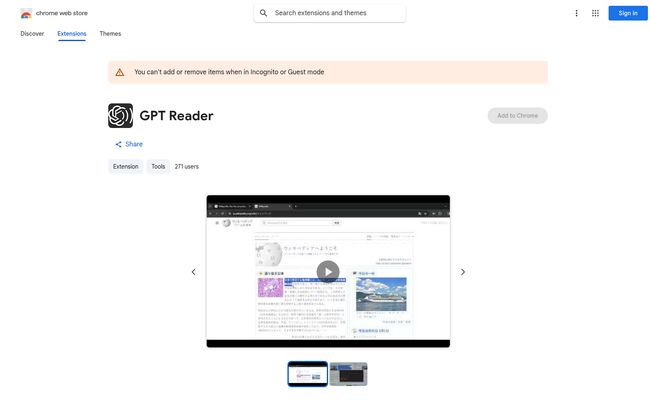
Visit GPT Reader
Now, about that “free” part. This is the most important thing to understand. The extension itself costs nothing to install. Zero dollars. However, it operates on a ‘Bring Your Own Key’ (BYOK) model. To make it work, you have to plug in your own OpenAI API key. This means that while the developer of GPT Reader isn’t charging you, you will be billed by OpenAI for the characters you convert to speech. More on that in a bit.
How It Turns Your Browser Into an Audiobook
Getting started is pretty straightforward. You add the extension from the Chrome Web Store, pin it to your toolbar, and then click it to enter your OpenAI API key. That’s it for setup. From then on, the process is simple: highlight text on any webpage, right-click, and select the option to have GPT Reader read it aloud. A small, unobtrusive player pops up, and the magic begins.
The Voices Are the Real Stars
This is where GPT Reader really shines. The whole point of this tool is to tap into OpenAI’s `tts-1` and `tts-1-hd` models. If you’ve ever used the voice feature in the ChatGPT app, you know what I’m talking about. These voices have inflection, they pause in the right places, and they handle complex sentences with a flow that older TTS engines could only dream of. It’s the difference between listening to a story and having a list of words read at you. It makes absorbing information through audio not just possible, but genuinely enjoyable.
A Simple, No-Fuss Listening Experience
I appreciate a tool that knows what it is and doesn’t try to be everything at once. GPT Reader focuses on the core experience. You can speed up the playback to 1.5x or 2x if you’re trying to power through a long document, or slow it down if you’re listening to something dense. The pause and resume function is responsive, and the dark mode is a nice touch for late-night research sessions. It’s all very intuitive, which I love.
The Good, The Bad, and The API Key
No tool is perfect, right? After using GPT Reader for a couple of weeks, I’ve got a pretty good handle on its strengths and weaknesses.
What I’m Really Liking
The biggest pro is, without a doubt, the audio quality. It’s just leagues ahead of most free browser-based TTS options. Secondly, it’s incredibly lightweight and privacy-focused. According to their Chrome Store listing, the developer doesn’t collect or use your data, which is a huge plus in my book. The simplicity is also a major win. There’s no learning curve. Highlight, click, listen. Done.
A Few Things to Keep in Mind
On the flip side, its biggest strength is tied to its main weakness: its reliance on OpenAI. As the developer notes, any changes or updates to the ChatGPT API could potentially break the extension until it’s updated. This is a common issue for many third-party tools built on these large platforms. Also, while it’s fantastic for what it does, it’s not as feature-rich as a dedicated, subscription-based service like Speechify. You won’t find features like saving articles to a library or advanced voice customization. And of course, there’s the API key requirement, which might be a hurdle for non-technical users.
Let’s Talk About the Real Cost
So, is it free or not? Yes and no. The extension is free. The service it uses is not. OpenAI’s API pricing is actually quite reasonable for audio. As of late 2023, their standard TTS model costs something like $0.015 per 1,000 characters. To put that in perspective, this entire article is about 7,000 characters. It would cost roughly ten cents to listen to it. For most people’s daily reading, you’re probably looking at a few dollars a month at most. For someone who just wants to listen to a couple of articles a day, the cost is almost negligible. It’s a fantastic model for light to moderate users.
Who Should Be Using GPT Reader?
I see a few groups getting a ton of value out of this:
- Developers & Tech-Savvy Folks: Anyone who already has an OpenAI API key lying around from other projects can get this up and running in seconds. It’s a no-brainer.
- The Productivity-Obsessed: If you want to listen to articles while doing dishes, commuting, or working out, this is a great way to do it without paying for another subscription service.
- Students & Researchers: Plodding through dense academic papers or long-winded source material? Listening can improve retention and make the process far less of a slog.
- Anyone with Reading Fatigue: If you stare at a screen all day for work, the last thing you want is to stare at it more for personal reading. Give your eyes a break.
My Final Verdict
GPT Reader is a clever, well-executed solution to a common problem. It’s a scrappy little extension that punches way above its weight by smartly leveraging the power of OpenAI’s best-in-class voice technology. While the ‘Bring Your Own Key’ model might scare off some, for those willing to take five minutes to set it up, it offers incredible value. It has earned a permanent spot on my Chrome toolbar.
It’s not trying to be a massive platform; it’s just a simple tool that does one thing exceptionally well: reading the internet to you in a voice you’ll actually enjoy listening to. And in a world of bloated software and endless subscriptions, there’s something beautifuly refreshing about that.
Frequently Asked Questions (FAQ)
- 1. Is GPT Reader really free to use?
- The Chrome extension itself is free to download and install. However, it requires an OpenAI API key to function. You will be billed by OpenAI based on your usage (the amount of text you convert to speech), though the cost is typically very low for personal use.
- 2. How do I get an OpenAI API key?
- You can get an API key by creating an account on the OpenAI Platform website (platform.openai.com). You’ll need to navigate to the ‘API Keys’ section and create a new secret key. You may also need to set up a payment method for billing.
- 3. What makes the voices in GPT Reader better than other tools?
- GPT Reader uses OpenAI’s advanced TTS models, the same technology that powers the voice conversations in ChatGPT. These models are trained to produce speech with natural-sounding intonation, rhythm, and flow, making them far less robotic than traditional text-to-speech engines.
- 4. Will GPT Reader work on any website or with PDFs?
- It should work on any standard webpage where you can highlight text. For PDFs, it will work if you are viewing the PDF in your Chrome browser and the text is selectable (i.e., it’s not just an image of text).
- 5. Is my data safe when using this extension?
- According to the developer’s privacy policy on the Chrome Web Store, GPT Reader does not collect or use your user data. The text you select is sent to OpenAI’s API for processing, so you would be subject to OpenAI’s privacy and data usage policies.
- 6. What happens if OpenAI changes its API?
- There is a chance the extension could temporarily stop working if OpenAI makes a significant change to its API. In such cases, the extension’s developer would need to release an update to restore functionality. This is a common risk for third-party tools built on major platforms.


