
Categories: AI Assistant, AI Chatbot, AI Productivity Tools, AI Text Generator, AI Writing, AI Writing Assistants
Grantboost Review: An AI Grant Writing Co-Pilot?

If you’ve ever written a grant proposal, you know the feeling. The blinking cursor on a blank page. The fifty-seventh variation of your organization’s mission statement you’ve had to write this year. The looming deadline that seems to mock your very existence. For years, we’ve just accepted this as part of the grind. The necessary evil to get the funding that fuels our missions.
I’ve been in the traffic and content game for a long time, and I’ve seen a lot of so-called “game-changing” tools. Most of them are just shiny objects that fade away. But every now and then, something comes along that actually makes you sit up and pay attention. The whole AI explosion is one of those moments, and it’s starting to creep into every corner of our professional lives, including the nonprofit world. So when I heard about Grantboost, an AI tool specifically for grant writing, my cynical-optimist ears perked up.
Is it another overhyped piece of tech, or could it genuinely be the grant writer’s new best friend? I decided to take a look.
So, What is Grantboost, Really?
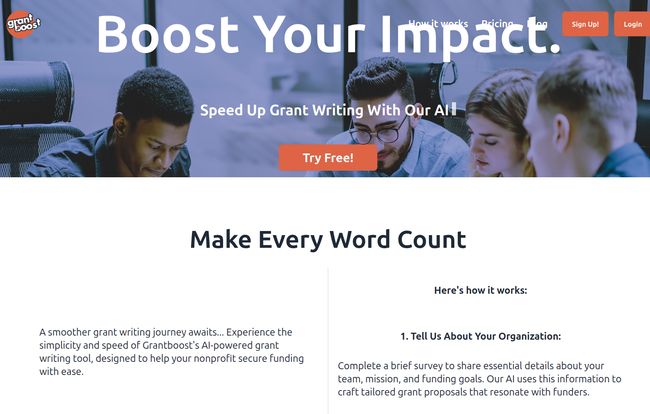
On the surface, Grantboost is an “AI-powered grant writing tool.” But that’s just marketing speak. What it really is, in my opinion, is a specialized writing assistant that you train to be an expert on your organization. Think of it less like a magic wand that writes a perfect proposal for you, and more like a brilliant, incredibly fast junior grant writer who has memorized all your org’s key details.
You feed it your foundational documents, your program details, your past successes, your organizational history—all that stuff you normally have to copy, paste, and tweak a million times. Then, when you get a new grant opportunity, you give it the specific questions or sections. Grantboost then takes what it knows about you and what it knows about the grant, and crafts a first draft. Its whole purpose is to get you from 0 to 80% done in a fraction of the time.
How The Magic Actually Happens
The process laid out by Grantboost is refreshingly straightforward. There’s no complex coding or prompt engineering wizardry you need to learn. It feels like it was designed by people who actually understand the workflow of a frantic development director.
- The Organizational Brain Dump. First, you tell the platform all about your organization. This is the most crucial step. You provide a brief summary, your mission, goals—the core DNA of your work. The quality of what you get out is directly tied to the quality of what you put in. Garbage in, garbage out, as they say.
- The Grant Opportunity. Next, you copy and paste information from the grant you’re targeting. The questions, the requirements, the funder’s priorities. You’re giving the AI its specific assignment.
- The AI First Draft. This is where the fun begins. The AI analyzes everything and generates customized answers. It’s pulling from its knowledge of you and tailoring it to the funder’s request.
- The Human Touch. Finally, you get the output. You then edit, refine, and polish it to match your organization’s unique voice and to add those specific, story-driven details that only a human can provide.
Visit Grantboost
The Good, The Bad, and The AI-Generated
No tool is perfect, right? After looking at Grantboost’s features and thinking about the real-world application, a few things stand out. It’s not just about what it does, but how it fits into the messy reality of nonprofit work.
The Things I Genuinely Like
Speed is the obvious one. The potential to slash hours, maybe even days, off the grant writing process is huge. That’s more time for building relationships with funders or, you know, sleeping. The platform claims over 3,500,000 words have been handled by their system which is some serious social proof. They are clearly doing something right.
But beyond just speed, it’s about overcoming that initial hurdle—the writer’s block. Getting a solid first draft done by an AI can be an incredible motivator. It’s easier to edit than it is to create from scratch. I also appreciate that it incorporates industry best practices. This is like having a quiet little mentor looking over your shoulder, ensuring your responses are structured in a way that funders are used to seeing. For smaller orgs without a seasoned grant pro on staff, that’s a massive benefit.
A Quick Reality Check
Now for the flip side. This is not a “set it and forget it” solution. If you think you can just plug in some info and print out a check-ready proposal, you’re going to be disappointed. The output will require editing. An AI can’t capture the soul of your organization or tell that one tear-jerking story about a program participant that will stick with a reviewer. That’s your job.
The biggest challenge will be ensuring the final proposal has your organization’s authentic voice. AI can be a bit… formal. A bit sterile. You’ll need to go in and inject the passion and personality back into the text. Also, the pricing is per user, which is something to keep in mind if you have a larger team.
Let’s Talk Money: Grantboost Pricing Breakdown
Okay, the all-important question: what’s this going to cost? The pricing structure seems pretty well thought out, with different tiers for different needs. All prices are per user, per month.
| Plan | Price | Who It’s For | Key Features |
|---|---|---|---|
| Grantboost Free | $0 /mo | Individuals just starting out or testing the waters. | Best Practice Templates, AI Bot Access, 40 Monthly Boosts, Create 4 Templates. |
| Grantboost Pro | $19.99 /mo | Professionals and dedicated grant writers. | Everything in Free, plus Unlimited Boosts, Unlimited Templates, and Early Access to New Features. |
| Grantboost Teams | $29.99 /mo | Teams executing a full grant strategy. | Everything in Pro, plus Team Access, Priority Support, and Prioritized Feature Requests. |
My take? The Free plan is a no-brainer. It lets you get a feel for the tool with zero risk. The 40 “Boosts” (which I assume are AI generations) are plenty to see if it works for you. The Pro plan feels like the sweet spot for most serious users—freelancers, small nonprofits, or the sole development person at a medium-sized one. The “unlimited” access is where the real value kicks in. The Teams plan makes sense when you have multiple people working on grants and need that collaborative environment and priority support. At just ten bucks more than Pro, the added team features and priority support could be a lifesaver during a grant deadline crunch.
So, Who Should Actually Use Grantboost?
I can see a few people who would get a ton of value out of this.
- The Overwhelmed Executive Director: You know the one. They’re the ED, the program manager, the marketer, and the grant writer all rolled into one. For them, Grantboost could be a lifesaver, handling the tedious first drafts so they can focus on strategy.
- The Freelance Grant Writer: Juggling multiple clients means juggling multiple organizational voices and histories. A tool like this could streamline that process immensely, allowing them to take on more clients without sacrificing quality.
- The Small Development Team: For a 2-3 person shop trying to increase their application volume, the Teams plan could help them collaborate efficiently and ensure consistency across all their proposals.
Who is it not for? Honestly, maybe a massive foundation with a huge, fully-staffed grant writing department that has their own ironclad, multi-million dollar process. But for the other 99% of the nonprofit world, I think there’s a use case here.
My Final Verdict: Your New Grant Writing Co-Pilot
After digging in, I’m genuinely optimistic about Grantboost. It’s not a silver bullet, but it’s not trying to be. It understands its role: to be an assistant, a co-pilot, a tool to make a difficult job a little bit easier. It handles the repetitive, time-consuming parts of grant writing, freeing up the human user to focus on what truly matters: storytelling, relationship-building, and mission-driven strategy.
Will it write a prize-winning proposal all by itself? No. But will it help you write a prize-winning proposal faster and with less stress? I think teh answer is a resounding yes. If you’re in the grant writing world, it’s absolutely worth taking the free plan for a spin.
Frequently Asked Questions about Grantboost
- Can Grantboost write an entire grant proposal from scratch?
- Not exactly. It generates highly relevant, customized responses to specific prompts or sections of an application. You still need to compile these sections, write the transitions, and do the final, crucial human edit to bring it all together into a cohesive proposal.
- Is the content generated by Grantboost unique?
- The content is generated based on the unique information you provide about your organization and the specific grant. So, yes, it’s customized for you. However, as with any AI tool, it’s always a best practice to review and personalize the output to ensure it’s 100% original and reflects your voice.
- Is Grantboost worth the cost for a small nonprofit?
- This depends on how much you value your time. If a $20/month subscription can save you 10-15 hours of work on a single proposal, the ROI is massive. The existence of a robust free plan makes it very easy to answer this question for yourself without spending a dime.
- How secure is my organization’s sensitive data?
- This is a critical question for any cloud-based tool. According to Grantboost’s privacy policy, they take data security seriously. However, you should always review the most current privacy policy yourself before uploading sensitive strategic information.
- Can I use this for complex federal grants?
- Yes, in theory. The tool’s effectiveness isn’t about the type of grant, but the format. As long as the grant application consists of questions, prompts, and sections that you can feed into the tool, it can help you generate draft responses, whether for a small family foundation or a complex government grant.
- What are “Boosts” in the Free plan?
- A “Boost” is likely one instance of the AI generating a response for you. The Free plan gives you 40 of these per month, which is a good number to write a small grant or two and get a feel for the platform’s capabilities before deciding to upgrade.


