
Categories: AI Cartoon Generator, AI Image Generator, AI Wallpaper Generator, Text to Image
Hello Kitty Wallpaper AI Review: Cute, Custom & Creative

Staring at the same generic, soulless wallpaper on our phone or computer for months. You tell yourself you’ll change it, you’ll find something cool, something that sparks joy. But then life happens, and you’re stuck with that default mountain range or abstract swoosh for another season.
As someone who spends an unhealthy amount of time optimizing websites and staring at traffic analytics, my digital workspace needs to be a happy place. So when I stumbled upon the Hello Kitty Wallpaper AI, my curiosity—and my inner child who collected Sanrio stationery—lit up. An AI that does one thing and one thing only: generate endless, custom Hello Kitty art? Sign me up.
We’re in this wild era of generative AI, where you can create anything from a business plan to a sonnet about your cat. Niche tools like this are popping up everywhere, and honestly, I’m here for it. It’s a fun, focused application of a technology that can sometimes feel overwhelmingly broad. But is it any good? Let’s find out.
What Exactly is This AI Wallpaper Generator?
In a nutshell, Hello Kitty Wallpaper AI is a specialized text-to-image tool. You don’t need to be a tech wizard or an artist. You just type what you want to see, and the AI—like a tiny digital artist who’s had way too much coffee—spits out an image for you. The entire platform is built around Japan’s most famous feline, which is a brilliant move. Instead of trying to be everything to everyone like Midjourney or DALL-E, it targets a super-passionate fanbase. A classic long-tail strategy, really.
The whole process is done in your browser, so there’s nothing to download or install. You just show up, type your idea, and get your art. Simple.
Creating My First Masterpiece: A Walkthrough
The website claims it’s a simple process, and I have to say, they’re not lying. It’s pretty much foolproof. Here’s how my first attempt went down:
- Enter a Prompt: This is where the magic begins. The little text box beckons. What do you want to see? I decided to go for something specific: “Hello Kitty as a cyberpunk hacker in a neon-lit Tokyo, drinking a boba tea.
Go big or go home, right?
- Select Aspect Ratio: This is a genuinely thoughtful feature. You can choose formats for a phone, tablet, or a wide desktop monitor. I chose the desktop ratio for my work computer. No more awkward cropping!
- Submit and Wait: You hit the big blue ‘Run’ button and the AI gets to work. It takes anywhere from a few seconds to about a minute. This is the moment of anticipation. Will it understand my bizarre request?
- Preview and Download: And then… poof! There it was. A surprisingly coherent image of a cyberpunk Hello Kitty. The boba tea was there, the neon glow was immaculate. Once you’re happy, a quick click on the download button saves the high-quality image to your device.
It was so easy I immediately made another. And another. It’s addictive. Before I knew it, I had Hello Kitty as a pirate, Hello Kitty as an astronaut, and Hello Kitty enjoying a quiet afternoon in a Monet-style garden.
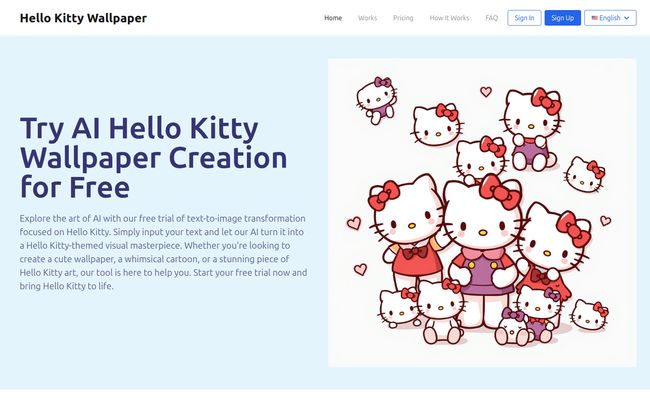
Visit Hello Kitty Wallpaper AI
A Quick Word on Prompting
The gallery of examples on their homepage is a great starting point if you have creator’s block. Seeing things like “Hello Kitty in a futuristic cityscape” or “basking in the sun at a tropical paradise” helps you understand the AI’s capabilities. My advice? Be descriptive. Don’t just say “Hello Kitty in space.” Try “Hello Kitty in a retro silver spacesuit, floating among vibrant pastel-colored planets and sparkling stars.” The more detail you give the AI, the more it has to work with. But also, dont be afraid to be weird. The strange results are often the most memorable.
The Good, The Bad, and The Adorably Wonky
No tool is perfect, not even one blessed by the spirit of cuteness. After spending a few hours generating images, here’s my honest breakdown.
What I Genuinely Liked
The ease of use is the biggest win here. It’s incredibly accessible. You don’t need an account to try it out, and the interface is clean and intuitive. The image quality is also surprisingly high, perfectly suitable for a crisp 4K monitor or the latest smartphone screen. The ability to specify the aspect ratio is a small detail that makes a huge difference. But most of all, it’s just plain fun. Seeing your random thoughts turn into polished, adorable art is a little hit of dopamine every single time.
A Few Small Sticking Points
Okay, so the free usage is limited. Think of it as a free sample at a candy store—enough to get you hooked. If you’re like me and want to generate an entire gallery of Hello Kitty in various historical costumes, you’ll eventually need to pony up for some credits. Also, the AI, while impressive, has its limits. Sometimes it gets details a bit… weird. I asked for Hello Kitty holding a book once, and she sort of had a book-hand. It’s a common quirk in AI art, and honestly, it can be more hilarious than frustrating. But if you need a super-specific, commercially perfect image, you might need a few tries to get it just right.
Breaking Down the Cost: Is It Worth It?
So, you’ve used up your free trial and you’re craving more. Let’s talk about the pricing. The platform uses a credit system, which is pretty standard for AI image generators. One credit equals one image generation.
| Plan | Credits | Price |
|---|---|---|
| Starter Pack | 100 Credits | $7.9 |
| Creator Pack | 200 Credits | $9.9 |
| Pro Pack | 500 Credits | $19.9 |
All credits are valid for two months, and every plan gives you access to the same high-quality output and fast generation speed. The value proposition here is pretty clear. If you just want a few cool wallpapers for your devices, the $7.9 plan is more than enough. But if you’re a content creator, a super-fan, or just want to experiment endlessly, the bigger packages offer a better price-per-image. For less than the cost of a couple of fancy coffees, you get a whole lot of creative firepower. You can check out the full details on their pricing page.
Frequently Asked Questions
I poked around the site and thought of a few questions you might have.
- Do I need to install any software?
- Nope! It’s all 100% browser-based. If you can read this article, you can use the tool. No downloads, no fuss.
- How long does it really take to make a wallpaper?
- In my experience, it’s usually under a minute. More complex prompts can sometimes take a little longer, but it’s impressively fast.
- What’s the image quality like?
- It’s great! The images are high-resolution and look sharp on my phone, laptop, and 4K monitor. The quality can vary slightly based on the prompt, but it’s generally top-notch for personal use.
- Can I really use any prompt I want?
- Pretty much! Your imagination is the main limit. However, the AI is trained specifically on Hello Kitty’s aesthetic, so it’s best at creating things that fit that cute, wholesome vibe. Don’t expect it to generate anything that goes against its core programming.
- Is this officially licensed by Sanrio?
- That’s a good question. The site doesn’t explicitly state it, which is common for many AI art generators that focus on specific styles or characters. It’s best to consider the generated images as fan art for personal use, like for your wallpaper or a social media profile pic, rather than for commercial projects.
So, Is This My New Favorite AI Toy?
I have to say, I’m genuinely impressed. The Hello Kitty Wallpaper AI isn’t trying to change the world. It’s not a productivity tool or a serious piece of enterprise software. Its goal is simple: to make you smile by creating adorable, custom art of a beloved character. And it absolutely succeeds.
It’s the perfect tool for any Hello Kitty fan, for parents who want to create fun wallpapers for their kids’ devices, or for anyone who just wants to inject a bit of fun and creativity into their day. It’s easy, its affordable, and the results are instantly gratifying. My desktop is now a rotating gallery of Hello Kitty’s adventures, and it’s never looked better.


