
Categories: AI Detector, AI Developer Tools, AI Scanner
HoundDog.ai Review: A Dev’s Take on Data Privacy

We’ve all had that heart-stopping moment. You’re deep in a late-night debugging session, scrolling through endless log files, and you see it. Staring back at you in glorious, unencrypted plaintext: a user’s email address. Maybe a phone number. Maybe something worse. Your blood runs cold. You quickly delete the log, pretend you saw nothing, and pray no one else did. That’s the old way. A reactive, hope-for-the-best strategy that’s just a lawsuit waiting to happen.
For years, we’ve treated data privacy as something for the compliance team to worry about after we’ve shipped the code. It’s a classic case of closing the barn door after the horse has not only bolted but has already started a family in the next county. But with regulations like GDPR and CCPA having real teeth, and with AI applications creating entirely new ways to mess up, that approach is just not gonna cut it anymore. We need a guard dog, not a cleanup crew.
And that, my friends, is where I stumbled upon a tool that’s been making some noise: HoundDog.ai. It promises to be that proactive watchdog for your code. But does it have a bite to match its bark? I’ve spent some time digging in, and here’s my take.
So, What is HoundDog.ai, Really?
Forget what you know about traditional security scanners that run once a quarter and spit out a 200-page PDF that nobody reads. HoundDog.ai is built on the whole “shift-left” philosophy. If you’re not familiar, it just means moving security and privacy checks way earlier in the development process. Like, right into the developer’s workflow. It’s about catching that stray email address in a log file before the code even gets committed, not months after it’s been live in production.
Essentially, it’s an AI-powered code scanner that’s obsessed with one thing: sensitive data. It sniffs through your code, your logs, your config files—all the nooks and crannies—to find Personally Identifiable Information (PII) that shouldn’t be there. It’s less of a periodic audit and more of a constant companion, sitting on your shoulder and whispering, “Hey, you sure you want to log that user’s entire profile object?”
Preventing That “Oh Crap, We Leaked Data” Moment
The real value of a tool like this isn’t just in the features list, it’s in the disasters it helps you avoid. The most common data leaks aren’t from some sophisticated hack; they’re from simple, everyday coding mistakes. A developer debugging an issue adds a `console.log(userObject)` and forgets to remove it. A new feature accidentally writes sensitive info to a cookie. These are the mundane mistakes that lead to massive headaces.
HoundDog.ai is designed to catch exactly these things. But it goes a step further. One of the biggest modern nightmares is data sprawl through third-party integrations. You use a new marketing automation tool, a customer support chatbot, an analytics platform… and suddenly your user data is flowing to a dozen different places. Are you sure all of them are compliant? Do you even know where all the data is? HoundDog.ai helps map this out, showing you how data moves from your code to these external services, which is a massive win for sanity and compliance.
A Look Under the Hood at HoundDog.ai’s Features
Okay, let’s get into the nuts and bolts. What does this thing actually do?
It’s All About Proactive PII Leak Detection
This is the core of it. The scanner flags PII found in plaintext within your code. We’re talking logs, files, cookies, tokens—the usual suspects. It’s about finding the vulnerability before it becomes a breach. It’s the difference between finding a leak in your plumbing and finding your basement flooded.
Untangling the Data Spaghetti with Flow Mapping
I absolutely love this. The platform provides a visual map of how your sensitive data flows to third-party services. In my experience, this is often a black box. Having a clear visualization can be a game-changer, especially when you need to prove compliance or conduct a data processing agreement (DPA) audit. No more guesswork; you can actually see the data spaghetti and start to untangle it.
Visit HoundDog.ai
Making Compliance Less of a Chore
Let’s be honest, nobody becomes a developer because they love reading privacy regulations. HoundDog.ai automates a huge chunk of this. By continuously scanning and mapping data, it gives you the evidence you need to satisfy auditors for things like GDPR, CCPA, SOC 2, and others. It turns a painful, manual process into an automated, ongoing one.
Living Right Inside Your Workflow
A tool is only useful if people actually use it. By integrating directly into CI/CD pipelines, security dashboards, and even providing IDE plugins (on the Enterprise plan), HoundDog.ai puts the insights where developers already are. There’s no need to log into yet another platform or change your workflow. The alerts pop up where you work, making it way more likely that they’ll be addressed.
Why This Matters More Than Ever in the Age of AI
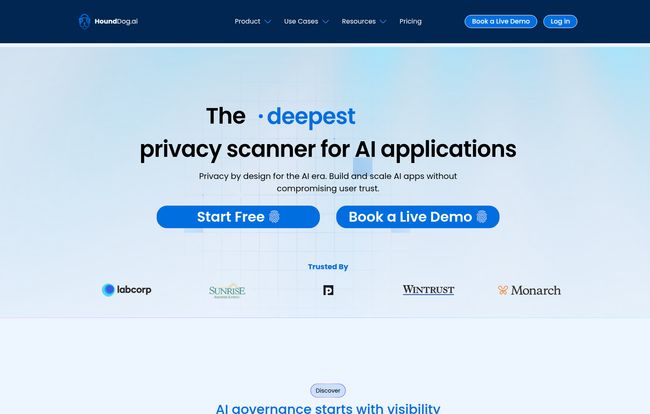
The homepage for HoundDog.ai makes a big deal about being a “privacy scanner for AI applications,” and they’re not just buzzword-chasing. Building apps with Large Language Models (LLMs) has opened up a whole new can of worms for data privacy. The OWASP LLM Top 10, a list of the most critical security risks for LLM applications, specifically calls out things like “Sensitive Information Disclosure.” This can happen when an LLM inadvertently includes private data from its training set or user prompts in its responses.
A tool that understands this context and actively scans for these new types of vulnerabilities is no longer a nice-to-have. It’s becoming table stakes. As we all rush to integrate AI into our products, we need guardrails. HoundDog.ai seems to be positioning itself as one of those essential guardrails.
Let’s Talk Brass Tacks: The HoundDog.ai Pricing
Alright, the all-important question: what’s this going to cost? The pricing model is pretty straightforward, which I appreciate. They have three main tiers.
| Plan | Price | Best For |
|---|---|---|
| Free | $0 / month | Individuals or teams wanting to test the waters with a basic datamap. |
| Starter | $100 / year per developer | Small to medium-sized teams who need the core detection and compliance features. |
| Enterprise | Contact for a quote | Large organizations needing advanced features like IDE plugins, managed scans, and priority support. |
The Free Plan: Your First Sniff
At $0, you get access to the Sensitive Datamap. It’s a point-in-time view of where your sensitive data lives. It’s limited, for sure, but it’s a genuinely useful free offering. It gives you a taste of what the tool can uncover without any commitment.
The Starter Plan: The Workhorse for Most Teams
At $100 per developer, per year, this feels like the sweet spot. You get everything in the free plan plus the really important stuff: PII Vulnerability Detection, Data Flow Visualization, Compliance Automation, CI/CD integration, and alerts. For a professional team, this price point seems very reasonable for the problems it solves.
The Enterprise Plan: For the Big Dogs
This is the “all you can eat” buffet. It adds IDE plugins (a big one for developer workflow), managed scans, and priority support with a dedicated Slack channel. Crucially, this is also the tier that will get the AI-Powered Detection when it launches. If you’re a large company with complex compliance needs and a big dev team, this is the one you’ll be looking at.
The Good, The Bad, and The Coming-Soon
No tool is perfect. After my analysis, here’s my honest breakdown.
What I love: The proactive, shift-left approach is exactly right. The automated data flow mapping is a killer feature. And the focus on developer workflow with CI/CD and IDE integrations shows they understand their audience. It’s a tool built to solve a real, nagging pain point.
What to keep in mind: The true, next-gen AI-powered detection is listed as “Coming Soon” (Q2 2025 on the image). While the current detection is powerful, this is something to be aware of. The platform exists to solve the problem that doing this stuff yourself (DIY PII detection) doesn’t scale well, and it certainly seems to achieve that. But if you’re looking for that specific AI magic today, you’ll have to wait just a bit.
Your Questions, Answered
The HoundDog.ai site has a few common questions, so I’ll give my take on them here.
Is my private source code shared with HoundDog.ai?
This is always the first question with any code scanner. Based on how these tools typically work, your code is scanned within your own environment (like your CI/CD pipeline or local machine). The tool sends metadata and findings back to the platform, not your entire source code. You should always verify this with their official documentation, but this is the standard, secure practice.
How are the number of developers measured?
For the Starter plan, it’s typically based on the number of unique git commit authors contributing to the repositories you’re scanning over a given period. It’s a common and fair way to measure for tools like this.
Does the scanner detect actual sensitive data in code?
Yes, that’s its entire purpose. It goes beyond just looking for variable names like `user_email`. It uses pattern matching and other heuristics to find what looks like actual sensitive data—email addresses, keys, tokens, etc.—that has been hardcoded or is being leaked into logs.
Is there special pricing for security consultants or early-stage startups?
The FAQ on their site mentions this question, which is a great sign. Most SaaS companies in this space are willing to work with startups and consultants. Your best bet is to reach out to their sales team directly. It never hurts to ask!
The Final Verdict
So, is HoundDog.ai the watchdog your codebase needs? In my opinion, yes. It’s a modern, well-designed tool that tackles a problem that is only getting more complicated. It’s not just for security teams; it’s a tool for developers that makes doing the right thing the easy thing.
If you’re a single developer or a small team just wanting to get a handle on your data, the Free and Starter plans are incredibly compelling. If you’re at a larger organization, especially one building AI-powered features, the Enterprise plan looks like a very smart investment in preventing future fires. It’s a strong contender in the race to make our software safer, one commit at a time.


