
Categories: AI Movie Generator, AI Short Video Generator, AI Video Generator, Open Source AI Models, Text to Video
Hunyuan Video Review: An Open-Source AI Game Changer?

For years, as a content marketer and SEO guy, video has been both the holy grail and the bane of my existence. We all know the stats—video boosts engagement, increases conversions, blah blah blah. But actually making the stuff? It’s time-consuming. It’s expensive. It requires a skillset that, frankly, not everyone has time to master.
Then, the AI video wave crashed onto the scene. We saw the jaw-dropping demos from giants like OpenAI’s Sora, and the creative playgrounds of Runway and Pika Labs. It felt like the future arrived overnight. But amidst the hype, a new contender has quietly entered the ring, and it’s got a slightly different philosophy. I’m talking about Hunyuan Video, from the tech behemoth Tencent. And the most interesting part? It’s open-source.
So, What Exactly is Hunyuan Video?
At its core, Hunyuan Video is a text-to-video AI model. You give it a text prompt, and it spits out a video clip. Simple enough. But the devil, as they say, is in the details. This isn’t just another AI toy; it’s a seriously hefty piece of tech built on a 13-billion parameter model. In non-nerd speak, that means it’s been trained on a massive amount of data, which allows it to understand nuance and generate more detailed, coherent videos. Think of it as the difference between a student who skimmed the textbook and one who read the entire library.
But the real kicker for me, and for a lot of people in the tech community, is that Tencent decided to make it open-source. This means the code and model weights are available for anyone to see, use, and even modify. This is a huge deal. It moves away from the “secret sauce” black-box model of its competitors and invites a whole community to build upon it. It’s a bold move, and honestly, a refreshing one.
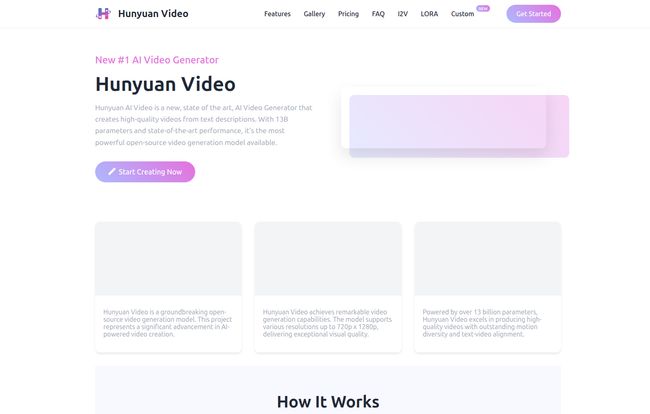
Visit Hunyuan Video
My First Impressions: Hitting “Generate” on Hunyuan
Signing up was a breeze—just a simple ‘Continue with Google’ and I was in. The interface is clean, no fluff. The process is exactly as they lay it out: Write a prompt, start the generation, wait a bit, and get your video. Easy.
For my first test, I wanted something with a bit of motion and a specific mood. I typed in: “A lone astronaut planting a small, glowing flower on the surface of Mars, cinematic style, with dust swirling around his boots.” I’ve used similar prompts on other platforms with… mixed results. Sometimes you get an astronaut with three arms, you know how it is.
I also noticed their “Smart Prompt Builder,” which is a nice touch. It helps you refine your ideas by adding styles, camera angles, and other details. It’s like having a creative co-pilot whispering suggestions in your ear. Very handy for those days when the creative juices just aren’t flowing.
Then came the wait. It’s not instant, taking a few minutes to process. This is where you have to set your expectations. This isn’t a real-time filter; its doing some heavy lifting in the background. But when the 5-second clip was ready? I was genuinely impressed. The motion of the dust was fluid, the astronaut’s movement felt weighted and realistic, and the glowing flower had a nice, ethereal quality. It captured the vibe I was going for, which is often the hardest part for AI to get right.
The Features That Actually Matter
A lot of platforms throw a long list of features at you, but let’s cut through the noise and talk about what really makes a difference here.
The Magic of the MLLM Text Encoder
Okay, this sounds technical, but stick with me. The “MLLM Text Encoder” is Hunyuan’s secret weapon for understanding what you actually mean. One of the biggest frustrations with text-to-anything AI is its tendency to interpret things bizarrely. Hunyuan’s advanced encoder leads to what they claim is an 82.3% text alignment score. In practice, this means less time fighting the AI to understand your prompt and more time getting a result that matches your vision. The astronaut I prompted didn’t look like a cartoon, and the flower was glowing, just as I’d asked. It gets the details right.
Let’s Talk About Quality and Motion
Early AI video often had that tell-tale shimmer or a weird, floaty look. Hunyuan seems to have made huge strides here. The motion feels natural, objects interact with each other believably, and there’s a visual consistency that holds up. Plus, it supports HD resolution (up to 720p x 1280p), which is perfect for creating crisp social media content for Reels, TikTok, or YouTube Shorts. Its a small detail, but high resolution makes your content look way more professional.
The Power (and Promise) of Open Source
I have to come back to this. By making Hunyuan Video open-source, Tencent is basically giving the keys to the kingdom to the developer community. This could lead to custom-trained models, specialized new features, and integrations we haven’t even thought of yet. It’s a long-term play that could give Hunyuan a unique edge and a dedicated following beyond just content creators.
The Not-So-Great Stuff: Let’s Be Honest
No tool is perfect, and it’s important to go in with your eyes open. My biggest gripe? The 5-second video limit. Right now, Hunyuan is fantastic for creating short, punchy clips—think atmospheric B-roll, motion logos, or eye-catching social media hooks. It is not a tool for crafting a narrative scene or a longer-form video. You’ll need to stitch multiple clips together for anything more substantial.
Also, the generation process, while producing quality results, takes time and costs credits. The exact cost-per-video wasn’t immediately clear on the site, but it’s a pay-to-play model. This is standard for the industry—the computing power required is immense—but it’s something to be aware of. You can’t just sit there and generate hundreds of videos for free.
Who is Hunyuan Video Really For?
After playing around with it for a while, a clear picture of the ideal user started to form in my mind.
- Social Media Managers: Need a quick, high-quality video for an Instagram Reel to stop the scroll? This is your tool.
- Content Creators & Bloggers: Looking for unique B-roll to splice into your vlogs or articles without scouring stock footage sites? Perfect.
- Small Business Marketers: Want to quickly visualize a concept for a video ad before committing a huge budget to a full production? Here you go.
- Developers and AI Enthusiasts: The open-source nature makes it a fascinating playground for anyone who wants to get their hands dirty with generative video technology.
What About the Price?
This is the million-dollar question, isn’t it? As of my review, Hunyuan Video operates on a credit-based system. Each video you generate will cost you a certain number of credits. Unfortunately, the website doesn’t have a public pricing page laid out just yet, which is a bit of a miss in my opinion. My advice? Sign up, and you’ll likely get a batch of free credits to start. From there, you’ll be able to see the top-up options. Given how quickly things change in the AI space, you should always check the site directly for the most current pricing structure.
My Final Take: Is Hunyuan Video Worth Your Time?
Yes, I think it is. But with a caveat. Don’t go in expecting it to be a one-click movie-maker that will replace your entire video team. That’s not what it is… yet.
Instead, view Hunyuan Video as a remarkably powerful and accessible creative assistant. It’s a B-roll generator, an idea visualizer, and a social media content machine. The quality of motion is excellent, its ability to understand prompts is top-tier, and the open-source angle makes me genuinely excited for its future. It’s a fantastic tool to have in your marketing and content creation arsenal, especially for those of us who need to produce eye-catching video on a deadline without breaking the bank. It’s a significant step forward, and one I’ll be keeping a very close eye on.
Frequently Asked Questions about Hunyuan Video
- What is Hunyuan Video?
- Hunyuan Video is an advanced text-to-video AI model developed by Tencent. It allows users to generate short, high-quality, HD video clips from simple text descriptions. It’s also open-source, meaning its underlying code is publicly available.
- Is Hunyuan Video free to use?
- It uses a credit-based system. You’ll likely receive some free credits upon signing up to test the platform, but for continued use, you’ll need to purchase more credits. Each video generation consumes a set number of credits.
- How long are the videos it generates?
- Currently, all videos generated by Hunyuan Video are 5 seconds long. This makes it ideal for short-form content like social media clips, GIFs, and B-roll footage.
- Can I use the generated videos for commercial projects?
- According to their FAQ, yes, you can use the generated videos for commercial purposes. However, it’s always best practice to double-check the platform’s latest terms of service for any specific restrictions or requirements.
- How does it compare to other AI video tools like Sora or Runway?
- While Sora is currently a closed research project, Hunyuan is publicly accessible. Compared to tools like Runway or Pika, Hunyuan competes strongly on motion quality and text-to-video accuracy. Its main differentiator is its open-source nature, which appeals to a more technical audience as well as creators.
- What makes the video quality good?
- The quality comes from its large 13B parameter model, which allows for nuanced and detailed outputs, and its advanced text encoder, which ensures the video closely matches the user’s prompt. It also supports HD resolution, which contributes to a cleaner final product.
Reference and Sources
For the most up-to-date information, to try the tool, or to access the open-source code, please visit the official website:


