
Categories: AI Assistant, AI Copilot, AI Describe Image, Large Language Models (LLMs)
Iris for macOS Review: A ChatGPT Tool That Gets It?

If you’re anything like me, a content and SEO person who lives on their computer, the answer is probably ‘too many to count without having a minor anxiety attack’. And at least one of those tabs, I’m willing to bet, is permanently parked on ChatGPT or a similar AI tool.
We juggle our work in one window, our research in another, and our AI brainstorming in a third. It’s a constant, clunky dance of Command-Tabbing our way through the day. It completely shatters your flow. One minute you’re deep in thought writing a killer headline, the next you’re lost in a sea of tabs trying to find your prompt again. It’s… not ideal.
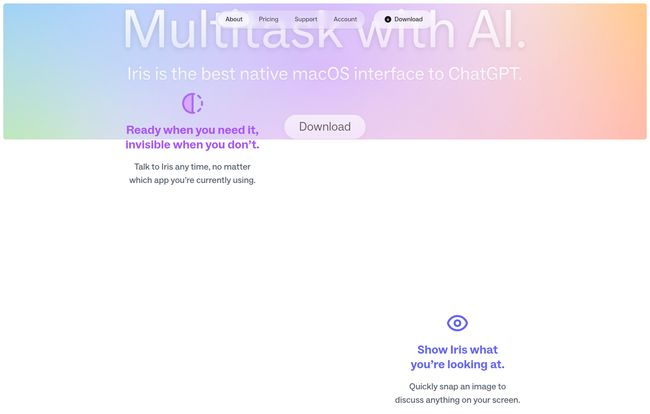
So when I stumbled upon a tool called Iris, which calls itself the ‘best native macOS interface to ChatGPT’, my ears perked up. A native app? One that promises to be ‘ready when you need it, invisible when you don’t’? That sounds less like a tool and more like a solution. But as we know in the SEO world, promises are cheap. I had to see if it lived up to the hype.
Visit Iris
What Exactly Is Iris? (And Why Should You Care?)
In the simplest terms, Iris is a dedicated application for your Mac that talks to large language models. But calling it just an ‘app’ feels like a bit of an understatement. It’s not designed to live in your dock like a traditional program. Instead, it’s more like a built-in AI co-pilot for your entire operating system.
Think of it this way: instead of going to the AI, the AI comes to you. With a simple keyboard shortcut, Iris appears over whatever you’re doing, ready for your command. When you’re done, it vanishes. No app switching, no lost tabs, no fuss. This, for me, is the core appeal. It’s built around the idea of preserving that ever-elusive ‘flow state’ that productivity gurus are always talking about.
The Features That Actually Matter in Your Workflow
A tool can look pretty, but if the features don’t actually save you time or hassle, what’s the point? I spent some time kicking the tires on Iris, and a few things really stood out as genuinely useful for a professional like me.
Instant Access From Anywhere
This is the big one. By default, pressing Opt + G summons Iris. Writing an email and need to rephrase a sentence? Opt + G. Staring at some code in VS Code and need a function explained? Opt + G. You get the idea. It removes the mental barrier of ‘oh, I need to go open ChatGPT for this’. The friction is gone, which means you’re more likely to use it for those small, micro-tasks that can really add up.
“Slinging” to Stay in the Zone
This is a neat little UI trick that feels very ‘Mac-like’. If you need to refer back to your main window while looking at the Iris response, you can just grab the Iris window and ‘sling’ it to the left or right edge of your screen. It docks there, half-visible, until you need it again. It’s a small thing, but it beats constantly resizing and rearranging windows. I’m still getting the hang of the gesture, sometimes I accidentally fling it into another dimension it feels like, but when it works, it works.
A Picture’s Worth a Thousand Prompts
Okay, this feature is just brilliant. With Opt + 1, Iris lets you snap a screenshot of any part of your screen and immediately start a conversation about it. The use cases for this are incredible for SEOs and marketers.
- Struggling with a competitor’s landing page layout? Snap it and ask, “What makes this design effective for conversions?”
- Analyzing a SERP? Grab the top 3 results and ask, “Summarize the common themes and user intent behind these headlines.”
- Got a weird error message you don’t understand? Snap it. Ask what it means.
It turns your entire screen into a potential prompt. This is a game-changer.
No More Awkwardly Waiting Around
You know when you ask an AI to write something long, and you realize halfway through it’s going in the wrong direction? The ‘Interject’ feature lets you just start typing a new message while the AI is still generating its response. It stops the current output and starts on your new request immediately. It’s a simple feature that shows a deep understanding of how people actually use these tools. A huge time saver.
Under the Hood: A Roster of Heavy-Hitters
Iris isn’t just a pretty face for one model. It gives you access to a whole suite of them. Depending on your plan, you can tap into OpenAI’s latest like GPT-4o, Anthropic’s new powerhouse Claude 3.5 Sonnet, and other solid models like DeepSeek. Having this choice is more important than people realize. Some models are better for creative writing, others excel at code, and some are just faster for quick queries. Iris puts them all in one place.
Let’s Talk Money: The Iris Pricing Breakdown
So, what’s all this slick integration going to cost you? This is where things get really interesting. Iris has a surprisingly generous pricing model. I’ve put the main details from their site into a simple table.
| Plan | Price | Key Features |
|---|---|---|
| Starter | Free | Unlimited GPT-4o Mini, Unlimited DeepSeek R1, Image capture tool. |
| Pro | $10 / month | Everything in Starter, plus Unlimited GPT-4o, Unlimited Claude 3.5 Sonnet, Unlimited o1. |
My take? The Free tier is a no-brainer. Getting unlimited access to models as capable as GPT-4o Mini, plus the image capture tool, without paying a dime is frankly an incredible deal. For most people, this is more than enough. The Pro plan at $10 a month is for the real power users—the people who need the absolute best models (like GPT-4o and Claude 3.5 Sonnet) and use them constantly. If this tool saves you even an hour or two of work a month, it’s already paid for itself.
The Good, The Bad, and The Mac-Only
No tool is perfect, right? Iris has a lot going for it, but there are some things to consider.
The biggest strength is its biggest weakness: it’s a Mac-only application. If you’re on a Windows or Linux machine, you’re out of luck, and that’s a shame because the workflow concept is universal. For those of us in the Apple ecosystem, however, the seamless integration is a massive plus. It feels like it was designed by Apple themselves.
There’s also a tiny learning curve. It’s not steep, but you do have to build the muscle memory for the keyboard shortcuts and the ‘sling’ gesture. But after a day or two, it starts to feel like second nature.
My Honest Take as an SEO and Content Creator
So, do I recommend it? Yes, without a doubt. Especially for Mac users in the digital marketing and tech space. The ability to quickly analyze SERPs with a screenshot, rephrase ad copy on the fly, or brainstorm content ideas without ever leaving your document is just… better. It makes AI feel less like a destination you have to travel to and more like an extension of your own brain.
“I’ve been using it to generate meta descriptions while staring directly at my WordPress editor. I snap the post, ask for five options, and paste one in. It probably saves me 30 seconds each time, but multiply that by 20 posts a day? The time savings are real.”
It’s not going to completely replace the full-featured web interface for those super deep, multi-hour research sessions. But for the 90% of interactions that are quick, in-the-moment queries, Iris is faster, slicker, and just more pleasant to use.
Final Thoughts
Iris set out to build a native macOS interface for ChatGPT, and I think they’ve nailed it. It’s a beautifully designed tool that understands its users’ biggest pain point: context switching. By eliminating that friction, it makes AI more accessible and useful in day-to-day tasks.
If you’re a Mac user and you use AI even semi-regularly, you owe it to yourself to download the free version. It might just be the little productivity boost you didn’t know you needed.
Frequently Asked Questions About Iris
What is Iris?
Iris is a native macOS application that provides a seamless, integrated interface for interacting with various AI language models, including those from OpenAI and Anthropic. It’s designed for quick access from any app to maintain your workflow.
Is Iris free to use?
Yes, Iris has a very capable Free (Starter) plan that includes unlimited access to models like GPT-4o Mini and the image capture tool. There is also a Pro plan for $10/month that unlocks more powerful models like GPT-4o and Claude 3.5 Sonnet.
What AI models can I access with Iris?
The Free plan gives you access to GPT-4o Mini and DeepSeek R1. The Pro plan adds access to top-tier models like the full GPT-4o, Claude 3.5 Sonnet, and others, giving you a wide range of options for different tasks.
Does Iris work on Windows or Linux?
No, currently Iris is a Mac-only application. It is built specifically to take advantage of the macOS environment for a native experience.
How is Iris different from just using the ChatGPT website?
The main difference is workflow integration. Iris can be opened with a keyboard shortcut over any application, allows you to capture your screen for analysis, and uses gestures to stay out of your way. This avoids the need to constantly switch back and forth to a browser tab.
Are there any rate limits or message caps?
A major feature of Iris is that it offers unlimited messages on the models included in its plans. Both the Free and Pro tiers provide unlimited access to their respective models without rate limits.


