Categories: AI Anime Generator, AI API, AI Character, AI Image Generator, AI Mockup Generator, Image to Image, Text to Image
Kie.ai GPT-Image-1 API Review: Is It Worth It?

Okay, let’s talk. I’ve been in this SEO and content game for what feels like a lifetime, and I’ve seen trends come and go. But the explosion of AI image generation? That’s not a trend; it’s an earthquake. We went from clunky, abstract nightmares to photorealistic wonders in the blink of an eye. But for all the magic, there have been some serious, persistent headaches.
You know what I’m talking about. You spend ages crafting the perfect prompt for a marketing image, something like, “A friendly robot holding a sign that says ‘25% Off Today!'” and the AI gives you a beautiful robot holding a sign with something that looks like scrambled alien hieroglyphics. Or you need a series of blog images in a consistent style, and every generation feels like it was made by a different artist with a different set of instructions. And the cost… don’t even get me started on the cost of some of these platforms when you need to generate images at scale.
So when I stumbled upon a new player called Kie.ai, touting an API for OpenAI’s latest and greatest—the GPT-Image-1 model—my curiosity was definitely piqued. They were making some big claims: high-fidelity results, affordability, and the holy grail itself… accurate text rendering. Could this be the one? I decided to roll up my sleeves and give it a proper shakedown.
So, What Exactly Is Kie.ai?
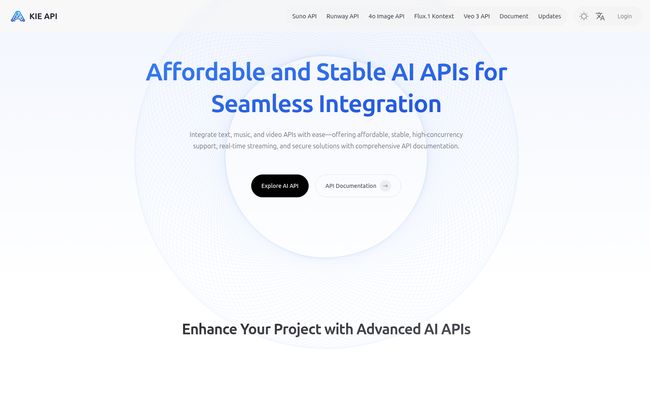
First things first, Kie.ai isn’t another web-based image generator where you type in a box and get a picture. Not directly, anyway. It’s an API provider. Think of it as a specialized contractor that gives developers and businesses direct access to the raw power of OpenAI’s GPT-Image-1 model. Instead of building their own complex infrastructure to connect to OpenAI, they can just use Kie.ai’s pipeline.
Their whole pitch is built on providing this powerful “4o” image generation in a way that’s both affordable and scalable. It’s a tool for builders, for marketing teams, for anyone who needs to integrate high-quality AI image creation into their own applications or workflows without breaking the bank.
The Big Deal About This GPT-Image-1 Model
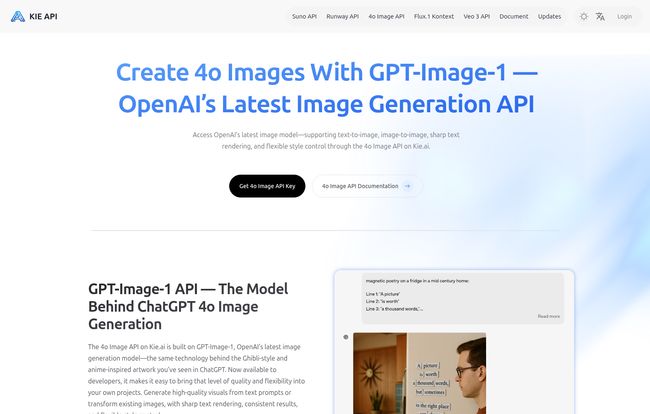
We’ve all seen the evolutionary leaps. From DALL-E 2’s often-wonky interpretations to DALL-E 3’s much-improved prompt understanding. This new “4o” generation feels like the next logical step. And the single biggest improvement, the one that everyone from meme-makers to professional advertisers has been begging for, is its ability to handle text within images.
Getting AI to write legible text used to be like asking a toddler to do calligraphy. You’d get the general shape, maybe a few recognizable letters, but the rest was a mess. It was a known, almost comical, limitation of the technology. Based on what Kie.ai is promising, GPT-Image-1 seems to have finally cracked the code. This isn’t just a minor update; its a fundamental shift in what’s possible. Suddenly, creating custom logos, ad banners, annotated diagrams, or even just funny memes with perfect text is on the table. No Photoshop cleanup required.
Visit Kie.ai
My Hands-On Look at the Kie.ai API’s Performance
Claims are one thing, but performance is another. I took a look at their documentation and what they’re offering, and here’s how it breaks down.
High-Fidelity and Actually Following Orders
One of my biggest pet peeves with some models is their tendency to… well, have a mind of their own. You ask for a “minimalist line art drawing of a cat sleeping on a stack of books,” and you get a photorealistic dog standing next to a single book. Frustrating, right? Kie.ai claims GPT-Image-1 has exceptional prompt adherence. It’s designed to give you what you actually asked for, even with complex, multi-layered prompts. This is huge for anyone who relies on visual specifics for their branding or content.
They also talk up visual consistency. For a blogger like me, being able to generate a whole set of featured images for a series of articles, all in the same distinct style, is a massive time-saver. It keeps the branding tight and professional.
The All-Important Text-in-Image Test
This was the feature I was most skeptical—and excited—about. And honestly, it seems legit. The ability to render crisp, correct text opens up a world of possibilities that were previously just clunky workarounds. Imagine generating product mockups with your brand’s slogan perfectly printed on them, or creating social media graphics with catchy headlines built right in, all from a single prompt. This feature alone could make their API incredibly valuable for marketing and e-commerce.
This isn’t just about making prettier pictures. It’s about creating more effective and communicative visuals with less friction.
Let’s Talk Speed and Scale
For a solo creator, speed is a nice-to-have. For a business running an application with thousands of users, it’s everything. Kie.ai highlights its support for high concurrency, meaning it can handle many image requests at once without slowing to a crawl. This, combined with fast response times, makes it a viable engine for real-world applications, from custom avatar creators to on-the-fly presentation builders.
The Million-Dollar Question: What’s the Price?
Ah, pricing. The make-or-break factor for so many of us. Kie.ai’s homepage shouts “affordable and scalable pricing,” which is music to my ears. Now, for the sake of full transparency, when I tried to navigate to their pricing page to get the exact numbers… I was greeted with a 404 error. Whoops. Hey, it happens to the best of us! Even the most polished sites have a hiccup now and then.
While I can’t give you a neat little pricing table today, the language they use suggests a pay-as-you-go model, likely priced per image or per API call. The focus on “affordable” strongly implies they’re positioning themselves to be competitive, perhaps even to undercut the direct costs of using some of the bigger platforms. I’d recommend checking their site directly for the most up-to-date info—hopefully, by the time you read this, that page will be back in action!
So Who Is This Kie.ai API Really For?
Let’s be clear, this isn’t necessarily for your grandma who wants to make a picture of her cat as an astronaut. It’s an API, a tool for people who build things. I see a few key groups getting a ton of value here:
- Developers and Startups: Anyone building an app that needs image generation capabilities. Think social media tools, design assistants, or even gaming assets.
- Marketing and Advertising Teams: For generating ad creatives, social media content, and website visuals at scale with consistent branding and—crucially—accurate text.
- Content Creators and Bloggers: For those who need a high volume of unique, stylized images for articles, thumbnails, and posts.
Final Thoughts: A Genuinely Exciting New Tool
So, is Kie.ai’s GPT-Image-1 API the game-changer it claims to be? From where I’m standing, it looks seriously promising. By focusing on the key pain points—cost, consistency, and that ever-elusive text rendering—they’re not just offering another image generator. They’re offering a practical solution.
They’ve taken a cutting-edge model and packaged it in a way that’s accessible to the builders and creators who can push it to its limits. While I’d love to see that pricing page, the potential here is undeniable. It represents a maturation of the AI image space, moving from a novelty toy to a truly powerful and reliable professional tool.
Frequently Asked Questions (FAQ)
What is Kie.ai’s GPT-Image-1 API?
Kie.ai provides API access to OpenAI’s latest “4o” image generation model, GPT-Image-1. It allows developers and businesses to integrate high-quality, text-to-image and image-to-image generation into their own applications and workflows.
Can Kie.ai generate images with accurate text?
Yes, this is one of its main selling points. The underlying GPT-Image-1 model has been specifically improved to render text within images with a high degree of accuracy, a significant step up from previous models.
Is Kie.ai better than a tool like Midjourney?
They serve different purposes. Midjourney is a self-contained platform (primarily on Discord) known for its artistic flair. Kie.ai is an API, meaning it’s a tool for developers to build applications with. Kie.ai is about integration and scale, while Midjourney is more of a standalone creative tool.
How much does the Kie.ai API cost?
The company advertises “affordable and scalable” pricing. While their specific pricing page was unavailable at the time of writing, this suggests a competitive, usage-based model (e.g., pay-per-image). It’s best to check their official website for the latest details.
Is this tool good for beginners?
If you are a developer, yes. The purpose of an API is to be integrated into other software. If you’re a non-technical user just looking to create images, you would need to use an application that has integrated the Kie.ai API, rather than using the API directly.
What is “4o” image generation?
“4o” refers to the latest generation of OpenAI’s models (like GPT-4o), which are omni-modal, meaning they can seamlessly handle text, audio, and vision. In this context, it signifies the most advanced image generation model in that family, known for better prompt understanding and features like text rendering.
Reference and Sources
- Kie.ai Official Website: https://kie.ai/
- OpenAI’s Blog (for general information on their latest models): https://openai.com/blog