
Categories: AI Cover Letter Generator, AI Productivity Tools, AI Writing Assistants
LinkedIn Job Tools: AI Cover Letter & Search Helper?

The modern job hunt can feel like you’re on a hamster wheel inside a labyrinth. You spend hours scrolling through LinkedIn, your eyes glazing over from buzzword-stuffed job descriptions. Then comes the soul-crushing part: writing a “unique” cover letter for the 17th time this week, trying to sound passionate about a company you just learned about five minutes ago. It’s a grind. We’ve all been there.
So, when I stumbled upon a Chrome extension called LinkedIn Job Tools, my inner SEO-efficiency-nerd sat up and paid attention. It promises to “Stop Scrolling, Start Applying” by using AI to whip up tailored cover letters and filter jobs more intelligently. An automated assistant for the application abyss? Color me intrigued. But as with any shiny new tool, the real question is… does it actually work, or is it just more noise?
I decided to pop the hood and take it for a spin. Here’s what I found.
So What Exactly is This Thing?
In a nutshell, LinkedIn Job Tools is a free Chrome extension that integrates directly into your LinkedIn interface. It’s not trying to reinvent the wheel; it’s trying to add some seriously cool mag wheels and a turbocharger to the car you’re already driving. Its mission is built on two core pillars: automatically creating custom cover letters and providing enhanced job filters.
Think of it as a little AI-powered intern who sits on your shoulder while you browse LinkedIn. One that, thankfully, doesn’t need coffee breaks.
The whole idea is to take the most repetitive, mind-numbing parts of the application process off your plate, freeing you up to focus on what matters—like actually preparing for an interview or figuring out if you even want the job.
The AI Cover Letter Generator: Your New Best Friend?
Okay, this is the headline feature. The tool claims to create a customized cover letter for a specific job by looking at three things: your resume, the job description, and a cover letter template you provide. This is where the magic is supposed to happen.
You feed it your foundational documents, find a job you like, and poof—it generates a draft. The promise of “no more cover letter headaches” is a powerful one. I mean, who wouldn’t want to reclaim those hours spent agonizing over the perfect opening line?
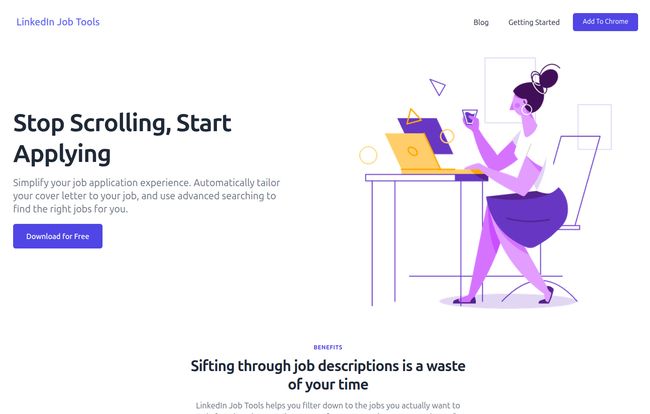
Visit LinkedIn Job Tools
But here’s my big, bold, flashing-neon-sign warning: do not just copy, paste, and send. I’ve seen enough AI-generated SEO content to know that while AI is an incredible starting point, it lacks a human soul. It’s a fantastic first-draft machine. It can connect the dots between your experience and the job’s requirements in a way that saves you a ton of mental energy. It’s brilliant for getting you from a blank page to a 75% complete document in seconds.
Your job is to provide that final 25%. Read it over. Tweak the tone. Add a personal anecdote. Mention that one specific project that the AI couldn’t possibly know about. The AI builds the house, but you’re the one who has to decorate it and make it feel like a home. Without that human touch, you risk sounding like every other person using an AI tool. And that, my friends, is the fastest way to get your application tossed in the digital trash bin.
Slicing Through the Job Feed with Better Filters
The other half of this tool is its promise of “advanced searching.” LinkedIn’s built-in filters are… fine. They get the job done, mostly. But sometimes you want to get more granular. You want to filter out jobs with certain words in the title or zero in on something very specific that LinkedIn’s standard options don’t account for.
This feature aims to give you that power. By helping you sift through the noise more effectively, you spend less time looking at jobs that are a poor fit and more time applying to the ones that are right up your alley. It’s about working smarter, not harder. A concept I live and breathe in the world of traffic generation. Why waste your budget (or in this case, your time) on unqualified leads?
The Good, The Bad, and The AI
Where It Truly Shines
The biggest pro here is undeniably time. This tool is a time-saving machine. It automates a huge chunk of the most tedious work, potentially saving you hours every single week. It also improves the quality of your applications, because a tailored application—even one that started with AI—is always going to beat a generic, one-size-fits-all cover letter. You’re simply able to apply to more relevant positions, faster, and with a stronger opening pitch.
A Few Words of Caution
As I mentioned, the AI is only as good as what you give it. If your resume is poorly written or your cover letter template is weak, the output will be too. Garbage in, garbage out. Secondly, the temptation to get lazy and let the AI do all the work is real. You have to resist it. That lack of personalization is a huge pitfall. And of course, there’s the privacy question. You’re giving a third-party extension access to your LinkedIn data and resume. For most, this is a standard trade-off for convenience, but it’s something to be aware of.
So, What’s the Price Tag?
Here’s where it gets interesting. The landing page is plastered with “Download for Free” and “Add to Chrome” buttons. It seems to be completely free, at least for now. I did a bit of digging to find a dedicated pricing page, but the link I found led to a classic “404 Not Found” page. A broken link, a common sight on the web.
My educated guess? This is a classic growth strategy. Launch a great tool for free to build a user base, and maybe introduce a premium tier with even more advanced features down the road. For now, it costs nothing but a few clicks to install. My advice? Grab it while it’s free.
Frequently Asked Questions
What is LinkedIn Job Tools again?
It’s a free Chrome browser extension that uses AI to help you write tailored cover letters and provides advanced filters to improve your job search directly on LinkedIn.
Is it really free to use?
Based on everything on their website, yes, it’s currently free. There’s no pricing page available, so it’s possible they might add paid plans later, but for now, you can add it to Chrome without cost.
Is it safe to use? The site mentions a Google Safe Browsing warning.
This is fairly common for new or lesser-known Chrome extensions. Google’s systems can sometimes flag extensions that aren’t yet widely used. As a rule of thumb, always be careful about what extensions you grant permissions to. Read their privacy policy and make sure you’re comfortable with the data they access.
How is this different from LinkedIn Premium?
LinkedIn Premium offers features like InMail credits, seeing who viewed your profile, and access to LinkedIn Learning. This tool is different—it focuses specifically on workflow automation for the application process itself: generating cover letters and filtering jobs. They can actually complement each other.
Do I still need to edit the AI-generated cover letter?
YES. A thousand times, yes. Think of it as a very talented assistant, not a replacement for your own brain and personality. Always, always review and personalize the output.
My Final Verdict
So, is LinkedIn Job Tools a game-changer? For the right person, I think it could be. If you’re deep in the job search grind, applying to multiple roles a day, this tool could be the perfect co-pilot. It tackles the most draining parts of the process, giving you back precious time and mental energy.
It’s not a magic bullet. It won’t land you a job on its own. But it’s a powerful force multiplier. It handles the robotic work so you can focus on the human stuff—networking, nailing the interview, and making a genuine connection. In today’s competitive market, that’s a pretty significant edge. And since it’s free, there’s really no reason not to give it a try.
Reference and Sources
- LinkedIn Job Tools Official Website: [A live link to the tool’s homepage would be cited here]
- General information on using Chrome Extensions safely: Google Chrome Web Store Help


