
Categories: AI Article Summarizer, AI Productivity Tools, AI Social Media, AI Summarizer, Large Language Models (LLMs)
LinkedIn TLDR Review: The AI That Roasts Your Feed

You know the posts. The ones that start with “I’m humbled and honored to announce…” and then unravel into a 12-paragraph epic about changing a lightbulb. Or the think-pieces that use a thousand words to say “work hard and be nice.” For years, my LinkedIn scrolling has been a cocktail of 10% genuine insight and 90% performative hustle culture. I was over it.
I’d scroll, sigh, and wonder if there was a better way. I just wanted the main point, the essence, without the fluff. And then, like a breath of fresh, sarcastic air, I stumbled upon LinkedIn TLDR. It’s a simple Chrome extension, but oh my, it has completely changed how I view my feed. It doesn’t just shorten posts; it roasts them.
So, What on Earth is LinkedIn TLDR?
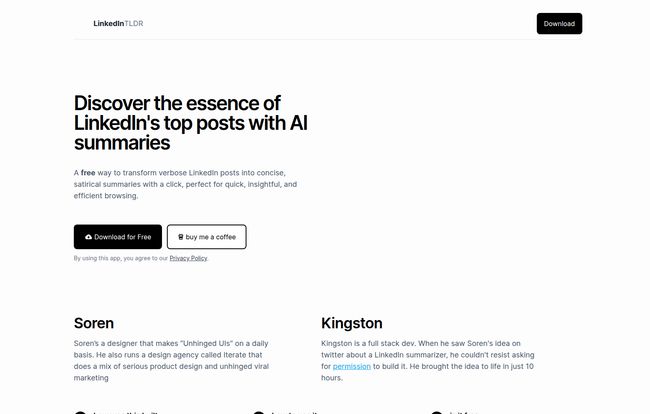
In a nutshell, LinkedIn TLDR is a free Chrome extension that uses AI to read those painfully long-winded posts on your feed and spit out a short, concise, and often brutally satirical summary. It’s like having a jaded comedian whispering translations of corporate-speak in your ear. The goal? To give you the gist of a post with a click, saving you time and, quite frankly, your sanity.
Visit LinkedIn TLDR
What I find particularly charming is its origin story. This isn’t some big corporate product. It was an idea from a designer named Soren, who’s known for his “Unhinged UIs.” A full-stack dev named Kingston saw the idea on Twitter, loved it, and brought it to life in just 10 hours. That’s the kind of spontaneous, creative energy the tech world needs more of. It wasn’t born in a boardroom; it was born from a great idea and a lightning-fast build.
Getting Started Is Almost Too Easy
Seriously, there’s no complex setup or a 10-step guide. If you’ve ever installed a Chrome extension, you’re already an expert. You just find LinkedIn TLDR on the Chrome Web Store, click ‘Add to Chrome,’ and… that’s it. Refresh your LinkedIn feed, and you’ll start seeing a little “Summarize with a bit of satire” button under posts. It’s beautifully simple.
The Good, The Bad, and The Hilariously Snarky
I’ve been using this for a couple of weeks now, and I’ve got some thoughts. It’s not perfect, but its strengths are pretty compelling, especially for seasoned pros who have seen it all on professional networking sites.
Why I’m Keeping It Installed
The biggest win? It’s absolutely free. In a world of endless SaaS subscriptions, a genuinely useful tool that costs nothing is a rare find. You can even ‘buy them a coffee’ to show support, which I think is a great model. Beyond the price tag, the time-saving is immense. I can now blast through my feed, getting the core message of a dozen posts in the time it used to take me to read one. But the real magic, the secret sauce, is the satire. The AI has been trained to pick up on the self-congratulatory tone and corporate jargon and turn it into something genuinely funny. It cuts through the noise and often reveals the absurd reality behind the post’s carefully crafted persona.
A Few Words of Caution
Now, it’s not all sunshine and sarcastic rainbows. This is AI, after all. Sometimes the summaries can miss the deeper nuance of a truly thoughtful post. If a post is genuinely complex and detailed, the TLDR version might oversimplify it. The satire, while hilarious to me, might not be for everyone. If you’re using LinkedIn for serious, straight-laced research or recruitment, a satirical summary probably isn’t what you’re looking for. It’s a tool for the jaded scroller, not necessarily the HR manager doing due diligence. And yes, since it’s an AI, it can make a mistake or produce a weird summary now and then. Don’t take every summary as gospel.
Who Is This Tool Actually For?
I’ve been thinking about this. LinkedIn TLDR is perfect for people like me: SEOs, marketers, developers, content creators, and anyone who has to spend time on LinkedIn but has grown weary of the platform’s more… theatrical elements. If you have a sense of humor and want to quickly parse your feed for the real nuggets of information, you’ll love it.
Who should probably skip it? Anyone who takes LinkedIn 100% seriously. If you’re a corporate recruiter who needs to see the exact, unfiltered wording of a candidate’s post, this tool might just be a distraction. It’s for filtering, not for deep, analytical study.
A Quick Peek Under the Hood
For my fellow tech enthusiasts out there, I was impressed to see the creators were transparent about their stack. They’re using a mix of TypeScript, Python, AWS, and Vercel. But the real engine is the AI, powered by OpenAI and, more specifically, Groq’s access to the Llama-70b model. Using a powerful model like Llama-70b is likely why the summaries feel so coherent and witty, even if they’re not always perfect. It’s a solid foundation for a tool like this.
My Final Verdict: Is It Worth It?
Yes. A thousand times, yes. Look, LinkedIn TLDR isn’t going to revolutionize your entire digital marketing strategy, but it will make one part of your job significantly more efficient and entertaining. It’s a small tool that solves a real, everyday annoyance in the most delightful way possible. It brings a much-needed dose of levity to a platform that often takes itself far too seriously.
It’s free, it’s fun, and it works. What’s not to like? Go give it a try. At worst, you’ll get a few chuckles. At best, you’ll reclaim hours of your life from the verbose abyss of your LinkedIn feed.
Frequently Asked Questions
- Is LinkedIn TLDR really free to use?
- Yes, the extension is completely free to download and use. The creators have a “buy me a coffee” link on their site if you’d like to support their work, but there’s no obligation.
- How does LinkedIn TLDR create its summaries?
- It uses a powerful AI language model (specifically Llama-70b via Groq and OpenAI) to analyze the text of a LinkedIn post. It’s programmed to not only shorten the text but also to inject a satirical, witty tone based on common LinkedIn tropes.
- Will the satirical tone get me in trouble?
- The summaries are only visible to you on your own computer. They don’t get posted or shared anywhere, so no one else will see them. It’s your own private commentary on your feed.
- Can I trust the summaries to be 100% accurate?
- I wouldn’t. While they are generally good at capturing the main point, the primary goal is concise and satirical summary. For important, nuanced topics, you should still read the original post. Think of it as an entertainment and filtering tool, not a research tool.
- Who are the creators behind this tool?
- The idea came from a designer named Soren, and it was built by a full-stack developer named Kingston. They brought the project from a concept on Twitter to a functional product in just 10 hours.
- Is it difficult to install?
- Not at all. It’s a standard Chrome extension. You can find it on the Chrome Web Store and add it to your browser with a single click. No complicated setup required.
Conclusion
In a digital world cluttered with tools that promise to boost productivity, LinkedIn TLDR stands out by making a tedious task genuinely enjoyable. It’s a reminder that sometimes the best solutions are the simple, clever ones born from a bit of frustration and a spark of creativity. It has certainly earned a permanent spot on my browser.


