
Categories: AI Design Generator, AI Logo Generator, AI Prompt Generator, AI Watermark Remover, Text to Image
Logo Galleria Review: An Honest Look at this AI Logo Maker

If you’ve ever started a side hustle, a blog, or a small business, you know the feeling. That initial spark of a brilliant idea, followed almost immediately by the crushing weight of… the to-do list. And right near the top, mockingly staring back at you, is ‘Create a Logo’.
For years, this meant one of two things: either shelling out hundreds (or thousands) to a graphic designer, or spending a miserable weekend wrestling with some clunky design software, only to end up with something that looks like it was made in Microsoft Paint. I’ve been there. My first blog’s logo was literally just a fancy font I found online. Cringe.
So when the new wave of AI tools started flooding the market, my curiosity was definitely piqued. Could a machine really solve this age-old branding problem? I’ve been playing around with a tool called Logo Galleria, and I have some thoughts. A lot of them, actually.
So What is Logo Galleria, Really?
Forget the corporate jargon. At its heart, Logo Galleria is an AI-powered design assistant. You feed it some basic information—your company name, your industry, maybe some colors or styles you like—and it spits out a bunch of logo concepts in minutes. It’s not magic, it’s just smart algorithms, but sometimes the results feel pretty close.
The whole point is to bridge the gap between having zero design skills and needing a professional-looking brand identity. A logo is your brand’s digital handshake, its first impression. This tool aims to make that handshake firm and confident, even if you’re on a ramen noodle budget.
My First Spin with the AI Logo Maker
I decided to take it for a test drive for a fictional project: a YouTube channel about retro gaming called “Pixel Pioneers.” The process was ridiculously straightforward.
You start on their homepage, type in your name, and pick your industry. Then, you can give it some hints—keywords like “retro,” “gaming,” “8-bit,” and a color palette. I went with some classic neon pinks and blues. You hit the ‘Generate’ button and… boom. A whole screen full of ideas.
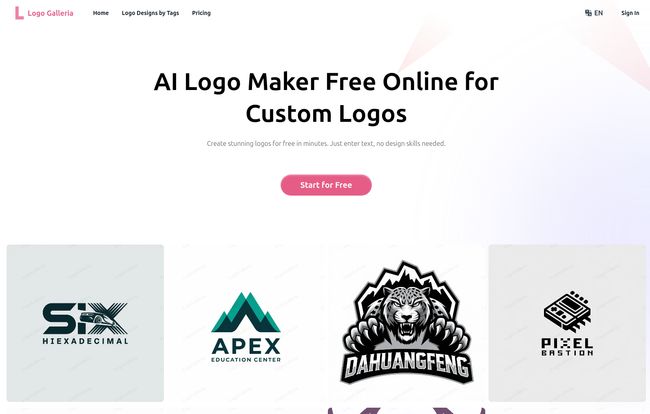
Visit Logo Galleria
Some were duds, I won’t lie. That’s the nature of AI. But several were genuinely impressive. There was one with a pixelated joystick that I immediately liked. From there, the platform lets you click on a design to start tweaking it. You can change fonts, adjust layouts, and fine-tune the colors until its just right. It felt less like I was designing from scratch and more like I was art-directing a very fast, very obedient robot intern.
The Good, The Bad, and The AI
No tool is perfect, right? Especially in this fast-moving AI space. After kicking the tires for a while, here’s my honest breakdown of where Logo Galleria knocks it out of the park and where it, well, kinda stumbles.
Where Logo Galleria Shines
First off, the speed and cost-effectiveness are just undeniable. The ability to generate dozens of concepts in the time it takes to make a cup of coffee is a game-changer for anyone who’s time- and cash-strapped. The traditional design process can take weeks of back-and-forth emails, revisions, and approvals. This condenses that entire dance into a single afternoon. For a startup needing to get a landing page live by Monday, that’s huge.
It’s also incredibly user-friendly. There’s no intimidating software to install. If you can order something on Amazon, you can generate a logo on this platform. This accessibility opens up decent branding to a whole new group of people—the solopreneurs, the hobbyists, the event planners who just need a quick logo for a conference banner.
A Few Things to Keep in Mind
Now, for the other side of the coin. Some designers are probably rolling their eyes right now, and I get it. The biggest drawback is the potential loss of deep creative control. The AI gives you great starting points and good customization tools, but you’re still working within its framework. You can’t just grab a vector point and drag it into a completely new shape like you could in Adobe Illustrator. It’s more of a guided creation process.
And the other biggie: to get the really useful stuff—like a transparent PNG or a vector file (which you absolutely need for professional printing)—you have to pay. The free version is more of a very generous trial or an idea-generation tool. The watermarks and lack of export options on the free plan mean you can’t really use the logos for anything serious until you subscribe. Which, to be fair, is a pretty standard business model.
Who is This Tool Actually For?
I’ve been thinking about this a lot. Logo Galleria isn’t for Coca-Cola or Nike. It’s not for the established corporation with a massive branding department. So who is it for?
- Early-Stage Startups: You need a professional-looking logo for your MVP, pitch deck, and website, but you’re burning cash and can’t justify a $2,000 designer fee yet. This is your solution.
- Content Creators: YouTubers, podcasters, bloggers. You need a recognizable brand for your channel art, thumbnails, and social profiles. This gets you there fast.
- Small Local Businesses: The new coffee shop, a local contractor, a home bakery. You need something for your storefront, business cards, and Facebook page. Perfect.
- Event Planners: Need a unique brand for a one-off conference, wedding, or community fundraiser? This is a quick and affordable way to do it.
It’s for anyone who needs to go from ‘idea’ to ‘brand’ quickly and affordably, without a degree in graphic design.
Let’s Talk Money: The Pricing Breakdown
Okay, the all-important question: what’s it gonna cost me? Logo Galleria’s pricing is broken into three tiers, and they’re pretty clear about who each one targets.
The Free Plan is exactly what it sounds like. It’s $0. You can generate up to 10 logo ideas a day. It’s fantastic for brainstorming or just seeing what the AI can do. But you can’t really edit them, and you can’t export a usable file. Think of it as window shopping.
Next up is the Pro Plan, which they say is for freelancers and creators. At $15.90 a month (billed yearly), this feels like the sweet spot for most serious users. You get way more daily generations and edits, plus the all-important transparent PNG and vector file exports. This is the plan you’d need for that YouTube channel or startup project.
Finally, there’s the Ultra Plan at $31.90 a month (billed yearly). This one’s aimed at agencies or businesses that are churning out a lot of creative work. It gives you a massive number of daily generations, edits, and exports. If you’re a small agency that builds websites for clients, this could be a secret weapon for creating initial brand concepts.
Also Read: ZOYO AI Review: A Realtor's Secret Weapon?
Logo Galleria vs. The Old Ways
So, why this over hiring a designer on a site like Fiverr or Upwork? It’s a different tool for a different job. Hiring a human designer gives you a true creative partner. They can ask deep questions about your brand’s mission and create something truly, 100% bespoke from a place of human understanding. But that takes time and money.
Logo Galleria is about efficiency and empowerment. It’s for the doers, the builders, the people who need to move fast. It won’t give you the same soul-searching creative process, but it will give you a damn good logo in less than an hour, and for many people, that’s exactly what they need.
My Final Thoughts
After all my testing and thinking, I’m genuinely optimistic about tools like Logo Galleria. It’s not a replacement for high-end human creativity, and it never will be. Instead, it’s a democratization of design. It lowers the barrier to entry for creating a respectable, professional brand identity.
Is it the perfect solution for everyone? No. But for the millions of entrepreneurs and creators out there staring at that daunting ‘Create a Logo’ task, it’s a powerful, accessible, and frankly, pretty fun way to get it done and move on to the next thing. And in the fast-paced world of building something from nothing, that’s invaluable.
Frequently Asked Questions about Logo Galleria
- Can I really use the logos for free?
- You can generate ideas and experiment for free, but to get a high-quality, watermark-free logo with a commercial license for business use, you’ll need to subscribe to a paid plan like Pro or Ultra.
- What kind of files do I get with a paid plan?
- The paid plans (Pro and Ultra) offer transparent PNG files, which are great for websites and social media, as well as SVG vector files. Vector files are essential because they can be scaled to any size without losing quality, making them perfect for printing on merchandise or large banners.
- Is it hard to use if I have no design experience?
- Not at all. The platform is designed specifically for non-designers. The process is guided and intuitive, focusing on your input and preferences rather than complex technical tools.
- What if I don’t like any of the AI-generated logos?
- The key is to experiment. Try refining your initial prompts. Use different keywords, select alternative color palettes, or try a different style. The more specific you are with the AI, the better the results tend to be. You can generate many concepts, so keep trying until you find a starting point you love.
- Can I cancel my subscription?
- Yes, according to their FAQ, you can cancel your subscription at any time through your account settings on their website.
- Is Logo Galleria better than hiring a designer?
- It’s different. Hiring a designer offers a collaborative, human-centric process for a unique, bespoke result. Logo Galleria offers speed, affordability, and convenience, making it a better fit for those with tight budgets and timelines.


