
Categories: AI Image Generator, AI Models, AI Photography, AI Realistic Image Generator, AI Style Transfer, Text to Image
MakePhotoFast Review: AI Images Without Subscriptions?

Okay, let’s have a real chat. If you’re in the digital marketing or content creation space, your bank statement probably looks a lot like mine: a graveyard of $10, $20, $50 monthly subscriptions. SEO tools, social schedulers, video editors… and now, AI image generators. It feels like we’re in the middle of an AI gold rush, and everyone’s selling us a pickaxe on a monthly plan. Midjourney, DALL-E, you name it – brilliant tools, but that recurring charge stings, especially if your usage is more ‘occasional burst of genius’ than ‘non-stop content factory’.
So when a tool called MakePhotoFast popped onto my radar with the promise of “Simple, One-Time Pricing,” my ears perked up. My inner skeptic, honed by years of chasing traffic and getting burned by overhyped tools, immediately kicked in. A one-time fee in this economy? For AI? Sounds too good to be true. But my curiosity won. I had to see what was under the hood.
So, What Is MakePhotoFast Anyway?
At its core, MakePhotoFast is what it says on the tin: an AI platform designed to create high-quality, photorealistic images from your text prompts. You type in “a golden retriever wearing sunglasses, surfing a cosmic wave,” and—in theory—it spits out a masterpiece. The whole process is designed to be ridiculously simple, boiled down to three steps: Prompt, Generate, Download. No complex command lines, no talking to a Discord bot. Just a clean interface and a promise of speed.
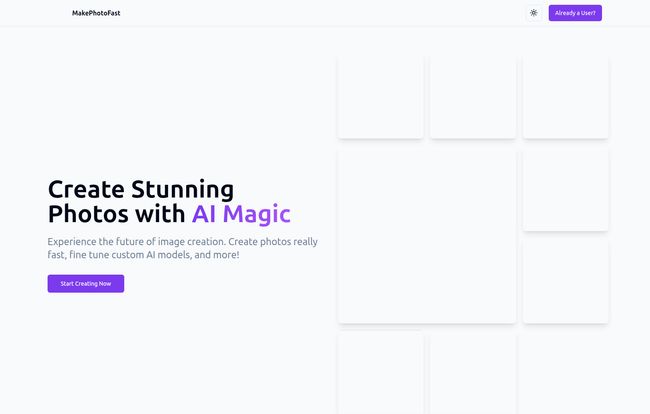
Visit MakePhotoFast
But where it tries to separate itself from the pack is with a couple of key features that aim to give you more control than your average entry-level generator.
The Features That Actually Caught My Eye
Any tool can generate a cat picture. What I look for is control, efficiency, and anything that makes my life easier. MakePhotoFast has a few things worth talking about here.
Fine-Tuning Your Own AI Model
This is the big one. This is the feature that made me lean in closer. MakePhotoFast allows you to create and fine-tune custom AI models. What does that even mean? Think of it like this: instead of using a generic AI that knows what a “car” is, you can feed it images of your specific product—say, your handmade jewelry line—and train it to recognize your unique style, lighting, and aesthetic. Their site claims you can get a personalized model ready in about 20 minutes.
This is a game-changer for brand consistency. You can create an AI that intrinsically “gets” your look, letting you generate endless mockups, social media posts, or concept images that all feel cohesive. It’s like having a custom-built Photoshop action, but instead of just applying a filter, it creates entirely new images from scratch, in your style. That’s pretty powerful stuff.
The Style Package Selector
For those days when you don’t have the energy to be a super-specific AI-whisperer, there’s the Style Package Selector. It’s a library of pre-made styles like “Vintage,” “Futuristic,” “Watercolor,” etc. You write your prompt, click a style, and boom. It’s a fantastic shortcut for generating images with a specific vibe without having to cram a dozen stylistic adjectives into your prompt. Fast and effective, I like it.
Let’s Talk Money: Is the One-Time Pricing for Real?
Alright, the main event. The pricing. The whole reason we’re here. MakePhotoFast is currently running a launch offer for a $49 one-time payment. For that, you get lifetime access to the platform. But here’s the catch—and there’s always a catch.
Here’s what that $49 actually gets you:
- 3 Custom AI Models: The ability to train three of those personal models we talked about.
- 250 AI-Generated Images: This is your starting credit.
- Access to all Style Packages: No up-charge for the pre-made styles.
- 100% Commercial Use Rights: This is huge. You can use what you create for your business without worrying about licensing headaches.
Now, that 250-image limit is the key detail. It’s not unlimited. Once you burn through those, you have to purchase more. So, it’s less of a one-time-fee-for-everything model and more of a pay-to-own-the-software, then-pay-for-consumables model. Think of it like buying a printer. You own the hardware, but you still have to buy ink.
Honestly? I’m not mad at it. I’d rather pay for what I use than have a $30 monthly fee draining my account during a slow month. For a blogger who needs a few featured images a week or a small business needing occasional social media graphics, 250 images could last a good while. For a full-blown agency? You’ll be buying more credits, for sure. But at least you’re not locked into a subscription.
My Unfiltered Opinion: Who Should Consider MakePhotoFast?
This tool isn’t for everyone, and that’s okay. If you’re a hardcore AI artist creating hundreds of variations a day, the credit system here might feel more restrictive than Midjourney’s ‘all-you-can-eat’ fast-hour plans.
But if you’re one of the following, I think MakePhotoFast makes a compelling case:
- Small Business Owners & Marketers: The custom model training for product shots and the one-time buy-in is incredibly appealing. Create consistent brand imagery without another monthly bill.
- Bloggers & Content Creators: Need unique, royalty-free blog headers and social media images? This is a cost-effective way to get them without scrounging through stock photo sites.
- The “Subscription-Fatigued”: If you despise recurring payments on principle, this model is a breath of fresh air. You’re in control of your spending.
The biggest unknown for me, without running hundreds of prompts, is how the raw image quality stacks up against the top-tier competitors in every single scenario. The examples on their site look clean and photorealistic. But the real test is always in those weird, complex prompts. However, for most standard business and marketing use cases, it looks more than capable.
Frequently Asked Questions
Can I actually use the images for my business?
Yes. The launch package explicitly includes a 100% commercial use license. This is a major selling point, as you own the images you create and can use them for marketing, products, websites, whatever.
What happens when I run out of my 250 images?
You’ll need to purchase more. The platform allows you to buy additional image generations and custom AI model slots. It shifts to a pay-as-you-go system after your initial bundle is used up.
Is it truly a one-time payment?
Yes and no. It’s a one-time payment of $49 for the platform access and the initial bundle of images and models. It is NOT a one-time payment for unlimited lifetime image generation. Think of it as buying the starter pack.
How long does it take to train a custom AI model?
According to their website, the average time to develop a personalized AI model by feeding it your images is about 20 minutes. That’s pretty quick for creating a custom style guide.
Is this tool a good fit for professional photographers?
I’d say it’s a great tool for ideation and inspiration. You could quickly generate concepts for a photoshoot or create unique backdrops. It’s probably not going to replace your camera for final client work, but as a creative assistant? Absolutely.
Final Thoughts: Is It Worth It?
After digging into it, I’m genuinely intrigued by MakePhotoFast. It’s not trying to be Midjourney, and that’s its strength. It’s carving out a niche for users who want power and control without the commitment of a monthly subscription.
The custom model training is a killer feature for anyone serious about branding, and the one-time buy-in model is a smart answer to the widespread subscription fatigue we’re all feeling. While the initial image count isn’t infinite, it’s a solid starting point that puts you in control of future costs.
If you’ve been hesitant to jump on the AI image bandwagon because of the recurring fees, MakePhotoFast might just be the ticket. It’s a practical, affordable, and surprisingly powerful tool for the everyday creator.
Reference and Sources
- MakePhotoFast Official Website: https://makephotofast.com
- MakePhotoFast Pricing/Login Page: https://makephotofast.com/auth


