
Categories: AI Assistant, AI Browsers, AI Copilot, AI For Data Analytics, AI Productivity Tools, AI Summarizer
Mink AI Review: Your Browser’s New Productivity Pal?

If you’re anything like me, your browser is a chaotic battlefield. A dozen tabs for work, a few for a new SEO trend I’m tracking, one for that YouTube video I’ll definitely watch later, and maybe a rabbit hole of Wikipedia articles about ancient naval battles. Don’t judge. We’ve all been there.
The internet was supposed to make us smarter and more efficient, but most days it feels like a firehose of information with no off-switch. So when another “AI productivity tool” lands on my desk, my first reaction is usually a skeptical eye-roll. Oh, great. Another app promising to change my life. But every now and then, something catches my eye. This time, it’s a neat little browser extension called Mink.
The promise? To be a simple, smart pal that lives in your browser, untangling your digital chaos without being creepy about it. A pretty bold claim. So, I installed it to see if it’s just another piece of digital clutter or genuinely useful.
So, What Exactly is Mink?
Think of Mink as a personal data analyst for your web browsing, but one that doesn’t report back to some corporate mothership. It’s a browser extension that quietly observes your online patterns. It’s not watching what you type into forms, thank god, but rather where you go, how long you stay, and what kind of topics you’re into.
The whole point is to turn that raw data into something you can actually use. It uses AI to give you insights and suggestions to help you focus, learn better, and maybe, just maybe, close some of those 47 open tabs. It’s not about restricting you, it’s about making you more aware. A Fitbit for your brain, if you will.
The Core Features That Actually Matter
A tool is only as good as its features, right? Mink keeps it pretty focused, which I appreciate. No unnecessary bells and whistles. Here’s what it brings to the table.
AI-Powered Insights: Your Personal Strategist
This is the heart of Mink. Based on your browsing, it generates these little reports that feel surprisingly personal. For example, it might notice you’re spending a lot of time on tech news and financial blogs and say something like, “Hey, you’re clearly staying on top of industry trends, which is great for your professional growth.” But it might also gently suggest, “Balancing this with offline activities or different hobbies could boost your creativity.” It’s less of a scolding and more of a helpful nudge from a friend who’s paying attention.
Understanding Yourself with Analytics
Ever wonder where your time really goes online? The Analytics feature gives you the hard data. It shows you the patterns—the sites you frequent most, the topics that dominate your screen time. It’s a bit like looking at your bank statement and realizing how much you spend on coffee. It can be a wake-up call, but a necessary one. Seeing that you spent three hours on social media when you thought it was only 30 minutes… well, that’s powerful information.
Nudges in the Right Direction with Suggestions
Building on the insights and analytics, Mink offers concrete suggestions. These aren’t just generic tips. They’re based on your habits. If it sees you’re deep into learning a new skill, it might suggest related forums or podcasts. It’s trying to enhance your existing positive habits and help you curb the not-so-great ones. It’s a subtle but smart way to guide your focus.
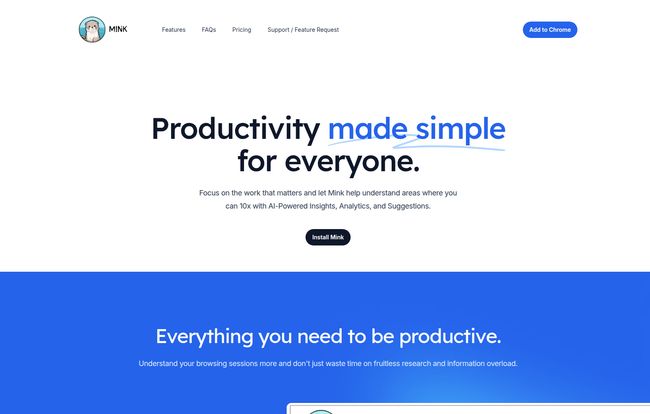
Visit Mink
The Daily Digest: A Morning Coffee Read
To avoid you having to constantly check the extension, Mink can send you a daily email digest. It’s a neat little summary of your previous day’s activity and insights. I’ve found it’s a great way to start the day with a bit of self-reflection. “Okay, yesterday was a bit scattered. Today, I’ll try to be more focused.” It makes the whole process feel very low-effort and integrated into your routine.
Let’s Talk About Data Privacy (Because We HAVE To)
Alright, here’s the part that made me go from “skeptical” to “genuinely interested.” In an age where every click seems to be harvested and sold to the highest bidder, Mink’s approach is a breath of fresh air.
“Your data is stored locally on your browser and nowhere else.”
Read that again. Your browsing history, the insights, everything—it all lives and dies on your own computer. Mink doesn’t have a giant server somewhere storing your digital diary. This is a massive win for privacy and, honestly, the main reason I felt comfortable giving it a real shot. They’re building trust from the ground up, and in teh SEO and tech world, that’s gold.
So, How Much Does This Cost? The Mink Pricing Breakdown
This is often the dealbreaker, isn’t it? Well, Mink keeps it simple here too. Currently, they offer a Free Starter plan. And it’s not one of those frustratingly limited free tiers either.
Here’s what you get for the grand price of zero dollars:
- Full control over your settings.
- All your data stays in your browser.
- 5 free AI-powered Summaries per month.
- Up to 7 days of browsing history tracking.
- Up to 10,000 websites tracked.
Now, about that monetization question. The FAQ is refreshingly transparent: “Mink is free, in the future we might make money from ads or a little subscription fee.” I respect that honesty. They’re building a user base first, and they’re not trying to hide their future plans. For now, you can get the core experience completely free.
Who is Mink Really For?
I see Mink being incredibly useful for a few groups of people. Students and researchers who need to manage massive amounts of information without getting lost. Content creators and professionals like me who need to stay on top of trends but also need to, you know, actually get work done. And honestly, it’s for anyone who feels a little overwhelmed by their own digital habits and wants to regain a sense of control.
But let’s be clear, it’s not a magic wand. If you ignore the insights and suggestions, it’s just a passive tracker. Its effectiveness is directly tied to your willingness to look at the data and make small changes. It’s a tool for self-improvement, not a digital nanny.
Conclusion: Is Mink the Productivity Pal You Need?
After a few weeks of using Mink, I’m pleasantly surprised. It managed to cut through my cynicism. It’s not another aggressive, in-your-face productivity app. It’s more like a quiet, observant companion that offers helpful advice when you’re ready for it.
The commitment to local data storage is, for me, the standout feature. It shows a respect for the user that is often missing in today’s tech climate. While it’s still in its early stages (the site shows a ‘Beta’ tag), the foundation is solid. It helps you understand yourself better, and that’s the first step to improving anything.
If you feel like your browser is running your life instead of the other way around, give Mink a try. It’s free, it’s private, and it just might give you the clarity you need to win back your focus.
Frequently Asked Questions about Mink
- How does Mink generate its insights?
- It uses a combination of AI and your personal browsing history. By analyzing the sites you visit and topics you engage with, it identifies patterns and creates personalized, actionable advice just for you.
- Is my browsing data actually safe with Mink?
- Yes. This is one of its biggest strengths. All your data is stored locally on your own computer within the browser. It is not sent to any external servers, ensuring your privacy is maintained.
- What’s the catch with it being free? How will Mink make money?
- There’s no catch right now. The tool is free to use. The developers have stated that in the future, they might introduce ads or a premium subscription model to support the service, but they are being transparent about this from the start.
- Can I control how much history Mink stores?
- Absolutely. While the free plan mentions up to 7 days, the FAQ on their site also says it can store up to 30 days and that you can change this in the settings. This gives you control over the data window you want it to analyze.
- What are the daily email digests all about?
- They are optional daily emails that summarize your browsing habits and insights from the previous day. It’s a convenient way to stay in the loop without having to constantly open the extension, helping you reflect and plan your day.


