
Categories: AI Ad Generator, AI Marketing, AI Music Video Generator, AI Short Video Generator, AI Video Generator, Text to Video
Motionscribe Review: Fast Video Creation for Mac Users

The content creation hamster wheel is spinning faster than ever. Every platform, from Instagram to TikTok to LinkedIn, is screaming for more video. And not just any video—it needs to be snappy, engaging, and preferably, not take you an entire day to produce. For years, I’ve juggled complex editors like Premiere and Final Cut, and while they’re powerful, they often feel like using a sledgehammer to crack a nut when all I need is a quick, punchy promo video.
You know the drill. You spend hours searching for the right track, meticulously timing your cuts to the beat, and tweaking transitions until your eyes glaze over. So when I stumbled upon a tool that promised to make “great looking promo videos in minutes” and automatically sync them to music… my skepticism was high, but so was my curiosity. That tool is Motionscribe.
So, What’s the Big Deal with Motionscribe?
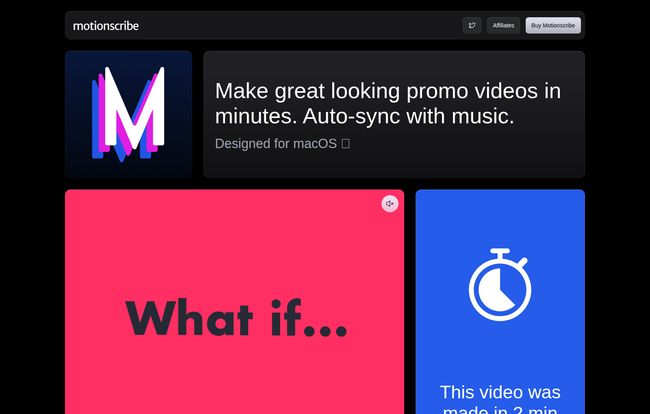
At its core, Motionscribe is a dedicated macOS app built for one specific purpose: to help you create stylish, music-synced videos with ridiculous speed. It’s not trying to be a full-blown video editing suite, and that’s its secret weapon. Think of it less like a sprawling film studio and more like a specialized, high-performance workshop. You go in with a script, and you come out with a finished product, fast.
The entire premise is built on a simple workflow: Write your script. Select a visual style. Press play. That’s it. The app handles the heavy lifting.
The Features That Actually Matter
Okay, marketing fluff is one thing, but what does it actually do? I took it for a spin, and a few things really stood out.
Real-Time Beat Detection is the Magic Ingredient
This is the absolute star of the show. You can pick one of the included soundtracks or, more importantly, upload your own song. Motionscribe analyzes the audio in real-time and detects the beats. It then automatically times your scene transitions—the text, the images, the video clips—to sync perfectly with the rhythm. It’s like having a little music producer living in your Mac, ensuring your video has that professional, rhythmic pulse that keeps viewers engaged. No more tedious manual timeline scrubbing. This feature alone is a massive time-saver.
A Workflow Even My Mom Could Use
The simplicity is just… refreshing. The interface is clean, not cluttered with a thousand buttons and panels you’ll never use. You literally type or paste your text for each scene, drag and drop any images or video clips you want to include, and pick a transition style. You can create videos formatted for any platform—whether it’s a wide 16:9 for YouTube, a square for an Instagram post, or a tall 9:16 for Reels and TikTok. It just works.
Visit Motionscribe
Let’s Talk About the Price (Because It’s a Big Deal)
Alright, here’s where Motionscribe threw me a curveball, in the best possible way. In an era where every piece of software wants a piece of your monthly budget, this app is different. I’ve developed a serious case of subscription fatigue, and I’m sure you have too.
Motionscribe has a wonderfully old-school pricing model:
Pay once, use forever.
You heard that right. No recurring fees. For a one-time payment of $89, you get lifetime access to the app, all its features, unlimited projects, and unlimited exports. The deal also includes one year of updates, which is pretty standard for this kind of purchase model. For me, the psychological relief of not adding another line item to my monthly credit card bill is immense.
Plus, they offer a 14-day money-back guarantee. So, you can try it out and if it doesn’t fit your workflow, you’re not out any cash. That shows confidence in their product.
My Honest Take: The Good and The Not-So-Good
No tool is perfect for everyone, and it’s important to see both sides of the coin. Here’s my breakdown after messing around with it.
The upside is pretty clear. It’s incredibly fast, the auto-sync feature is a game-changer, and the one-time price is a breath of fresh air. It’s perfect for creating social media ads, quick product announcements, or any short-form content where rhythm and text are key.
But, there are some limitations to consider. The biggest one? It’s for macOS only. My Windows-using friends are out of luck, which is a real shame. Also, while lifetime access is great, the updates are only guaranteed for one year. What happens after that? The app will still work, but you might miss out on new features unless you pay for another year of updates. It’s also currently in beta, so you might encounter the odd quirk or bug, though I found it pretty stable in my testing.
Who Should Grab Motionscribe Immediately?
In my opinion, this is a no-brainer for a few specific groups of people:
- Social Media Managers: You need to pump out content daily. This could literally save you hours every week.
- Solo Entrepreneurs & Startups: You’re wearing all the hats and don’t have time to become a video editing pro. This gets you professional-looking results without the learning curve.
- Content Creators: Need quick, snappy intros or promo clips for your main content? Done.
- Anyone who hates subscriptions: If you’d rather own your tools, this is for you.
Who should probably pass? Professional videographers who need granular, frame-by-frame control, complex color grading, or multi-track audio mixing. This isn’t trying to replace DaVinci Resolve, and it doesn’t have to. It’s built for speed and convenience.
Frequently Asked Questions about Motionscribe
- Is Motionscribe a monthly subscription?
- Nope! And it’s one of its best features. It’s a one-time purchase of $89 for lifetime access to the app.
- Can I use Motionscribe on my Windows PC?
- Unfortunately, no. As of now, Motionscribe is exclusively designed for macOS. This is probably the biggest drawback for a lot of potential users.
- What happens after my one year of updates expires?
- Your app will continue to work perfectly fine with all its features. You just won’t receive new features or updates released after that one-year period unless you choose to purchase an extension.
- Can I use my own music and images?
- Absolutely. While it comes with some included assets, the real power comes from uploading your own music, brand images, and video clips to make the content truly yours.
- What if I buy it and decide it’s not for me?
- They have a 14-day money-back guarantee. If you’re not satisfied, you can get a full refund, making it a pretty risk-free decision to try it out.
- Is it hard to learn?
- Not at all. The entire philosophy is simplicity. If you can write an email and drag a file, you can use Motionscribe. The learning curve is practically flat.
The Final Cut (Pun Intended)
So, is Motionscribe worth it? If you’re a Mac user who needs to create sharp, rhythmic promo videos without sinking hours into a complex timeline, my answer is a resounding yes. It’s a specialized tool that does one thing exceptionally well. It removes the most tedious part of video creation—the manual syncing—and wraps it in a simple interface with a pricing model that respects your wallet.
It won’t replace the need for professional video editors for big, complex projects. But for the 90% of video content that businesses and creators need day-to-day? It might just be the most efficient tool in your arsenal. It’s a smart, focused application that knows exactly what it is, and in a world of bloated software, that’s something to celebrate.
Reference and Sources
For the most up-to-date information and to purchase the app, please visit the official website:


