
Categories: AI Assistant, AI Chatbot, AI Meeting Assistant, AI Note Taker, AI Report Generator, AI Summarizer, AI Transcriber
Mymeet.ai Review: End Meeting Hell & Reclaim Your Day

How many times have you sat in a meeting, frantically trying to type notes while also attempting to sound intelligent? Your screen is a chaotic mess of tabs—the meeting window, a Google Doc for notes, Slack for the inevitable side-chatter. By the end, you have a half-baked summary and a nagging feeling you missed something important. We’ve all been there. It’s the modern-day corporate hamster wheel.
For years, I’ve been on a personal quest to find a tool that could break this cycle. I’ve tried everything from fancy smart notebooks to just… giving up and hoping for the best. Most solutions are clunky, inaccurate, or just create more work. So, when I stumbled upon Mymeet.ai, my initial reaction was a healthy dose of SEO-blogger skepticism. Another AI promising to solve all my problems? Sure.
But I gave it a shot. And I’ve gotta say, I’m genuinely surprised. This might be the one.
So What is Mymeet.ai, Anyway?
Think of it as a professional scribe that you invite to your meetings. Mymeet.ai is an AI meeting assistant that joins your Zoom, Google Meet, or other calls. It doesn’t just sit there, though. It listens, records, and then gets to work. Its main job is to transform that hour-long ramble into something useful: an accurate transcript, a concise summary, and a clear list of action items. No more wondering, “Wait, who was supposed to email the client about the Q3 numbers?”
The Soul-Crushing Problem Mymeet.ai Tries to Solve
The core problem isn’t the meetings themselves (well, sometimes it is). The real issue is the information decay that happens the second everyone clicks “Leave Meeting.” Ideas vanish. Decisions become fuzzy. Action items get orphaned. The follow-up email becomes an archeological dig, trying to piece together who said what.
This is where most of us live. It’s a constant, low-grade stress that drains productivity. You can’t be fully present in a discussion if you’re also the designated court reporter. It’s an impossible task. This tool is built on the premise that your brain is for thinking, not for transcription.
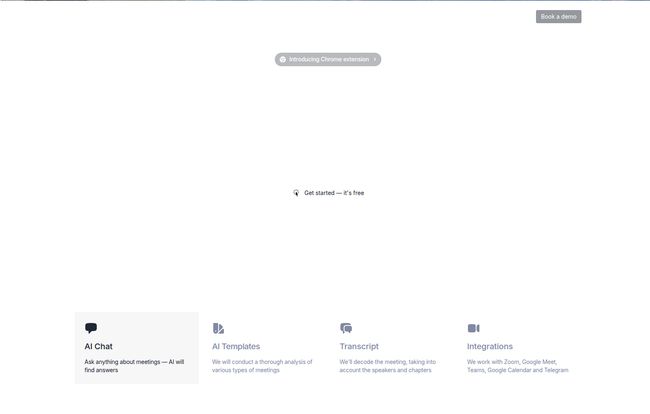
Visit Mymeet.ai
Putting Mymeet.ai to the Test: My Favorite Features
Okay, let’s get into the good stuff. I ran this tool through a gauntlet of calls—internal stand-ups, client-facing strategy sessions, and even a rambling brainstorming session. Here’s what stood out.
The Multilingual Transcription is a Game-Changer
My team is spread out across a few different countries, and this feature alone is almost worth the price of admission. Mymeet.ai supports transcription in over 100 languages. We had a call with partners in Germany and Spain, and it handled the mixed-language conversation with surprising grace. It correctly identified the speakers and transcribed their points in their native language. For any company working globally, this is a massive advantage over competitors that are primarily English-focused.
From Rambling to Actionable: The AI Summaries
This is where the magic really happens. A raw transcript is useful, but it’s still a wall of text you have to sift through. Mymeet.ai’s AI-driven summaries are different. They pull out the key points, decisions made, and—most importantly—the action items. It even tries to assign the task to the person who agreed to it. It’s not 100% perfect, I’ll admit, but it’s about 95% of the way there, which saves me a solid 20-30 minutes of clean-up after every major call.
The AI Chat: Your Meeting’s Personal Google
Ever have that moment, two days after a call, where you vaguely remember someone mentioning a budget figure but can’t find it anywhere? Instead of bugging your team on Slack or scrubbing through a video recording, Mymeet.ai has an AI chat feature. You can literally ask it questions about the meeting, like:
- “What were the final delivery dates we agreed on?”
- “What were John’s main concerns about the marketing campaign?”
- “Summarize Sarah’s feedback on the new design.”
It pulls the answer directly from the transcript with sources. It feels a bit like having a photographic memory for every conversation. It’s fantastic for quick clarifications.
How It All Actually Works
Getting started was surprisingly painless. You don’t need to download some clunky desktop app. It works by integrating with your existing calendar. You connect your Google Calendar, and it automatically knows when your meetings are. It then gives you the option to have the Mymeet.ai bot join your calls. It just shows up in the participant list like any other guest. It’s all very set-it-and-forget-it. After the meeting, it processes the recording and emails you a link to the summary. Simple.
Let’s Talk Money: Mymeet.ai Pricing
Alright, the all-important question: what’s this going to cost? The pricing structure is pretty straightforward and tiered, which I appreciate. No hidden fees or confusing credit systems.
Here’s a quick breakdown based on their site:
- Free Plan: This is a genuinely useful free tier, perfect for students or freelancers. You get the core platform access, integrations, and transcripts for a limited number of meetings. Great for trying it out.
- Lite Plan ($8/month): Aimed at individuals with a handful of meetings a week (3-5). It adds unlimited prompts to the AI chat, which is a nice bump.
- Pro Plan ($25/month): This seems to be the sweet spot. It’s labeled as their most popular plan for folks with 10-20 meetings per week. It unlocks unlimited AI summaries and auto-meeting insights. This is likely the best value for team leads and managers.
- Ultra Plan ($43/month): For the serious power users—execs, consultants, project managers who practically live on Zoom. This basically removes all the limits for high-volume users.
I also saw some mention of a flexible, pay-as-you-go model starting around a cent per minute, which could be an option for those with sporadic but intense meeting schedules. Honestly, the monthly plans seem more predictable for consistent use. Is it worth it? If it saves you even 2-3 hours of administrative busywork a month, the Pro plan pays for itself pretty quickly.
The Not-So-Perfect Bits: A Few Caveats
No tool is perfect, and it would be dishonest to pretend Mymeet.ai is. Here are a few things to keep in mind.
First, it’s still AI. If you have a call with people talking over each other, or someone with a really poor microphone and a thick accent, the transcript can get a little… creative. I’ve found it’s about 95-98% accurate in good conditions, but you’ll always want to give the action items a quick proofread before blasting them out to the team. It’s a huge time-saver, not a complete replacement for human oversight.
Second, it’s another subscription. We’re all feeling the SaaS fatigue, and adding another monthly bill is always a consideration. You have to be honest about whether you’ll use it enough to justify the cost beyond the free plan.
Who is This Tool ACTUALLY For?
So, who should click that “Buy Now” button?
In my opinion, Mymeet.ai is a no-brainer for Project Managers, Team Leads, and Scrum Masters. Anyone whose job involves translating conversations into tasks will see an immediate ROI. It’s also incredibly powerful for agencies and consultants who need to document every client interaction and decision meticulously.
And as I mentioned before, global remote teams will find the multi-language support invaluable. If you’re a solo operator with just a few calls a month, the Free plan is probably all you need. But for teams drowning in meeting-related admin, this could be a lifeline.
Conclusion: Is Mymeet.ai Worth the Hype?
After a few weeks of use, my initial skepticism has melted away. Mymeet.ai isn’t just another transcription service. It’s a knowledge management tool. It creates a searchable, intelligent archive of your team’s most important conversations. The real value isn’t just saving time on writing minutes; it’s about preventing crucial information from falling through the cracks.
It turns chaotic calls into clear, documented outcomes. For my team, it has brought a new level of clarity and accountability. We spend less time asking “what did we decide?” and more time actually doing the work. And in this economy, that’s an advantage I’m happy to pay for.
Frequently Asked Questions
I had a few questions myself, so here are some quick answers to common queries.
How accurate are the Mymeet.ai transcripts?
In my experience, they are highly accurate, especially with clear audio. I’d put them in the 95-98% accuracy range. Heavy accents or people talking over each other can cause minor errors, so a quick review is always a good idea.
How long does it take to get my meeting summary and transcript?
It’s surprisingly fast. For a typical 30-60 minute meeting, I usually receive the summary email within 5-10 minutes of the call ending.
Do my unused meeting minutes carry over to the next month?
The pricing is based on monthly subscription tiers (Lite, Pro, etc.), not a bank of minutes. So, it’s more about picking the plan that matches your average weekly meeting load rather than worrying about rollover.
Can I upload old meeting recordings?
Yes! The platform allows you to upload existing audio or video files (like MP3, MP4, WAV) to be transcribed and summarized. This is great for creating a historical archive.
What is the main difference between the plans?
The main differences are the number of meetings you can process and access to premium features. Higher-tier plans like Pro and Ultra unlock unlimited AI summaries and insights, which are the most powerful features for heavy users.
Is my meeting data secure?
Mymeet.ai states that they take security seriously, using data encryption and secure backups. This is obviously critical, and it’s good to see them address it directly on their site.


