
Categories: AI Meeting Assistant, AI Note Taker, AI Recording
Notte.ai Review: Your AI Meeting Note Taker?

Another day, another AI tool lands on my desk. Seriously, you can’t swing a cat in the digital marketing world without hitting a new platform promising to revolutionize your workflow. Most of the time, I give a polite nod and move on. But every now and then, one comes along that targets a pain point so deeply, so universally felt, that I have to stop and take a look. That’s what happened with Notte.ai.
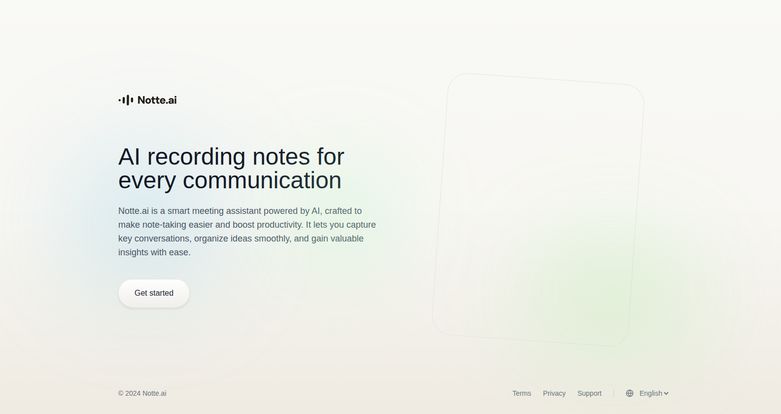
Let’s be real: we’re all drowning in meetings. Back-to-back Zooms, strategy calls, client check-ins… it’s a marathon. And through it all, you’re expected to be brilliant, engaged, and take meticulous notes. My own system usually devolves into a chaotic mix of a half-empty coffee mug, a dog-eared notebook with cryptic scribbles, and three different unsaved Notepad files. It’s a mess. So when I saw Notte.ai’s simple, clean homepage promising “AI recording notes for every communication,” I was skeptical, but intrigued. Could this finally be the thing that lets me just… be present in a meeting?
What Exactly is Notte.ai? (And Why Should You Care?)
At its core, Notte.ai is an AI-powered meeting assistant. But that’s a bit of a sterile description. Think of it less like a piece of software and more like a hyper-efficient personal secretary who sits in on your calls. Its job is to listen, transcribe, and most importantly, understand what’s being said. It’s designed to free you from the frantic tyranny of typing while someone else is talking.
You fire it up, and it captures the conversation, turning spoken words into text. But here’s the thing that caught my eye—it’s not just a dumb transcription service. The platform claims it can pull out key conversations, help organize your scattered ideas, and even generate valuable insights from the dialogue. That’s the part that moves it from a simple convenience to a potential game-changer, especially for those of us in strategy-heavy roles.
The Features That Actually Matter
A feature list is just a list. What I care about is how it works in the real world. After playing around with it, a few things really stood out.
The Magic of AI-Powered Note-Taking
The main event, of course, is the note-taking. The idea is that you can focus entirely on the conversation, the people, the strategy—not on whether you spelled a key stakeholder’s name right. It lowers that cognitive load. In my experience, when I’m not focused on taking notes, I ask better questions and catch nuances I would have otherwise missed. This is the core promise, and it’s a powerful one.
Capturing More Than Just Words
This is where things get interesting for the SEO and marketing crowd. Notte.ai isn’t just creating a wall of text. It’s designed to identify the important bits. Imagine running a client discovery call. You’re not just getting a transcript; you’re getting a tool that can potentially highlight customer pain points, feature requests, or key objections. Or after a content brainstorming session, it could help you cluster ideas and pull out defined action items. This transforms a simple record into an analytical tool.
Finally, Organized Thoughts
A transcript of a one-hour brainstorm is a nightmare to process. It’s a data dump. The idea organization feature is meant to tackle this. It helps you structure the mess. You can go from a stream-of-consciousness conversation to a neat, organized summary of what was decided. For project management and keeping track of campaign deliverables, this is huge. It’s the bridge between talking about doing the work and actually doing the work.
Visit Notte.ai
Putting Notte.ai to the Test: A Marketer’s Perspective
So I took it for a spin on a couple of internal calls. One was a weekly SEO check-in, which is usually a rapid-fire session of data points, new keyword ideas, and technical fixes. Normally, my notes are a disaster. With Notte.ai running, I was able to just lead the conversation. Afterwards, I had a full record. I could quickly search for the part where we discussed a drop in rankings for a key term, and I didn’t have to rely on my own shoddy memory. It was… freeing.
The Good, The Bad, and The AI
No tool is perfect, especially in the wild west of AI. Here’s my no-fluff breakdown.
First, the good stuff. The productivity boost is real. I felt more engaged and less stressed in meetings, which I count as a major win. It turns every conversation into a searchable database, which is incredibly powerful. For anyone creating content, meeting summaries, or project plans, this cuts down your post-meeting admin time significantly. It’s like getting an hour back in your day.
Now for the not-so-good stuff. The biggest one is the reliance on AI accuracy. Let’s be real, AI transcription has come a long way, but it’s not flawless. It can struggle with strong accents, industry-specific acronyms (and boy does the SEO world have a lot of those), or when people talk over each other. You’ll still need to give the final transcript a once-over for accuracy. Dont just copy and paste it into a client-facing email without proofreading.
And then there’s the elephant in the room: privacy. You are recording conversations, often with clients or team members. It is absolutely critical that you are transparent about this. You need to get explicit consent from everyone on the call before you hit record. It’s not just good manners; in many places, it’s the law. A simple, “Hey everyone, just so you know I’m using an AI tool to help with notes for this meeting, is that okay with you?” is non-negotiable.
What’s the Damage? A Look at Notte.ai Pricing
Alright, the big question: how much does this all cost? Well, that’s currently a bit of a mystery. As of writing this, Notte.ai doesn’t have a public pricing page on its main site. The only call to action is a “Get started” button.
This is a pretty common strategy for new SaaS tools. It usually means there’s a freemium model, a free trial, or a beta program they want you to join. My advice is to click through and see what they offer. I’m hoping for a generous free tier for individuals or small teams, but we’ll have to wait and see. The lack of transparent pricing is a small pet peeve of mine, but not a deal-breaker if the product is good.
Who is Notte.ai Really For?
In my opinion, this tool isn’t for everyone. If you have one or two short meetings a week, it’s probably overkill. But if you’re in a role where your days are packed with calls, it could be a lifesaver.
I see it being incredibly useful for:
- Project Managers: To capture every requirement and action item without fail.
- SEO and Content Strategists: For brainstorming, keyword research sessions, and client interviews.
- Agency Owners: To maintain a clear record of client communications and decisions.
- Remote Teams: To ensure everyone is on the same page, regardless of time zones.
Frequently Asked Questions about Notte.ai
- 1. What is Notte.ai?
- Notte.ai is an intelligent meeting assistant that uses AI to record, transcribe, and summarize your conversations. It’s designed to automate the note-taking process so you can focus more on the discussion itself.
- 2. How does Notte.ai improve productivity?
- It boosts productivity by freeing you from manual note-taking, which allows for better meeting participation. It also creates searchable, organized records of all your calls, saving you time on creating summaries and finding key information later.
- 3. Is it secure to record my meetings with Notte.ai?
- While Notte.ai is a tech platform that likely has security measures in place, the biggest security consideration is user ethics. Always get consent from all participants before recording any conversation to respect privacy and comply with legal requirements.
- 4. Does Notte.ai work with platforms like Zoom or Google Meet?
- Most AI meeting assistants are built to integrate with major video conferencing platforms like Zoom, Google Meet, and Microsoft Teams. While not explicitly stated on the homepage, it’s a standard feature for such tools. You’d likely find specifics after signing up.
- 5. Can I edit the notes generated by the AI?
- Yes, you should always assume you can and should edit the AI-generated transcript. No AI is 100% perfect, so having the ability to correct terms, names, or unclear phrases is a crucial feature for any reliable note-taking tool.
- 6. Is there a free trial for Notte.ai?
- The website doesn’t show a public pricing plan, which often suggests a free trial or a freemium version is available once you sign up. The best way to find out is to go to their site and click the “Get started” button.
Is It Worth Saying Goodbye to Your Notebook?
So, here’s the bottom line. Notte.ai is a really promising tool that tackles a genuine, widespread problem. The thought of offloading the mental burden of note-taking and getting a searchable, intelligent summary of every meeting is… well, it’s pretty amazing. It’s a genuine step towards a more efficient and focused way of working.
Is it the final nail in the coffin for manual note-taking? Maybe not quite yet. You still need that layer of human oversight to check for accuracy and, most importantly, to handle the ethics of recording with care. But it’s a seriously compelling glimpse into a more productive future. And for me, that’s more than enough reason to keep it in my toolkit.
Reference and Sources
- Notte.ai Official Website
- “Should You Be Recording Your Virtual Meetings?” – Harvard Business Review article on the etiquette and implications of meeting recordings.


