
Categories: AI Chatbot, AI Document Extraction, AI Image Generator, AI Transcription
Ogt.ai Review: The AI Chat Tool That Talks to Your Files?

Alright, let’s have a real chat. How many browser tabs do you have open right now? How many unread PDFs are sitting in your downloads folder? And that 90-minute webinar you bookmarked on YouTube… are you ever really going to watch it?
I’ve been in the SEO and digital marketing game for years, and if there’s one constant, it’s the absolute firehose of information we’re expected to drink from every single day. We’re drowning in content. So when another “revolutionary” AI tool lands in my inbox, my first reaction is usually a healthy dose of skepticism. Another chatbot? Great. Just what we needed.
But then I stumbled upon Ogt.ai. And I have to admit, my cynical old marketing heart skipped a beat. This wasn’t just another text-in, text-out machine. The promise was different: an AI you could have a genuine conversation with about… well, about anything. A video, a webpage, a dense legal document, an image. Now that got my attention.
Visit Ogt.ai
So, What is Ogt.ai, Really?
Forget the jargon for a second. The simplest way I can put it is this: Ogt.ai is like a hyper-intelligent research assistant. An assistant that you can just hand a piece of media to and start asking questions. Instead of you spending 45 minutes scrubbing through a YouTube video to find that one specific quote, you can just drop the link into Ogt.ai and ask, “What did the speaker say about Q4 traffic projections?”
It processes the context—whether from a video, a PDF, or even a live website—and lets you interact with it. This isn’t just keyword searching. It seems to genuinely grasp the substance of the media. It’s a pretty significant shift from the first wave of AI chatbots we all played with.
The Standout Features That Made Me Look Twice
I’ve been kicking the tires on this thing for a bit, and a few features really stand out from the crowded AI marketplace.
Chatting with YouTube Videos and Dusty PDFs
This is the main event, folks. For me, the ability to process YouTube videos is massive. Think about it: you can instantly get summaries of competitor video strategies, pull key talking points from industry keynotes, or just get the recipe from a cooking video without watching the host’s life story. You just feed it a link, and the conversation begins.
The same goes for documents. I threw a dense, 50-page PDF report at it, the kind that would normally take me half a day and three cups of coffee to get through. I asked it to summarize the key findings, identify potential counterarguments, and pull out all statistics related to user retention. It did it in seconds. This is a powerul tool for students, lawyers, researchers, and anyone who deals with text-heavy files.
More Than Just Words: Image Generation and AI Vision
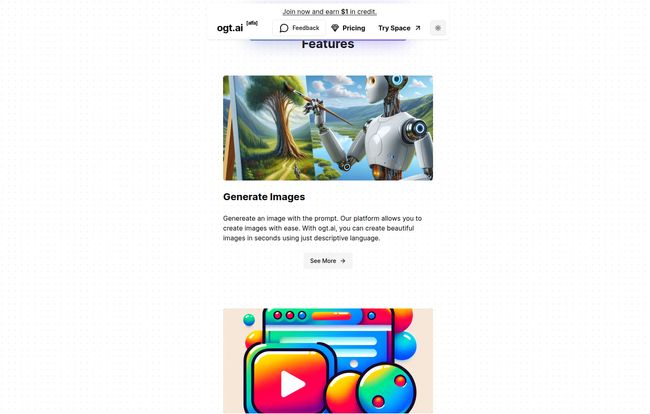
Ogt.ai also has a creative streak. It can generate images from prompts, which is becoming standard fare these days, but still a nice-to-have. What’s more interesting is the AI Image Vision. You can upload an image and ask questions about it. “What kind of architecture is this?” or “Identify the products on this shelf.” It’s a neat feature that opens up some interesting possibilities for e-commerce and design professionals.
The Browser Extension: Your On-Page AI Co-Pilot
This might be my favorite part. Ogt.ai has a browser extension that brings its abilities directly to whatever page you’re on. This means you can be reading an article and ask the AI to summarize it, pull out the main arguments, or even help you draft a response based on the content of the page. It provides real-time context, which makes it feel less like a separate application and more like an integrated part of your web browsing experience.
Let’s Talk Money: Breaking Down Ogt.ai’s Pricing
Okay, the big question. What’s this going to cost? The pricing structure is… interesting. It’s flexible, which I appreciate, but it does require a little thought.
First, it’s worth noting there isn’t a permanent free plan. You get a $1 credit when you join, which is enough to test the waters, but you’ll need to subscribe for continuous use. Here’s how the plans break down:
- Spark Plan ($210/year): I’d call this the “Serious Hobbyist” or “Light Professional” tier. It gives you access to all the core features: standard and the more advanced ‘Fluent’ AI messaging, plus all the media processing (YouTube, files, websites), and image tools. It’s a solid package for someone who wants to integrate Ogt.ai into their regular workflow.
- Pro Plan ($315/year): This is for the power users. If you find that Ogt.ai is becoming central to your job or business, the Pro plan offers higher limits and fewer restrictions. It’s built for people who will be hitting the service hard and often.
The ‘Pay as You Go’ Option
This is where things get granular. If you don’t like subscriptions, you can simply deposit funds and pay for what you use. This is great for people with sporadic or project-based needs. However, you need to get familiar with token-based pricing. Let’s be real, token-based pricing can feel like trying to guess how much gas you’ll need for a road trip to a city you’ve never visited. A bit of a gamble, but it offers maximum flexibility.
Here’s a simplified look at the usage-based rates:
| Service | Price |
|---|---|
| Standard AI Messaging | $0.002 / 1K input tokens, $0.004 / 1K output tokens |
| Fluent AI Messaging | $0.02 / 1K input tokens, $0.06 / 1K output tokens |
| Transcription | $0.006 / 1 minute (rounded to the nearest second) |
| Web Scrape | $0.01 / 1 page |
| Image Generation | $0.12 / 1 image |
As you can see, the ‘Fluent’ messaging is significantly more expensive, reflecting a more powerful underlying model. The transparency is good, but you’ll want to monitor your usage.
My Honest Take: The Good and The Not-So-Good
No tool is perfect. After my initial excitement, I settled in and found a few things to consider.
On the plus side, the sheer versatility is incredible. Ogt.ai feels less like a single tool and more like a productivity suite. For a content creator or marketer, being able to jump from dissecting a competitor’s video to summarizing a research paper, to generating blog post ideas from a webpage, all in one interface, is a huge win. It’s a Swiss Army knife for digital content.
However, the lack of a true, ongoing free tier is a bit of a bummer. I think they’d get a lot more people hooked if there was a limited-use free plan. The token system for the Pay as You Go plan can also be a mental hurdle for some users who prefer predictable, flat-rate subscriptions. Finally, a small nitpick: the transcription service billing is rounded to the nearest second. This is mostly fine, but it means you might pay for a full second for a fraction of a second’s work on very short clips. Not a dealbreaker, but something to be aware of.
So, Who is This Actually For?
In my professional opinion, Ogt.ai is a fantastic fit for a few key groups:
- SEOs and Content Marketers: The ability to quickly break down competitor content (videos, blog posts, landing pages) is invaluable for strategy and ideation.
- Students and Researchers: Sifting through dense academic papers, articles, and source material becomes exponentially faster. This could be a legitimate academic weapon.
- Business Professionals: Imagine feeding it a long contract or a sales report and being able to ask specific questions. The time savings are obvious.
- Anyone with Information Overload: Honestly, if you constantly feel like you’re behind on your ‘to-read’ or ‘to-watch’ list, this tool could be the assistant you’ve been dreaming of.
Frequently Asked Questions about Ogt.ai
- What exactly can I ‘chat’ with using Ogt.ai?
- You can use a huge variety of media as the context for your chat. This includes YouTube videos, web pages, audio files, videos, images, and documents like PDF, DOCX, PPTX, CSV, and Text files.
- Is there a free trial for Ogt.ai?
- There isn’t a traditional, time-based free trial. However, Ogt.ai gives new users a $1 credit upon joining, which allows you to test out the different features and see if it fits your needs before committing to a paid plan.
- How does the ‘Pay as You Go’ pricing work?
- You add funds to your account, and then each action you perform (like sending a message, generating an image, or transcribing audio) deducts a small amount from your balance. The cost is based on usage, often measured in ‘tokens’ (pieces of words) for text or per minute/image for other services.
- Can Ogt.ai understand a YouTube video without me watching it?
- Yes, that’s one of its core strengths. You provide the YouTube link, and Ogt.ai processes the video’s transcript and content. You can then ask it questions about the video’s content, ask for summaries, or pull specific information without having to watch it yourself.
- What’s the difference between Standard and Fluent AI messaging?
- Think of them as different levels of brainpower. Standard messaging is quicker and more cost-effective for general tasks. Fluent messaging uses a more advanced (and more expensive) AI model that provides more detailed, nuanced, and coherent responses, which is better for complex analysis or creative tasks.
- Is the browser extension safe?
- Generally, extensions from reputable companies are safe. The Ogt.ai extension needs permission to read webpage content to function correctly. As with any extension, it’s wise to review its permissions and privacy policy, but its purpose is to provide on-page AI assistance, which requires that access.
My Final Verdict on Ogt.ai
So, is Ogt.ai just more AI hype? In my opinion, no. It’s a genuinely useful and powerful platform that cleverly addresses a very real problem: we have too much information and not enough time. It moves the goalposts from simple AI chatbots to contextual, media-aware AI assistants.
While the pricing model requires a moment of thought and I wish there was a free tier, the sheer utility of being able to converse with your content is a powerful proposition. If you’re a professional who works with a wide range of digital media, Ogt.ai is absolutely worth a look. It might just be the tool that finally helps you tame that wild, untamed jungle of content.


