
Categories: AI Agent, AI Code Assistant, AI Code Generator, AI Testing
Otto Engineer Review: Your AI Coding Sidekick?

How many hours have you lost staring at a bug that turned out to be a single misplaced comma? Or how many times have you put off a fun side project because the thought of setting up the boilerplate code—the webpack configs, the package.json, the initial server file—just sucked all the joy out of the room? Yeah, me too. It’s the grunt work of our craft, the digital dishwashing that has to get done before you can cook the actual meal.
For years, we’ve had tools to help. Linters, autocomplete, and more recently, AI assistants like GitHub Copilot. They’re great. They’re like having a seasoned pro whispering suggestions in your ear. But you still have to pilot the plane.
Then something like Otto Engineer comes along. And the premise is… kinda wild. It doesn’t just suggest code. It takes your prompt, writes the code, runs it, sees it fail, and then… it tries again. And again. And again. All by itself, until the darn thing actually works. It’s less of a co-pilot and more like a fully autonomous shuttle craft you send out on missions. I had to see this for myself.
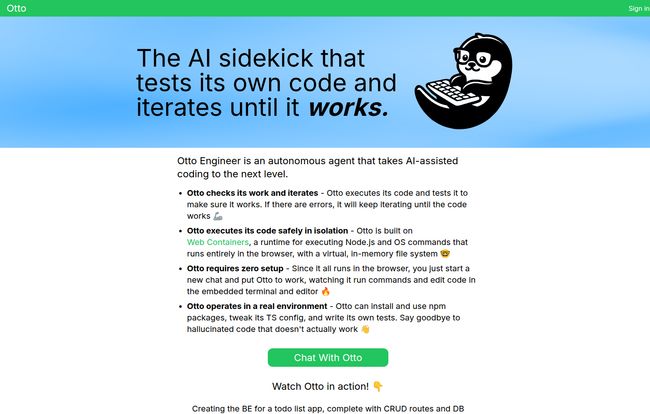
Visit Otto Engineer
So What is Otto Engineer, Really?
On the surface, it’s an “autonomous AI sidekick.” Cute, but what does that mean in practice? Think of it this way: You don’t give Otto a line-by-line instruction. You give it a goal. A mission. Something like, “Create a simple Express.js backend for a to-do list app with GET, POST, and DELETE routes. Use a JSON file as the database for now.”
A normal AI chatbot would spit out a block of code. Maybe it works, maybe it has some hallucinated function calls. You’d then have to copy it, paste it into your editor, install dependencies, run it, and fix whatever’s broken.
Otto’s approach is different. It takes that same prompt and starts working inside its own little self-contained world. It’ll think, “Okay, I need Express.” So it runs `npm install express`. Then it writes `server.js`. It runs the server. Does it crash? Yup, probably. It’ll read the error message—the same cryptic `TypeError` that would make you sigh—and say, “Ah, right. I need to parse the request body.” Then it installs `body-parser` (or uses the built-in Express equivalent), modifies the code, and tries again. This loop continues until your to-do list API is actually up and running. It’s like having a junior dev who is incredibly fast, tireless, and never complains about tedious setup tasks.
The Magic Under the Hood: It’s All About Web Containers
My first thought when I heard about this was, “Heck no am I letting an AI run random `npm install` commands on my machine.” That just sounds like a security nightmare waiting to happen. But that’s the genius of Otto. It doesn’t run on your machine. It all happens inside Web Containers.
What on Earth are Web Containers?
If you’ve ever used an online IDE like StackBlitz, you’ve seen Web Containers in action. They are a full Node.js environment that runs entirely inside your browser tab. It’s not a VM streamed from a server; it’s a completely sandboxed, browser-based terminal and file system. This technology is a game-changer because it allows for an actual development environment to spin up instantly, with zero setup.
Why This is a Big Deal for You
The implications are huge. First, safety. Otto can go wild trying to install obscure packages or run buggy code, and your local system is completely untouched. It’s like a digital padded room for code. Close the browser tab, and it all vanishes. Second, speed and convenience. There is literally zero setup. You go to the website, you type a prompt, and it starts working. No `git clone`, no `npm install` on your end, no configuring Docker. It just… goes.
Putting Otto Through Its Paces
Of course, I had to kick the tires. I threw a couple of common dev tasks at it to see how it would handle them.
Task 1: Prototyping a Quick Utility
I asked it to “create a TypeScript script that fetches data from the PokéAPI for a specific Pokémon and saves its name, ID, and types to a JSON file.” It was a simple, but multi-step process. Otto correctly identified it needed a fetch library (it opted for `node-fetch`), wrote the async/await logic, handled the JSON parsing, and created the file structure. Its first attempt had a small type error, which I saw it log to its console. It then redefined the TypeScript interface and tried again. Success. This whole process took about 90 seconds. Doing it myself would’ve taken at least 10-15 minutes, mostly because I’d get distracted by a Slack message mid-way through.
Task 2: Debugging Some Messy Code
This was the real test. I gave it a small, buggy piece of data transformation logic. An array of objects that needed to be filtered, mapped, and reduced, but I intentionally threw in an off-by-one error and a null reference bug. I just pasted the code and said, “Fix this.” Otto added some `console.log` statements to its own code to inspect the data at each step, identified the point of failure, and corrected the logic. It was pretty impressive to watch it reason through the problem.
The Good, The Bad, and The AI
No tool is perfect, right? After playing with Otto for a while, here’s my honest breakdown.
The Things I Absolutely Loved
The standout feature is true autonomy. The iterate-and-test loop isn’t a gimmick; it’s the core of the product and it works. The zero-setup nature thanks to Web Containers is just bliss. It’s perfect for rapidly prototyping an idea without cluttering up your local machine with a dozen `test-project-final-2` folders. The ability to work across multiple files and install its own dependencies makes it feel like a real, albeit tiny, development environment.
Where It Still Has Room to Grow
This isn’t a magic wand that reads your mind. The quality of the output is still very dependent on the quality of your prompt. You have to be specific. “Make a website” won’t get you far. You need to think like you’re briefing a developer. Also, it’s inherently limited by what Web Containers can do. It’s a Node.js environment, so you won’t be asking it to, say, write you an iOS app in Swift or do heavy-duty data science work that requires a GPU. It knows its lane, and you should too.
How Much Does This AI Assistant Cost?
Here’s the million-dollar question. As of writing this, Otto Engineer’s website doesn’t have a public pricing page. This usually means one of a few things: it’s in a free public beta to gather feedback, they’re targeting enterprise clients with custom plans, or they’re still figuring it out. My gut says it’s likely in a free or freemium stage. For the latest info, your best bet is to check their site directly and just try it out for yourself.
Frequently Asked Questions About Otto Engineer
Is Otto Engineer free to use?
Currently, there is no pricing information available on the official website, which suggests it might be in a free beta period. It’s best to visit the site to check the current status.
How is Otto different from GitHub Copilot or ChatGPT?
The main difference is autonomy and execution. Copilot and ChatGPT suggest code, which you then have to implement, test, and debug yourself. Otto takes a prompt, writes the code, executes it in a sandboxed environment, checks for errors, and actively tries to fix them on its own until it achieves the goal.
What technologies can Otto Engineer work with?
It operates within a Web Container, which is a Node.js environment. This means it excels with JavaScript, TypeScript, and any package available on npm. It’s ideal for web backends, utilities, scripts, and front-end frameworks that can run in that environment.
Do I need to install anything to use Otto?
Nope. Absolutely nothing. It runs entirely in your web browser, which is one of its biggest advantages.
Is the code I write with Otto Engineer secure?
The execution environment is highly secure because it’s sandboxed within your browser. The code doesn’t run on your local machine, so it can’t access your personal files. As for code privacy, you should always review the terms of service for any AI tool regarding how they handle your prompts and generated code.
My Final Thoughts: Your New Pair Programmer?
So, is Otto Engineer going to take our jobs? No. Don’t be silly. But is it going to make our jobs better? I genuinely think so.
It’s not a tool for building a massive, complex application from scratch (at least, not yet). But for those moments that kill our momentum—the initial project setup, the quick prototyping, chasing down a frustrating bug, or building a small utility—it feels like a superpower. It’s a ridiculously smart power tool that handles the most annoying parts of coding, letting you focus on the bigger picture.
I’m excited to see where this goes. The fusion of LLMs with real, executable environments is the logical next step for AI in development. For now, Otto Engineer is a fascinating, useful, and frankly, pretty fun glimpse into that future. I’d say give it a whirl. What have you got to lose, except maybe your hatred for boilerplate code?


