
Categories: AI Chatbot, AI Customer Service, AI Lead Generation, No-Code&Low-Code
Owlbot Review: Build a No-Code AI Chatbot in Minutes?

For years, the term “chatbot” made most of us groan. Frustrating. Useless. A complete waste of screen real estate.
But things have changed. Drastically. We’re now in the era of AI-powered chatbots, the kind that don’t just follow a script but actually think. They learn, they adapt, and they can be genuinely helpful. The market is flooded with options, but one recently caught my eye: Owlbot.ai. Their big promise? You can build and deploy one of these brainy new AI chatbots in minutes. No coding required.
That’s a bold claim. As someone who’s spent way too many hours wrestling with APIs and clunky interfaces, I was skeptical. So, I decided to put Owlbot to the test. Is it really the simple, powerful tool it claims to be, or just another over-hyped platform? Let’s find out.
What Exactly is Owlbot, Anyway?
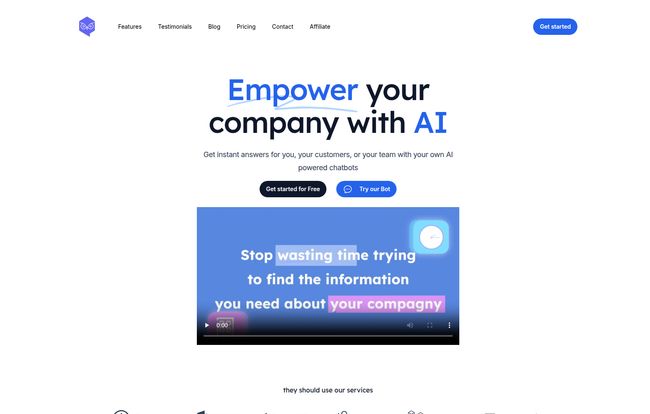
Think of Owlbot as a platform for building a custom brain for your website. It’s a no-code tool that lets you create an AI chatbot and train it on your own specific data. This isn’t some generic, off-the-shelf bot that knows a little about everything. This is your bot, trained on your documents, your product specs, your FAQs, your knowledge base. It becomes a digital employee that knows your business inside and out.
You can feed it PDFs, Word docs, or just give it a link to your website, and it will absorb that information to provide instant, accurate answers to your customers or even your internal team. And it does all this without you needing to write a single line of code. Honestly? It’s about time.
Visit Owlbot
The Features That Actually Matter
A long list of features is nice, but I care about what works and what makes a difference. After poking around in the Owlbot dashboard, a few things really stood out as being more than just marketing fluff.
The ‘No-Code’ Promise is Real
This is the big one. I’ve seen lots of platforms claim to be “low-code” or “no-code” but still require you to have a developer on speed dial. With Owlbot, the process was shockingly straightforward. You create a new chatbot, give it a name, and then start feeding it data. You can upload files directly or just paste in your website’s URL and let it scrape the content. It’s that simple. It feels less like programming and more like teaching a new employee. A chatbot that actually helps. Imagine that.
Your Data, Your AI’s Brain
The biggest failure of old chatbots was their lack of context. Owlbot solves this by letting you build its knowledge base from multiple sources. A customer asking about your return policy? The bot knows the answer because you uploaded the policy document. A potential client has a question about a specific service detailed on your blog? The bot has read your website and can answer intelligently. This is what transforms a chatbot from a novelty into a valuable business asset. It provides real answers, not generic guesses.
Choosing Your Engine: More Than Just OpenAI
Okay, this is where my inner SEO and tech nerd gets a little excited. Owlbot isn’t just a wrapper for ChatGPT. It gives you a choice of different Large Language Models (LLMs)—the AI “engines” that power the chatbot. You can pick from various models from OpenAI, Anthropic, and Mistral.
Why does this matter? Because not all engines are created equal. One might be faster, another more creative, and a third might be more cost-effective for your specific needs. Having this choice gives you incredible flexibility and protects you from being locked into a single provider’s ecosystem. It’s a pro-level feature disguised in a simple interface, and I’m here for it.
From Talking to Doing with Function Calling
Now this is the really cool part, available on their Enterprise plan. “Function calling” sounds technical, but it’s a game-changer. It means the chatbot can do more than just answer questions; it can perform actions. It can interact with other tools and systems. For example, a customer could ask the bot to “check the status of my order,” and the bot could use function calling to look up the information in your shipping software and provide a real-time update. It could book appointments, create support tickets, or run calculations. This elevates the bot from an information source to an interactive assistant.
Can Owlbot Actually Help Your Business Grow?
Features are great, but results are what pay the bills. I see two primary ways Owlbot can directly impact a business’s bottom line.
- Supercharged Customer Support: Owlbot claims it can answer up to 90% of customer questions. Think about that. How much time would that save your team? It works 24/7, never calls in sick, and can handle dozens of conversations at once. This frees up your human agents to focus on the complex, high-touch issues where they’re needed most.
- A Lead Generation Machine: You can configure your Owlbot to be an active part of your sales funnel. When a user asks a series of buying-intent questions, the bot can be prompted to ask for an email address or phone number to “have a specialist follow up.” It’s a natural, conversational way to generate leads without being pushy.
Let’s Talk Turkey: Owlbot Pricing
Alright, so how much does all this AI magic cost? The pricing structure is refreshingly transparent and seems targeted directly at small and medium-sized businesses rather than just giant corporations. Here’s a quick breakdown.
| Plan | Price | Best For | Key Features |
|---|---|---|---|
| Starter | $19 /month | Solopreneurs & small sites | 1 Chatbot, 2,000 messages/mo, 500k word database |
| Small Business | $39 /month | Growing businesses & agencies | 5 Chatbots, 5,000 messages/mo, API access, White label, Multiple LLMs |
| Enterprise | $59 /month | Businesses needing advanced automation | 10 Chatbots, 10,000 messages/mo, All features + Function Calling |
My take? The $39 Small Business plan is the absolute sweet spot. The jump in features—API access, white labeling, and the choice of LLMs—is massive for just a twenty-dollar increase. The Starter plan is fine for dipping your toes in, but the Small Business tier is where you can start doing some serious work. And the Enterprise plan at $59? For a tool that offers function calling, that’s incredibly competitive.
The Not-So-Perfect Parts (Because Nothing Is)
No review is complete without a little critique. While I’m largely impressed with Owlbot, there are a couple of things to keep in mind. I’ve seen some chatter online about support team responsiveness. I personally didn’t run into any snags that required me to contact them, but it’s something to be aware of. Like any growing company, support can sometimes be a bottleneck.
Also, you do need to be conscious of the database word limits on each plan. They’re pretty generous, but if you’re planning to upload a massive library of technical manuals, you’ll need to choose your plan wisely. It’s less a flaw and more a practical constraint to plan around.
Frequently Asked Questions about Owlbot
- How hard is it to add the chatbot to my website?
- It’s very easy. Owlbot gives you a simple iframe or a chat bubble that you can embed on your site. You just copy and paste a small snippet of code. If you can embed a YouTube video, you can add this chatbot.
- Can I make the chatbot match my brand’s style?
- Yes, absolutely. You can customize the colors, logos, and the general look and feel of the chat interface to make sure it fits perfectly with your website’s design.
- Can I give the chatbot a specific personality?
- You can! In the settings, you can edit the base prompt to give your chatbot instructions on how it should behave. You can tell it to be formal, funny, super-helpful, or anything in between. You can even give it a name.
- Does it work in languages other than English?
- Yes, it supports about 95 languages. You can provide your source data in any language and the bot can detect the user’s language to respond appropriately. That’s a huge plus for international businesses.
- Is my data secure with Owlbot?
- They take security seriously. According to their site, they use state-of-the-art encryption and privacy measures to ensure your and your customers’ data remains secure.
The Final Verdict: Should You Use Owlbot?
After spending some quality time with it, I can say that Owlbot lives up to its core promise. It’s a powerful, accessible, and surprisingly affordable way to bring intelligent AI to your website. The barrier to entry is virtually nonexistent, but the ceiling for what you can accomplish is quite high, especially with the higher-tier plans.
Who is it for? I’d say it’s perfect for small to medium-sized businesses, marketing agencies managing multiple clients, e-commerce stores, and solo entrepreneurs who wear a lot of hats. If you want to improve customer satisfaction and capture more leads without hiring a development team, Owlbot is a fantastic option.
It might not be the right fit for massive, multinational corporations with extremely complex, bespoke security protocols, as they’d likely build a proprietary system in-house anyway. But for the other 99% of businesses, Owlbot is a brilliant tool that democratizes a technology that, until recently, felt out of reach for most. It puts a truly smart assistant on your team, and that’s a win in my book.


