
Categories: AI App Builder, Large Language Models (LLMs), No-Code&Low-Code, Prompt Engineering
PartyRock Review: Build AI Apps with Amazon Bedrock (Free!)

The last couple of years in the tech and marketing world have been an absolute whirlwind. AI this, generative that. If you’re like me, you’ve seen the million-and-one articles about how AI is changing everything from SEO to how we write emails. It’s exciting! But there’s often a catch, right? A lot of the truly powerful stuff feels… well, locked away behind a wall of Python code and API keys. It can feel like you’re standing outside a fantastic party, hearing the music, but you can’t find the door.
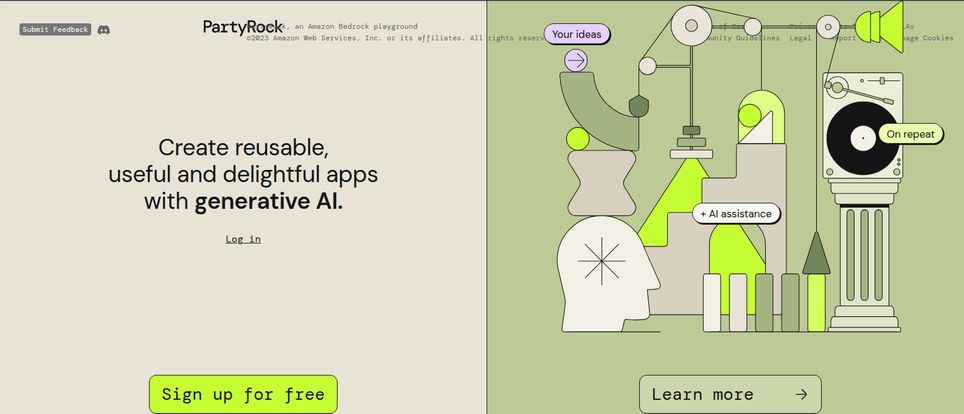
Then, a few months back, I stumbled upon something from Amazon called PartyRock. The name alone got my attention. It didn’t sound like a typical, corporate-heavy AWS service. It sounded fun. And the tagline? “Create reusable, useful and delightful apps with generative AI.” No mention of code. No mention of complex setups. My curiosity was definitely piqued.
So I jumped in. And I’ve got to say, I think Amazon might have quietly launched one of the most brilliant onboarding tools for generative AI out there. It’s a sandbox, a playground, a creative space that finally lets non-developers get their hands on the powerful models powering the AI revolution. And it’s actually fun to use.
So What Exactly Is This PartyRock Thing?
Think of PartyRock as a creative studio for AI. It’s a web-based platform built by Amazon that gives you direct, no-fuss access to some of the powerful foundation models (FMs) available through their main service, Amazon Bedrock. But instead of needing an AWS account and a developer’s mindset, you get a clean, simple, drag-and-drop style interface. It’s all about letting you experiment with prompt engineering and see what’s possible with generative AI without writing a single line of code.
It’s like getting the keys to a high-performance race car (that’s the Bedrock FMs) but on a safe, closed track where you can’t really crash. You can push the limits, see what it can do, and learn how to steer—all without the risk of a massive bill or a system-breaking error. The whole point is to encourage experimentation and learning. And for a prompt nerd like me, the idea of a dedicated playground was just too good to pass up.
Getting My Hands Dirty: The First 15 Minutes
The best way to understand PartyRock is to just… use it. So I’ll walk you through my first experience, which was surprisingly smooth.
The Sign-Up Is a Breeze
First off, the sign-up process. It’s free. Not “free trial, give us your credit card” free. Just plain free. You can log in with your existing Amazon, Google, or Apple account. That’s it. This, right here, is a massive win. It removes the biggest barrier to entry for so many people who are just curious and want to poke around without commitment. Big props to Amazon for this decision.
Building My First Silly (but Useful) App
Once you’re in, you’re greeted with a blank canvas and a few options. You can either describe the app you want to build in plain English and let AI create a starting point for you, or you can build it from scratch using widgets. I chose to build from scratch to really see the nuts and bolts.
I decided to make something relevant to my daily grind: a “Snarky SEO Clickbait Title Generator.” The goal was simple: I’d input a boring keyword, and the AI would spit out a handful of cringey, but undeniably clickable, titles.
The interface is all about widgets. Here’s how it worked:
- User Input Widget: I dragged one of these onto my canvas. This is where I’d type my keyword, like “content marketing tips.”
- Text Generation Widget: This is the magic box. I connected it to my User Input widget. Then I wrote the prompt. This is the heart of any AI app. I wrote something like: “You are a world-weary, slightly cynical social media manager. Take the following keyword: [@User-Input-1]. Generate 5 outrageously clickbaity blog titles about it. They should be a little sarcastic and use emotional language. Make them sound like something a guru trying too hard would write.”
I hit ‘Run’, and a second later, it spit out gold. For “content marketing tips,” it gave me things like “Stop Writing Content Nobody Reads. Steal These 5 Secrets Instead.” and “Your Content Marketing Is a Joke. Here’s Why (and How to Fix It).” It was perfect.
Visit PartyRock
The “Remix” Button Is a Game Changer
But here’s where PartyRock gets really clever. Every public app on the platform has a “Remix” button. See an app you like? Maybe a trip planner or a recipe generator? You can click “Remix,” and you instantly get your own private copy of that entire app—prompts, widgets, and all. You can then tear it apart, see how the creator wrote their prompts, and tweak it to make it your own. It’s like forking a project on GitHub, but for everyday people. It’s probably the fastest way to learn good prompt engineering I have ever seen.
The Good, The Not-So-Good, and The AI-Powered
No tool is perfect, of course. After spending a good few hours building a handful of apps (including a pretty decent ‘Dad Joke Generator’), here’s my honest breakdown.
| What I Absolutely Love | A Few Caveats to Keep in Mind |
|---|---|
|
|
Also Read: GPTs.Fan Review: A New Hub for Custom GPTs?
So, Who Is PartyRock Actually For?
I’ve been thinking about this a lot. While anyone can have fun with it, I see a few groups getting some real value out of PartyRock.
- The Curious Marketer or SEO: Want to build a tool to generate meta descriptions? Or brainstorm keyword clusters? Or create social media post variations? You can build a simple version of that in 10 minutes and see how generative AI ‘thinks’. It’s a fantastic way to develop an intuition for AI-powered marketing.
- The Aspiring Prompt Engineer: If you want to get into prompt engineering, this is your dojo. The immediate feedback loop and the ability to remix successful prompts is invaluable.
- The Product Manager or Designer: Need to quickly prototype an AI feature for an app you’re designing? You can build a functional mockup in PartyRock to show your team what you mean, rather than just describing it.
- The Educator or Student: It’s an incredible teaching aid for explaining how large language models work in a hands-on way.
Let’s Talk Money: The PartyRock Pricing Model
This is the part everyone asks about. As I mentioned, PartyRock is free to use. According to the official AWS announcement, they offer a generous free trial without requiring a credit card or an AWS account. You are given a certain amount of free credits to use. For most people just playing around and building a few apps, these credits will last a good while. It’s a true ‘try before you buy’ scenario, except there’s nothing to buy yet. It’s all about letting people learn and experiment, which I find really refreshing.
This may change in the future, of course, but for now, the cost is not a factor. It’s a zero-risk investment of your time.
Frequently Asked Questions about PartyRock
Do I need an AWS account to use PartyRock?
Nope! That’s one of the best parts. You can sign in with a personal Amazon, Google, or Apple account. No AWS account or credit card is required to get started.
Is PartyRock really free to use?
Yes, for now. Amazon provides a limited-time free trial with a generous allotment of credits. For casual use and experimentation, you’re unlikely to hit the limit. It’s designed to be a free educational playground.
What AI models can I access through PartyRock?
PartyRock gives you access to a selection of leading foundation models from Amazon Bedrock. This includes models from AI21 Labs, Anthropic (like Claude), Cohere, and Amazon’s own Titan models. You can choose different models for different widgets within the same app to see how they perform differently.
Can I use the apps I build for my business?
You can share links to your apps for others to use and remix. However, PartyRock is primarily a prototyping and learning tool. It isn’t designed for building production-grade, scalable applications that you would embed in a commercial website or product.
How is PartyRock different from just using ChatGPT?
While both involve prompting an AI, the goal is different. ChatGPT is a conversational agent. PartyRock is an app-building environment. In PartyRock, you chain together different components (user inputs, AI text generation, image generation) to create a reusable tool, not just a one-off conversation. It’s about building a simple, structured workflow.
My Final Verdict: Is It Time to Join the Party?
Absolutely. Yes. 100%.
PartyRock succeeds beautifully at what it sets out to do: it demystifies generative AI. It takes the intimidating, code-heavy world of foundation models and turns it into a set of digital LEGOs. It’s a brilliant move by Amazon, lowering the barrier to entry so dramatically that anyone with a bit of curiosity can start building.
Will it replace enterprise-level AI development platforms? No, and it’s not trying to. But for marketers, creators, students, and anyone who wants to develop a real, intuitive feel for prompt engineering and AI capabilities, PartyRock is, without a doubt, one of the best new tools I’ve used all year. Go build something silly. Build something useful. Just go build something. You might be surprised at what you can create.


