
Categories: AI Character, AI Face Recognition, AI Image Recognition, AI Productivity Tools
PicKey.ai Review: Is Visual Login The Future?

If I have to create one more password with an uppercase letter, a number, a special character, and the blood of a unicorn, I might just give up and move to a cabin in the woods. Password fatigue. It’s real. That feeling of dread when a new site demands yet another ‘strong’ password that you know, deep down, you’ll either forget in five minutes or just make a slight variation of the one password you use for everything (don’t lie, we’ve all done it).
For years, the solution has been password managers. Great tools! They’re like digital fortresses, storing our jumbled messes of characters behind one, single, solitary Master Password. But what happens when you forget that one? Game over, man. Game over.
I’m always on the hunt for the next thing in security and user experience, and every so often, something truly weird and wonderful crosses my desk. This time, it’s called PicKey.ai. And it’s trying to solve the password problem not with more text, but with memories.
So, What on Earth is PicKey.ai?
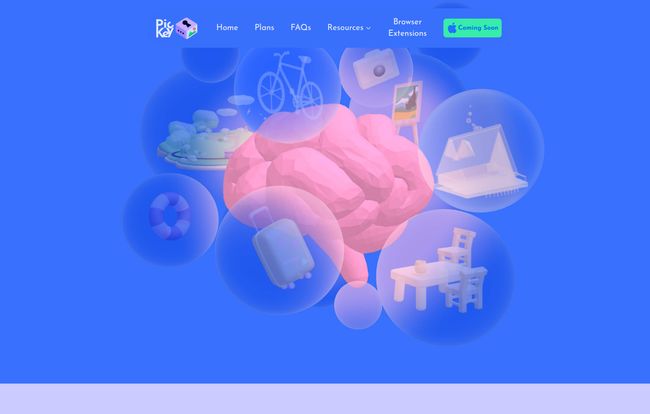
Imagine a password manager that doesn’t use a password. I know, it sounds like a riddle. PicKey is a passwordless password manager that hinges on a fascinating concept: our brains are way better at remembering images and moments than they are at remembering strings like Tr0ub4dor&3. It uses a combination of your own photos, AI, and a sprinkle of Augmented Reality (AR) to log you in. It’s less like a digital vault and more like a secret clubhouse where the password is a shared memory only you have.
Instead of a Master Password, you create a Master Key. This isn’t a password; it’s a combination of one of your personal photos and a specific spot on that photo. It’s a genuinely different approach, and I have to admit, my curiosity was piqued immediately.
Visit PicKey.ai
How Does This Visual Voodoo Actually Work?
Okay, let’s get into the nuts and bolts. Creating a Master Key is the core of the PicKey experience. It’s a two-part process:
- Choose a Memory: You pick a photo from your gallery. This should be something vivid and personal to you. A picture of your dog at the beach, that weird souvenir you bought in Paris, the first car you ever owned. Something that’s etched in your mind.
- Choose a Collectible & Place It: PicKey has these little 3D digital characters or objects. You pick one, and then you place it somewhere on your chosen photo. Maybe you put the little robot on your dog’s nose in the picture.
That’s it. That combination—that specific photo, that specific collectible, in that specific spot—is your Master Key. To log into your PicKey vault, you just replicate that action. The company talks a big game with terms like “Vision Secret technology” and “Neural Network Brilliance,” but what it boils down to is that the system is built to recognize that unique visual pairing. It’s a secret handshake between you and your phone.
The Good, The Bad, and The… Quirky
No tool is perfect, and as cool as PicKey is, it has its own unique set of strengths and weaknesses. I’ve been playing around with it, and here’s my take.
The Upside of a Visual Approach
The biggest win here is how intuitive it feels. There’s an emotional resonance to using a fond memory as your key that you just don’t get from a standard password. It feels more personal, more… human. Forgetting which photo of my cat I used feels less likely than forgetting if I used a ‘$’ or a ‘!’ in a password I made six months ago.
And it’s not just a gimmick. Under the hood, they’re using serious security protocols. We’re talking AES 256-Bit Cipher and, most importantly, a Zero-Knowledge-Proof architecture. This is a huge deal. It means that your unencrypted data never touches their servers. They can’t see your passwords or your Master Keys, even if they wanted to. So even if PicKey were to be breached, your vault contents would remain a garbled, encrypted mess. That gives me a lot of peace of mind.
Potential Stumbling Blocks
Now for the other side of the coin. This system relies heavily on your visual memory. What if you take 500 photos of your cat? Remembering which one is your key could become a problem. You have to be deliberate in choosing a truly distinct and memorable photo.
There’s also the potential for platform dependence. Your keys are tied to their system of collectibles and their app’s interface. It’s not an open standard like a traditional password. This isn’t a deal-breaker for me, most password managers have some level of lock-in, but its something to be aware of.
PicKey.ai Pricing: What’s the Damage?
This is where things get really interesting. PicKey has a very generous free plan that honestly, might be enough for a lot of people. But for the power users among us, the paid plans are incredibly competitive. Cheaper than my morning coffee, that’s for sure.
| Plan | Price | Key Features |
|---|---|---|
| Free | Free | Up to 40 passwords, 4 Master Keys, unlimited devices, phone/address autofill. |
| Pro | $3/month (billed annually) | Everything in Free, plus unlimited passwords & Master Keys, secure sharing, emergency contacts, folders, credit card autofill. |
| Pro – Family | $5/month (billed annually) | Everything in Pro, plus 5 extra licenses for family or friends. |
For what you get, especially the unlimited everything and emergency contacts in the Pro plan, that $3 price point is seriously aggressive. The family plan is also a fantastic deal for getting your whole household on board with better security hygiene.
Final Thoughts: Who is PicKey Really For?
So, is PicKey going to replace every other password manager on the market? Probably not overnight. Some corporate environments might be hesitant to adopt something so unconventional.
But that’s not who this is for. In my opinion, PicKey is built for people. It’s for the individual who is tired of the cold, sterile, and stressful world of password management. It’s for the creative professional, the family organizer, the tech-curious student, and anyone who appreciates a solution that feels more like play and less like a chore. The entire UI is colorful, bouncy, and almost fun to use, a word I have never before associated with security software.
It represents a shift in thinking. Maybe security doesn’t have to be intimidating. Maybe it can be beautiful, intuitive, and even a little bit playful. It’s a bold experiment, and for the right person, I think it could be a game-changer.
Frequently Asked Questions about PicKey.ai
- What exactly is a PicKey Master Key?
- It’s your replacement for a traditional master password. It’s created by combining one of your personal photos with a specific digital collectible placed in a specific spot on that photo. This unique visual combination unlocks your password vault.
- Is PicKey.ai actually passwordless?
- Yes, for the user. You never have to type a traditional password to access your vault. You use your visual Master Key instead. The app then securely stores and fills the complex passwords for all your other online accounts.
- How secure is PicKey? Can the company see my passwords?
- It’s very secure. PicKey uses a Zero-Knowledge-Proof architecture, which means your data is encrypted and decrypted locally on your device. They cannot access your passwords or see your Master Key. They also use military-grade AES-256 encryption.
- What happens if I forget which photo I used for my Master Key?
- This is the main challenge of a visual system. PicKey encourages you to create multiple Master Keys (the free plan allows up to four) to have backups. It’s crucial to pick photos that are highly memorable and distinct to you to avoid this issue.
- Is there a free version of PicKey?
- Yes, there is a very capable free plan that allows you to manage up to 40 passwords and create 4 Master Keys, which is great for getting started and for users with basic needs.
- Can I share passwords with my family using PicKey?
- Yes, secure password sharing is available on the Pro and Pro – Family plans. The family plan is specifically designed for this, offering 5 additional licenses for family members or friends.
Conclusion
PicKey.ai isn’t just another password manager in a sea of lookalikes. It’s a fundamental reimagining of how we interact with our own security. By swapping cryptic character strings for personal memories, it’s making digital safety more accessible and a lot less of a headache. It’s a bold, colorful, and surprisingly powerful tool that proves that sometimes the most innovative solutions come from thinking visually.


