
Categories: AI Animation Generator, AI Lip Sync Generator, AI Script Writing, AI Short Video Generator, AI Story Generator, AI Video Generator, Script To Video AI Generator, Storyboard AI
PopShort.AI Review: AI Short Film Creation in Minutes?

It feels like a new AI tool drops every single day, promising to revolutionize how we work, write, and create. Most of them are… fine. A neat trick for a day or two before you forget about them. But every now and then, something pops up that makes me, a jaded old SEO and traffic guy, actually lean in a little closer. This week, that tool was PopShort.AI.
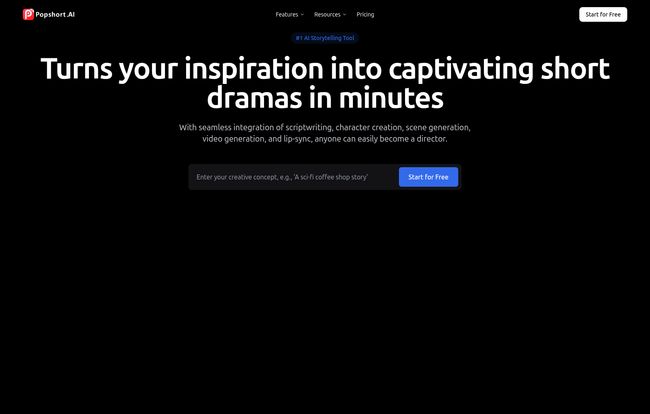
The pitch is simple and bold: “Turns your inspiration into captivating short dramas in minutes.” My first thought? Yeah, right. I’ve spent countless hours and way too much budget on video production. The process is anything but ‘minutes’. It’s storyboarding, script revisions, finding talent, shooting, editing, crying over a single misplaced sound effect… you know the drill. The idea of an AI handling all that feels like science fiction. But, I’ve learned not to dismiss things out of hand in this industry. So I took a look.
So, What is PopShort.AI Exactly?
Think of it less as a simple video editor and more like an AI director you can keep in your back pocket. You feed it a concept—a simple idea, a scene description, maybe even just a random thought you had in the shower—and it gets to work. It’s designed to bridge that massive gap between a creative spark and a fully realized short video. We’re talking scripts, storyboards, animation, voiceovers, the whole shebang. It’s built for speed, aimed at anyone from social media managers trying to feed the content beast to aspiring filmmakers who want to prototype an idea without selling a kidney for a film crew.
How This AI Magic Actually Works
The workflow they advertise is deceptively simple, which is what I love to see. No 100-page manuals or week-long certification courses. It boils down to a three-step dance.
First, you Input Your Concept. This is your moment to shine. You give the AI a prompt. The website says something like “a cat opens a coffee shop story.” Simple enough. Then, the AI takes over. It chews on your idea and spits out a complete, professional-looking storyboard. We’re not just talking about a few static images, either. It generates scenes, character descriptions, camera angles, and dialogue. It’s like having a hyper-caffeinated Pixar intern on your team, brainstorming the visuals for you.
Next, you get to play the real director. You can review the storyboard, make manual adjustments, tweak the script, and refine the scenes until it matches the vision in your head. I think this step is what saves it from being just another AI gimmick. You still have a hand on the wheel. Once you’re happy with the blueprint, you hit the big green button. The AI then renders your storyboard into a high-quality short video, complete with lip-synced dialogue, animation, and effects.
Visit PopShort.AI
The Standout Features That Made Me Look Twice
A pretty interface is nice, but the features are what determine if a tool gathers digital dust or becomes part of my daily workflow. PopShort.AI has a few things that genuinely stand out.
Consistent Characters and Global Appeal
One of the biggest headaches with AI image and video generation has always been consistency. You create a great character in one scene, and in the next, they suddenly have three arms and a different hair color. PopShort.AI claims to have cracked the code on character consistency. This is huge. For marketers and brands, maintaining a consistent character across a campaign is non-negotiable. They also boast about ‘Global Character Localization’, which lets you adapt characters for different regional markets. I’m a little skeptical until I see it in action across multiple cultures, but the concept is solid gold for anyone looking to scale their content internationally.
From Storyboard to Screen, Insanely Fast
The speed is the main selling point. They toss around a “10x Creative Efficiency” stat, and honestly, I believe it. The time saved by auto-generating a script and a storyboard is immense. This isn’t just about making one video; it’s about being able to A/B test a dozen different video concepts in the time it would normally take to produce one. For social media, where trends live and die in a matter of hours, that kind of agility is a game-changer.
You Still Have Some Creative Control
Let’s be clear: you are not going to have the same pixel-perfect control you’d get from a dedicated suite like Adobe After Effects. But that’s not the point. The platform allows for manual adjustments to scenes, offers various video styles, and even lets you export the storyboard as a PDF to share with a team or client. This strikes a nice balance. It handles the heavy lifting but still lets you provide the critical human touch to get the final product over the line.
Let’s Talk Money: A Look at PopShort.AI Pricing
Alright, the part everyone scrolls down for. Is it affordable? The pricing structure seems pretty standard for a SaaS tool in this space, with a few tiers to fit different needs. They also offer a nice little saving (up to 20%) if you pay annually, which is always appreciated.
Here’s a quick breakdown as of my writing this:
- Basic Plan: At $29.99/month, this is for the solo creator or someone just dipping their toes in. You get one project, high-quality video generation, and access to most of the core features. The catch? Your videos will have a watermark. It’s a fair trade-off for the price point.
- Plus Plan: This is their ‘Most Popular’ tier at $59.99/month. The big jump here is you get 10 projects and, most importantly, no watermark. You also get more ‘compute units’ (the currency you spend to generate stuff), more storage, and priority email support. This feels like the sweet spot for small businesses and serious content creators.
- Pro Plan: For the agencies and teams, the Pro plan is $199.99/month. This gives you unlimited projects, a ton of storage, the highest level of compute units, and priority support via both email and chat. If you’re churning out video content day in and day out, this is the one.
All plans include multiple aspect ratios, which is fantastic for cross-platform posting (hello, TikTok, Reels, and YouTube Shorts), and the all-important lip sync feature.
The Good, The Not-So-Good, and The AI
No tool is perfect. After poking around and thinking about its real-world application, here’s my take. The biggest pro is without a doubt the speed. It democratizes video creation, making it accessible to people who don’t have the time, skills, or budget for traditional production. The user-friendly interface and the AI-powered script and storyboard generation are a massive leg up.
On the flip side, you have to accept the trade-offs. Your creative control is, naturally, more limited. You’re working within the confines of what the AI can generate and the styles it offers. Some might find the video quality isn’t quite at the level of a high-budget, human-shot film—but again, that’s not what this is for. It’s for creating engaging, high-quality digital content, not for winning an Oscar. You’ll likely have to make a few tweaks to the generated content to get it just right, but that’s still worlds better than starting from a blank page.
Also Read: SoraPrompting.com: Your AI Video Idea Hub?
So, Is PopShort.AI Worth It?
In my opinion? Yes, absolutely—for the right person. If you’re a filmmaker looking for a tool to replace your RED camera and full production crew, this ain’t it. But if you’re a marketer, a small business owner, a social media manager, or a creative who needs to produce a high volume of quality video content quickly, PopShort.AI could be a phenomenal addition to your toolkit.
It solves a very real and very expensive problem. It turns video creation from a massive, multi-week project into an afternoon’s work. The potential to test new ideas, react to trends, and keep your audience engaged with fresh video is immense. It’s not about replacing human creativity; it’s about augmenting it. And in a world where content is king, having an AI director on standby 24/7 is a pretty powerful advantage.
Frequently Asked Questions
What are compute units?
Think of compute units as the currency you use inside PopShort.AI. Every time you ask the AI to do something intensive, like generating a video scene or a high-quality image, it costs a certain number of units. More complex tasks cost more. Each pricing plan comes with a monthly allowance of these units.
Is PopShort.AI good for complete beginners?
Yes, I’d say it’s incredibly beginner-friendly. The whole workflow is designed to be intuitive. If you can write a sentence and click a few buttons, you can create a short film. The AI does most of the technical heavy lifting, like storyboarding and animation.
Can I use my own characters or voices?
As of my review, the platform focuses on its own AI-generated characters to ensure consistency and proper animation. While you can guide the creation process heavily, uploading a pre-existing character model isn’t a primary feature. Voice-over options are also typically handled by the platform’s AI to ensure proper lip-syncing.
What kind of video quality can I actually expect?
You can expect high-definition animated video that is perfectly suited for social media and digital marketing. It’s clean, professional, and engaging. It’s not going to be 4K live-action footage, but for animated storytelling, the quality is impressive and more than enough for its intended purpose.
Can I roll over unused compute units to the next month?
Based on the FAQs on their site, it seems unused compute units typically do not roll over. Your unit allowance resets each month with your subscription renewal, so it’s best to plan your projects to make the most of your monthly quota.


