
Categories: AI Chatbot, AI Document Extraction, AI PDF, AI PDF Summarizer, AI Research Tool
PortableDocs Review: Chat with Your PDFs (Really!)

If you’re in the digital marketing world, or any knowledge-based field for that matter, your desktop is probably a graveyard of PDFs. You’ve got market research reports, competitor analyses, technical SEO audits, client contracts, and that one 200-page ebook on CRO you swore you’d read two years ago. It’s still there, isn’t it? Mine too.
Sifting through these documents feels like panning for gold in a river of mud. It’s tedious, time-consuming, and frankly, a bit soul-crushing. We spend hours searching for that one statistic, that one clause, that one critical insight buried on page 73. So, when a tool comes along that says you can just… talk to your PDFs? My ears perked up. But my skepticism, honed by years of navigating the AI hype cycle, was right there with it.
The tool is called PortableDocs, and I’ve been putting it through the wringer. The claim is simple: upload a PDF and have a conversation with it. Ask it questions, get summaries, find data. No more CTRL+F and endless scrolling. It sounded too good to be true. So, I decided to find out if it was.
So, What Exactly is PortableDocs?
Think of it as a specialized research assistant, one that’s an expert in exactly one thing: the document you just gave it. PortableDocs uses AI—specifically the GPT-4 model, which is a good sign of quality—to analyze and essentially ‘read’ your PDF file. Once it’s done its homework, it presents you with a chat interface where you can ask it anything about the document’s contents.
The process is about as simple as it gets:
- You drag and drop your PDF onto their platform.
- The AI does its thing, decoding the text, tables, and structure.
- You start asking questions. Plain English. No special commands needed.
Instead of you hunting for information, the information comes to you. That’s the core idea, and it’s a powerful one.
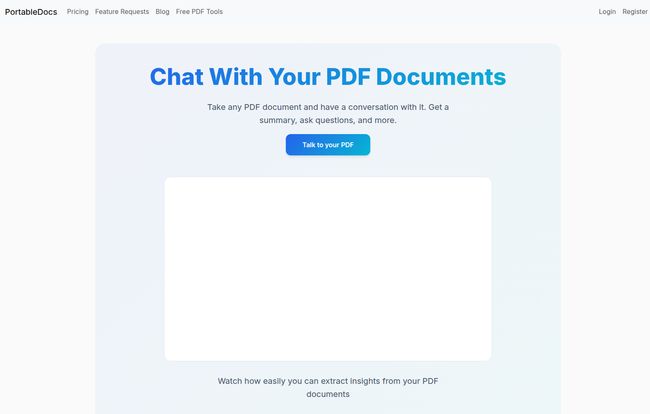
Visit PortableDocs
My First Impressions (And a Little Skepticism)
The interface is clean. Minimalist, even. No clutter, just a big, inviting box that says, “Drop your PDF here.” I appreciate that. The last thing I need is another tool with a steep learning curve.
For my first test, I uploaded a notoriously dense competitor keyword gap analysis report. It was packed with tables, jargon, and tiny fonts. My usual process for a doc like this involves a strong cup of coffee and a lot of squinting. This time, I just uploaded it. After a few moments of processing, the chat box was ready.
My first question was simple: “What are the top 5 keywords where Competitor X is ranking but we are not?”
I waited. And then, a few seconds later, a perfectly formatted list appeared. My jaw might have actually dropped a little. It wasn’t just a chunk of text copied from the PDF; it was a synthesized answer. It had understood the intent of my question. Okay, PortableDocs. You have my attention.
Putting PortableDocs Through Its Paces
One good result isn’t enough, though. I needed to see if it could handle different tasks. Over the next few days, I threw everything I could at it.
For the SEO and Marketing Reports
This is my bread and butter. I fed it industry trend reports, Google Analytics PDF exports, and social media performance summaries. Asking things like, “What was the primary traffic source in Q3 with the highest conversion rate?” or “Summarize the key findings of this A/B test” became second nature. It turned hours of data-digging into minutes of conversation. This alone felt like a superpower. It’s one thing to have data; it’s another to get insights from it quickly.
Taming Technical Manuals and Legal Jargon
We’ve all been there. Trying to set up a new piece of martech software from a 90-page manual, or trying to make sense of a client’s Terms of Service agreement. I uploaded a lengthy ToS document for a new analytics platform. Instead of getting a law degree to understand paragraph 11, subsection C, I just asked, “In simple terms, who owns the data I collect through this platform?” The answer it gave was clear, concise, and saved me a potential headache down the road.
The Academic and Research Game-Changer
While I’m not in academia anymore, I remember the pain of literature reviews. I tested PortableDocs with a few dense scientific papers. Being able to ask, “What was the study’s methodology?” or “List the main conclusions of this research” without reading the entire paper first is, frankly, incredible. For any student or researcher, this could fundamentally change how they work, freeing up time for critical thinking instead of just information gathering.
Let’s Talk Brass Tacks The Good and The Not-So-Good
No tool is perfect. After my week-long deep dive, here’s my honest take.
What I loved was the sheer speed. The time-saving aspect cannot be overstated. It’s like having a brilliant intern who has already read everything and is just waiting for your questions. The quality of the answers, thanks to GPT-4, is genuinely impressive. It rarely felt like a dumb bot just matching keywords. It understood context.
Now, for the reality check. This is still AI. It’s incredibly smart, but it’s not an infallible oracle. I noticed on a very complex table, it once misinterpreted a column heading. You still have to use you’re brain and for critical, make-or-break data, you should always click the reference to double-check the source text. Also, the plans have limits. The free plan is more of a quick demo, and the Basic plan has monthly question caps. You have to be mindful of that if you’re a heavy user.
Decoding the PortableDocs Pricing
The pricing structure is pretty straightforward, which I appreciate. They offer monthly and annual plans, with a nice 25% discount if you pay for the year upfront. Smart move.
| Plan | Price (Annual/Monthly) | Key Features | Who It’s For |
|---|---|---|---|
| Free | $0 / month | 1 PDF upload, 5 questions/month, 25MB max size | The curious user who wants to test the waters. |
| Basic | $10 / $15 / month | 100 PDFs, 1000 questions/month, 25MB max size | Freelancers, students, or small businesses with moderate needs. |
| Pro | $20 / $25 / month | Unlimited PDFs & questions, 50MB max size | Power users: agencies, researchers, legal teams, and anyone who lives in PDFs. |
In my opinion, the Pro plan offers the best value if you’re going to integrate this into your daily workflow. The peace of mind from unlimited questions and a larger file size limit is easily worth the extra coffee-money per month.
Is PortableDocs Worth Your Time and Money?
So, the big question. My verdict? Yes, absolutely.
PortableDocs isn’t just another shiny AI toy. It’s a genuine productivity tool that solves a real, nagging problem for knowledge workers. It doesn’t replace critical thinking, but it dramatically accelerates the tedious process of finding information, giving you back your most valuable asset: time. Time to analyze, strategize, and create, rather than just… read.
Will it make a mistake occasionally? Maybe. Should you still verify mission-critical numbers? Of course. But will it save you hours of mind-numbing work every single week? I’m betting on it.
Conclusion
We’re moving into an era where AI isn’t just about creating content, but about helping us understand it better. Tools like PortableDocs are at the forefront of that shift. It’s one of the few new tools I’ve tested recently that I’ve immediately integrated into my own workflow. Stop drowning in your documents. It’s time to start talking to them. Go give the free version a spin and see for yourself; you might be surprised at what your PDFs have to say.
Frequently Asked Questions about PortableDocs
- How does PortableDocs ensure accuracy?
- PortableDocs uses the advanced GPT-4 AI model, which is known for its strong contextual understanding. However, as with any AI, it’s not 100% flawless. It’s always a good practice to use the tool as a powerful assistant and cross-reference hyper-critical data points directly in the source document.
- Is my data secure when I upload a PDF?
- While I’m not a company rep, most reputable SaaS platforms take data security very seriously. They typically use secure connections and have clear privacy policies. It’s always best to check their official Privacy Policy for specifics, especially if you’re handling highly sensitive or confidential documents.
- Can PortableDocs handle PDFs in different languages?
- Since it’s built on GPT-4, which has robust multilingual capabilities, it’s highly likely that PortableDocs can handle and analyze PDFs in many different languages. Your best bet is to test it with a document in your specific language on the free plan.
- What happens if I go over my monthly question limit on the Basic plan?
- Typically, on plans with limits, you’ll be prompted to upgrade to a higher tier once you hit your question or upload cap for the month. Your service would likely be paused until the next billing cycle or until you upgrade.
- Is there a limit on the number of pages in a PDF?
- The limit is based on file size (MB) rather than page count. A 25MB PDF can be hundreds of pages if it’s mostly text, but fewer pages if it’s image-heavy. The Pro plan’s 50MB limit should be sufficient for the vast majority of professional and academic documents.
- Who is the Pro plan really for?
- The Pro plan is designed for individuals or teams whose work revolves around analyzing dense documents. This includes marketing agencies, legal professionals, academic researchers, consultants, and business analysts who need to extract insights from reports, contracts, or studies on a daily basis without worrying about limits.


