
Categories: AI Agent, AI Code Assistant, AI Developer Tools, AI Workflow
Potpie AI Review: Custom AI Agents for Your Codebase?

Alright, let’s have a real chat. How many times this week have you stared at a piece of legacy code, wondering what ancient magic holds it together? Or spent half a day trying to explain a complex system to a new team member? I’ve been in the SEO and dev world for years, and the amount of time we waste on repetitive, context-heavy tasks is just… staggering. We’ve all been playing with AI coding assistants. They’re fun. Sometimes helpful. But often, they feel like a clever parrot, repeating patterns without truly understanding what’s going on.
They lack context. And in software development, context is everything.
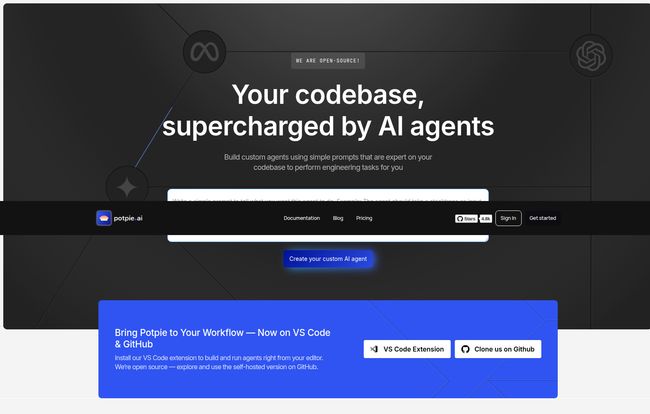
So, when I came across Potpie AI, my professional skepticism was on high alert. Another AI tool promising to revolutionize my workflow? Sure. But the headline caught my eye: “Your codebase, supercharged by AI agents.” That’s a bold claim. It’s not just about autocompleting a line of code; it’s about understanding the entire system. I had to see what was under the hood.
So, What Exactly is Potpie AI?
Let’s get this out of the way: Potpie isn’t just another ChatGPT wrapper you feed code snippets to. Think of it more like a factory for building tiny, hyper-specialized interns. Interns that have a photographic memory of your entire codebase, from the brilliant architectural decisions to that one hacky script you wrote on a Friday afternoon and hoped no one would ever see.
Potpie AI lets you create task-oriented custom AI agents that live inside your development environment. These agents are designed to perform engineering tasks with a level of precision that generic AIs just can’t match. It achieves this by being deeply codebase-aware. It doesn’t just see the one file you have open; it understands the relationships between files, the dependencies, and the overall structure of your project.
The Magic of Being Codebase-Aware
This is the secret sauce. This is what separates a genuinely useful tool from a novelty. We’ve all been there: you copy-paste a 300-line function into a generic LLM, ask it to find a bug, and it either hallucinates an answer or gives you advice so generic it’s useless. It’s because the AI has no idea about `anotherService.js` that the function implicitly relies on.
Potpie integrates directly with your workflow through its VS Code Extension and GitHub connection. It ingests the context of your project to provide intelligent help. Suddenly, tasks that were a massive pain become manageable.
- Onboarding a new developer? An agent can generate a summary of the most critical parts of the codebase for their first task.
- Designing a new system? An agent can analyze existing patterns and suggest an approach that fits your architecture.
- Debugging a nightmare issue? It can trace dependencies and suggest potential points of failure with frightening accuracy.
Visit Potpie AI
It’s less like a parrot and more like a seasoned pair-programmer you can summon on demand. One who never needs a coffee break.
Automating Your Life with Agentic Workflows
Okay, “agentic workflows” sounds like some high-falutin’ marketing jargon. I thought so too. But in practice, it’s a pretty powerful concept. It’s about chaining tasks together to automate a complex process. Instead of giving the AI one command at a time, you give it a recipe to follow.
Imagine setting up integration tests. It’s a chore. With an agentic workflow in Potpie, you could design an agent that:
- Reads the new feature branch.
- Identifies the public-facing endpoints and functions.
- Scaffolds a set of basic integration test files based on your existing testing patterns.
- Writes the boilerplate code and leaves `// TODO:` comments for the specific test logic.
That’s not just saving you typing; it’s saving you cognitive load. It handles the boring, repetitive setup, so you can focus on the actual logic. This is where I see the real potential for a productivity boost, especially for larger teams striving for consistency.
Flexibility, Customization, and a Little Bit of Freedom
Here’s where Potpie really started to win me over. They seem to understand that developers hate being locked into a box. There are a couple of things they do really well here.
You’re Not Stuck with One AI Model
The platform has multi-LLM support. This is huge. You’re not married to OpenAI, Anthropic, or any single provider. You can switch between models based on the task. Need raw power for a complex problem? Maybe you use GPT-4. Need speed and cost-efficiency for a simple task? A smaller model might do. Even better, you can bring your own API keys, which means you’re only limited by your own budget, not their request caps.
The Glorious Open-Source Option
Potpie AI has an open-source version you can self-host. For any company concerned about sending proprietary code to a third-party service, this is a non-negotiable feature. It means you can run the entire system on your own infrastructure, giving you full control over your data and security. It also means the community can contribute, which is always a good sign for the long-term health of a project.
Let’s Talk Turkey: Potpie AI Pricing
No review is complete without looking at the price tag. The structure here feels pretty reasonable and scales logically from individual hobbyists to massive corporations.
| Plan | Price | Best For | Key Features |
|---|---|---|---|
| Individual – Free | $0 / month | Solo devs, students, and curious tinkerers. | Ready-to-use agents, 50 requests/mo (unlimited with own keys), public repos only. |
| Individual – Pro | $39 / month | Professional developers and small teams. | Everything in Free, plus custom agents, private repo support, and agentic workflows. |
| Enterprise | Custom | Large organizations with scale and security needs. | Unlimited everything, self-hosted LLMs, on-prem deployment, audit trails. |
My take? The free plan is genuinely useful for getting your feet wet, especially with the ‘bring your own key’ option. The Pro plan at $39 feels like the sweet spot for any serious developer who sees the value in custom automation. It’s less than the cost of a few fancy coffees a week.
The Other Side of the Coin
No tool is perfect, and it’s important to be realistic. There are a few things to consider before jumping in.
First, this isn’t a plug-and-play web app. It requires codebase integration. You need to install the VS Code extension and give it access. This isn’t a flaw, it’s literally how it works, but it’s a small hurdle to clear. It’s an investment of time to set up, but that’s what makes it so powerful.
Second, while it supports multiple languages, the performance is currently optimized for the big players: TypeScript, Python, Java, and JavaScript. If your entire stack is in Rust, Haskell, or COBOL (you have my sympathies), you might not get the same stellar results. Yet.
Finally, the free plan’s request limit is a bit tight. Fifty requests disappear quickly when you’re exploring. However, the ability to add your own API key makes this a non-issue for anyone with an existing OpenAI or Anthropic account.
So, Who Is This Really For?
After spending some time with it, I have a clear idea of who gets the most out of Potpie AI. It’s for the developer or team that feels the pain of complexity and repetition. It’s for:
- Development Teams looking to streamline onboarding and enforce best practices for things like testing and documentation.
- Senior Developers working on massive, tangled codebases who need a smart assistant to help them navigate.
- Solo Founders and Freelancers who want to automate the grunt work so they can focus on building features.
It’s probably not for the beginner coder who just needs to figure out how to write a `for` loop. This is a power tool, and it shines brightest in the hands of someone who knows what they want to build.
Frequently Asked Questions about Potpie AI
- Is Potpie AI safe to use with my private code?
- On the Pro and Enterprise plans, you can use it with private repositories. For maximum security, the Enterprise plan offers on-premise deployment, meaning your code never leaves your own servers. The open-source version also allows for self-hosting for complete data control.
- What’s the difference between Potpie AI and GitHub Copilot?
- Copilot is primarily an autocomplete tool; it suggests code as you type. Potpie AI is an agent-based system. You create or use agents to perform entire tasks, like “write unit tests for this file” or “generate documentation for this API.” It’s more about workflow automation than line-by-line suggestions.
- Can I use Potpie AI with any programming language?
- You can, but it’s currently optimized for TypeScript, Python, Java, and JavaScript. You’ll likely see the best and most accurate results with those languages. Support for other languages will probably improve over time.
- Do I need to have my own OpenAI or Anthropic API key?
- Not necessarily. The plans come with a certain number of requests. However, to get unlimited requests (on the Free and Pro plans) and have more control, using your own API key is the way to go. It’s a great feature for heavy users.
- How difficult is it to create a custom agent?
- It’s surprisingly straightforward. You build them using simple prompts. If you’re comfortable writing a good, detailed prompt for a model like GPT-4, you can create a custom agent. You’re basically teaching the agent a specific skill by describing it in natural language.
My Final Verdict on Potpie AI
I’ve seen a lot of AI tools come and go. Most of them are vaporware or thin wrappers over an API. Potpie AI feels different. It feels… substantial. It’s built on a correct and powerful assumption: that for an AI to be truly helpful to a developer, it needs deep, specific context about the project at hand.
By focusing on codebase-aware agents and automatable workflows, Potpie is tackling a much harder, and ultimately more valuable, problem than just code completion. It’s a tool that requires a bit of thought to use effectively, but the payoff in saved time and reduced mental overhead could be immense. Is it the future of software development? I don’t know, but it sure feels like a step in the right direction.


