
Categories: AI 3D Model Generator, AI Design Generator, AI Realistic Image Generator, Image to Image
Pristina.ai Review: AI Rendering for Blender & 3ds Max?

If you’re in the 3D world, you know the grind. You spend days, maybe weeks, meticulously sculpting the perfect model. You line up the lighting, tweak the camera angle, and then… you hit ‘render.’ And you wait. And wait. And then you go make a coffee, come back, and it’s still waiting.
We’ve all been there, staring at a progress bar that moves with the glacial pace of continental drift, praying our machine doesn’t overheat and turn into a very expensive paperweight before the final frame is processed. It’s the part of the creative process that feels a lot less ‘creative’ and a lot more ‘technical frustration’. For years, the solution was just to throw more money at the problem: bigger CPUs, beefier GPUs, more RAM. But what if there was another way?
I first stumbled upon Pristina.ai during one of my late-night deep dives for new traffic-driving tech. As an SEO guy, I’m obsessed with efficiency, and while I’m not a 3D artist by trade, many of my clients are. They need stunning visuals for their sites, and faster turnaround means happier clients. So when a tool promises to use AI to slash rendering and texturing time, my ears perk up. But does it actually work, or is it just another drop in the ocean of AI hype? Let’s find out.
So, What Exactly is Pristina.ai?
In a nutshell, Pristina.ai is an AI-powered plugin for Blender and 3ds Max. You don’t export your project to some clunky, standalone program. It lives right inside the software you already use.
Think of it like a ridiculously talented, inhumanly fast junior artist. You give it your basic 3D model—it can even be a low-poly, not-quite-finished asset—and with a few clicks, the AI takes over. It intelligently enhances the textures, refines the details, and churns out a photorealistic image. All the heavy lifting is done on their cloud servers, which means your own computer can finally take a breather. You’re not limited by your own hardware, which is a massive deal for freelancers or smaller studios who can’t afford a NASA-level workstation.
It’s designed to attack the most time-consuming parts of the archviz and 3D product workflow, basically automating the final 80% of polishing that usually takes forever.
The Core Features That Actually Matter
Okay, marketing fluff is one thing, but what does it do? I’ve seen a million platforms promise to ‘revolutionize’ my workflow. Most of them just add more steps. Pristina.ai seems different because it focuses on a few very specific, very painful parts of the process.
From Blocky to Breathtaking: The AI Enhancement
This is the main event. Pristina.ai claims you can feed it a less-than-perfect model and it will turn it into a ‘supermodel’. I was skeptical, but the before-and-after shots are pretty compelling. It’s not just applying a simple filter; the AI seems to understand context, adding realistic textures to fabrics, believable reflections on surfaces, and even restoring human faces to look more natural. It gives each object a “dedicated resolution,” meaning your sofa gets as much love as the tiny vase on the coffee table. This is fantastic for those times you buy an asset from a library and it just… doesn’t quite look right.
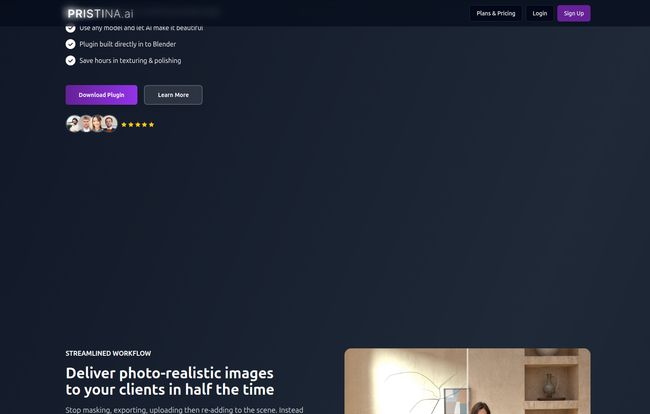
Visit Pristina.ai
The Magic Wand of Masking
Anyone who has spent hours in Photoshop painstakingly painting masks for every single object in a scene knows this pain. It’s tedious, soul-crushing work. Pristina.ai automates this, providing clean PNG masks for your objects. This is one of those ‘quality of life’ features that sounds small but adds up to hours saved in post-production. It’s a huge, huge win.
Workflow Integration That Doesn’t Suck
The fact that this is a plugin for Blender and 3ds Max is a big green flag for me. It shows they understand their audience. We don’t want to learn a whole new piece of software. We want tools that slot into our existing pipeline. By living inside Blender or 3ds Max, it feels less like a separate chore and more like a new set of superpowers you can call on when you need them.
My Honest Take: The Good, The Bad, and The AI
No tool is perfect, especially one that’s still new on the scene. So let’s get into the nitty-gritty. What do I genuinely like, and what are the potential hang-ups?
What I Genuinely Like About Pristina.ai
First off, the speed. Shifting the rendering workload to the cloud is just plain smart. It democratizes high-end rendering. You’re no longer judged by the size of your graphics card but by the quality of your ideas.
Second, it’s a fantastic ‘fixer’. We all have a library of 3D assets that are functionally fine but aesthetically… meh. Pristina.ai acts like a finishing school for these models, polishing them up for their debut in your scene. This saves a ton of time and money you might otherwise spend hunting for the perfect, triple-A asset.
Finally, I appreciate its focus. It’s not trying to be a full 3D modeling suite or an animation powerhouse. It does one thing—final-touch rendering and enhancement—and seems to do it well.
A Few Things to Keep in Mind
Now for the reality check. It’s not all sunshine and instant renders. You absolutely need an internet connection to use it. That’s the price of admission for cloud power. If you like to work from a cabin in the woods, this might not be for you.
Then there’s the credit-based system. I have a love-hate relationship with these. On one hand, it’s a predictable expense. On the other, it can lead to ‘credit anxiety’—the fear of wasting credits on an experiment that doesn’t pan out. It’s a psychological hurdle you have to get over.
And most importantly, Pristina.ai is currently in Alpha. This means you’re an early adopter. You get to be on the cutting edge, but you also might be the one to find the occasional bug or limitation. I’ve been burned by beta software before on a tight deadline, and its not fun. So, I’d suggest using it for projects where you have a bit of flexibility, at least for now.
Let’s Talk Money: Pristina.ai Pricing Explained
So, what’s the damage? The pricing is a monthly subscription tied to a credit system. From what I can gather, one object render costs around 10 credits. They get you in the door with 500 free credits to start, which is a great, no-risk way to see if it works for you.
| Plan | Price (Monthly) | Credits & Approx. Objects |
|---|---|---|
| Discovery | £18 | 500 Credits (~50 Objects) |
| Professional | £30 | 1500 Credits (~150 Objects) |
| Studio | £50 | 3000 Credits (~300 Objects) |
All plans include core features like geometric accuracy, speedy cloud rendering, 2X upscaling, face restoration, and PNG mask exports. There is also an Enterprise option for large studios.
Is it worth it? If you’re a freelance 3D artist and the £30 Professional plan saves you even 5-10 hours of tedious work a month, it pays for itself almost immediately. Time is money, and this tool is all about giving you back your time.
Who is This AI Rendering Tool Really For?
After looking at its features and pricing, a few key profiles come to mind:
- Architectural Visualization Artists: This is a slam dunk. The ability to quickly generate photorealistic mockups for clients is invaluable.
- Indie Game Developers: A small team or solo dev can use this to generate high-quality game assets without needing a dedicated texture artist.
- Product Marketers & E-commerce: Need to create stunning visuals of a product? This could be way faster and cheaper than a traditional photoshoot.
- 3D Hobbyists & Students: It’s a brilliant way to produce portfolio-worthy pieces and focus on the modeling and composition, letting the AI handle the complex texturing.
Who is it not for? Probably massive VFX houses like Weta or ILM, who have their own deeply entrenched, proprietary pipelines. Also, if you’re an artist who finds deep satisfaction in the meditative process of hand-painting every texture, this might feel like cheating. And that’s okay! Tools are about choice.
Final Verdict: Is Pristina.ai Worth Your Time and Credits?
So, we come back to the big question. Is Pristina.ai the real deal? In my opinion, yes, with a small asterisk. It’s a powerful, intelligent tool that solves a very real, very annoying problem for a huge chunk of the 3D community. It’s not a magic button that replaces skill—you still need a good eye for composition and a solid model to start with. But it is an incredible accelerator. A force multiplier for your existing talent.
The fact that it’s still in Alpha means you should go in with open eyes, but the potential here is enormous. With 500 free credits on the table, there’s literally no reason not to download the plugin and give it a spin. You might find you have a new AI assistant on your team.
Frequently Asked Questions (FAQ)
- Does Pristina.ai use the internet?
- Yes, absolutely. It’s a cloud-based platform, so all the AI processing happens on their servers. A stable internet connection is a must.
- Do I need a powerful computer to run Pristina.ai?
- Nope! And that’s one of its biggest advantages. Because the rendering and enhancement are done in the cloud, you can get amazing results even with a modest laptop or an older desktop. Your PC just needs to be able to run Blender or 3ds Max.
- What’s the maximum resolution Pristina can render?
- The platform is built for high-quality output and even includes a “2X Accurate Upscaling” feature. While they don’t list a specific maximum pixel count, the focus is clearly on producing photorealistic, high-resolution images suitable for professional portfolios and client work.
- Who is Pristina.ai for?
- It’s ideal for architectural visualizers, indie game developers, product marketers, and 3D hobbyists who want to create photorealistic renders quickly without getting bogged down in manual texturing and long render times.
- Can Pristina render styles other than photorealistic?
- The tool’s main strength and focus is on photorealism. If you’re going for a highly stylized, non-photorealistic, or cartoonish look, this probably isn’t the right tool for the job. It’s built to mimic reality.
- How long does it take to learn how to use Pristina.ai?
- Because it’s a plugin that works directly within Blender and 3ds Max, the learning curve is very gentle. There’s no new interface to master. The idea is to simplify your workflow, not add another complex program to it.


