
Categories: AI Advertising, AI Browsers
Quetta Browser Review: A Real Privacy Alternative?

Let’s have a little chat. You and me. For years, I’ve been on this quest, this digital pilgrimage, to find the perfect web browser. I know, it sounds dramatic, but think about it! It’s our main window to the world. I’ve jumped from the memory-gobbling beast that is Google Chrome to the noble-but-sometimes-fussy Firefox, and even taken extended trips with Brave and Vivaldi. Each one has its charms, but I always felt like I was making a compromise. It was either speed for privacy, or features for a clean interface.
Then, a name I hadn’t heard before popped onto my radar: Quetta. It came with some bold claims. Privacy-first. AI-powered ad blocking. Zero data collection. My inner skeptic, honed by years of marketing fluff, immediately raised an eyebrow. Another browser promising to be my digital knight in shining armor? Sure. But my curiosity got the better of me. I mean, what’s one more browser install? So I took the plunge, and I’ve been using it for a bit now. And folks, we need to talk about it.
So, What Exactly Is Quetta Browser?
In a nutshell, Quetta positions itself as the anti-Chrome. Its entire philosophy is built on a simple, yet somehow radical, idea: your data belongs to you. Full stop. It’s a web browser designed from the ground up to protect your privacy without you needing a PhD in cybersecurity to configure it. They state pretty clearly on their site that they don’t collect, store, or share user data. It’s like a locked diary in a world where most browsers are open postcards.
It achieves this through a combination of tools, most notably its built-in Privacy Guard™ and a smart ad blocker. It’s not just about blocking pop-ups; it’s about actively preventing the trackers, scripts, and digital breadcrumbs that follow you from site to site. You know, the reason those shoes you looked at once are now haunting you on every single webpage. Yeah, Quetta aims to put a stop to that.
The Standout Features That Genuinely Impressed Me
Okay, let’s get into the meat and potatoes. A browser can talk a big game about privacy, but if it’s a pain to use, nobody will stick with it. I was pleasantly surprised here.
The AI Ad Blocker is a Silent Guardian
I’ve used ad blockers for over a decade, but Quetta’s feels different. They call it AI-powered, which usually sends my marketing-BS detector into overdrive. In this case, though, it seems to hold up. It’s not just working off a static list. It’s impressively effective at nuking ads, even those pesky pre-roll video ads on certain platforms that other blockers sometimes miss. The result? Pages load noticeably faster, and the whole experience is just… cleaner. It’s a refreshing change form the usual digital noise.
Privacy Guard and The Big Four
This is Quetta’s crown jewel. The website has this handy little comparison chart showing how it stacks up against Chrome, Firefox, and Safari on what I call the ‘Big Four’ of privacy.
| Privacy Feature | Quetta | Chrome | Firefox | Safari |
|---|---|---|---|---|
| Tracker Blocking | ✔ | ✖ | ✔ | ✔ |
| Cookie Blocking (3rd Party) | ✔ | ✖ | ✔ | ✔ |
| Fingerprint Prevention | ✔ | ✖ | ✖ | ✖ |
| HTTPS Everywhere | ✔ | ✔ | ✔ | ✔ |
That fingerprint prevention is the real kicker. Browser fingerprinting is a sneaky way sites identify you by collecting tiny bits of information about your system—screen resolution, fonts, browser plugins—to build a unique profile. Quetta actively works to scramble that data, making you look more like a ghost in the machine. That’s a pro-level move that many mainstream browsers just don’t bother with.
A Swiss Army Knife for Content
Here’s where Quetta surprised me. It’s not just a privacy shield; it has some genuinely useful tools for people who actually consume stuff online. The built-in Video Downloader is ridiculously simple to use. See a video, click a button, save it for later. This flows perfectly into its Offline Playlist feature. You can build up a collection of videos or articles to watch or read on the subway or a flight without needing an internet connection. It even has a one-click PDF Conversion tool and a clean, distraction-free Reading Mode. These aren’t just tacked-on gimmicks; they feel like a core part of the experience.
It Plays Nice With Chrome Extensions
This is the big one for most people, isn’t it? The thought of leaving behind your beloved extensions is a deal-breaker. Well, good news. Quetta supports the entire Chrome Web Store library. My password manager, grammar checker, and SEO tools all installed without a hitch. This removes a massive barrier to entry and makes the switch practically painless.
The Look, The Feel, and The ‘Coming Soons’
The user interface is clean. Minimalist, even. It feels lightweight and snappy, which makes sense when it’s not bogged down loading a million trackers. It’s available pretty much everywhere—Windows, macOS, Android, and iOS. They even list visionOS, so they’re thinking ahead.
Now, it’s not perfect. It’s a newer player on the scene, and you can feel that sometimes. On their website, they mention a “Side-by-side translation” feature that is listed as “Coming soon.” That’s a feature I’m actually really excited for, but it highlights that the browser is still a work in progress. It’s not a con, necessarily, more of a reality. The team is clearly still building, which can be exciting if you like being on the ground floor of something new.
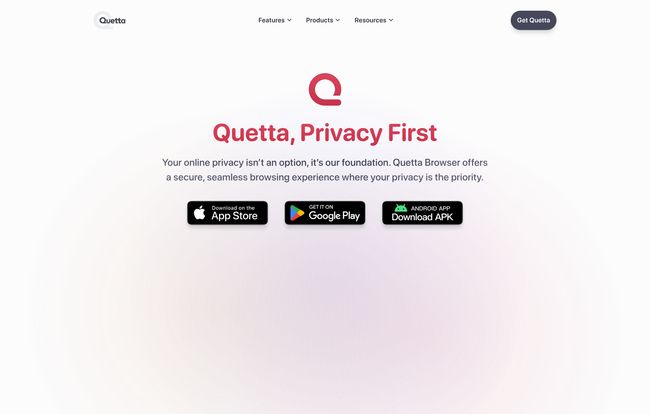
Visit Quetta Browser
So, What’s the Catch? The Price.
Alright, this is the part where the other shoe usually drops. All these features, this focus on privacy… it’s gotta cost something, right? So I went looking for the pricing page. And I found… a 404 error. Now, in most cases, that’s an annoyance. But in the world of software, a missing price tag often means one beautiful thing: it’s free. As far as I can tell, Quetta is completely free to download and use. This makes it a no-brainer to at least try out.
My Final Take: Should You Switch to Quetta?
After spending some quality time with it, I’m genuinely bullish on Quetta. It’s not just another Chrome clone with a different logo. It has a real, tangible point of view on privacy, and it backs it up with solid, user-friendly features.
“Quetta does not collect, store or share any of your data. Your data always belongs to you.”
That quote from their site isn’t just a marketing line; it feels like the principle the whole browser is built on.
So, who is this for? If you’re someone who’s grown uneasy with how much Big Tech knows about you, Quetta is a fantastic choice. If you’re a content junkie who loves saving videos and articles for later, its built-in tools are a massive win. If you just want a faster, cleaner browsing experience without all the ad clutter, it delivers.
Will it replace Chrome for everyone overnight? Probably not. Old habits die hard. But is it a seriously compelling alternative that respects your privacy without sacrificing modern features? Absolutely. I’ve set it as my default browser for now, and I haven’t looked back. Give it a shot; I have a feeling you might be surprised.
Frequently Asked Questions
- Is Quetta Browser really free?
- Yes, based on all available information, the Quetta Browser is completely free to download and use. There is no pricing page or mention of any subscription costs.
- Is Quetta Browser safe to use?
- Safety and privacy are its core features. With its Privacy Guard that includes tracker blocking, data encryption, and fingerprinting prevention, plus a commitment to not collecting user data, it’s designed to be one of the safer browsing options available.
- Does Quetta Browser work with Chrome extensions?
- Yes! It has extensive extension support and is compatible with the vast library of extensions available on the Chrome Web Store. You can bring your favorite tools with you.
- What platforms is Quetta Browser available on?
- Quetta is a multi-platform browser available for Windows, macOS, Android, iOS & iPadOS, and even Apple’s new visionOS.
- Can Quetta truly replace Google Chrome?
- For many users, yes. It provides a faster, more private browsing experience and supports Chrome extensions, covering the main reasons people stick with Chrome. If you’re deeply embedded in Google’s specific ecosystem of services, there might be a small adjustment period, but for general web browsing, it’s a powerful replacement.
Conclusion
In a world where we’re constantly told that giving up our privacy is the price of admission for using the internet, Quetta is a breath of fresh air. It’s a well-designed, fast, and feature-rich browser that puts user privacy back where it belongs: in the user’s hands. It’s not just a tool; it’s a statement. And it’s one I’m happy to get behind. The web feels a little more like it’s mine again, and that’s a great feeling.


