
Categories: AI Assistant, AI Browsers, AI Excel Formula Generator, AI Productivity Tools, AI Writing Assistants
Quick Access Ai Review: A Game-Changer for ChatGPT?

If you’re in SEO, marketing, coding, or frankly, just breathing in 2024, you’re probably using ChatGPT. A lot. And you know the dance. The endless, soul-sucking tab shuffle. You’re writing an email. You need a better subject line. Tab switch. You’re knee-deep in a Google Sheet. You need a formula. Tab switch. You’re debugging some code. You need a sanity check. Tab switch, copy, paste, pray. It’s a digital whack-a-mole that slowly eats away at your focus and your will to live.
I’ve lost count of the times I’ve ended my day with a dozen browser tabs open, half of them just slightly different ChatGPT conversations. It’s organized chaos at best. That’s why when I stumbled upon a tool called Quick Access Ai, my interest was piqued. A Chrome extension promising instant ChatGPT on any site with a simple command? And for a one-time payment? My inner skeptic immediately raised an eyebrow, but my inner productivity nerd was already reaching for the credit card.
So, I took the plunge. I paid the fee, installed the extension, and have been putting it through its paces. Is it the magic bullet for our collective tab-switching woes, or just another piece of digital clutter? Let’s get into it.
So, What Exactly Is Quick Access Ai?
Think of Quick Access Ai as a universal remote for ChatGPT that works on any channel (aka, any website). It’s a lightweight Chrome extension that embeds the power of OpenAI’s language model directly into your current workflow. No more leaving your page. No more breaking your concentration. You simply type a command, and the AI does its thing right where you are.
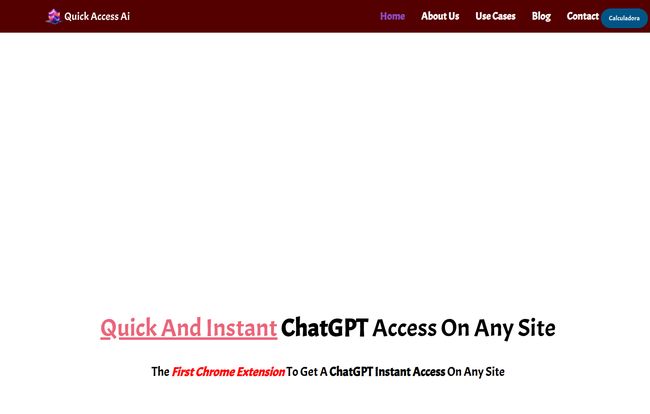
Visit Quick Access Ai
The core promise is a massive boost in productivity—their website throws around a bold “up to 20x” figure. Now, I’m an old hand in this game, and I take claims like that with a huge grain of salt. 20x is… ambitious. But could it double my efficiency on certain tasks? Could it save me an hour a week? That alone would be worth the price of admission.
The Never-Ending Tab Shuffle: The Real Problem This Tool Solves
Before we go further, let’s just sit with the problem for a moment. Just the other day, I was drafting a proposal in Google Docs. I needed to summarize a competitor’s service, rewrite a clunky paragraph, and then draft a follow-up email based on the proposal’s content. In the ‘before times’ (i.e., last week), this involved:
- Copying the competitor’s text from their site.
- Switching to my pinned ChatGPT tab.
- Pasting and writing the prompt: “Summarize this for a business proposal.”
- Copying the summary.
- Switching back to Google Docs and pasting.
- Repeating the whole process for the paragraph rewrite and the email draft.
It’s tedious. It’s disruptive. The folks at Quick Access Ai seem to get this. They put a little comparison on their site claiming a normal ChatGPT task takes 5 minutes versus 1 minute with their tool. And you know what? It doesn’t feel that far off.
Getting Started and Using the Magic Words
Installation is as simple as any Chrome extension. Click, add, done. The real question is the learning curve. Is it intuitive or another set of commands I’ll forget in five minutes?
Thankfully, it’s pretty straightforward. The primary command structure is:quick: [Your Prompt Here] y:
You literally type that string of text wherever you need the AI’s help—a WordPress editor, a social media text box, a Gmail compose window—and it gets replaced by the AI’s response. For instance, you could type “quick: write three fun subject lines for an email about a new productivity tool y:” and watch the magic happen.
I gotta admit, the first few times you do it, it feels like a genuine superpower. There’s a slight delay, and then poof, your text transforms. It’s a little clunky at first, remembering to start with “quick:” and end with “y:”, but after about a day of use, it became second nature.
Putting Quick Access Ai to the Test
Okay, theory is great, but how does it hold up in the wild? I used it for a few common scenarios.
Rewriting and Brainstorming on the Fly
This is where the tool absolutely shines. I was working on a landing page, and a headline just wasn’t landing. Instead of context switching, I just typed below it: “quick: give me five punchier versions of the headline ‘A Great Tool for Your Business’ y:”. Seconds later, I had five new options to play with, right there on the page. It kept me in the creative flow state, which as any writer knows, is precious.
Instant Research without Leaving the Page
I was reading an article on a new Google algorithm update and it mentioned “vector search.” Instead of opening a new tab to look it up, I just highlighted the term, and in theory, a future version could have a right-click context menu. For now, I just opened a notepad and typed “quick: explain vector search like I’m five y:”. While not perfectly integrated, it was still miles faster than derailing my reading session.
A Coding Companion?
As someone who dabbles in a bit of CSS and Javascript, this was a fun one to test. Stuck on a function, I typed a comment in my code editor: “// quick: write a javascript function that validates an email address y:”. Boom. A perfectly serviceable block of code appeared. This is huge for developers who live in their IDE but need a quick snippet from the hive mind.
The Elephant in the Room: That $15 Price Tag
In a world of endless SaaS subscriptions bleeding us dry at $10, $20, $50 a month, a one-time payment feels like a relic from a bygone era. For $15—less than a couple of fancy coffees—you get Quick Access Ai. Forever. Allegedly.
This is, without a doubt, its most compelling feature. Compare this to other popular AI writing assistants:
| Tool | Pricing Model | Typical Cost |
|---|---|---|
| Quick Access Ai | One-Time Payment | $15 |
| Jasper AI | Monthly Subscription | $39/mo+ |
| Copy.ai | Monthly Subscription | $36/mo+ |
Now, it’s not an apples-to-apples comparison. Those other platforms have more complex features, document editors, and brand voice tools. Quick Access Ai does one thing: it gives you a shortcut to ChatGPT. But if that’s the 90% of what you need, the value proposition here is off the charts.
The Not-So-Great Stuff (Because Nothing’s Perfect)
Alright, it’s not all sunshine and productivity rainbows. There are a few downsides to consider.
- Chrome-Only: This is the biggest one. If your daily driver is Safari, Firefox, or Brave, you’re out of luck. This immediately cuts out a big chunk of potential users.
- A Hostage to ChatGPT: The extension is just a fancy window. If ChatGPT is down, at capacity, or having one of its weird, slow days, Quick Access Ai is useless. You’re entirely dependent on OpenAI’s infrastructure.
- A Few Rough Edges: The tool feels like it’s made by a small, agile team, which is great for innovation but sometimes means a lack of polish. While exploring their site for this review, I actually hit a 404 “Page not found” error on one of their main navigation links. It’s a minor thing, and maybe it’s fixed by the time you read this, but it adds to the feeling that this is an indie product, not a massive corporate offering. Which honestly, I kind of like.
Who is Quick Access Ai Actually For?
So who should drop the $15? I think the ideal user is someone who lives in their browser and already uses ChatGPT dozens of times a day. If you’re a:
- Content Creator or Marketer: Constantly writing copy, emails, social posts, or blog articles.
- Developer: Needing quick code snippets, bug fixes, or explanations.
- Student or Researcher: Summarizing articles, defining terms, and drafting papers.
- Customer Support Agent: Drafting polite, comprehensive, and quick replies.
If you’re one of these people, the small investment will likely pay for itself in saved time within the first week. If you only use ChatGPT occasionally for fun, you can probably stick to the tab-switching method.
My Final Verdict: Is It Worth It?
Yes. Unreservedly, yes.
For the price of a movie ticket, Quick Access Ai removes the single biggest point of friction in using AI for daily tasks. It’s not going to write a novel for you, and it doesn’t have a million bells and whistles. But it does exactly what it says on the tin: it gives you instant access to ChatGPT, anywhere. It keeps you in your flow state, and that alone is invaluable.
It’s one of those rare tools that, after just a few days, I already can’t imagine working without. It’s a simple, elegant solution to a surprisingly disruptive problem. A definite buy in my book.
Frequently Asked Questions
- Is the $15 payment really a one-time fee?
- According to their website, yes. It’s promoted as a “Just one time payment.” In the world of LTDs (Lifetime Deals), this usually means you get access to the tool as it currently exists, with future updates included, for as long as the service operates.
- Does Quick Access Ai use my ChatGPT account?
- The extension likely works by routing requests through its own system, which then queries the ChatGPT API. You don’t need to be logged into your own ChatGPT account for it to function, which is part of the convenience.
- What happens if ChatGPT is down or busy?
- If the core ChatGPT service is experiencing issues, the extension will not work. It will likely either time out or return an error. Its functionality is 100% dependent on OpenAI’s servers being operational.
- Can I use it with GPT-4 or other models?
- The documentation doesn’t specify which model it uses. It’s most likely using one of the faster, more cost-effective GPT-3.5 models to keep the service viable with a one-time fee structure. I wouldn’t expect GPT-4 level responses, but for most quick tasks, it’s more than enough.
- Is it safe? Does it read my website data?
- Like any Chrome extension, you should be mindful of permissions. It needs to read the text you provide it in the command. It’s unlikely to be scraping other data, but you should always exercise caution. For highly sensitive or proprietary information, it might be better to stick to the official ChatGPT interface.
The Future is Integrated
Tools like Quick Access Ai are more than just clever hacks; they’re a glimpse into the future of work. The next phase of the AI revolution won’t be about finding the right AI app, but about weaving AI intelligence seamlessly into the apps we already use every day. This little extension is a fantastic step in that direction, and for now, it has earned a permanent spot on my Chrome browser.
Reference and Sources
- Quick Access Ai Official Website
- OpenAI – The creators of ChatGPT
- Chrome Web Store (for finding this and other extensions)


